
SnapBridge
Advertisement
Screenshots
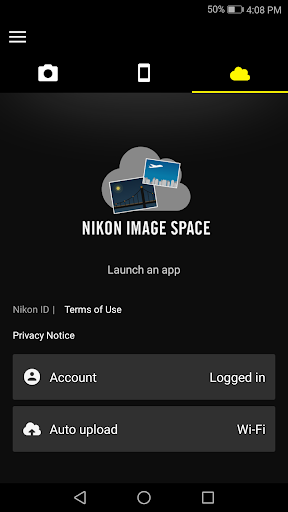
Advertisement
About SnapBridge
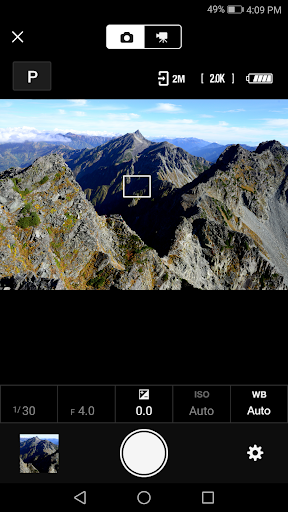
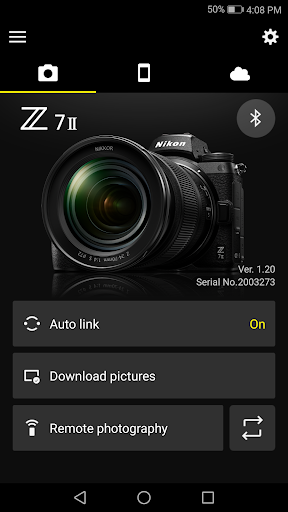
SnapBridge is a super considerate camera phone app that helps you connect your Nikon camera to your mobile phone tightly. This Android gadget is very smooth to use. It can not only automatically send photos, but also remotely control and synchronize in real time. I think it is really important, especially suitable for photography enthusiasts who want to be more convenient and manage photos efficiently.
Overview
Core Features
- Seamless image transfer with Nikon's camera and mobile phone, real-time synchronization feels particularly smooth.
- Automatic backup allows photos to be shared directly from the app, which is very convenient and saves a lot of trouble.
- The interface is simple and intuitive, so easy to use, and the function of remotely controlling the camera has become much easier.
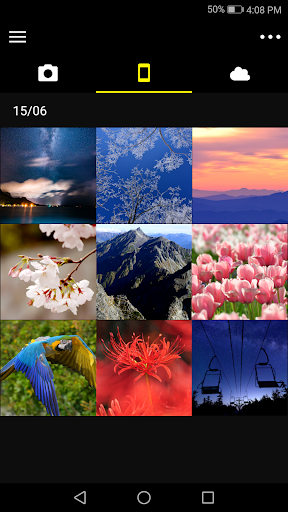
- It can also be used offline. You can view photos and organize pictures without using the Internet. It's a very thoughtful design.
- The app comes with editing tools, which can make some basic adjustments to make creativity more freely.
- Supports Android and iOS devices and can be used by almost everyone without threshold.
- Push notifications will remind you of the status of the camera or the completion of the transmission. The communication is smooth and considerate.
Who This App Is For
This mobile app is especially suitable for people who like to take photos, whether they are professional photographers or amateurs, who can easily manage their photos on their mobile phones. It's especially suitable for those who want to streamline their work processes with a reliable app.
Whether taking photos during travel, gatherings or daily life, users can preview, transfer, and organize photos through this app. It is more convenient and efficient to operate, and feels like a caring assistant.
Why Choose This App
This Android application has a friendly interface and powerful functions, which greatly improves the overall photo taking experience. It is a trustworthy tool that makes it easy to manage and share photos, saving trouble and worry.
Compared with other apps, its real-time synchronization and camera control are particularly good. It is especially suitable for photographers who seek reliability and easy operation. It is definitely a good helper worth choosing.
Top Recommended Alternative

Pros & Cons
Pros
-
SnapBridge can always maintain a Bluetooth connection with a Nikon camera and automatically help you send photos, which is simply worry-free and convenient.
-
The interface of this APP is designed to be very intuitive, making navigation and photo management so easy that you don't have to worry about not understanding it.
-
As soon as the photos are taken, they can be automatically uploaded to the mobile phone, saving a lot of trouble for manual transmission. It's really worry-saving and labor-saving.
-
You can also use this APP to remotely control the shutter, so you no longer have to run around when taking selfies or photos. It's super convenient!
-
SnapBridge supports various models of Nikon cameras. No matter which phone or tablet you use, it can cooperate smoothly and is quite reliable.
Cons
-
At present, SnapBridge is mainly biased towards photos, with fewer video transmission and remote recording functions and less comprehensive.
-
Sometimes, Bluetooth will be interrupted briefly, and automatic transmission will be interrupted. Reconnecting to Bluetooth can usually solve the problem and is a bit annoying.
-
For example, RAW large files will take a long time to upload, connect to Wi-Fi faster, and try this when the Bluetooth speed is not enough.
-
Automatic transmission has been running in the background and is quite energy-consuming, especially if the mobile phone battery is not very durable. You can save some electricity by closing the APP.
-
Users who are starting to use it find the matching process a bit cumbersome, but official tutorials and updates will make the entire process easier.
Advertisement
Download SnapBridge
FAQ
+
< +
< +
< +
< +
Customer Reviews
SnapBridge is praised for its ease of use and seamless experience with compatible Nikon cameras like the D7200 and Z9, offering useful remote control and free 30-day cloud backup. However, many users report significant connectivity issues: Bluetooth pairing often fails, Wi-Fi drops after minutes, and the app frequently freezes or fails to detect the camera. Downloading images is very slow (over two minutes per photo). The app also suffers from constant license agreement reload loops and lacks advanced video controls. Some users find it works perfectly with newer smartphones, while others deem it nearly unusable, recommending a USB-C OTG adapter instead. Overall, reliability is inconsistent.
Write a Review
Share your experience with SnapBridge. Submissions are reviewed before publishing.
You Might Also Like
More apps you may want to try next.




