
Slide Control Hub
Advertisement
Screenshots
Advertisement
About Slide Control Hub
Overview
core feature
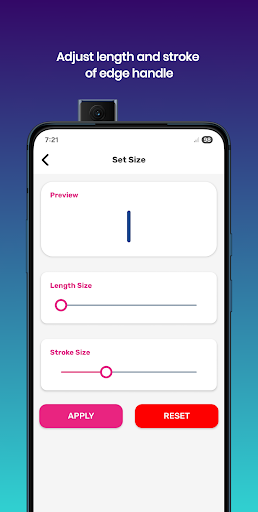
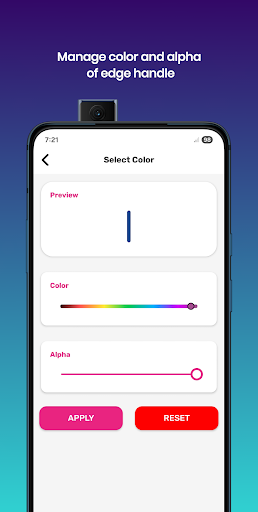
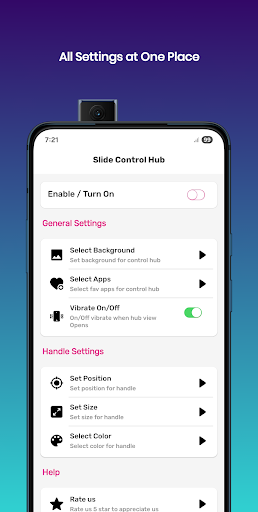
- This app has a control center that can be adjusted by itself. It is quite convenient to quickly turn on important functions such as Wi-Fi, Bluetooth, and flashlight anytime and anywhere.
- The interface is designed very intuitive, and the launcher interface allows you to organize your applications and tools at will, making it much easier to find things.
- Real-time synchronization ensures that your settings and shortcuts are the same on all devices, making it feel smoother and more comfortable to use.
- It also has a built-in notification management function, so you can adjust reminders yourself, so you won't be disturbed by annoying notifications, and it's much cleaner.
- Supports offline mode, and you can use core functions continuously regardless of whether there is no network. It's a very thoughtful design.
- There are rich themes and personalized options, and you can dress up according to your own style to make the entire interface more intimate.
- It can also seamlessly connect with various applications in Android and turn it into a multi-functional platform that can be customized at will. It is a very flexible solution.
Who is suitable for?
This mobile app is aimed at technology-savvy, adolescent students and busy professionals. It is suitable for anyone who wants to get mobile phone usage and become more efficient. Friends who like personalization and want to control their Android devices must not miss this!
Whether you want to quickly call up settings or organize applications to make them more orderly, this solution is great and is especially suitable for people who want to make desktops and applications easier to use and improve daily efficiency.
why this
This Android app can greatly improve your experience with its concise and clear operating interface and rich features. Custom controls and personalized elements make it particularly reliable and practical.
Designed for those who are looking for efficiency, it can solve many equipment management troubles and ensure high quality and stability. It is definitely a trustworthy and easy-to-use solution.
Top Recommended Alternative

Pros & Cons
Pros
-
Intuitive operating interface
-
Super wide compatibility
-
Customizable settings
-
Fast and stable connection
-
Support remote control
Cons
-
Poor compatibility with older models
-
Unstable on some devices
-
It's a little difficult for beginners to get started
-
Long-term use will consume electricity
-
Language support is not enough
Advertisement
Download Slide Control Hub
FAQ
Is Slide Control Hub safe to use on my device? +
Of course, Slide Control Hub is an application that is designed to be reliable and secure. It follows regular security protocols and protects your data privacy with no problem. Remember, it's best to download it from a reliable channel, such as Google's official app store.
Asa relatively mature application, it will make some updates regularly to patch possible security vulnerabilities. In this way, when using this application to customize the control center, your equipment is basically quite guaranteed, and you will feel at ease.
How do I install Slide Control Hub on my Android device? +
Because Slide Control Hub is a popular launcher app, you can find it directly on the Google Play Store. The operation is actually quite simple-just click the install button and wait quietly for it to complete. Don't forget to make sure your device meets the compatibility requirements of this application.
Onceinstalled, the app's features can help you easily customize notifications. The experience is smooth and the interface is friendly, which makes you feel very natural and comfortable to use. It's a very thoughtful design.
What are the main functions of Slide Control Hub? +
It has rich features, such as the ability to customize the notification control method, quickly enter various important settings, and a stylish looking user interface. When designing this software, special consideration is given to the user experience to make your device more efficient and more in line with your personal habits.
Asa highly functional initiator, it can also provide many application-based solutions to help you improve your work and life efficiency. The interface is intuitive and easy to use, and you can quickly adjust the device to your favorite appearance and enjoy a personalized experience anytime, anywhere.
Can Slide Control Hub be used on both Android and iPhone? +
Currently, this app is only available on the Google Play Store and is specifically built for Android devices. Android is very compatible, feels smooth to use, and can be seamlessly integrated into your system. However, a version that suits the iPhone has not yet been released, so it's a pity that Apple friends have no way to use this App directly.
Ifyou want to find similar features on the iPhone, you have to consider other applications. This Launcher is mainly aimed at Android, and it is quite reliable and a trustworthy option to help Android users customize the control panel.
Can I adjust the app's functions to suit my needs? +
Of course! Slide Control Hub is designed to allow users to freely customize it. You can change the style of notifications, the layout of shortcut buttons, or adjust some control settings, and you can do almost anything you want to change yourself.
Thisdegree of personalization will make you use it more smoothly and easily. For those who want a tailor-made control center, this is definitely a trustworthy tool. As long as you are willing to adjust, a happy experience can be opened at any time!
Is this Slide Control Hub suitable for use as an initiator? +
Yes, no problem! This application can be completely used as a launcher. It can help you organize your applications and settings, get commonly used programs with one click, and make the entire interface organized. It is very convenient to use and does not have to wait to improve efficiency.
Asa launcher, it makes your device interface simpler and easier to operate, and enhances your overall experience. Many users like it very much and find it simple, practical and worth a try!
Is this app updated frequently? Can performance become better? +
The development team is still working hard, pushing updates regularly, fixing bugs, adding new features, and ensuring compatibility with the latest Android system. Continuous optimization is to make you use it more easily and at ease.
Thisattitude of continuous polishing also reflects the reliability of the software. Developers have been working hard to provide better and more intimate experiences, and everyone will feel more at ease when using them!
What should I do if I encounter problems using it? +
If you run into trouble, the first step is to try updating your device to the latest software version. Sometimes restarting the machine can solve some minor problems, which is quite simple.
Ifyou still have problems, you can go to the app's support page or contact the developer directly on the Google Play Store. In this way, basically all problems can be solved, continue to use them happily, and enjoy the convenience brought by this trustworthy application!
Customer Reviews
Users generally praise Slide Control Hub for its beautiful design and ability to transform a Samsung device into an iPhone 16 experience, with many calling it 'very good' or 'perfect'. Key strengths include ease of use and aesthetic appeal. However, opinions are split on performance: some users report it works flawlessly and exceeds expectations, while others say the app lags, disconnects Wi-Fi, or functions do not work as intended. Similarly, build quality is praised by some as excellent, but criticized as extremely poor by others. Permission requests are also a concern—some find them excessive. Overall, the app delivers a niche experience but has inconsistent reliability.
Write a Review
Share your experience with Slide Control Hub. Submissions are reviewed before publishing.
You Might Also Like
More apps you may want to try next.




