

Screen Recorder - AX Recorder
Advertisement
Screenshots



Advertisement
About Screen Recorder - AX Recorder
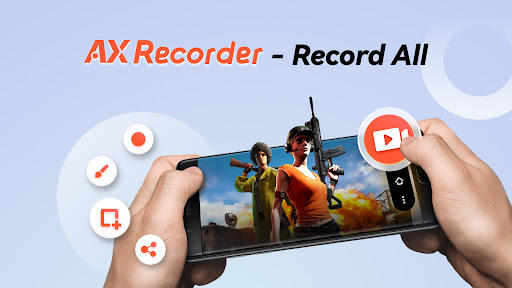
Screen Recorder - AX Recorder is a very reliable Android app specifically used to easily take high-definition screen recordings. Whether it's making tutorial videos, live games, or recording those important moments, it can do it. The interface is quite friendly, easy to operate, and it also brings a lot of practical functions to make it feel good to use. As a multi-functional application, it helps you easily record and share screen content. It's quite convenient, it's so practical!
Overview
core feature
- High-quality screen recording, support for adjusting resolution and frame rate, and excellent video clarity.
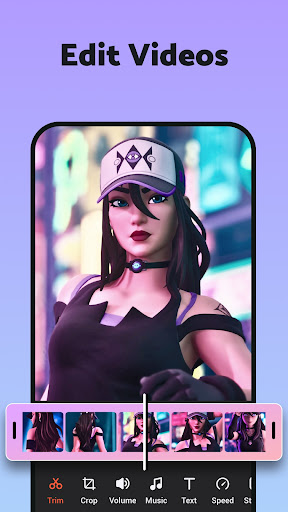
- Comes with editing tools, you can easily cut, crop, and add annotations. The operation is easy to operate.
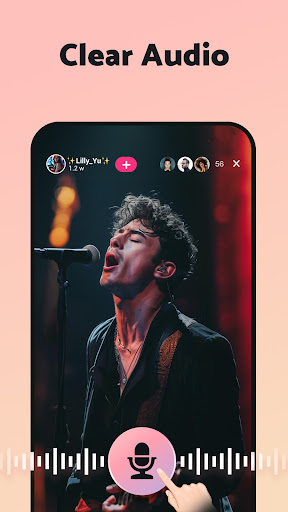
- Supports real-time recording, and both microphone and device sound can be captured together, making the experience more realistic.
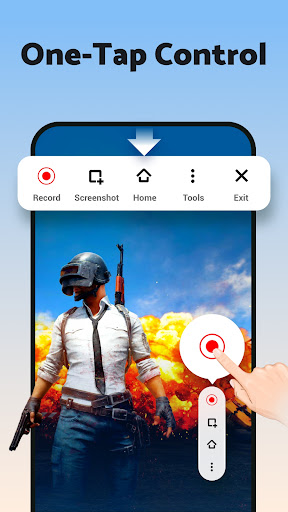
- The interface is super intuitive, easy to use, and it is very convenient to start and end recording.
- There is also a launcher function that can quickly start recording directly from the home page, which is super convenient.
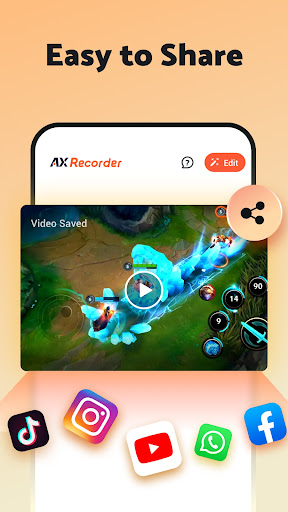
- You can choose to save it locally, or you can share it directly on various social platforms to share it super easy.
- It is compact, well optimized, and runs smoothly on most Android devices.
- It can also be recorded backstage, and important moments will not be missed, making it safe and efficient.
Who is this app suitable for?
This mobile phone screen recording software is especially suitable for content creators, students and professionals. Finding a reliable screen recording tool is really important.
Whether you are recording tutorials, games or meetings, using this app makes recording and editing videos particularly easy, which will improve your experience and work efficiency.
Why choose this app
With its friendly interface and powerful functions, this Android app can easily handle high-quality videos, and you really don't have to worry about the difficulty of operation.
It provides an efficient experience for those who need a reliable launcher and comprehensive recording tools, and is definitely a smart choice compared to other screen recording software.
Top Recommended Alternative

Pros & Cons
Pros
-
Screen recording with high-definition quality
-
Smooth and stutty-free recording experience
-
Built-in editing tools
-
The free version has no watermark
-
The operating interface is very friendly
Cons
-
The free version has limited recording time
-
Occasionally it crashes and is unstable during recording
-
No cloud storage support
-
Recording is not good in noisy environments
-
Some advanced functions have to be opened for a fee
Advertisement
Download Screen Recorder - AX Recorder
FAQ
Screen Recorder - AX Recorder is easy to find on my device? +
Of course, getting Screen Recorder - AX Recorder is as easy as playing. This popular Android app takes you through the installation process step by step, and you can easily start recording screens. It's really convenient.
Once installed, its interface is designed to be intuitive, making it easy to operate and quickly adjust your recording settings whether you are a novice or an experienced driver. It is smooth to use and feels comfortable from the beginning.
Screen Recorder - AX Recorder works well on all Android phones? +
Basically, AX Recorder supports most Android devices and is a very reliable screen recording tool. However, compatibility will also be affected by your mobile phone model and system version. It is normal to have slight differences.
If you want to use it most easily, it is recommended that the mobile phone system be Android 5.0 or above. It runs quite smoothly, many different models of Android phones can be used well, and it is really convenient to record videos and things like that.
Are AX Recorder's features suitable for professional video editing? +
Of course! AX Recorder is not only a simple screen recording tool, but also brings some practical functions, which can not only meet the needs of ordinary users, but also be liked by professionals. You can record high-quality videos, add annotations, and even cut clips directly in them, which is quite convenient for video editing.
It's quite easy to use, especially if you want to do tutorials, live broadcasts or quickly record a short film, which are all very practical options. Its features are designed to make screen recording simple and efficient, which is really good.
Is it safe to use this mobile app? Are there privacy issues? +
Don't worry, Screen Recorder - AX Recorder attaches great importance to user privacy and is trusted by everyone. It doesn't require any extra permissions, and basically your data is quite guaranteed.
As a popular app on Google Play, it also adheres to strict security standards. It is still recommended that you download it from official channels to avoid potential risks caused by some unknown third-party applications and ensure security.
Can I adjust recording parameters in AX Recorder? +
Of course! This app supports functions such as adjusting resolution, frame rate, and recording time, which can be freely set according to your needs. In this way, your recording can become more personalized and more tailored to your needs.
Whether you want high-quality professional recordings or casual Short Video, it supports easy adjustment. The design of the generalist can basically meet the recording needs of various scenarios.
Can it record and record simultaneously? +
Of course! AX Recorder is not limited to video, but can also record sound simultaneously. This is really helpful for doing tutorials or live games with commentary.
The interface design is quite simple. You can easily switch whether to record or not, which makes it easier for you to use and better control the entire recording process, which improves the experience a lot.
Is there a limit to how long soft calls can be made on this phone? +
No! AX Recorder doesn't limit how long you record. As long as the device has enough space, you can record without limit. Long-term tutorials or long-play videos are not a problem.
It will also automatically detect the recording time to help you better organize your files. Especially when doing large video projects, it is very smooth to use and feels comfortable.
How to save and share the recorded video? +
The recorded videos will be saved directly to your mobile phone photo album or a designated folder, which is quite convenient to find. Users can easily manage them and quickly share them on Weibo, WeChat, the cloud, etc.
It also has a built-in share button, which is very simple to operate and helps you transfer video with one click. The interface design is simple and the operation is smooth. Don't worry about making mistakes. Use it with confidence!
Customer Reviews
Users generally praise Screen Recorder - AX Recorder for its ease of use, intuitive interface, and helpfulness in recording gameplay or daily tasks. Many appreciate the simple operation and smooth experience, calling it a "fantastic" and "best application" for capturing video. However, several critical issues are frequently mentioned: the recording automatically stops after a few minutes, and some users report that audio or sound is not captured at all. While some users find the app reliable for sharing videos, others label it "trash" because it fails to record properly. Additionally, excessive ads interrupt the experience, with one user calling it "the worst experience ever." Overall, the app offers strong usability and positive feedback for basic recording, but its inconsistent recording functionality and ad interruptions remain significant drawbacks.
Write a Review
Share your experience with Screen Recorder - AX Recorder. Submissions are reviewed before publishing.
You Might Also Like
More apps you may want to try next.




