Background Video Recorder App
Advertisement
Screenshots

Advertisement
About Background Video Recorder App
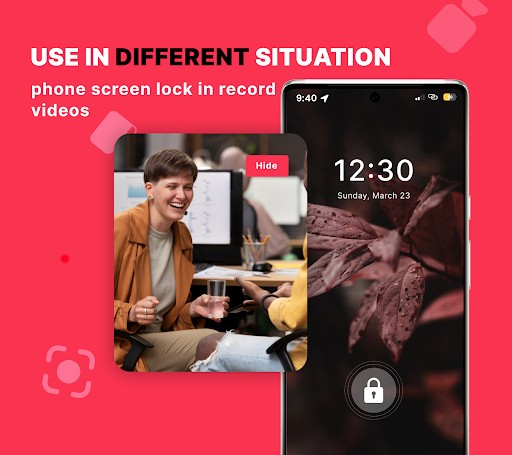
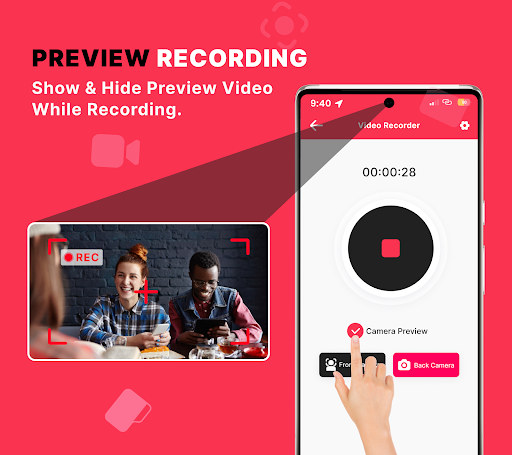
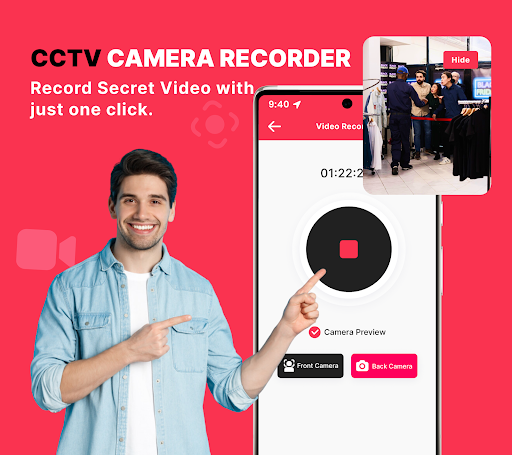
Offscreen Video Recorder is a really useful Android app, designed specifically for people who want to secretly record videos in the background. It's easy to use. It can continue to record videos. As long as you don't turn it off, videos can continue to be recorded without worrying about interruption. Whether you want a fast-to-launch application or need a reliable recording solution, this software can meet your needs. It has comprehensive functions and makes recording videos simple and efficient. It is a really considerate tool.
Overview
core features
- This app has a very comfortable interface that allows you to record videos at any time in the background without disturbing you, and the operation is quite smooth.
- Supports high-definition recording, and can adjust the resolution and frame rate to meet various needs and suitable for different storage spaces.
- You can use real-time editing tools directly during recording. It is quite convenient to modify content, edit and so on at any time.
- You can also record videos offline. It doesn't matter if you don't have the Internet. It's very suitable for traveling outside or when there is no signal.
- It is powerful, can record regularly and automatically save. It is simply the ideal starter software for home security systems. It is so considerate.
- There is also secure storage and privacy control, and data security is guaranteed, so that users who are worried about privacy can use it with confidence.
- The easy-to-share function allows you to directly post videos to social media or the cloud. It is simple to operate, improves efficiency and is convenient.
Who is this app suitable for?
This software is particularly suitable for homeowners, security fans and content creators, whether on Android devices, if you want to easily record videos. The interface is simple and clear, and anyone can use it, making it extremely reliable.
Whether you're working on surveillance launchers, capturing special moments or engaging in professional-level video editing, this app can help you get it done. It's intuitive and smooth to use, and meets the needs of different scenarios.
Why choose it?
The great thing about Android is that it is not only rich in features, but also pays great attention to the user's security experience. It's hard to say that his performance is stable and he has become one of the first choices for video recording.
Coupled with advanced functions such as scheduled recording and offline mode, it solves a lot of small problems during recording. Compared with other similar software, it knows more about winning the trust and satisfaction of users and is worth a try.
Top Recommended Alternative

Pros & Cons
Pros
-
HD recording effect
-
Super simple operation
-
Free adjustment of settings
-
Support background recording
-
Occupying less resources
Cons
-
Editing functions are not rich enough
-
Export occasionally goes wrong
-
Advanced settings are quite complicated
-
Limited support for ultra-high definition resolution
-
Battery drains quickly
Advertisement
Download Background Video Recorder App
FAQ
How do I get started with the Offscreen Video Recorder app? +
It's actually quite easy to get started with this Offscreen Video Recorder, and you can get started in one go. Once you download and install this Android app, you will see some straightforward guides that will take you step by step through the settings. The interface is also very friendly, making recording videos particularly easy and effortless.
Asa reliable mobile app, it connects seamlessly with your device and comes with various functions needed for recording. Whether you are a novice or an old driver, you can record as much as you want with this app, fast and stable, and the effect is excellent.
Is it safe to use the Offscreen Video Recorder app on my device? +
Don't worry, this Offscreen Video Recorder really has safety in mind. It is in compliance with Google Play policies and personal information is protected. It is recommended that you only download it from official channels. Don't be greedy for cheap money or cause trouble.
Thepermissions used by this Android app are also very safe, there are no tricks, and it is practical to use. You don't have to worry about privacy issues when recording videos, which is a pretty reassuring choice.
Does the Offscreen Video Recorder app require an internet connection to work? +
Don't worry, this app can be used offline, and it's okay to record videos without having to connect to the Internet. Its functions are designed so carefully that you can easily operate it whether you are online or offline.
Althoughthe recording itself does not require the Internet, using this app to control recording and settings is quite convenient to operate and will not become annoyed because there is no Internet. For people who need fast and reliable video recording on their mobile phones, this is the practical option.
Can I customize the settings within the Offscreen Video Recorder app? +
Of course, this app provides a variety of customization options, such as resolution, frame rate, etc., as well as setting the recording time. These features can help you adjust to your needs and make it easier for you to use.
Fromadjusting video quality to selecting storage paths, this Android app can do everything. The operating interface is also very friendly, allowing users of different levels to easily get started, and customization is not a problem.
What makes Offscreen Video Recorder a good launcher app for recording videos? +
Although it is mainly for recording videos, because of its simple, convenient and fast interface, it is quite suitable to be used as a launcher. If you want to start recording, you just need to click a few times, which saves you trouble and doesn't have to bother looking for a menu for a long time.
Thisapplication-based solution allows you to quickly enter the recording state and operate smoothly. It is especially suitable for users who want to capture videos efficiently, allowing you to easily handle your video recording needs on Android devices.
Customer Reviews
Users generally appreciate the app's recording quality and ease of use, with several describing it as 'excellent' and 'works perfectly.' However, significant concerns emerge around ad overload and functionality. While many users find the app reliable and effective for background video capture, others report that excessive advertisements block tap controls, cause UI freezing, or require watching multiple ads before recording starts. Some also note that recording pauses when exiting the floating window or locking the phone, which may be a feature or a flaw depending on perspective. Overall, the app divides opinion: positive reviews highlight its performance and simplicity, while negative reviews criticize it as an 'ad trap' with poor support and stability issues.
Write a Review
Share your experience with Background Video Recorder App. Submissions are reviewed before publishing.
You Might Also Like
More apps you may want to try next.