
Samsung Print Service Plugin
Advertisement
Screenshots
Advertisement
About Samsung Print Service Plugin
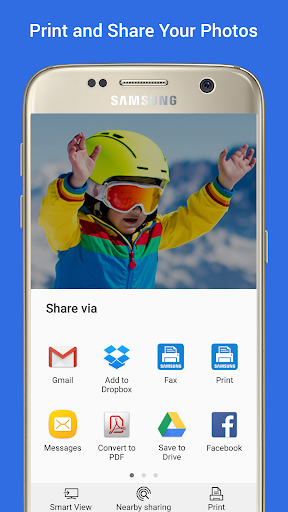
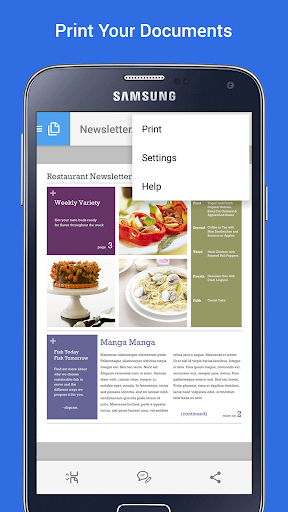
The Samsung Print Service Plug-in is quite reliable. It is specially made for Android users. The goal is to make printing on your mobile phone easier. As a convenient application solution, it works well with your Android device, and you can print directly with your mobile phone or tablet. Its interface design is quite straightforward and easy to operate. Any documents and photos can be printed directly, and there is no need to find other software or anything. The whole experience is convenient, especially suitable for people who want to improve efficiency but don't want to go through too much trouble.
Overview
core functions
- This app is pretty cool and works perfectly with Samsung's printers, allowing you to print it quickly with your mobile phone, saving you trouble and worry.
- It can also tell you the printing progress in real time and know everything. It's really sweet.
- The interface is simple and easy to operate. Connecting and managing print tasks has become so easy, and there is no need to worry about it.
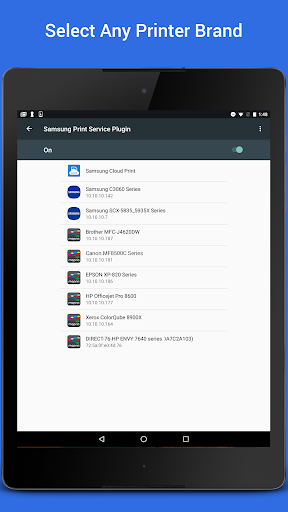
- Automatically detects compatible printers on the network, and the experience is great, so you don't have to find devices one by one.
- The environment is safe and there is no advertising, allowing you to print with peace of mind, ensure privacy, and ensure reliable performance.
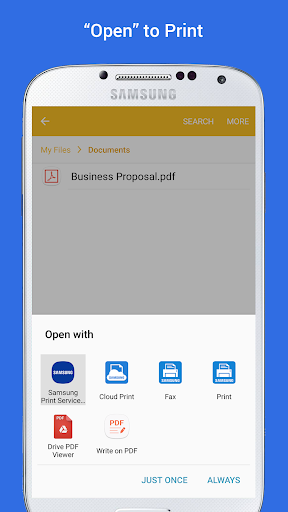
- You can also print directly from your Android app without having to install any additional launchers, which is really convenient to get home.
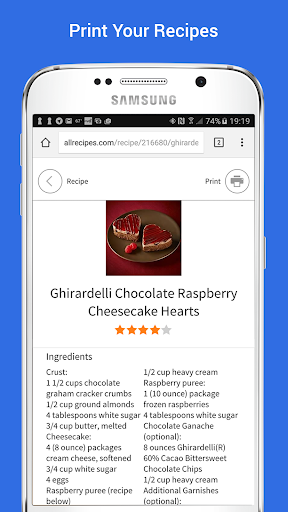
- Supports various file formats and can easily print documents, photos and even web pages. It is extremely rich in functions.
Who is this App suitable for?
This mobile app is especially suitable for people who often use Samsung printers to print documents or photos, especially professionals and students. People who like to be simple, fast, and able to complete printing tasks anytime, anywhere will especially like this.
Whether you're managing office documents, using it to print photos from photo albums, or using an app to quickly draw pictures, this app will give you a reliable and efficient experience that fits your needs perfectly.
Why choose this App
This Android software is easy to operate and is not difficult to connect to print. It is simply the best among various print management tools. The user interface is friendly and powerful, which can help you easily solve printing problems, and the experience is smooth.
What makes it special is that it provides a safe ad-free environment. Its powerful functions also solve common printing problems. It is especially suitable for users using Samsung devices. If you want to find a reliable application solution, this is the best choice!
Top Recommended Alternative

Pros & Cons
Pros
-
Seamless printing experience
-
Super user-friendly interface
-
Support multi-brand printers
-
Remote printing functions
-
automatically updated
Cons
-
Occasionally, you encounter connection problems
-
Too few customization options
-
Setting up was a little complicated at first
-
Old printers are not compatible well
-
Occasionally break down
Advertisement
Download Samsung Print Service Plugin
FAQ
Is Samsung Print Service Plugin safe to use? +
Well, the Samsung printing service plug-in is quite reliable. After all, it is produced by Samsung and its security is guaranteed. Its role is to help your Android phone easily implement the printing function, which is quite convenient.
Moreover, this plug-in is placed in the Google App Store and has gone through a lot of security testing. It is basically a relatively reliable solution to manage print tasks, and I don't think there will be any problems.
How do I install Samsung Print Service Plugin on my device? +
Installing this app is actually quite simple. You can just search for "Samsung Print Service Plugin" in the Google App Store and place it in the productivity category. Just follow the usual steps for installing Android apps.
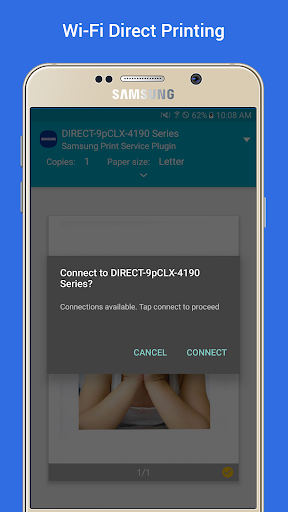
Once installed, it will serve as your main printing assistant, sending documents directly from your phone to supported printers.Remember that your phone and printer must be connected to the same Wi-Fi network to print smoothly.
What features does Samsung Print Service Plugin offer? +
This plug-in is quite functional. It has the ability to print directly from Android devices, supports multiple document types, and can also interface with Samsung printers. The goal is to make it convenient for users to use and can print directly with their mobile phones.
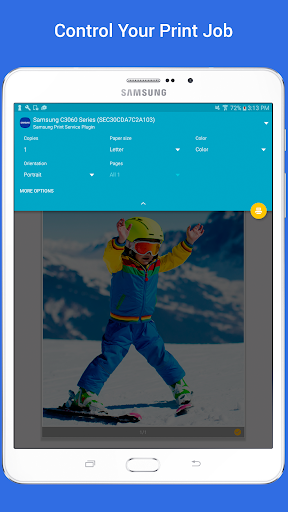
Theinterface design is intuitive and easy to operate. It can manage print tasks, adjust settings, and quickly connect to compatible printers. The solution based on this application makes mobile phone printing fast and worry-free, suitable for daily use or work use.
Will I need to update Samsung Print Service Plugin regularly? +
Yes, it's important to keep apps updated so that new features can be used, security issues can be prevented, and small bugs can be fixed. It will push new versions on the Google Store from time to time, and it is recommended to keep the latest version.
Afterthe update, not only will the experience be better, but it will also ensure that your printing operations are safe and smooth and avoid any strange problems.
Can I use Samsung Print Service Plugin with printers from other brands? +
Although this plug-in is mainly tailor-made for Samsung printers, it actually supports some other brands of printers as long as they are compatible with the standard printing protocol on Android. This is also a major advantage of it. It is quite diverse and can meet different needs.
However, to achieve the best results, it is recommended to use Samsung's printer or look at the compatible models recommended by the developer, which will have more complete functions and a better experience.
What should I do if the app isn't working properly? +
If you encounter any problems, try restarting the device to make sure the printer is connected properly and that both are on the same Wi-Fi network. Sometimes cleaning up the application cache can solve a lot of problems.
Ifit still doesn't work, you can check to see if there is any update, or uninstall and reinstall it. The purpose of this plug-in is to let you use it smoothly. If you encounter problems, you can usually solve them with more patience.
Is Samsung Print Service Plugin compatible with all Android versions? +
This plug-in probably supports recent generations of Android systems, and is generally available since Android 5.0. Its design goal is to have good compatibility and adapt to a variety of different devices.
Forthe best experience, it is recommended that your device meet the minimum requirements, and the Android system is also the latest version, so that you can fully utilize its functions.
How does Samsung Print Service Plugin compare with other printing apps? +
Compared with some other print management applications, the integration of Samsung's print plug-in is particularly smooth, especially for Samsung's devices and printers. Its design is simple and reliable, focusing on the convenient management of printing tasks.
Ifyou are using a Samsung mobile phone or tablet, this application solution will make your experience more continuous, save time, and be more worry-free. It is quite practical to use your mobile phone to complete printing tasks directly.
Customer Reviews
Users generally appreciate the Samsung Print Service Plugin for its speed, reliability, and straightforward setup, with many reporting excellent overall experiences and successful print jobs after initial configuration. However, several critical issues are consistently highlighted: post-update failures are common, with some printers becoming undetectable (especially on Samsung S22 and S9 Plus) and WiFi print jobs timing out. The app's compatibility is a major point of contention—while it works smoothly with certain HP and Samsung models, it fails to detect network printers on premium tablets like the Samsung S7+ Tab and refuses to add printers by IP address, a feature other services offer. The 'Save PDF' function is broken for some (0-byte files), and the inability to print selected text or scale to 100% frustrates power users. Additionally, the required permissions are excessive, and the UI language lock (English-only) alienates non-English speakers. Though many describe it as 'simply brilliant' and 'highly efficient,' the app's reliability after updates and limited printer support make it a mixed tool—great for some users, but frustrating for others.
Write a Review
Share your experience with Samsung Print Service Plugin. Submissions are reviewed before publishing.
You Might Also Like
More apps you may want to try next.




