Advertisement
Screenshots
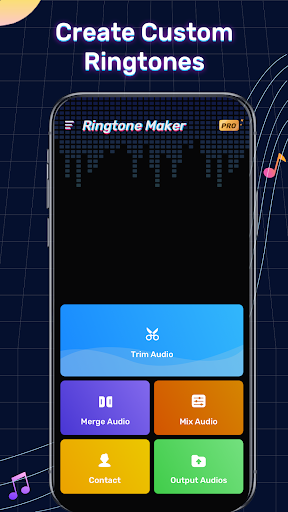
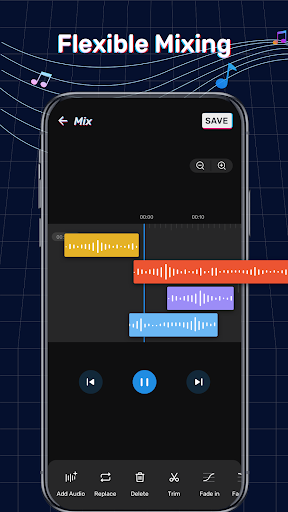
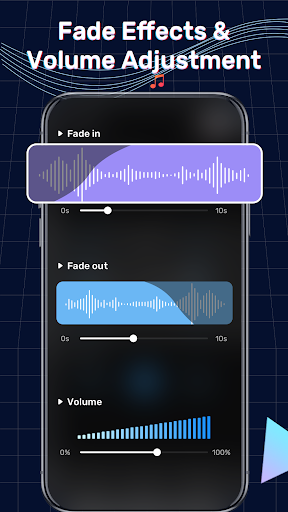
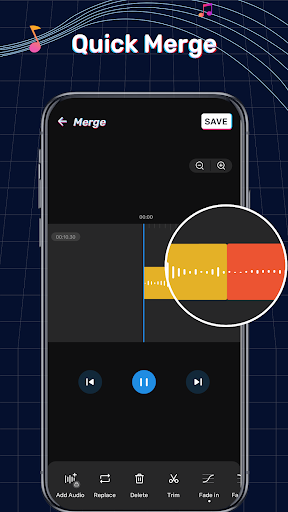
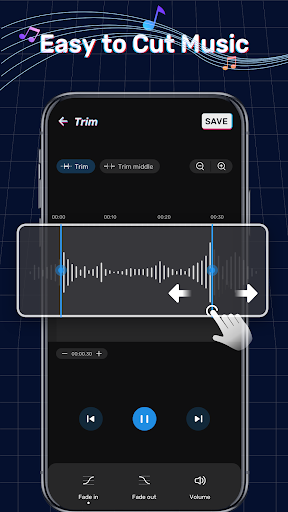
Advertisement
About Ringtone Maker: Music Cutter
Ringtone Maker: Music Cutter is a very intimate app, specially designed for Android phones. It is very convenient for users to use and can easily make their own ringtones, alarm clock reminders, and even notification sounds. The interface looks quite intuitive, it is smooth to use, it is quick to cut songs and edit songs, and it is responsive. As a multi-functional gadget, it is really an artifact that helps you customize the sound of your mobile phone as you want. It is not complicated. With patience, you may be able to get a lot of music you like!
Overview
core functions
- The interface is super intuitive and easy to use. You can easily cut out your favorite ringtones and adjust them accurately. It feels like you are having fun.
- Supports various audio formats, and you can handle music files on almost all devices. It's really convenient.
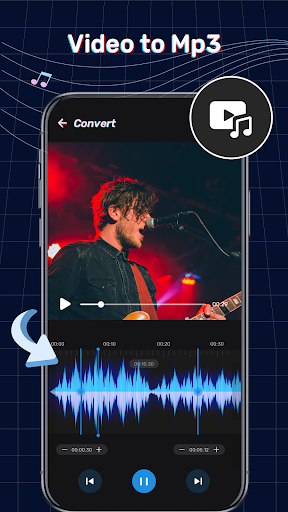
- The built-in audio editing tool can be cut, merged directly in the software, and added special effects. It is easy to operate and perfectly meets all needs.
- The batch processing function allows you to get several ringtones at once, saving time and worry, and the efficiency is great.
- Offline mode can be done even if you don't have the Internet. There is no pressure to customize your own personalized ringtone, and you can play it anytime, anywhere.
- The preview function allows you to listen to it once before saving it to ensure that every ringtone is perfect and never has a bad review.
- Perfectly combined with Android launchers and devices, the user experience is smooth and smooth, and customization becomes super simple.
Who is suitable for?
This mobile app is especially suitable for friends and teenagers who like music, as well as those who want to create personalized ringtones on their Android phones. Those who like to adjust the sound of their mobile phones as they please must not miss it!
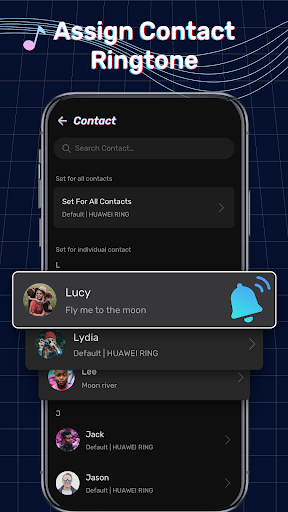
Whether you want to design exclusive ringtones for different contacts or create an audio clip to notify ringtones, this software solution is friendly to ordinary users and audio enthusiasts, easy to use, and a great experience!
Why choose this?
This application is super user-friendly, combining powerful functions with a concise interface, and is not complicated to use at all. Its reliability and rich audio options allow you to make your own ringtone quickly and accurately, which is great!
The most special thing is that it can also complete professional-level editing on mobile phones, solving the compatibility and operation problems of ordinary users, and providing an artifact suitable for various skill levels. I can't like it any more!
Top Recommended Alternative

Pros & Cons
Pros
- The user interface is very friendlyThe layout of this software is very intuitive and people who are just starting to use it can quickly get started.
- Supports multiple audio formatsIt is compatible with MP3, WAV, AAC and so on, and has quite comprehensive functions.
- The editing tools are preciseYou can crop the audio very thin, accurate to seconds.
- The processing speed is amazingCutting and saving ringtones has almost no waiting time and is quite smooth.
- Preview functionIt's nice to be able to listen to it again before finalizing the ringtone.
Cons
- The function is a bit monotonousWithout the fade-in or special effects, the sound can be richer.
- Cannot process in batchesEach ringtone has to be cut separately, which seems time-consuming.
- Occasionally break downThere will be a crash when processing large documents, which can sometimes be quite annoying. The government may fix this problem.
- Free version with watermarkThe exported ringtones will have a watermark, but there will be no such restriction after the upgrade.
- Audio editing functions are not rich enoughThere is no volume adjustment or interpolation, which may be improved in the future.
Advertisement
Download Ringtone Maker: Music Cutter

FAQ
How to install the Ringtone Maker: Music Cutter app on my device?+
Getting started with Ringtone Maker: Music Cutter is actually quite easy. Because it's on the Google Play Store, you can find it by searching the app market for Android devices.
Afteryou find it, you can install it with a click. This Android app has a friendly interface and intuitive operation. Whether you are a novice or a veteran, you can start editing ringtones immediately, which is quite convenient.
Is Ringtone Maker: Music Cutter safe?+
Of course it's safe. This application strictly adheres to safety standards and has been tested for safety. It's a relatively trustworthy app in the music and audio categories, allowing you to securely customize ringtones.
Itis recommended that you download it from regular channels, such as the Google Play Store, which is more secure. With this app, your device is safe and you can smoothly edit and make exclusive ringtones. You can feel at ease.
What are the main functions of Ringtone Maker: Music Cutter?+
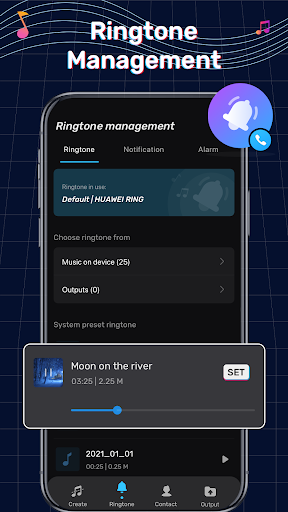
This mobile phone software provides various functions to make ringtones conveniently and accurately. You can edit music files, merge audio clips, and even set a part of a song as a ringtone directly in the app.
Itsinterface is very friendly and easy to operate, whether on an Android device or with another launcher. The main features also include real-time preview, support for multiple audio formats, and easy saving and sharing of ringtones you make yourself. It's great.
Can I use Ringtone Maker: Music Cutter offline?+
Sure, you can use it offline completely after installation. You can edit or make ringtones without having to connect to the Internet. It is very convenient and can be done anytime, anywhere.
Thisfeature allows you to have no stress in places where the network is not very good. All editing content is stored directly on your device, and the process is smooth and will not be interrupted.
Can Ringtone Maker: Music Cutter integrate with device launchers or other applications?+
It's mainly a stand-alone music and audio application, but you can easily open it through the device's launcher. It does not require special integration and works well with other applications and launchers, even if there is no special integration.
Thisway, you can quickly find your customized ringtone from the contact or settings menu. The experience is smooth and convenient, and it is a very thoughtful design.
What version of Android do I need to run Ringtone Maker: Music Cutter?+
It's compatible and usually supports versions starting with Android 5.0 (Skittens). Most new devices can use the functions of this application, and there is basically no problem.
Ifyour device version is older, it is recommended to upgrade the operating system, which will make the experience better and safer.
Does Ringtone Maker: Music Cutter have paid projects or ads?+
There is a free version of this app that provides core functions and will also insert some advertisements to support developers to continue updating and maintaining them. You can also pay to remove ads or unlock additional features.
Useit with ease. It is designed to be reliable and a trustworthy app that not only ensures the user experience, but is also transparent, and has no hidden charging traps.
How can I get help when encountering problems?+
can find its official page on the Google Play Store, where you can answer frequently asked questions and contact developers. This way you can get reliable help to solve most difficult and miscellaneous diseases.
Usingofficial channels to solve problems is the most reliable way to ensure that you can successfully create a satisfactory personalized ringtone with peace of mind and peace of mind.
Customer Reviews
Ringtone Maker: Music Cutter is widely praised for its intuitive design, smooth performance, and reliable functionality, with many users calling it the best ringtone maker they've tried and expressing satisfaction over years of use. Key strengths include ease of use, seamless audio cutting, and overall quality. However, there are significant concerns: while the app is capable, it is heavily criticized for excessive ads that disrupt the experience—some users describe it as an 'ad delivery platform' where ads appear constantly unless you pay. Additionally, a few users report audio glitches and repeating segments in the final ringtone. Performance is generally good, but the ad volume and occasional bugs frustrate many. Overall, a solid tool marred by aggressive monetization.
Write a Review
Share your experience with Ringtone Maker: Music Cutter. Submissions are reviewed before publishing.
You Might Also Like
More apps you may want to try next.