

AI Video Editor, Reels: inMelo
Advertisement
Screenshots



Advertisement
About AI Video Editor, Reels: inMelo
Reels & Video Editor - inMelo is actually a very practical Android application specifically used to make and edit videos. It is quite convenient to operate. Whether it's cutting clips, adding music, or creating some special effects, this software can handle it all and is quite comprehensive. Its interface is very considerate and easy to use, allowing everyone to easily create good-looking videos on their mobile phones. It feels very friendly and I sincerely recommend it!
Overview
core feature
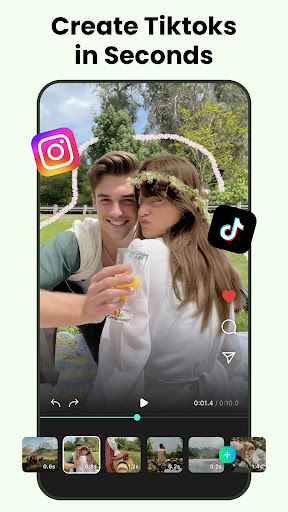
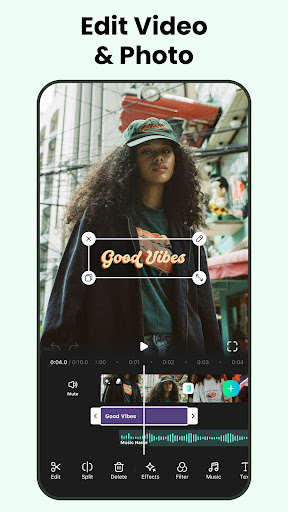
- The ultra-simple video editing tool allows users to easily edit, cut, and merge clips in the application without worrying at all.
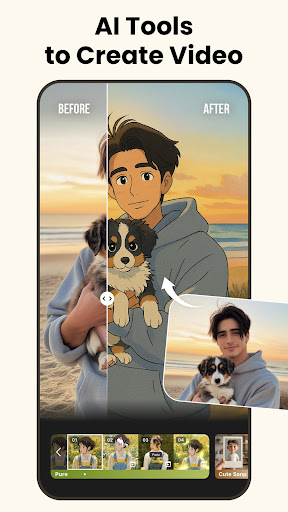
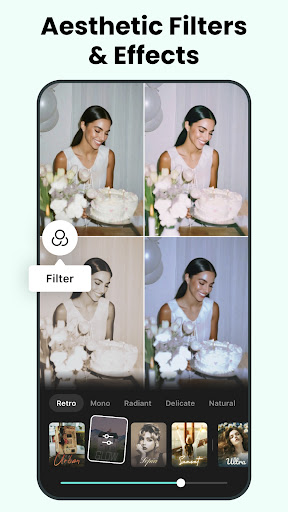
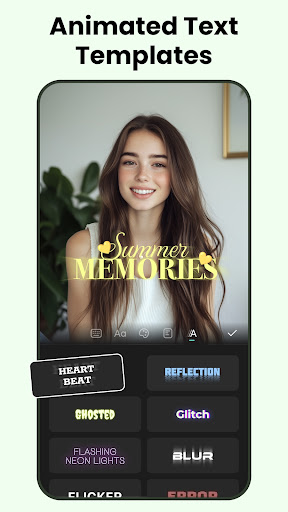
- Powerful, you can add music, filters, text superimposition and transition effects to make professional videos carefully.
- Support real-time preview and see editing effects at any time, which enhances the fun and efficiency of creation, making it as exciting as the scene.
- Various export methods ensure smooth high-definition videos and can be perfectly adapted to various social platforms.
- The interface design is friendly and easy for beginners and senior editors to get started. It's a universal solution.
- It can also quickly get short films and social videos, which is especially suitable for busy content creators to burst out creative anytime, anywhere.
- Comes with offline mode, you can edit even if you don't have the Internet. The stability is greatly improved. How considerate.
Who is this app suitable for?
This software is especially suitable for people who love to socialize and content creation, or ordinary users who want to make interesting videos. It is an artifact on Android phones. Most of them are people aged 15 to 40. They like to share clips online and want a simple and easy-to-use mobile editing tool.
Whether you are a student who wants to make a funny short film or a small business who is making a promotional video, this software can help you easily and flexibly. In fact, this one is particularly suitable for anyone looking for Android users who want to be reliable and simple, and can quickly handle videos.
Why choose this?
This mobile app is easy to operate, has an intuitive interface, and has rich functions. It is really different from other Android software. It pays special attention to the user experience and also provides various practical functions to make video editing super smooth and easy to use!
It solves many common editing problems and is particularly reliable to use. inMelo is an outstanding application. It combines the advantages of ease of use and high-quality output. It is definitely the artifact of choice for making professional videos. It can do everything easily.
Top Recommended Alternative

Pros & Cons
Pros
- Fast automatic captionsGenerates highly accurate subtitles in seconds, saving hours of manual work for social media clips.
- Smart scene detectionAI picks out key moments automatically, making it easy to create highlights from long recordings.
- Trendy template libraryIncludes pre‑made Reels templates for viral formats like transitions and text overlays.
- One‑tap music syncMatches background beats to video cuts without manual timeline adjustments.
- Direct platform exportExports in IG‑ready aspect ratios and resolutions with a single tap, no re‑encoding needed.
Cons
- Free version adds watermarksThe exported video includes a small logo in the corner; upgrading removes it.
- AI voice‑over sounds roboticText‑to‑speech voices lack emotion and natural inflection, especially for longer narrations.
- Stutters on 4K footageProcessing clips longer than 3 minutes at high resolution causes lag and occasional crashes.
- Limited manual timeline controlFine‑tuning cut points and keyframes is not as precise as in desktop editors like Premiere Rush.
- No background removal yetThe app lacks an automatic green‑screen or object‑removal feature, which is common in competitors like CapCut.
Advertisement
Download AI Video Editor, Reels: inMelo

FAQ
Is AI Video Editor, Reels: inMelo free to use?+
This mobile app offers a free version with basic editing tools. For advanced features like 4K export and no watermark, you can upgrade to the premium version within the app.
How do I install the app on my Android device?+
Simply open the Google Play Store, search for AI Video Editor, Reels: inMelo, and tap Install. This Android app will then download and set up automatically on your phone.
Is it safe to give the app permission to access my photos and videos?+
Yes, the app needs those permissions to edit your media files. Your data stays on your device and is not shared. As an app based solution, it follows standard privacy practices for video editors.
What are the key app features I should know about?+
Key app features include AI-powered background removal, automatic caption generation, and a library of trending music and effects. You can also trim, merge, and adjust speed easily within this mobile app.
Can I edit videos without an internet connection?+
Yes, most editing functions work offline. However, downloading music tracks and some AI processing require an active connection. The app experience is smooth even when you're not online.
Will my exported videos have a watermark?+
Free exports include a small watermark at the end of the video. To remove it and unlock higher resolutions, you need to subscribe to the premium plan through the app's settings.
Customer Reviews
Users generally praise AI Video Editor, Reels: inMelo for its intuitive design, smooth performance, and extensive template library, making it a top choice for creating reels and editing videos efficiently. Key strengths include ease of use, fast editing, and high-quality results. However, some users note that while the free version offers good variety, the most powerful templates are locked behind a paid Pro version—a point of contention for casual users, though business-oriented users find the upgrade worthwhile. Overall, the app delivers a seamless experience with professional potential, but those seeking advanced features should be prepared for in-app purchases.
Write a Review
Share your experience with AI Video Editor, Reels: inMelo. Submissions are reviewed before publishing.
You Might Also Like
More apps you may want to try next.


