Recipe Keeper
Advertisement
Screenshots
Advertisement
About Recipe Keeper
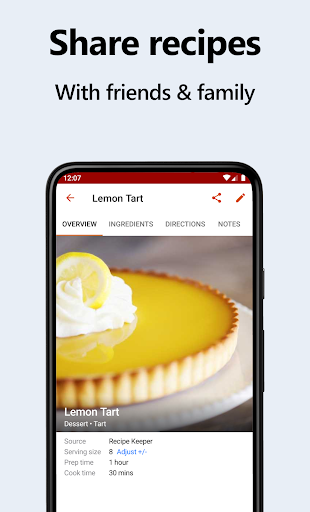
Recipe Keeper is a particularly intimate mobile app created for those who love good food and like to cook at home. It allows you to easily organize and manage those good things without worrying about not being able to handle them. Whether you use Android or iOS, you can find it. This software is really super intuitive to operate. It can help you save, classify, and share recipes with friends. It feels very smooth to use. Its functions are very practical and it has basically become my reliable partner when cooking. Whether it's planning a meal or storing recipes, it's easy to do it.
Overview
core functions
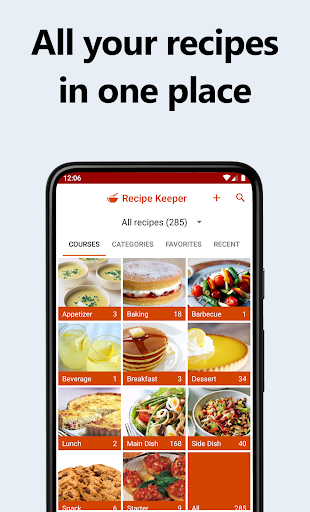
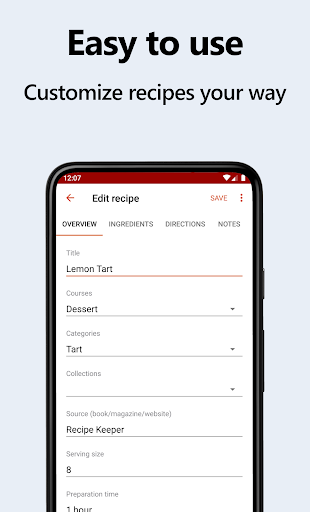
- This software interface is super friendly, you can organize the menu any way you want, and the editing is simple and won't make me feel troubled.
- There is also a powerful search function that allows me to quickly find the recipe I want, whether it is by ingredient, name or category, with one click.
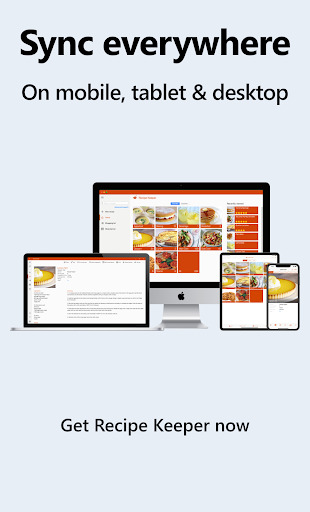
- Support real-time synchronization between devices, so that my recipes can be called up at any time wherever I store them, and offline can also be used, which is really convenient.
- You can customize the classification and labeling, allowing me to organize the recipes in an orderly manner according to my preferences or occasions, which is particularly considerate.
- You can also add photos and remarks to give the recipe more visual and detailed information, making it more vivid and more memorable.
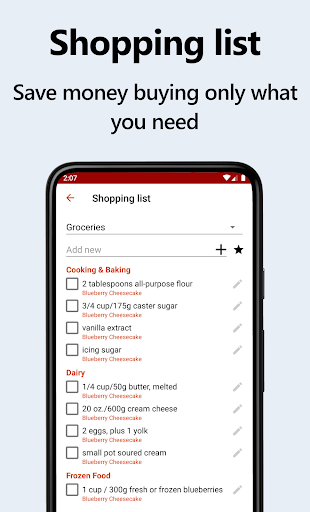
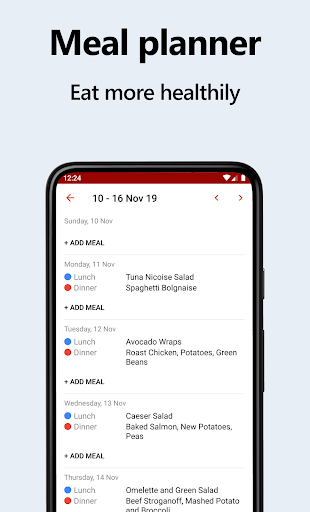
- It also comes with cooking plan and shopping list functions, which helps me save many cumbersome steps and makes it easier to buy and prepare food.
- There is a starter function that allows you to jump directly to the menu next time you open it, which is convenient and quick, saving me from looking for recipes everywhere.
- There are no advertisements at all and I won't be disturbed at all. It's especially suitable for me who likes delicious food and don't have to worry about being bothered by advertisements.
Who is suitable for?
This mobile app is especially suitable for home chefs, food bloggers or chef friends who want to organize their precious recipes one by one and put them on their Android phones. No matter how old you are, you can have fun. Being able to use this reliable app to find inspiration is definitely a big help.
Whether you're planning a week's menu or storing family recipes, this app can help you get it done, so you can take it out anytime, anywhere, convenient and practical.
Why choose it?
This Android app is smooth and versatile, and it makes it easy for me to get through the tedious things like recipes. The design is particularly intuitive and can be used offline. Compared with other applications, it is really quite good.
It does everything around the real needs of users, helping me solve the problem of messy recipes and unable to retrieve them at any time. Its reliability and considerate design make me feel that it is a trustworthy food helper, especially suitable for people who like to cook.
Top Recommended Alternative

Pros & Cons
Pros
-
Intuitive and user-friendly interface
-
Powerful recipe sorting function
-
Can be used offline
-
Ingredients tracking
-
Cross-device synchronization
Cons
-
Recipe sharing is too single
-
The search function is too simple
-
Synchronization occasionally gets stuck for a while
-
Too little template customization
-
There is no dedicated cooking plan calendar
Advertisement
Download Recipe Keeper
FAQ
How do I create an account or log in to Recipe Keeper? +
To start using this app, you can register an account directly in the Recipe Keeper mobile app. Logging in is actually quite simple, and the process is surprisingly fast.
Once signed in, you can access your recipes on different devices and the experience is smooth. Remember to use a strong password and don't leak login information. Security is still very important.
Is Recipe Keeper safe to use on my mobile device? +
Of course, Recipe Keeper is a very secure application that puts user privacy and data security first. It uses encryption to protect your recipes and personal information, which sounds quite reliable. Moreover, this app is quite famous among food apps, and its security is beyond question.
Be sure to download it from official channels, such as the Google Play Store or the Apple App Store, to ensure you get the real version. The equipment's system should also be kept up to date to maximize your safety.
What are the main app features of Recipe Keeper? +
This recipe manager is quite rich in functions, with a convenient recipe input interface, customizable categories, and search and filtering. You can also attach photos, make a meal plan, and even make a shopping list. You are an all-round domestic helper.
These features allow you to easily organize recipes and dish ideas whether at home or away. It's really a good helper to help you become a kitchen god. It's recommended to directly set it up for your daily food organization baby.
Can I use Recipe Keeper offline? +
Yes, this is one of its advantages. Recipe Keeper supports offline use. You can add, edit or view your own recipes at any time without the need for networking. Sometimes this is especially useful in the kitchen or where the signal is poor.
This offline solution ensures that you have your own recipes at hand anytime, anywhere, and you can use them without stress on your daily basis. It is a trustworthy food application.
Does Recipe Keeper support multiple device synchronization? +
Of course, as long as you sign in with the same account on different devices, you can sync recipes. In this way, your recipes won't fall behind or miss out, and you can keep them up to date on any device.
Whether it's Android or iOS, the synchronization feature makes management super convenient and smooth. For friends who like to switch between different devices, this is a thoughtful design.
Is Recipe Keeper suitable for beginners or experienced cooks? +
This app is friendly to both novices and veterans. The interface is intuitive and simple, easy to operate, and you can quickly get started from the beginning without worrying about complex settings. Newbies who are new to digital collation can easily do it.
Moreover, if you are an experienced chef, functional custom classifications, detailed notes and advanced searches can also help you get twice the result with half the effort, making managing recipes more efficient and fun.
How often is Recipe Keeper updated, and is it supported by the developers? +
The app is frequently maintained and updated to ensure that it adapts to the latest Android and iOS versions. The development team also listens to user feedback and continues to optimize the experience, which feels quite human.
It has always been maintained and supported, making it quite reliable in food applications. It does not have to worry about safety and stability issues when using it. It is very well-informed.
Are there any costs associated with using Recipe Keeper? +
The basic version of Recipe Keeper is free, and many commonly used functions can be used easily. Additional advanced features or content may cost a little money, but the entire core application is quite comprehensive and comfortable enough.
Whether you just want to try it or plan to use it in depth, this software can bring value to you. It is a very trustworthy tool that can be used happily by hobbyists and family chefs.
Customer Reviews
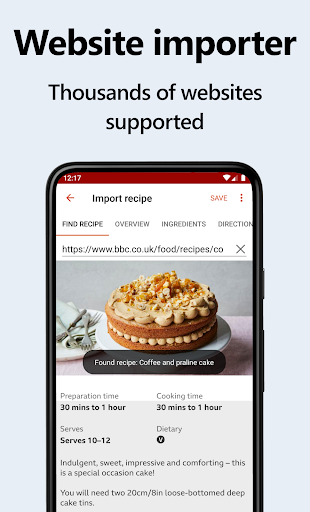
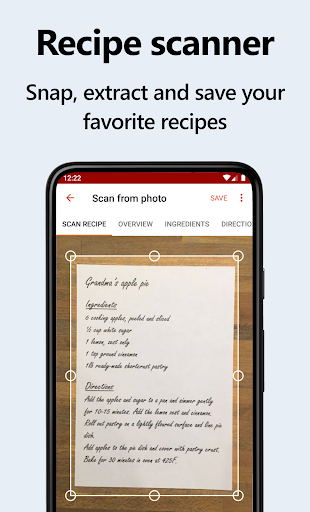
Recipe Keeper is highly praised for its one-time purchase model (no subscription), powerful import features (screenshot, photo scan, web import), and seamless cross-device sync. Users appreciate the intuitive interface, automatic serving adjustment, and customizable categorization. However, there are notable drawbacks: while many love the import functionality, some report that web import on Android stops working. The free version's 20-recipe limit is restrictive, and the need to purchase separate licenses for Windows or iPad sync (even after buying the Android Pro version) frustrates many. Performance issues include slow loading with large databases and occasional search difficulties. Menu planner lacks batch delete, and the sign-in button can be confusing. Despite these concerns, the app remains a top choice for its value and core features.
Write a Review
Share your experience with Recipe Keeper. Submissions are reviewed before publishing.
You Might Also Like
More apps you may want to try next.