FamiliarApps logo
Quick Control Widgets, Themes

Quick Control Widgets, Themes

Advertisement

Screenshots
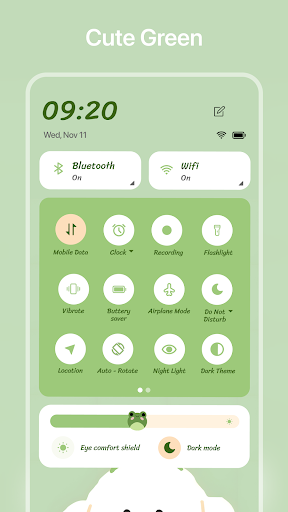
24 images
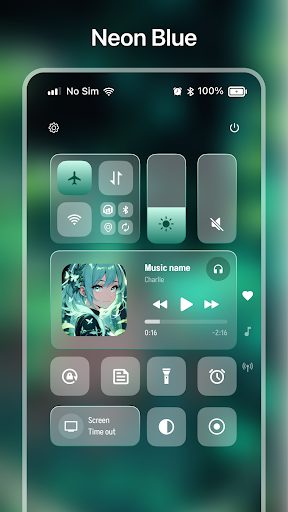
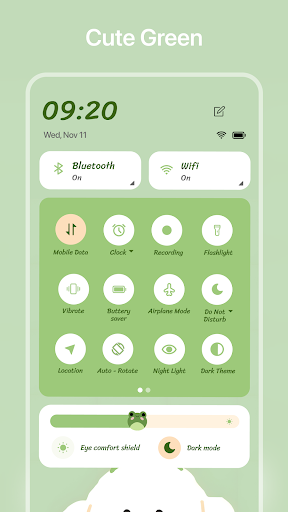
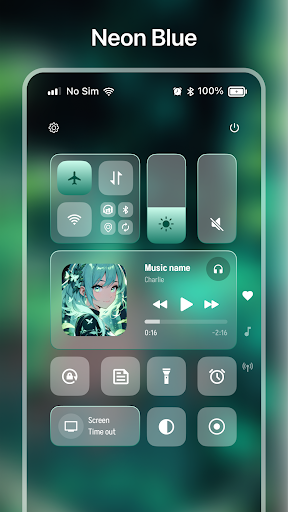
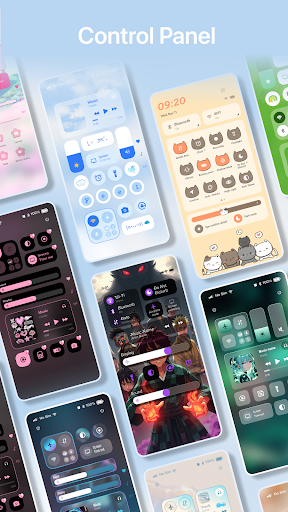
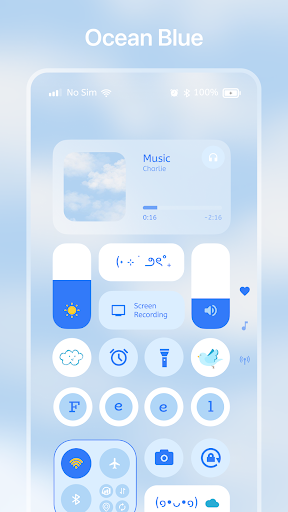
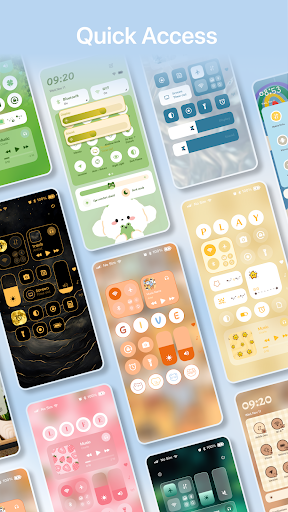
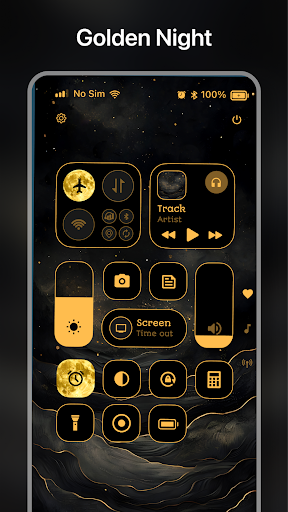
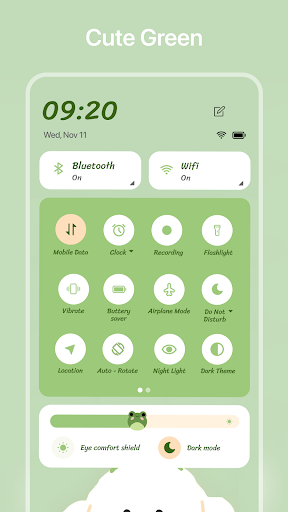
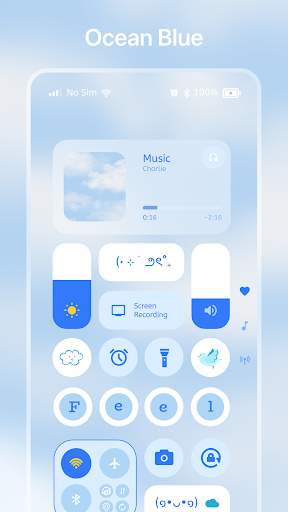
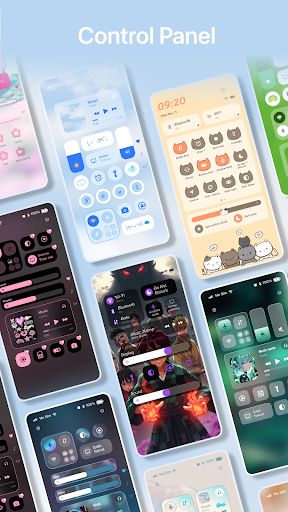
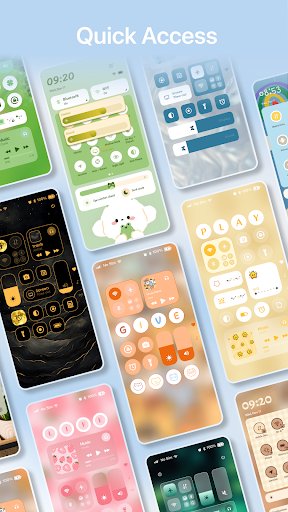
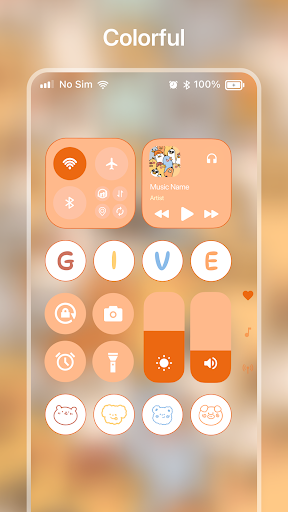
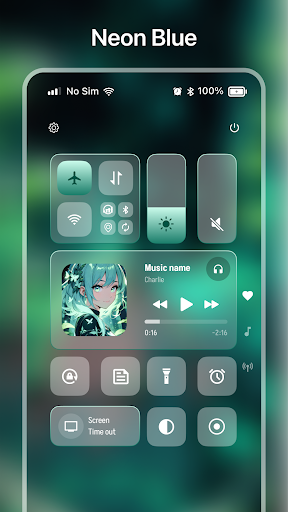
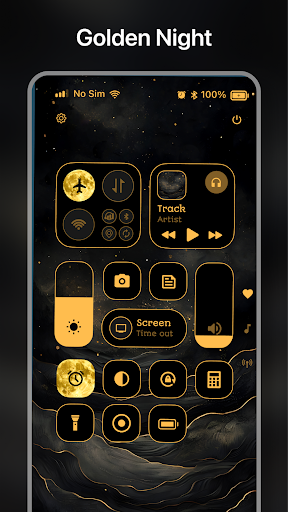
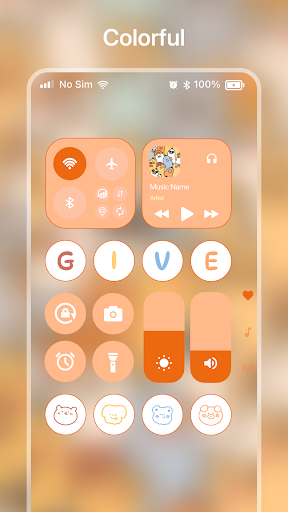
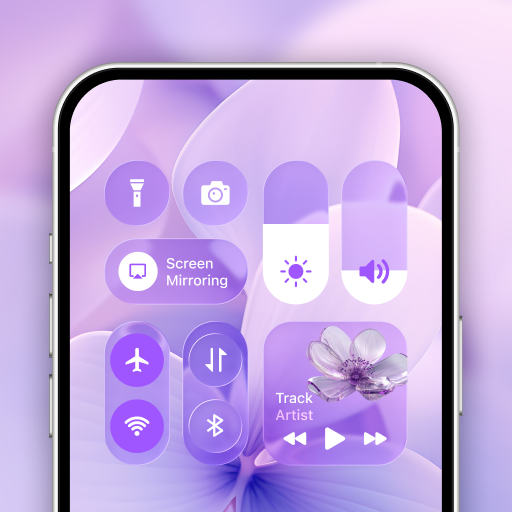
Quick Control Widgets, Themes screenshot 1 Quick Control Widgets, Themes screenshot 2 Quick Control Widgets, Themes screenshot 3 Quick Control Widgets, Themes screenshot 4 Quick Control Widgets, Themes screenshot 5 Quick Control Widgets, Themes screenshot 6 Quick Control Widgets, Themes screenshot 7 Quick Control Widgets, Themes screenshot 8 Quick Control Widgets, Themes screenshot 9 Quick Control Widgets, Themes screenshot 10 Quick Control Widgets, Themes screenshot 11 Quick Control Widgets, Themes screenshot 12 Quick Control Widgets, Themes screenshot 13 Quick Control Widgets, Themes screenshot 14 Quick Control Widgets, Themes screenshot 15 Quick Control Widgets, Themes screenshot 16 Quick Control Widgets, Themes screenshot 17 Quick Control Widgets, Themes screenshot 18 Quick Control Widgets, Themes screenshot 19 Quick Control Widgets, Themes screenshot 20 Quick Control Widgets, Themes screenshot 21 Quick Control Widgets, Themes screenshot 22 Quick Control Widgets, Themes screenshot 23 Quick Control Widgets, Themes screenshot 24

Advertisement

About Quick Control Widgets, Themes

Quick Control Widgets, Themes is a very useful mobile app designed to bring a personalized experience to Android devices. It allows users to easily change their favorite gadgets and themes to make the desktop more interesting and feel more suitable for their own style. This starter is simply a convenient little helper. It can handle commonly used controls and settings with one click, making it convenient and pleasing to use. The interface design is quite intuitive. Basically, you can find the required functions without going through too long, and adjust them at will. It's really easy!

Overview

core functions

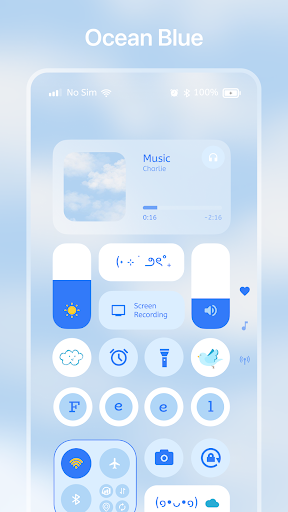
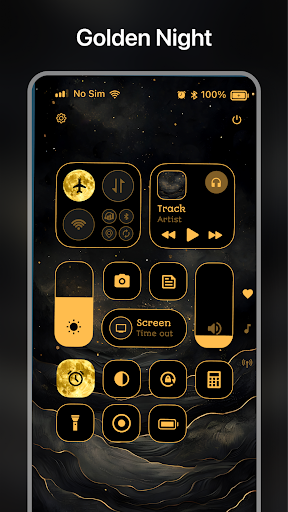
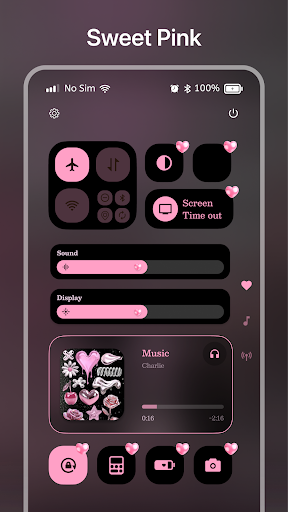
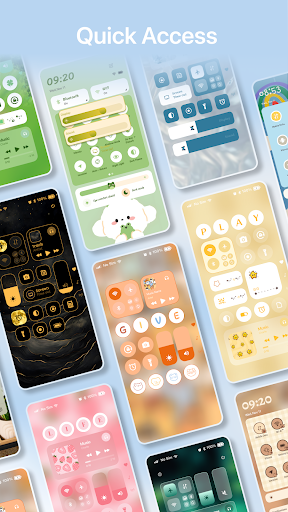
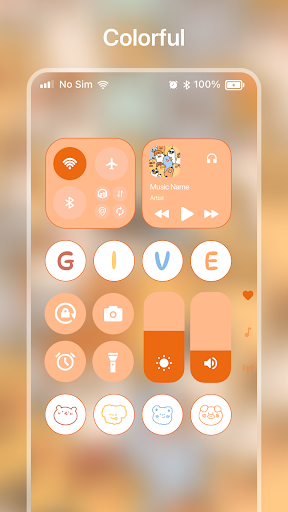
  • Customizable widgets allow you to quickly get your favorite application functions directly on the home page, which is convenient and practical.
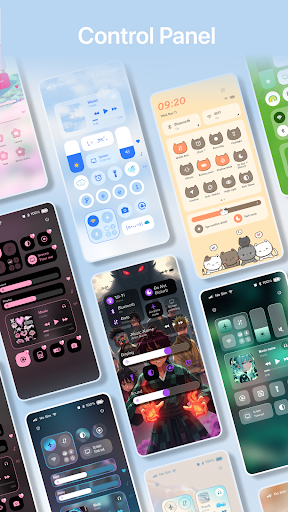
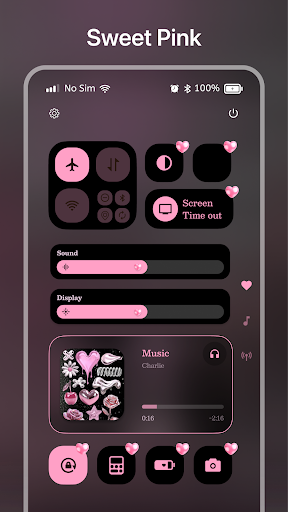
  • A variety of themes and visual styles can be selected to help you personalize the appearance of your device and improve your experience. It's so thoughtful!
  • Perfectly integrated with your Android launcher for a smooth and intuitive application experience that feels smooth.
  • The setup is super fast, the interface is simple and easy to use, making it easy to customize and configure widgets, saving time and effort!
  • Functions include Wi-Fi, Bluetooth, brightness switches, etc., making device management simple and convenient.
  • Supporting in-application solutions, improving efficiency, and putting important controls at your fingertips is a huge help!
  • The lightweight design will not slow down device performance or consume extra batteries. It is really considerate.

Who is suitable for?

This mobile app is especially suitable for Android users who like to toss and make their devices personalized. Whether you are a tech nerd or an ordinary user, you can find personalized options you like.

Whether you're looking for a cool launcher or want to quickly enter settings, this app can help you easily get it done and make your Android more intimate and fun to use.

Why choose this?

The biggest highlight of this starter is that it provides ultra-rich functions that allow you to easily improve efficiency and personalization. It is really considerate. Its interface is simple and easy to use, and it is very easy to use. It is not surprising that it has become everyone's first choice.

Designed for problems that users often encounter, this application provides a seamless and customizable solution to solve the troubles of cumbersome menus and limited functions. It is a proven and easy-to-use application that always puts user satisfaction first, and its user-friendly design is very considerate.

Pros & Cons

Pros

  • Super customizable gadgets
  • Rich theme selection
  • The operating interface is very friendly
  • Low power consumption
  • There are frequent updates with new themes and new features

Cons

  • The function is slightly single
  • It gets a little stuck switching multiple themes
  • Some themes don't display perfectly on some devices
  • Newbies will find the settings too cumbersome
  • Free themes are less than paid ones

Advertisement

Download Quick Control Widgets, Themes

You are going to be redirected to the official website to finish the download when you click these buttons above.

FAQ

How do I install Quick Control Widgets, Themes on my device? +
Installation of this mobile app is actually quite simple. Just click on the provided Google Play Store link and follow the normal steps. If you're using an iPhone, you'll have to check if there's a corresponding version in the Apple App Store, but that's all. Once installed, the launcher integrates super smoothly with your mobile phone interface, and you can also tune your own personalized widgets and themes. The options inside are quite intuitive, very convenient to make, and the overall experience is much better than before.
Is it safe to use Quick Control Widgets, Themes on your mobile phone? +
This application attaches great importance to user safety in its development and complies with various security protocols. The channels used are also very formal, mainly downloading from the Google Play Store or official channels, and there are no security risks. The entire solution will not endanger the safety of your mobile phone and has passed qualified safety standards. Remember to keep your mobile phone system updated and check application permissions. Don't worry too much. Just follow the security rules.
Can I customize my home page with this launcher? +
Absolutely! Quick Control Widgets, Themes is designed to make your Android phone homepage special. It has many different widgets and themes that are not only beautiful, but also easy to use. Let your mobile phone have a new feeling every day, change the interface to the same as you want, and have special personality. If you like deeply customized starters, this is definitely a good choice.
Does this app support different versions of Android systems and devices? +
Well, basically no problem. Quick Control Widgets, Themes adapt to the latest Android version and can also run smoothly on many different phones. Its features and interface are optimized to run smoothly on devices of all screen size and hardware configurations. The newer the device you use, the better the experience, but it is recommended to check the specific requirements of the app in the Google Play Store to confirm compatibility with your phone.
Will this app be updated frequently? +
Of course, the development team has been working hard to push updates. Each update is designed to add new features, improve performance, and ensure safety and reliability. These updates will help you solve some bugs and launch new themes and widgets to make your experience better. By always keeping the latest version up to date, you can use the latest features and ensure safety. Personalized options always make you feel refreshed and you will definitely enjoy using them.
Will custom widgets and themes drain my phone's battery? +
Basically, using these gadgets and themes has a very limited impact on the battery. Modern smartphones are designed very intelligently and can use personalized functions to save power. If you are really worried, you can just choose a lightweight theme and use fewer active widgets. In general, Quick Control Widgets, Themes allows you to personalize while also taking into account the performance of your phone, which is quite reasonable.
Can I easily restore or reset my theme? +
Of course! This app comes with a one-click function to restore to the default theme or reset settings. You can control what you want. You can try it anytime, and if there is no problem, you can quickly restore the homepage to its original appearance. This design makes your operation very free and more secure. Especially for friends who have just started playing this App and like to toss around different themes, it is so considerate.
Will using this app reveal my privacy? +
The development team takes privacy protection at heart, only requests the necessary permissions to implement personalized functions, and collects almost no other data. Data collection is also limited and complies with various privacy regulations. You can use this application with confidence. It is made very standardized, information security is protected, and it is a trustworthy personalized solution. It is as simple as that if you install it with confidence and courage.

Customer Reviews

AI
AI Generated Summary
Based on real user feedback
★ 3.8

Users generally appreciate Quick Control Widgets, Themes for its customization capabilities and ability to replace the phone's notification panel, with many praising its smooth experience and usefulness for broken volume buttons. However, key concerns arise around intrusive ads and performance issues: while some find the app reliable and enjoyable, others report lag, freezing, and excessive permissions. In terms of functionality, users highlight the customizable control centers but note limited options—only four types can be modified, and dark mode is missing. Additionally, notification reply features are broken, requiring app launches. A minority flag the app as a scam, urging caution. Overall, the app offers solid personalization but suffers from ad overload and feature gaps.

Diego Pavón · 2026-06-15
★ 5
I really like this application, it works very well on the phone.
Jay Warrie · 2026-06-14
★ 5
This application is pleasant and user-friendly, providing a smooth experience.
San Aung · 2026-06-12
★ 5
Good.
Stephany Franco · 2026-06-12
★ 2
I'm going to use it and see how it goes.
Neo Kumar · 2026-06-11
★ 5
Explore the best apps for productivity, communication, entertainment, and more. Our handpicked selection features highly rated and user-friendly applications to simplify and enrich your daily life.

Write a Review

Share your experience with Quick Control Widgets, Themes. Submissions are reviewed before publishing.

Rating *
0 / 2000

You Might Also Like

More apps you may want to try next.

Advertisement
5
Please wait...