
ProShot
Advertisement
Screenshots
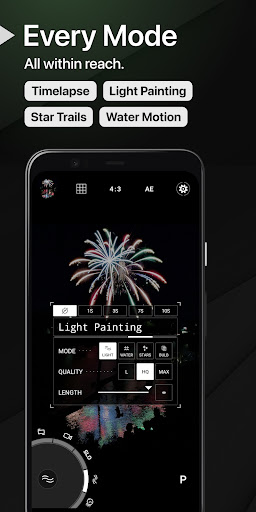
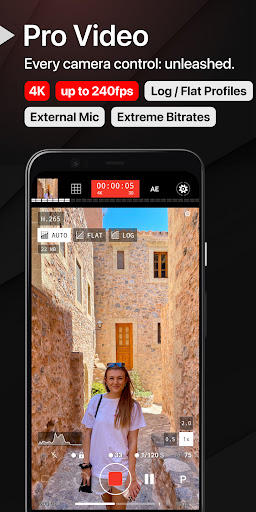
Advertisement
About ProShot
Overview
core functions
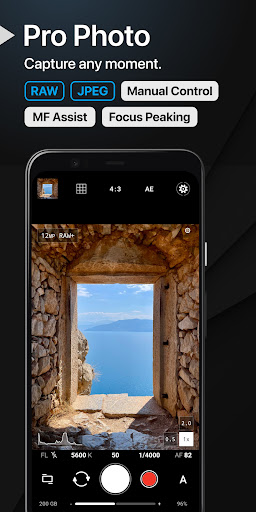
- High-quality camera controls that can be adjusted manually to take accurate photos, suitable for novice and professional photographers.
- Advanced image editing tools with filters, cropping and color correction can make photos better directly in the app.
- Support multiple modes such as HDR, panoramic, and slow motion to make your creations more colorful and try a different shooting experience.
- Preview photos in real time, and have instant sharing function. Quickly upload them to social media for a great experience!
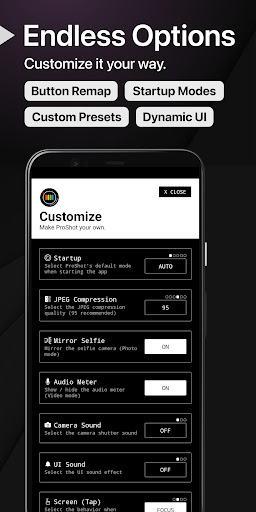
- The interface can be customized and gesture control is also very convenient, especially on Android devices and launchers, which is very easy to use.
- Automatic backup and cloud synchronization ensures that your photos are stored safely and can be easily accessed wherever you want. It is particularly considerate.
- Geotagging and media information editing make your photo management more orderly and you don't have to worry about organizing photos.
Who is this app suitable for?
This mobile app is especially suitable for photography enthusiasts, amateur gamers, and even experienced photographers who want to find a multi-functional and easy-to-use tool on Android devices. It is designed for those who value powerful features and smooth photo management.
Whether you want to take small clips of your daily life or work on creative projects, this app can help you improve the quality of your photos, edit them anytime, anywhere, and share them easily. It's great! Suitable for anyone who needs reliable and capable photography tools.
Why choose this app
This Android app provides comprehensive features to elevate your mobile photography level. The interface is friendly, the editing tools are advanced, and taking photos and optimizing have become simple. It is the first choice for capturing and improving images.
What makes it unique is that it combines professional-level functions with a simple and easy-to-use design to help you solve various problems you encounter while taking photos. The whole experience is trustworthy and smooth. It's really great!
Top Recommended Alternative

Pros & Cons
Pros
-
The interface layout of this App is quite intuitive. Even newbies can easily adjust camera settings manually, and the experience is quite smooth.
-
The focus, exposure, ISO and shutter speed can be accurately adjusted, which significantly improves the quality of the photos taken, giving a professional feeling.
-
Support RAW and HD formats, high picture clarity, and more flexible post-editing. It's great.
-
You can save your personal preferences and quickly complete the settings when switching between different scenarios, saving time.
-
Developers often launch new versions, constantly optimize functions, and add new features, which are very reliable to use.
Cons
-
Some older or uncommon phones may experience stability problems and may need to update the system or ensure that the device is compatible.
-
ProShot uses more electricity than ordinary camera apps. The battery may drop significantly after a long time. Adjusting the brightness or turning off the background can improve it.
-
Newbies may find it a little difficult to learn to adjust those functions manually at the beginning, but official tutorials or online guides can help alleviate this problem.
-
The interface is a fixed design. It would be better if subsequent versions could add personalized layout to let everyone do what they like.
-
At present, we mainly focus on taking photos. Users who want to record videos have to use other apps to cooperate, which is a bit troublesome and inconvenient to operate.
Advertisement
Download ProShot
FAQ
What is ProShot, and how does it fit into the photography category? +
ProShot is actually a very versatile mobile photography software that can be used easily whether you are a novice photographer or a professional. It comes with a complete set of camera tools that allow you to easily take high-quality photos on Android or iPhone.
Thisapp is quite famous and is considered by many people to be the top camera software that can make mobile phones take pictures better. Its advanced functions allow you to take professional-like photos without using a professional camera. It is definitely a good helper for photography enthusiasts.
Is ProShot safe to install and use on my device? +
Don't worry, as long as you download it from official channels, such as Google Play or Apple App Store, ProShot is absolutely safe. It goes through strict security checks to ensure that your data and privacy are fine.
Asa trusted developer, the team behind it has always attached great importance to security and trust issues. It is very reliable to take photos and use, there is nothing to worry about, and safety is guaranteed.
Does ProShot offer features for different camera modes and settings? +
Of course! ProShot is quite functional. It can not only manually focus, adjust ISO, shutter speed, etc., but also control many parameters. These tools allow you to operate directly on your mobile phone just like using a professional camera, which is pretty awesome.
So, if you like to take photos and want to use a camera app that allows you to be creative and operate freely, ProShot is definitely a good choice.
Can I use ProShot as a launcher app or integrate it with other apps? +
Basically, ProShot is not that kind of launcher software, it is mainly a special camera app. But you can put it on your mobile phone's home page or use a shortcut to quickly open it, which is quite convenient.
Itcan be perfectly combined with your Android phone, can be quickly launched at any time, and can help you easily take photos without affecting your usual operations and workflow. It is quite smooth.
What do users typically say about their app experience with ProShot? +
Many users find ProShot particularly easy to use and performs well on Android devices. They like its rich functions and feel that taking photos with it can inspire a lot of creativity.
Aftertrying it for one round, everyone believed that it could help you easily take professional-level photos. Whether you are an amateur or a professional, you all felt that it was quite reliable and a trustworthy tool in the photography industry.
Are there updates and support available for ProShot users? +
Of course, the development team will regularly push updates, fix bugs, enhance features, and adapt to the latest device systems. If you encounter problems or have doubts, you can also get their support and help.
Thesecontinuous efforts demonstrate that they are a trustworthy company and provide everyone with a stable and reliable camera software solution.
What platforms is ProShot available on, and does it support different device types? +
ProShot can be used on both Android and iOS platforms and has a wide coverage. Whether you use an affordable Android phone or a high-end iPhone, it provides a relatively consistent experience and features.
Itis committed to being compatible with a variety of devices and ensuring that everyone can use easy-to-use photo software. It is really a top-level photo app that can be trusted.
How does ProShot compare to other camera apps in the market? +
Compared with other mobile camera software on the market, ProShot is most attractive for its advanced features and all-round experience. It combines manual adjustment and easy operation, making it suitable for both novices and professional users.
Asa reliable solution, it focuses on user experience and can greatly improve your mobile photography level. Whether on Android or iOS devices, it is worth a try.
Customer Reviews
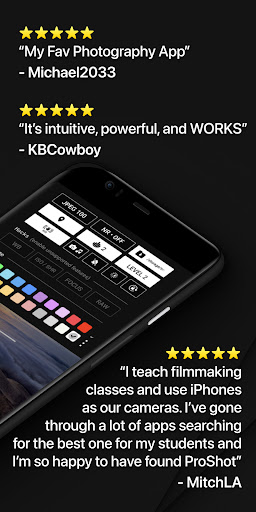
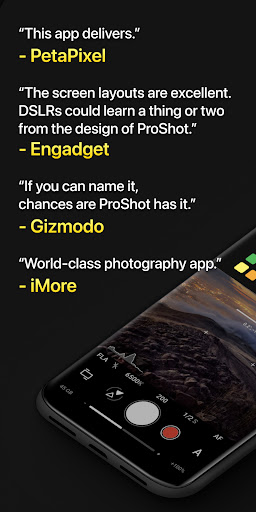
Users praise ProShot for its comprehensive manual controls, regular updates, and responsive customer support. Many highlight its intuitive interface and one-time payment model without ads. However, complaints focus on inconsistent functionality across devices: some report manual ISO/shutter speed not working on Android 14 (e.g., Samsung Galaxy A51), while others note the slow-motion feature crashes on Galaxy S24 Ultra or is unsupported on Android. Image quality is a mixed bag—some find it superior to stock cameras, but others say it underperforms compared to GCam or Oppo’s raw mode. Compatibility issues with specific lenses (ultrawide/telephoto) and digital-only zoom also frustrate users. The app receives high marks for its rich features and clean design, but bugs and device-specific limitations prevent it from being universally reliable.
Write a Review
Share your experience with ProShot. Submissions are reviewed before publishing.
You Might Also Like
More apps you may want to try next.




