

Photo Retouch- Object Removal
Advertisement
Screenshots
Advertisement
About Photo Retouch- Object Removal
Photo Retouch-Object Removal is a mobile phone app that is very convenient and easy for users to use. It can quickly help you delete annoying things in photos. The effect is quite good, making the overall picture look more beautiful. It is quite popular in the photography category on Android. It is very simple to operate. Anyone can use it with a few clicks to get professional-level effects. It is really worry-free and practical.
Overview
core functions
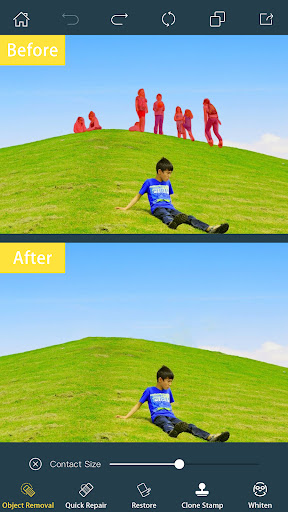
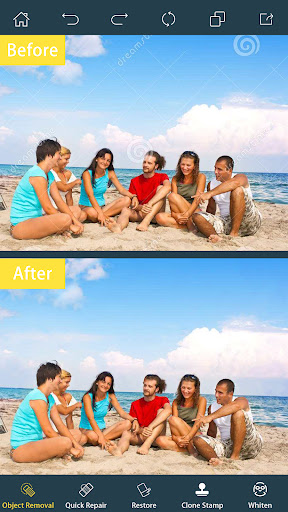
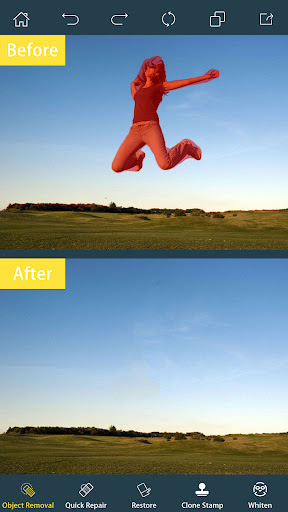
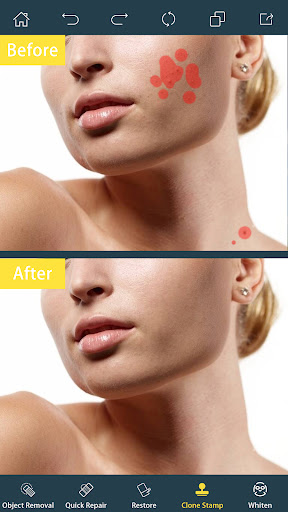
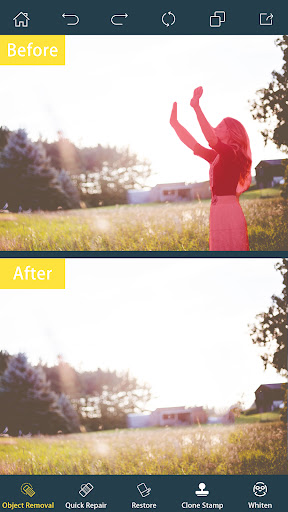
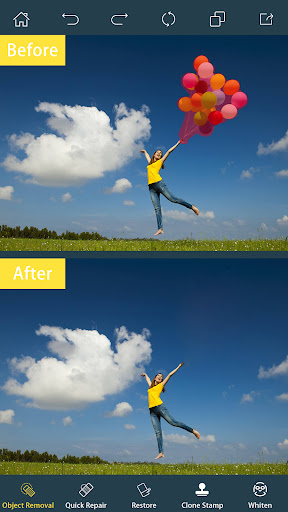
- This software has a particularly powerful object removal tool that can easily and cleanly erase things you don't want in your photos.
- Its interface is particularly intuitive and super easy to use, making your pictures better in a few simple steps.
- Support high-quality retouching to ensure that every photo looks natural and comfortable, no matter what type it can be done.
- You can also preview the editing effect in real time, making it quick and easy to adjust without slowing you down.
- The offline mode allows you to retouch pictures without using the Internet, and you can play it freely anytime and anywhere, which is super considerate.
- It can also be processed in batches, helping you repair multiple photos at the same time, saving a lot of time, and is especially suitable for people with many photos.
Who is suitable for?
This mobile app is especially suitable for photography enthusiasts, social media savvy, and creators who want to quickly get picture modifications done. It is especially suitable for users over the age of 16 who want to produce professional-level photos without putting too much thought into it.
Whether it's removing eyesore from photos, fixing selfies, or preparing materials for the project, this software can be easily done. It is simple to operate and has good results. It's definitely a good helper without worrying about not being able to learn.
Why choose this?
This Android app combines powerful features with easy-to-use well, making it the first choice for retouching enthusiasts. It attaches great importance to user experience and has easy-to-use tools that allow you to easily get professional-level results.
Different from other retouching software, it emphasizes natural modification, is fast, and has a wide range of uses. It can be said to be a reliable and efficient helper, helping you quickly repair photos beautifully and with excellent results.
Top Recommended Alternative
Pros & Cons
Pros
-
intuitive interface
-
Accurate object recognition
-
High-quality results
-
fast processing speed
-
Various editing tools
Cons
-
Free features are limited
-
Occasionally, I leave afterimages
-
Advanced features have a learning curve
-
It is difficult to process large pictures
-
Selection of objects is not accurate enough
Advertisement
Download Photo Retouch- Object Removal
FAQ
Is Photo Retouch- Object Removal safe to use on Android devices? +
Of course, Photo Retouch- Object Removal is a very reliable mobile app that can be found at any time on Google Play. It is updated frequently to ensure user safety and APP stability, so it is quite safe to use and a reliable tool for retouching pictures.
As an experienced photographer, you know that this software attaches great importance to user privacy and security. Many people like its simple and convenient operation to remove objects without worrying about device security or personal information being leaked. It's a safe choice.
How do I install Photo Retouch- Object Removal on my Android phone? +
Installing this Android app is actually very simple. You can search for it on Google Play with your finger, and then you can install it quickly. The whole process is very smooth, and most Android devices are fine. It helps you get it done easily, and the experience is quite smooth.
Once installed, you can start exploring its powerful features! Whether it's retouching or removing background, this app can help you do it. The operation is very friendly and suitable for friends who want to find a reliable retouching artifact.
What features does Photo Retouch- Object Removal offer? +
This mobile phone software provides many useful functions that can help you easily remove unwanted things from pictures. The interface design is particularly intuitive. Users can quickly select areas, add blank space, and then save high-quality photos, which is quite convenient.
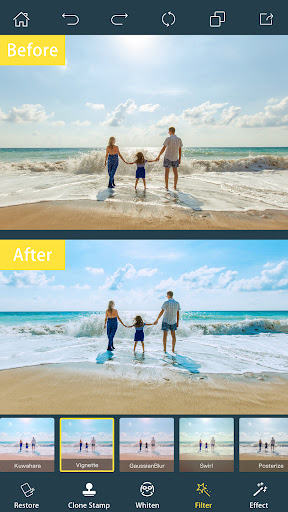
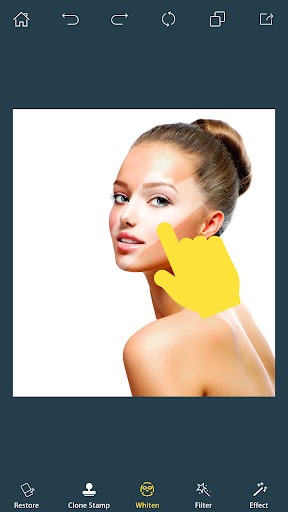
In addition to removing objects, it also has some basic editing functions, such as cropping, adjusting brightness, contrast, and adding filters. These features combine to provide a comprehensive retouching experience, especially suitable for Android users who want to quickly improve photo quality.
Can I use this app without an internet connection? +
Of course! After downloading and installing Photo Retouch- Object Removal, most functions can be used offline. This is particularly great. It's very convenient to revise the pictures without worrying about network problems after going out to take photos.
Many people like Android apps that can operate smoothly offline, especially when the regional network is not good. This flexibility greatly improves the user experience and allows you to repair photos anytime and anywhere. It's a very thoughtful design.
Is Photo Retouch- Object Removal suitable for beginners? +
Of course! This app is friendly and has a simple and intuitive interface, making it completely suitable for beginners to start using. You don't need any basic retouching, you can directly start removing objects and enhancing the photo effect. The operation is easy.
Moreover, experienced users will also like its more refined editing functions, and there are many tools that are suitable for both novices and masters. No matter what type of user you are, you can use it to have different fun retouching pictures, and the experience is great!
Customer Reviews
Users generally appreciate the app's intuitive interface and its ability to remove objects from both photos and videos. Key strengths include ease of use and effectiveness for simple edits like logos or text removal. However, opinions are sharply divided on core functionality: while some users report successful removals and high satisfaction, others find the tool fails to delete objects entirely or reverts changes, leaving the original image untouched. Image quality is another major concern—many praise the results as sharp and satisfactory, but an equal number complain about severe blurriness, background smearing on faces, and distorted audio in videos. Performance issues are frequently cited: the app is praised for being smooth by some, yet others experience persistent crashes, slow processing, and frequent freezing. In summary, although the app has a clean design and works well for certain users, a notable portion finds it unreliable due to ineffective object removal and instability issues.
Write a Review
Share your experience with Photo Retouch- Object Removal. Submissions are reviewed before publishing.
You Might Also Like
More apps you may want to try next.




