

Photo Collage - Pic Grid Maker
Advertisement
Screenshots




Advertisement
About Photo Collage - Pic Grid Maker
Photo Collage - Pic Grid Maker is a really sweet app and super easy to operate. It is specially prepared for those who want to easily handle beautiful collages. Whether you want to make a lot of photos into one big picture or create your own photo grid, this Android app can satisfy you. The tools inside are very easy to use, even novices can quickly get them done, and of course, experienced users will find it very convenient. The interface is intuitive and friendly, and you don't have to worry about being unable to keep up. It is a practical and flexible tool for photo editing and collage.
Overview
core functions
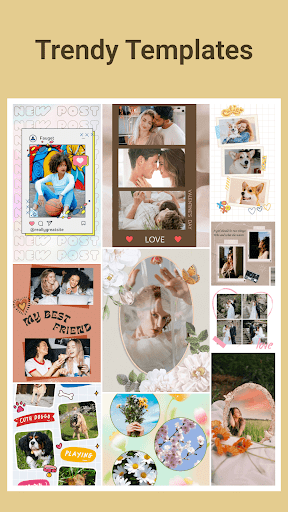
- Providing a variety of adjustable templates and layouts, allowing you to easily put together beautiful photo collages, it's simply too convenient!
- The interface is super friendly, the drag-and-drop operation is extremely smooth, and the editing experience is pleasant, so you don't have to worry about complex operations.
- Support high-resolution export to ensure that your collage can be seen super clearly on any device, and the quality is high!
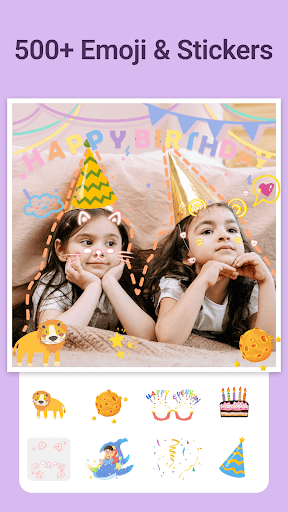
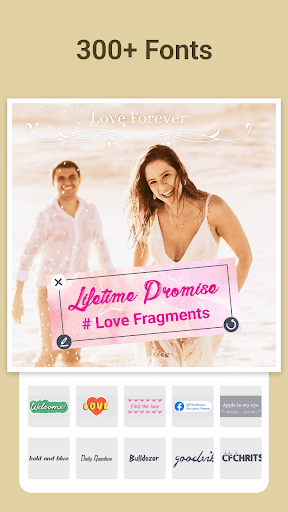
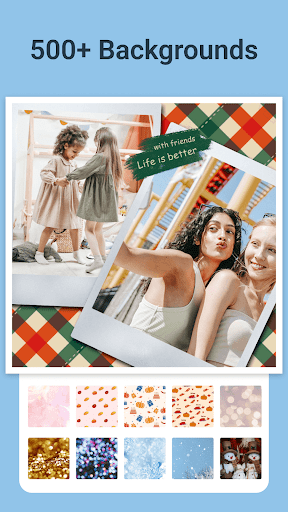
- All kinds of editing tools are available, including filters, stickers, text superimposition and so on, to make your photos more interesting and personalized!
- There is also offline mode, where you don't have to worry about not being able to do anything without the Internet. You can edit anytime and anywhere. It's so thoughtful!
- You can also share it directly on social platforms, making it super convenient to create, and you can do it with one click!
- Built-in photo editor, combining collage and basic retouching, allows you to do everything without switching software. It is super practical!
Who is this app suitable for?
This mobile app is especially suitable for friends who like to take photos and socialize, as well as ordinary users who like to use their mobile phones to make some image content at random. It is tailor-made for those who want to use simple tools to create, and the operation is very good!
Whether you're a student taking memories, a small store wanting to promote a product, or just an enthusiast wanting to do some photo art, this app can help you easily. Beginners and old drivers can use it smoothly. It's really easy to get started!
Why choose this app?
The power of this Android software is that it combines powerful features with simple operation, making collage super easy and fun. The interface is intuitive and the tools are diverse, which saves time and worries to use, and is very cost-effective!
It is stable and reliable, meeting users 'needs for fast and high-quality editing and sharing without worrying about complex software that is difficult to use or cumbersome processes. Want to make your visual content better? This is a good choice!
Top Recommended Alternative

Pros & Cons
Pros
-
The user interface is super smooth
-
Rich grid templates
-
Customizable design options
-
high resolution output
-
Basic functions are free
Cons
-
Few advanced editing tools
-
Free version with watermark
-
Slow processing of large files
-
Limited export formats
-
Free version has ads
Advertisement
Download Photo Collage - Pic Grid Maker
FAQ
How do I log into the Photo Collage - Pic Grid Maker app? +
Is Photo Collage - Pic Grid Maker safe to use on my Android device? +
What are the main features of Photo Collage - Pic Grid Maker? +
Can I use Photo Collage - Pic Grid Maker offline? +
Does the app support different device types or launcher apps? +
How do I update the app to access new features? +
Is the app suitable for professional photo editing? +
Are there any safety tips for using Photo Collage - Pic Grid Maker? +
Customer Reviews
Users generally appreciate the app's user-friendly interface and ease of use, highlighting its intuitive navigation and useful features for creating collages. However, the overwhelming number of advertisements is a major drawback, with many reporting that pop-ups interrupt editing and make the app nearly unusable. Some praise the free features and smooth experience, while others complain that recent updates introduced excessive ads and removed useful functions, leading to uninstalls. The tool is simple and effective for quick edits, but the ad problem overshadows its potential, making it a mixed experience depending on tolerance for interruptions.
Write a Review
Share your experience with Photo Collage - Pic Grid Maker. Submissions are reviewed before publishing.
You Might Also Like
More apps you may want to try next.




