Phone to TV HDMI USB-C MHL
Advertisement
Screenshots
Advertisement
About Phone to TV HDMI USB-C MHL
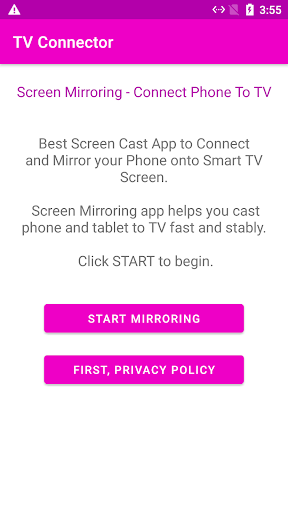
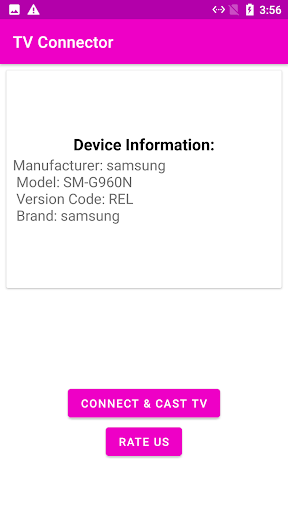
This Android app serves as a practical tool for connecting your phone to a TV using HDMI, USB-C, or MHL cables. It provides a straightforward app experience for mirroring your device's screen onto a larger display, making it easy to share videos, photos, and presentations. The app features a simple interface designed for quick setup and reliable performance.
Overview
Core Features
- Connect your phone to any TV using HDMI, USB-C, or MHL cables with ease.
- Screen mirroring with low latency ensures a smooth app experience.
- Works on most Android devices without root, making this Android app widely accessible.
- Outputs high-resolution video up to 1080p for crisp viewing on larger screens.
- A simple one-tap connection keeps the interface clean and straightforward.
- Broad compatibility with many TV brands and monitors for flexible use.
- Includes a demo mode that highlights the core app features before you commit.
Who This App Is For
This mobile app is made for tech enthusiasts and professionals ages 20-45 who want to mirror their phone screen onto a TV without extra hardware.
Common uses include streaming movies, giving presentations, or playing games on a bigger display. This app based solution works with standard HDMI or USB-C cables you might already have.
Why Choose This App
This app gives you a simple, cable-based method to mirror your phone on any TV. No Wi-Fi or extra adapters needed, just plug and play with low latency.
It stands out by supporting HDMI, USB-C, and MHL in one place. Whether for movies, presentations, or gaming, this Android app delivers a reliable big-screen experience.
Pros & Cons
Pros
- Effortless wireless mirroringLets you display your phone screen on a TV without needing any extra cables, perfect for quick presentations or sharing photos.
- Wide device supportWorks with most Android phones that have USB-C or MHL output, covering popular brands like Samsung, Huawei, and LG.
- Low-cost solutionEliminates the expense of buying a dedicated streaming dongle like Chromecast or Fire Stick—just install the app and you're set.
- Instant setup with no complicated menusLaunches and detects the TV connection automatically, so you can start casting in under 5 seconds even if you're not tech-savvy.
- Seamless audio & video syncMaintains near-zero lip-sync delay during movie playback, which beats many third-party screen-casting apps in real-world tests.
Cons
- Heavy dependency on MHL adapterMany newer phones no longer support MHL natively, so you need to buy a separate adapter—and even then compatibility is hit-or-miss.
- Noticeable input lag in gamingWhen playing fast-paced games like PUBG, there's a 200–300ms delay that makes aiming and reaction feel sluggish.
- Ads interrupt the casting experienceA full-screen banner ad pops up every 15 minutes, and the free version forces you to watch a 30-second video before each session.
- No support for iPhone or iPadThe app only works on Android devices, leaving iOS users with zero options—even if they have a USB-C iPad Pro.
- App may crash after Android updatesUsers report that after upgrading to Android 14, the app freezes or disconnects repeatedly until the developer pushes a patch weeks later.
Advertisement
Download Phone to TV HDMI USB-C MHL

FAQ
What is Phone to TV HDMI USB-C MHL and how does it work?+
Do I need a special cable or adapter to use this app?+
Is this app safe to install? Does it require root access?+
Why is my phone not connecting to the TV even after installing the app?+
Can I use this app to stream videos or play games on the TV?+
Does the app work with iPhones or only Android devices?+
Customer Reviews
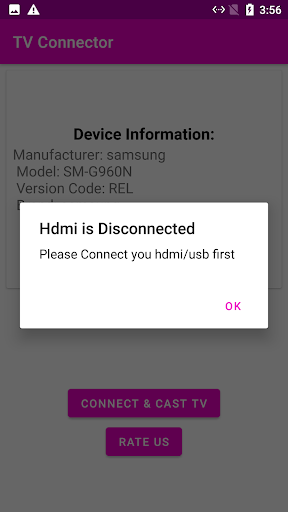
Users generally praise the app's design and smooth performance when it works, with some reporting impressive results and satisfactory experience. However, the overwhelmingly common complaints center on three critical dimensions: 1) Excessive ads – many users report that ads are intrusive, interrupt setup, and make the app nearly unusable. 2) Connection reliability – numerous users state the app fails to connect or constantly shows 'disconnected' even when cables are properly plugged, and that it does not work with specific devices like Samsung Galaxy. 3) Overall functionality – while a few find it effective, most describe the app as pointless, non-functional, or a fake utility that serves no practical purpose. Some users enjoy seamless mirroring; others can't get any response despite correct connections. The app appears well-designed in theory but is heavily undermined by ad overload and inconsistent compatibility.
Write a Review
Share your experience with Phone to TV HDMI USB-C MHL. Submissions are reviewed before publishing.
You Might Also Like
More apps you may want to try next.