
PDF Reader - All PDF Viewer
Advertisement
Screenshots
Advertisement
About PDF Reader - All PDF Viewer
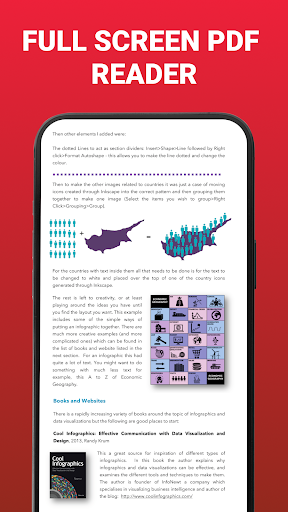
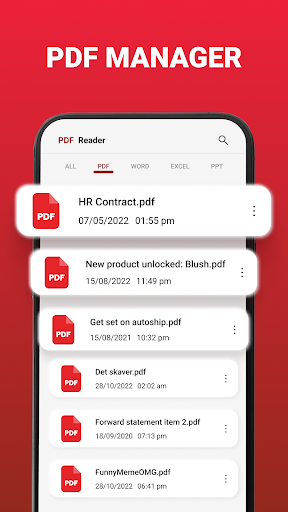
PDF Reader -The all-round PDF browser is a very reliable mobile application with a good user experience. It mainly helps you easily open, view and manage those PDF files. As a very practical Android application, its interface is particularly friendly, the operation is relatively intuitive, and the functions are quite comprehensive, allowing you to easily organize and access your PDFs anytime, anywhere. It is quite convenient.
Overview
core functions
- The interface is particularly intuitive and easy to use. You can browse and manage PDFs easily without any pressure.
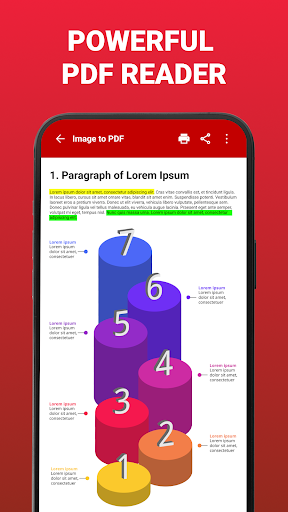
- Support some advanced functions, such as highlighting, annotations and search, which are comprehensive and basically meet most needs.
- It can also be used offline without the Internet, and you can open it anytime and anywhere to view PDFs, which is super convenient.
- Seamless connection with cloud storage services, there is no need to worry about file transfer and backup, and the process is smooth.
- The response on Android phones is quick and steady, it is well optimized, it is particularly smooth to use, and the experience is explosive.
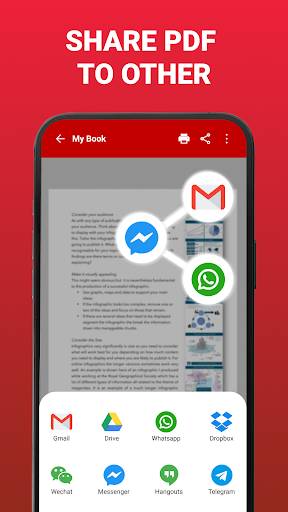
- It also comes with a sharing function. Whether it is sending an email or sending a message, it is easy to share PDFs without any obstacles.
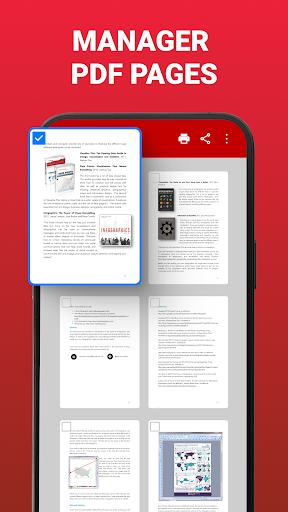
- Support multiple reading modes, such as single page, continuous scrolling, and thumbnail navigation, to meet different reading habits.
Who is this App suitable for?
This mobile app is really for students, professionals and friends who often need to process PDF files. The interface is super friendly and suitable for all ages, especially those who want to use Android devices to efficiently manage files.
Whether it's a work report, academic paper or private document, as long as you need a reliable tool to help you organize it, this app can handle it. It is tailor-made for users who want to have a full range of PDF viewers and perfectly suits your needs!
Why choose this App?
This Android app stands out for its powerful functions and stable performance, and it is smooth and efficient to use. It particularly emphasizes simple operation, is particularly easy to use, and makes managing PDFs so easy.
It installs all important tools into one App to solve problems that users often encounter, such as file reading, annotation, and sharing. This reliable and considerate design makes it occupy a high position in Android office applications and is definitely worth a try!
Top Recommended Alternative

Pros & Cons
Pros
-
Super user friendly interface
-
Loading PDF is surprisingly fast
-
Strong file compatibility
-
The annotation function is great
-
Can be used offline
Cons
-
Editing functions are too limited
-
Occasionally it crashes when encountering large files
-
The search function is too basic
-
No cloud storage integration
-
Too little customization
Advertisement
Download PDF Reader - All PDF Viewer
FAQ
Is the PDF Reader - All PDF Viewer app safe to use on my mobile device? +
Of course, PDF Reader - All PDF Viewer is a really trustworthy mobile application developed by a very reliable company. It cares a lot about user privacy and security, ensuring that your data does not go wrong when it is used.
Asan experienced application solution, it has been updating, fixing vulnerabilities and improving functions. Remember, don't download blindly from other places. Only the official store is reliable and safe.
How do I install and get started with this Android app? +
It's easy to install PDF Reader - All PDF Viewer on an Android device. Go to the Google Play Store, search for this app, and click Install. The interface is quite intuitive and super convenient to install.
Afterinstalling it, turn it on and follow the instructions on the screen. This app is well designed to allow you to quickly find your PDF files, read and manage them easily, and can be easily operated from the launcher.
What features does this mobile app offer for reading and editing PDFs? +
This application can view PDFs, supports zooming in, zooming in, and turning pages, which are all very convenient. It can also highlight text, add comments, and fill out forms. It has a full range of functions. It also supports file sharing and offline viewing, and is basically a one-stop PDF management artifact.
Itsadvantage is that it is reliable and easy to use. Whether you are a student, a worker, or a casual user, you can use it smoothly and have a good experience.
Can I use this app on multiple devices or share my documents easily? +
Of course! As long as you log in to an account that supports cloud synchronization, PDF Reader - All PDF Viewer can sync your files between multiple devices. Sending emails or sharing documents with other apps is also very convenient, so you can do it directly in the app.
Thisflexibility is also one of the reasons for its popularity. For people who need to quickly get PDFs on Android devices, it is like an artifact, and the experience is so smooth.
What should I do if I encounter problems with the app or need help? +
If you encounter problems, check its Frequently Asked Questions (FAQ) section first. If the problem is not resolved, contact the support team, which is usually found on the app store page. It will be constantly updated to fix vulnerabilities and improve performance. Keeping it up to date is the key to maintaining security and stability.
Asan expert in applications, I suggest that you don't forget to upgrade your mobile phone system to the latest version, so that compatibility and security can be maximized, and it is easy to use and at ease.
Is the app compatible with other file formats besides PDFs? +
Well, PDF Reader - All PDF Viewer is mainly designed for PDF, but some versions can also support viewing files in other formats, such as pictures and text files. However, it is mainly good at managing PDFs.
Soif you need a handy tool that focuses on PDF, you're definitely right to choose it. The experience will be smooth.
Are there any additional tools or features for editing PDFs in this app? +
It comes with some basic editing tools, such as highlighting, commenting, filling in forms, etc., which can be operated directly in the file. To do more complex editing, you may need to use professional software, but this application can meet most of the daily needs.
Overall, it is both efficient and user-friendly. It is a super tool that can quickly understand PDF, especially suitable for fast-handed users on Android.
Does the app offer any security features to protect my confidential documents? +
Of course, it also supports password protection for your sensitive files to ensure that your private information is not leaked. This is quite critical and you can definitely use it with confidence.
Asa reliable application, safety comes first. It is suitable for both professional use and personal privacy. Use it with confidence!
Customer Reviews
Users generally praise PDF Reader - All PDF Viewer for its utility, security features, and ability to convert documents for better print quality. Many find it safe, easy to use, and meeting expectations. However, opinions diverge on key aspects: some users appreciate the seamless performance and document conversion, while others report issues with printing important documents and find the interface confusing and complex. Ads are noted as annoying by a few. The app’s reliability is also debated—some describe it as excellent and highly satisfying, whereas others caution against malicious apps or experience unstable behavior, such as PDFs popping up unexpectedly with no easy way to close. Overall, it serves well for basic productivity tasks but may frustrate users needing smooth navigation or ad-free experience.
Write a Review
Share your experience with PDF Reader - All PDF Viewer. Submissions are reviewed before publishing.
You Might Also Like
More apps you may want to try next.



