

Parallel Space - app cloning
Advertisement
Screenshots
Advertisement
About Parallel Space - app cloning
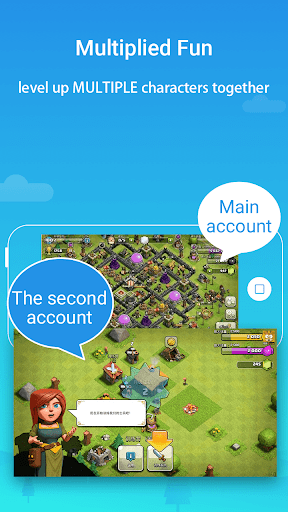
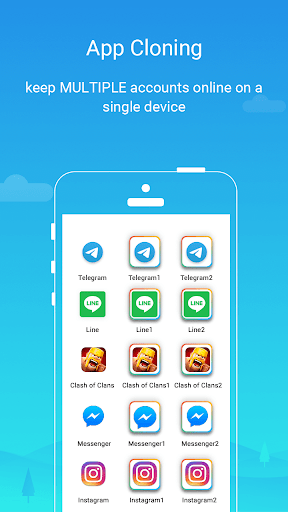
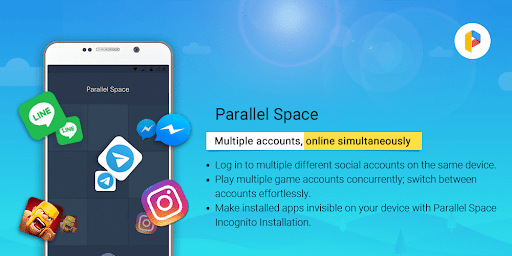
Parallel Space -This app cloning tool is actually quite useful. It can help you copy one copy of your favorite Android application as if there are two copies, allowing you to log in to multiple accounts at the same time without any problem. This launcher, which focuses on personalization, has a smooth experience and is especially suitable for those who want to easily manage different accounts, social media or games. No wonder it is so popular. After all, it is really a good choice for people who want to find a reliable and convenient mobile phone solution.
Overview
core functions
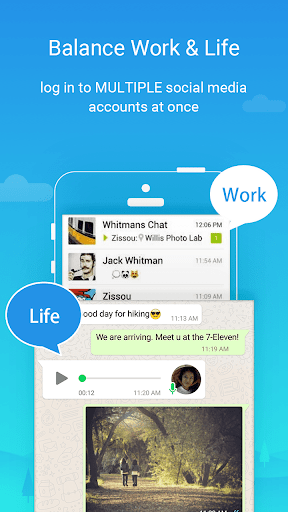
- It allows you to clone and run multiple accounts with the same application at the same time. It is especially suitable for managing your personal and work data. It feels so convenient!
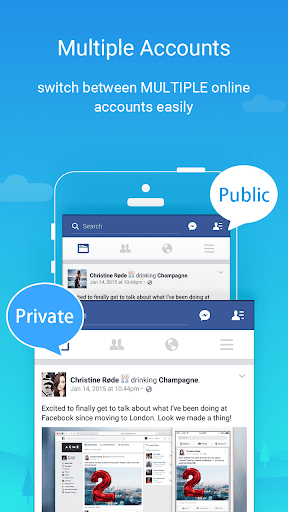
- Supports quickly switching between different cloned versions in the application, which will definitely improve your efficiency and convenience. It is a good helper for Android phones!
- Provide a secure environment, clone applications are independent of each other, data privacy is guaranteed, and you feel more secure to use.
- You can also customize the clone application according to your preferences, such as changing the theme or adjusting settings to make your experience more personalized.
- One-stop solution allows you to run multiple social media or chat accounts at the same time without having to log out and log in again every day. It is super amazing!
- The interface design is simple and intuitive, and all cloned applications can be easily found and managed on the home page, no longer having to look around.
Who is this app suitable for?
This software is especially suitable for friends aged 18 to 35 who need to have multiple social accounts or chat accounts on their mobile phones. Whether you need multiple accounts for work or a social enthusiast, you can use them easily.
Whether you want to separate your personal and work accounts, or play several game accounts at the same time, this app will help you. It is an artifact of multitasking, allowing your mobile phone to perform its functions to the extreme and be super reliable!
Why choose this app?
The power of this Android app is that it allows you to clone and manage apps directly on your mobile phone using the fastest and safest method. It is particularly worry-free to operate, and multitasking is as natural as breathing. Its various functions can really make the daily experience smoother.
Choose it and you will get a trustworthy helper who can help you improve efficiency, protect privacy, and customize settings to meet your various needs-it's an all-round magic tool tailored for Android users!
Top Recommended Alternative
Pros & Cons
Pros
-
Easily apply cloning with one click
-
support various applications
-
Privacy Protection function
-
Lightweight saves resources
-
Frequent updates and optimizations
Cons
-
Free features are limited
-
Occasionally break down
-
Certain applications are incompatible
-
Notifications are sometimes slow or erratic
-
Possible data privacy risks
Advertisement
Download Parallel Space - app cloning
FAQ
Is Parallel Space - app cloning safe to use? +
Well, Parallel Space is actually quite reliable and cares about user safety when designing it. It uses some security measures to protect your data privacy, especially if you run multiple accounts on your Android phone. However, you still have to remember to download it from a reliable place, such as Google Play, otherwise you will never feel safe.
Inaddition, it is recommended that you carefully check the permissions of the application and promptly update the security updates of your mobile phone to avoid any trouble. Only by staying vigilant can you feel at ease when using this app and manage multiple accounts smoothly. It's really convenient.
How do I install Parallel Space on my Android device? +
It's actually very simple. It's not difficult to install this launcher app. You search for 'Parallel Space - app cloning' on Google Play and find it. The advantage of this application is that it is easy to operate and has a friendly interface. It can be easily cloned at a glance.
Onceinstalled, open it, and follow the prompts to add the application you need. This method of managing multiple accounts through APP is really convenient and can easily manage multiple accounts on social and messaging platforms.
Can I use Parallel Space to run multiple social media accounts? +
Of course! One of Parallel Space's core functions is the ability to clone social applications and chat platforms, allowing you to use multiple accounts at the same time. In this way, it will be more convenient for you to manage your personal and work accounts on your Android phone, and the experience will be much improved.
Itworks well on most Android devices, it doesn't drop connections or get bugs often, and it's smooth to switch accounts. This is why many users like it, making daily social interactions more efficient.
Does Parallel Space support the latest Android OS versions? +
Yes! It will be updated frequently to ensure compatibility with the latest Android system and app versions. Developers attach great importance to user experience and ensure the security of your data, so this APP has always been quite reliable.
Ifyou encounter problems with any device or system version, remember to check for the latest upgrade package, or contact customer service, there will always be someone to help you solve it. Only by keeping the app updated can you use it smoothly and enjoy the best performance.
Is Parallel Space a free app, and are there any limitations? +
Of course, this APP is free on Google Play and takes you through the basic needs of multiple account cloning. While core features are all free, some more advanced features or ad-free experiences may require a fee to unlock. But overall, the free version is enough to meet most needs for managing multiple social or messaging accounts.
Mostpeople think that the free version is already very useful, which can meet daily needs without paying too much money. This app balances functionality and price and is worth a try.
Customer Reviews
Users widely appreciate Parallel Space for its ease of use, fast performance, and effectiveness in cloning apps for free. Many describe it as straightforward, reliable, and a great tool for managing multiple accounts. However, key concerns emerge around intrusive ads (including forced video ads and Play Store redirects), privacy-invasive permissions (precise location, health data, and third-party data sharing), and limited cloning options (only 6 preset apps, failing with Tumblr and others). Some users praise the app's seamless experience and recent performance improvements, while others report crashes, missing notifications, and broken paid features (Pro Lifetime charges without unlocking benefits). The permission demands are particularly controversial: some see them as necessary for functionality, yet many flag them as excessive and a sign of data collection, urging caution. Overall, a capable cloning tool marred by monetization and privacy drawbacks.
Write a Review
Share your experience with Parallel Space - app cloning. Submissions are reviewed before publishing.
You Might Also Like
More apps you may want to try next.




