

Okta Verify
Advertisement
Screenshots
Advertisement
About Okta Verify
Overview
core functions
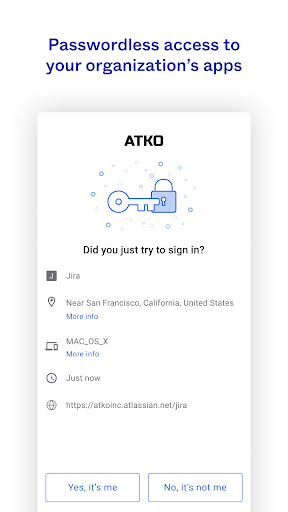
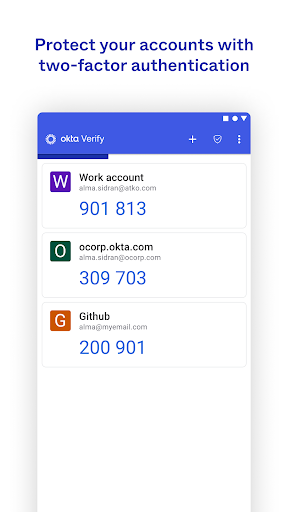
- Use multiple verifications to ensure that your data and accounts are safe and well protected.
- Sync between devices in real time to ensure that your login information is always up to date, so you don't have to keep updating.
- It also supports offline mode, so that you can still get your credentials when there is no Internet. It's really thoughtful.
- Seamless integration with existing enterprise-level applications makes it very convenient to manage users and everything, and the operation is smooth.
- The interface is super friendly, it is extremely simple to set up and use, and the whole experience is heart-warming and convenient.
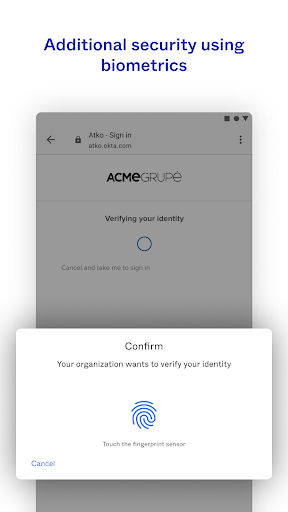
- In addition, there are biometric logins such as fingerprints and faces, and the security has been improved several levels.
- Support Android and iOS and easily meet the needs of different devices. Mobility is not a problem at all.
- Automatic session expiration ensures the security of your account and prevents the risks caused by idle time. Use it with confidence.
Who is suitable for using this App?
This mobile app is particularly suitable for IT professionals, security-conscious users, and corporate teams who are all looking for reliable verification tools.
If you are the kind of person who just wants to use a simple app to manage login information, whether it is Android or other mobile devices, you want to make the operation smoother and more secure to use, it is really suitable for you.
Why choose this App?
It is powerful, safe and reliable, and pays special attention to the user experience. The highlight that is different from other similar products is its protection and convenience.
Combining seamless integration, real-time synchronization and powerful security measures, this app is definitely your best helper for verification and account management. It is worth trusting!
Top Recommended Alternative

Pros & Cons
Pros
-
The user interface is quite simple
-
Fast certification
-
Biometric identification is convenient and safe
-
Captcha can also be generated offline
-
Works well with the system.
Cons
-
In addition to push notifications, there are too few other authentication methods
-
Push notifications are occasionally slow or leaking
-
Certain functions also require network support
-
There is not much customization space
-
Account recovery occasionally runs into trouble
Advertisement
Download Okta Verify
FAQ
Is Okta Verify safe on my mobile phone? +
Is Okta Verify safe on my mobile phone?
Well, basically, when designing Okta Verify, safety came first. It is a trustworthy application that uses industry-standard encryption methods to protect the data and verification process on your mobile phone. It is quite reliable.
Many companies use it to ensure login security and authentication. It is a stable choice. Whether it is Android or other platforms, it can be used quite smoothly.
How can I install Okta Verify on my Android phone? +
How can I install Okta Verify on my Android phone?
The operation is actually quite simple. You just need to go to the Google Play Store to find this app, search for "Okta Verify", and then follow the usual application installation process.
After installing it, you will have to cooperate with your company's login system to use all its functions, and the experience will be much smoother.
What are the functions of Okta Verify? +
What are the functions of Okta Verify?
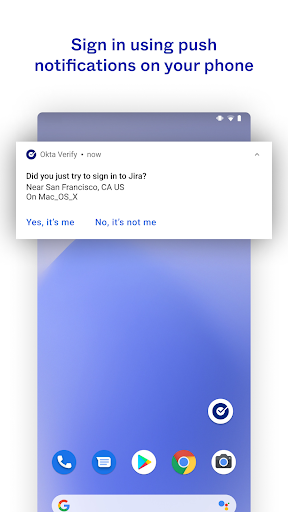
This Android app is actually quite useful. It can help you with multiple verifications, quick confirmation with push notifications, and one-click login. It is very convenient to operate and secure.
Moreover, its in-application solutions can be well connected with various enterprise systems. Many people like to use it to verify identity reliably, especially on mobile phones. It is very popular.
Can I use Okta Verify as a starter for my phone? +
Can I use Okta Verify as a starter for my phone?
Well, Okta Verify is mainly a security application for authentication, not used as a mobile phone homepage or application launcher. It is mainly a tool used to verify identity, which is separate from other applications on your phone.
If you want your home page to look neat, you might want to use another launcher application.
How does Okta Verify improve my experience with the app? +
How does Okta Verify improve my experience with the app?
This mobile app makes login easy and fast, providing reliable verification methods such as push notifications and biometric login, making the overall experience smooth and secure.
Its design focuses on security, which helps you save you a lot of trouble of password entry and allows you to more conveniently access various services securely through your mobile phone. It is quite considerate.
Is Okta Verify suitable for enterprise and application-based solutions? +
Is Okta Verify suitable for enterprise and application-based solutions?
Of course! Many companies use it as part of their security strategy. Its characteristics are ideal for corporate environments that require strong verification.
Supporting multi-platform secure login is very reliable and companies can use it with confidence. It can be used on Android and other devices, which is worth it.
Does Okta Verify update regularly to enhance security? +
Does Okta Verify update regularly to enhance security?
Yes, development teams often push new versions to ensure that they are safe and functional. Every update, new features, bugs and patches will be added to ensure that the application is more reliable.
Using this frequently maintained application can better protect your private information and make you feel more secure and easier to use.
If I encounter problems with Okta Verify, what should I do? +
If I encounter problems with Okta Verify, what should I do?
Don't worry if you encounter problems, first check whether your network connection is normal, and then try updating to the latest version. Many problems are solved through regular updates and correct settings.
If it still doesn't work, you can contact your IT department or check out Okta's support page. There will be help there to ensure that you can use this reliable application smoothly.
Customer Reviews
Users appreciate the app's core functionality when it works, with several praising its flawless performance for 2FA needs. However, major concerns center on account recovery and device transfer: many report being locked out after switching phones due to the absence of QR codes or backup codes, and hardware-bound accounts frustrate users who lose access. Performance is a mixed bag—some find it fast and reliable, while others experience extreme slowness, causing codes to expire or push notifications to fail entirely. The constant background activity and non-dismissable notifications also draw criticism, as they disrupt productivity. While a minority find the app excellent, the majority cite poor user experience, frequent freezing, and inability to recover accounts, making it a risky choice for critical use.
Write a Review
Share your experience with Okta Verify. Submissions are reviewed before publishing.
You Might Also Like
More apps you may want to try next.




