OBD Scanner ELM327: GaragePro

OBD Scanner ELM327: GaragePro

GaragePro, the top vehicle diagnostic app for OBD2 scanners. Unlock comprehensive features, real-time data, and reset functions. Get it now for free!

Screenshots

9 images
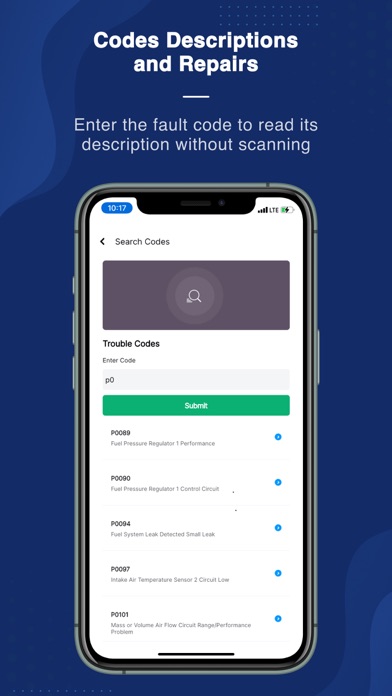
OBD Scanner ELM327: GaragePro screenshot 1OBD Scanner ELM327: GaragePro screenshot 2OBD Scanner ELM327: GaragePro screenshot 3OBD Scanner ELM327: GaragePro screenshot 4OBD Scanner ELM327: GaragePro screenshot 5OBD Scanner ELM327: GaragePro screenshot 6OBD Scanner ELM327: GaragePro screenshot 7OBD Scanner ELM327: GaragePro screenshot 8OBD Scanner ELM327: GaragePro screenshot 9

About OBD Scanner ELM327: GaragePro

OBD Scanner ELM327: GaragePro is really reliable and can be used on both Android and Apple devices. It is especially suitable for car owners and repairmen to help you easily solve car problems. As a fairly intuitive starter application, it can tell you in detail about engine health, fault codes, and various performance data. Using it to check car faults is not only convenient, but also very fast. It is really a good helper when solving car accidents!

Overview

core feature

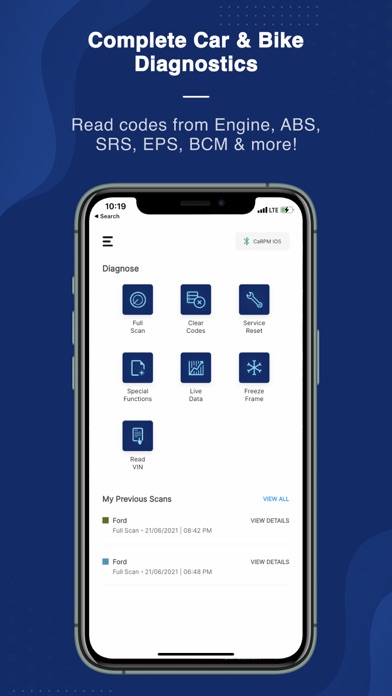
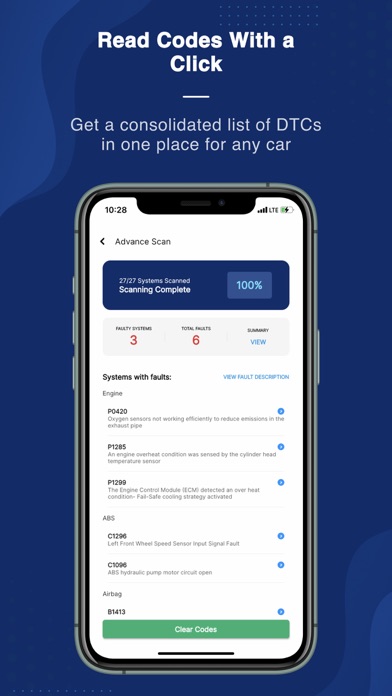
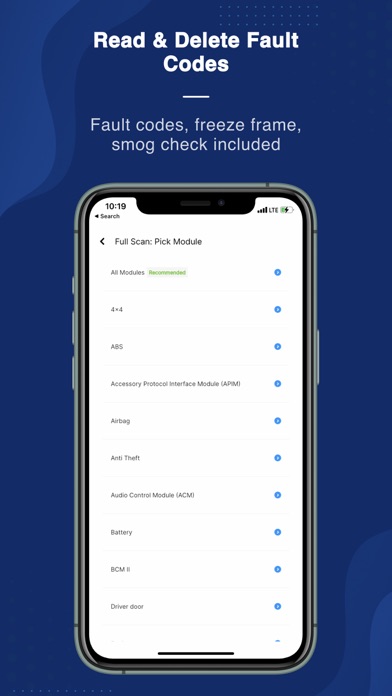
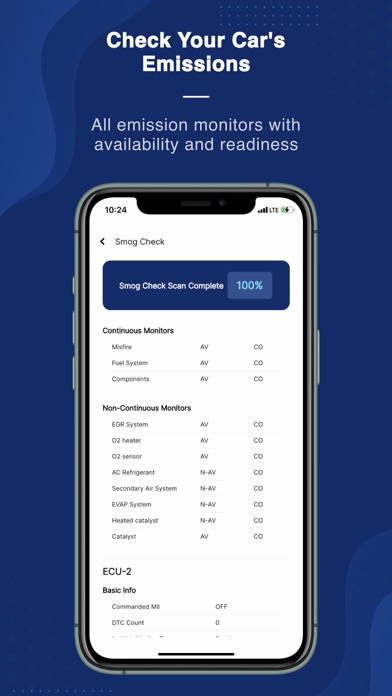
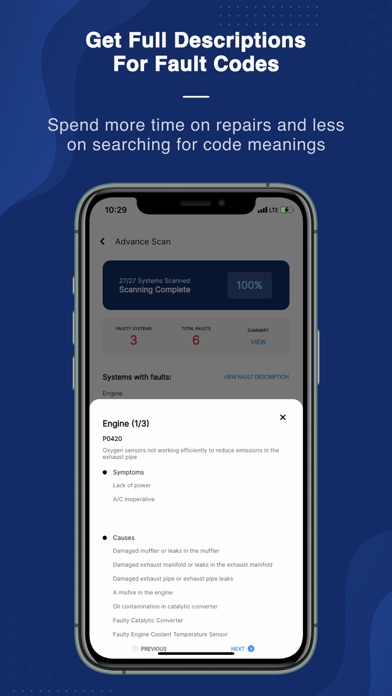
  • This app is equipped with comprehensive diagnostic tools that can read and clear fault codes in your car's engine control unit, making it super convenient!
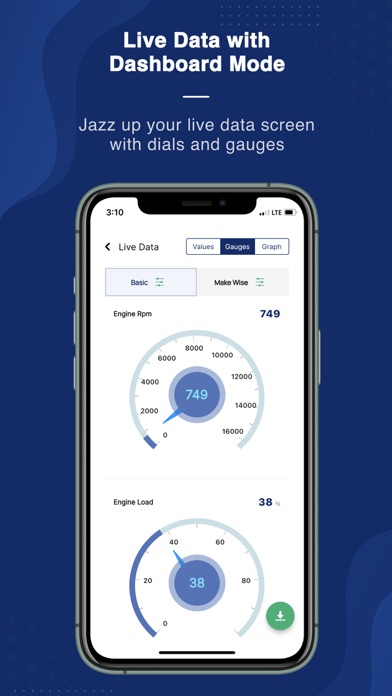
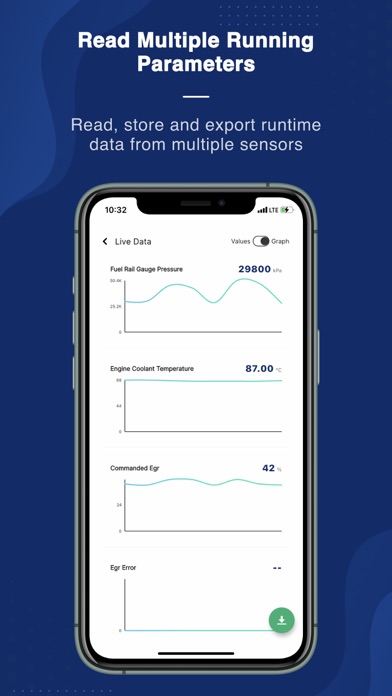
  • The real-time data display allows you to instantly monitor sensor information, engine parameters and vehicle health, which is quite reliable.
  • It supports multiple protocols and is compatible with various models. It is definitely a trustworthy diagnostic starter application.
  • The interface is super friendly and it can be easily operated whether you are a DIY enthusiast or a professional repairman.
  • It also provides maintenance reminders and vehicle reports to help you efficiently record maintenance plans. How considerate!
  • You can also diagnose in offline mode, without networking at all, and you can also use it in remote areas!
  • Functional details include Bluetooth connection and seamless communication with the OBD2 scanner. The experience is great!

for the crowd

This mobile app is particularly suitable for car owners, repairmen and car enthusiasts who want to quickly and easily understand the condition of their vehicles. People aged 18+, especially those who have some experience in car maintenance, will find it particularly useful.

Whether it's daily inspections or complex engine troubleshooting, this app can help you easily. Want to find a reliable and convenient Android diagnostic tool to monitor and maintain vehicles? It is your only choice!

Why choose this app

This app is particularly intuitive to use and powerful, making car diagnosis unnecessary and super easy to use. Compatible with various models, it has become a trusted tool for many car repair enthusiasts.

It can help you solve problems such as unclear error codes and complex diagnosis. It is simple to operate. It is a reliable assistant suitable for both professional repairmen and ordinary car owners. With it, you can easily grasp the health status of the vehicle. What a smart choice!

Top Recommended Alternative
Pros & Cons

Pros

  • Super friendly interface
  • Wide compatibility range
  • real-time diagnosis
  • Many additional functions
  • affordable

Cons

  • Limited advanced diagnostic capabilities
  • Occasionally unstable connection
  • Basic troubleshooting guidance
  • Bluetooth quality has a great impact
  • Insufficient multi-language support

Download OBD Scanner ELM327: GaragePro

You are going to be redirected to the official website to finish the download when you click these buttons above.

FAQ

OBD scanner ELM327: Is GaragePro compatible with all models?+
The OBD scanner ELM327: GaragePro can basically be used in most cars that support the OBD-II protocol, and can probably be used in cars manufactured since 1996. However, not all antique or special models are 100% compatible, so you still have to check in advance. Before using this mobile APP, it is best to check if your car is within the compatibility range. This APP can detect and read advanced codes in real time. It is an all-round tool that car enthusiasts and professional repairmen like. It is quite functional.
How can I install and set up the GaragePro app on my Android device?+
It's not particularly difficult to start using the GaragePro Android app. You just need to download it from the Google Play store, and then follow the instructions on the screen to connect your phone and OBD-II scanner via Bluetooth. After the connection is completed, the operating interface becomes particularly intuitive, and diagnostic information can be seen easily. This starter is specially designed to make car troubleshooting easy and is very friendly whether you make it yourself or repair it professionally.
Is GaragePro an APP safe and reliable? Will it save my car's data?+
Of course, this GaragePro APP was developed by a reliable team and pays special attention to user security and data protection. It follows regular privacy rules to ensure that test data from your car is not leaked. A feeling of trustworthiness arises spontaneously. The functions it provides are very reliable, allowing users to diagnose their cars with peace of mind without worrying about data abuse or security breaches.
Can I reset the service lights or clear trouble codes with the GaragePro APP?+
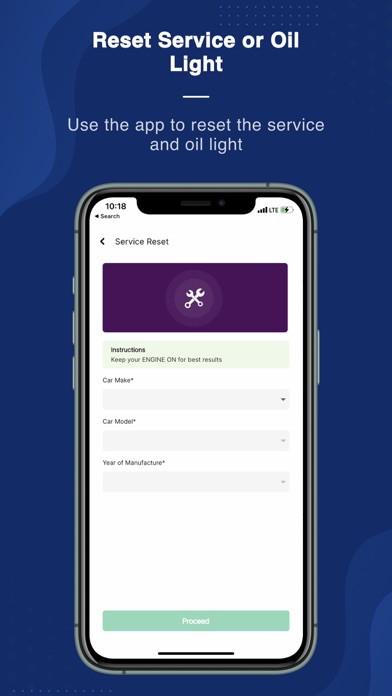
That's right! The GaragePro Android APP has functions such as resetting maintenance lights and clearing trouble codes (DTCs) as part of its comprehensive diagnostic solution. Using these functions saves time and money. It's a convenient tool, whether you repair your car yourself or monitor the health of your vehicle.
Will the GaragePro APP support upgrades to the latest models and OBD-II standards?+
Of course! This APP will be updated regularly to ensure that it supports the latest models and keeps up with the evolving standards of OBD-II. In this way, the test results are more accurate and the diagnosis is more reliable. Its constantly updated commitment reflects the importance developers attach to professionalism and user experience, especially for technicians who rely on accurate data for repairs and maintenance.
What are the core functions of GaragePro APP?+
Its featured functions include real-time engine data, fault code reading and clearing, and vehicle information display. The interface is very friendly to use. Whether you are a novice or an old driver, you can easily get started, and the operation is quite smooth. As a starter for vehicle diagnosis, it can also generate detailed reports and provide insights to help you better maintain vehicle health and solve fault problems. It is quite reliable.
Can I use GaragePro on my iPhone or just Android?+
This APP supports both Android and iOS platforms. Basically, whether you use an Android phone or an Apple phone, you can enjoy its functions. This is quite convenient, so you don't have to worry about platform limitations. The cross-platform design makes the user experience better and is especially suitable for car enthusiasts and professional repairmen, who can all find solutions that suit them.
Are there any safety precautions when using this mobile phone to diagnose a car?+
Remember to park the car in a flat place, turn off the ignition, and then start the app. Follow the manufacturer's safety guidelines for more peace of mind. You know, although this APP can provide you with diagnostic information, complex problems still have to be handled by professional repairmen. Reasonable use of GaragePro is both safe and reliable, and vehicle maintenance is more secure.

You Might Also Like

More apps you may want to try next.