FamiliarApps logo
OBD Fusion (Car Diagnostics)

OBD Fusion (Car Diagnostics)

Advertisement

Screenshots
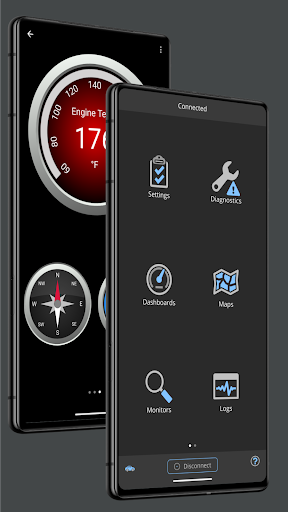
24 images
OBD Fusion (Car Diagnostics) screenshot 1 OBD Fusion (Car Diagnostics) screenshot 2 OBD Fusion (Car Diagnostics) screenshot 3 OBD Fusion (Car Diagnostics) screenshot 4 OBD Fusion (Car Diagnostics) screenshot 5 OBD Fusion (Car Diagnostics) screenshot 6 OBD Fusion (Car Diagnostics) screenshot 7 OBD Fusion (Car Diagnostics) screenshot 8 OBD Fusion (Car Diagnostics) screenshot 9 OBD Fusion (Car Diagnostics) screenshot 10 OBD Fusion (Car Diagnostics) screenshot 11 OBD Fusion (Car Diagnostics) screenshot 12 OBD Fusion (Car Diagnostics) screenshot 13 OBD Fusion (Car Diagnostics) screenshot 14 OBD Fusion (Car Diagnostics) screenshot 15 OBD Fusion (Car Diagnostics) screenshot 16 OBD Fusion (Car Diagnostics) screenshot 17 OBD Fusion (Car Diagnostics) screenshot 18 OBD Fusion (Car Diagnostics) screenshot 19 OBD Fusion (Car Diagnostics) screenshot 20 OBD Fusion (Car Diagnostics) screenshot 21 OBD Fusion (Car Diagnostics) screenshot 22 OBD Fusion (Car Diagnostics) screenshot 23 OBD Fusion (Car Diagnostics) screenshot 24

Advertisement

About OBD Fusion (Car Diagnostics)

OBD Fusion is quite reliable and simple to operate. It is specially designed for vehicle diagnosis and tracking. It can be used on both Android and Apple systems. It is really a good helper for car owners and drivers. It can give you detailed instructions on the status of your car, help you detect problems in advance and keep the car in its best condition. The interface is particularly intuitive and the functions are quite complete. It is basically an artifact specially tailored for car maintenance and monitoring.

Overview

core functions

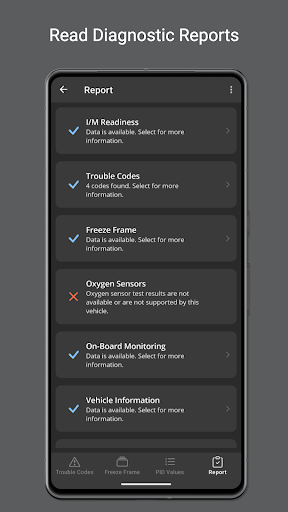
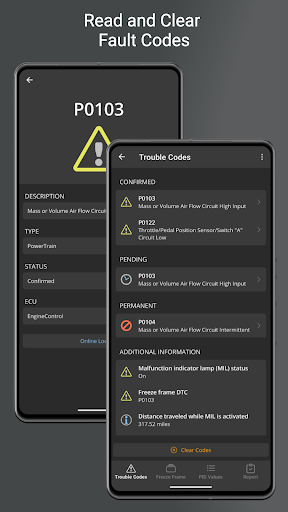
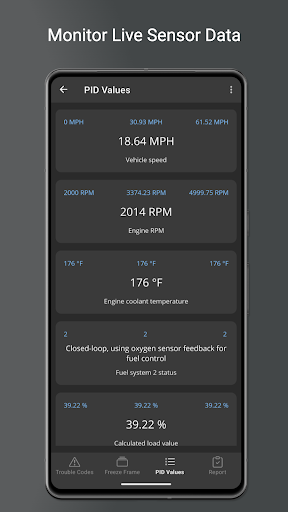
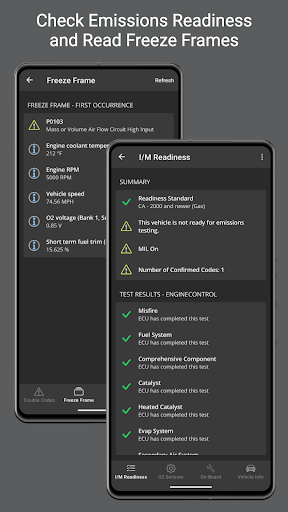
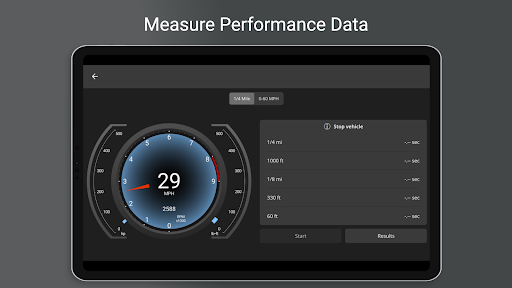
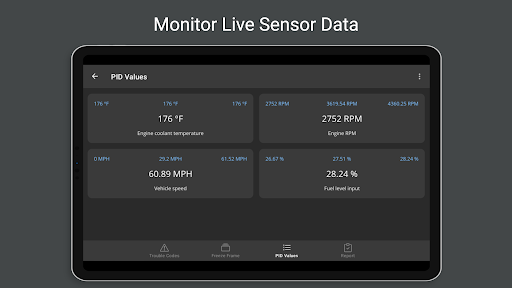
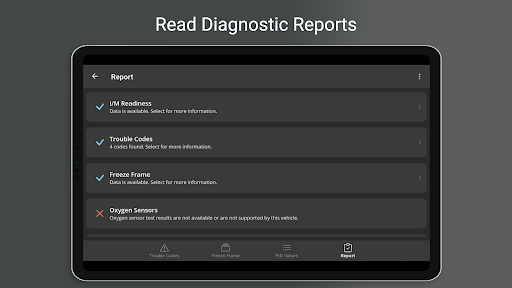
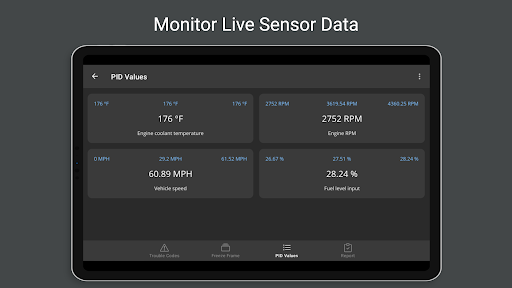
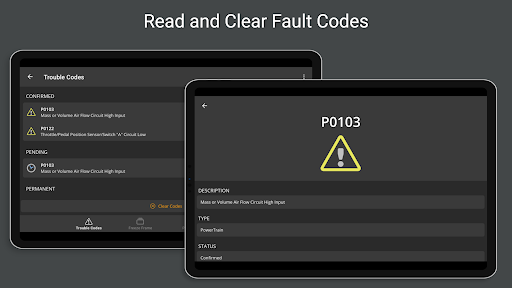
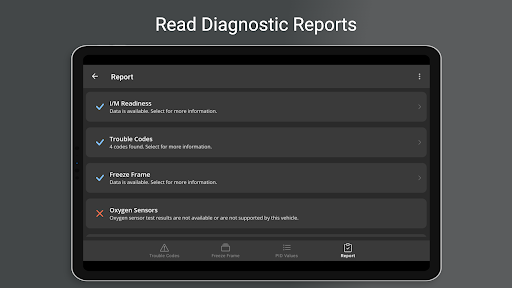
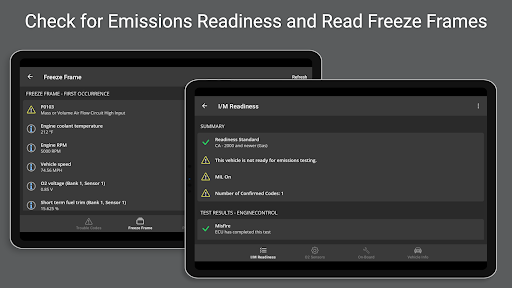
  • The highlight of this software is that it can detect vehicle status in real time and immediately display fault codes and vehicle health reports, which is super convenient!
  • The interface is super simple and easy to operate. You can basically understand various vehicle data without thinking about it.
  • It can also seamlessly connect OBD2 devices, the pairing is super smooth, and the data transmission is also very accurate. There is nothing to say.
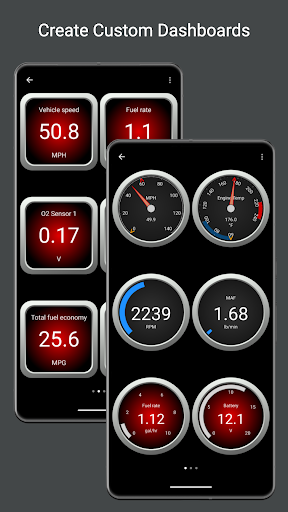
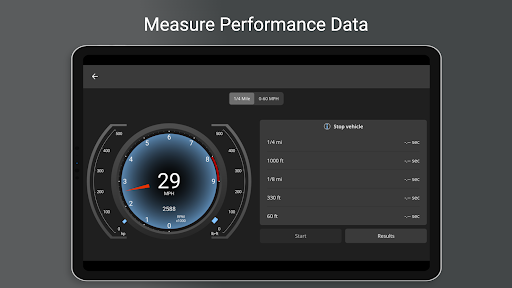
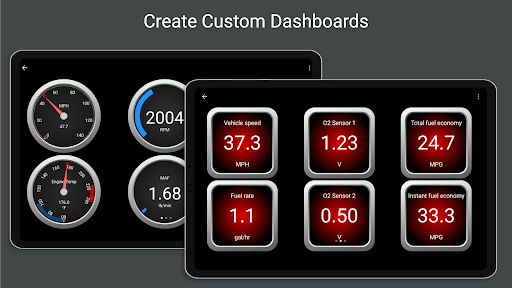
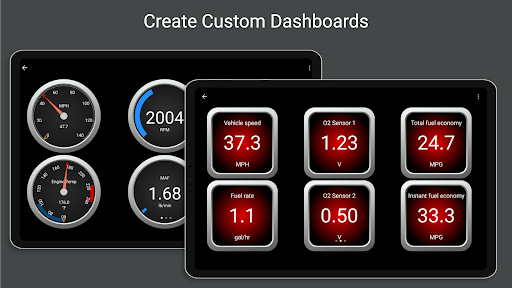
  • You can also customize the dashboard, so that you can see the key parameters of the engine at a glance with a click, greatly improving the user experience.
  • Support offline mode, and the stored detection information can be viewed without networking. It is truly reliable!
  • The smart reminder function will notify you of important issues as soon as possible, helping you save a lot of overhaul costs!
  • Built-in simulation testing function, users can also conduct simulation testing by themselves, improving application diversity.

Who is suitable for using this software

This mobile app is especially suitable for car owners, repairmen and car enthusiasts who want to easily understand the condition of their car. People who like it simple and straightforward and easy to use on Android or iOS devices will definitely like it!

Whether it is temporary troubleshooting or routine maintenance inspections, this solution is super suitable for friends who need reliable vehicle data. Especially for DIY users and professional repairmen who like to do it themselves, it's great to get more detailed system information!

Why choose this App

This Android app is particularly outstanding. With its rich features, it can provide accurate diagnosis and real-time data. It is really powerful. The interface is friendly and it is very smooth to use, making it very comfortable to use!

It can provide trustworthy and detailed vehicle information and become a reliable vehicle troubleshooting and maintenance assistant. It is more reliable than a bunch of ordinary tools, with much higher performance and trust!

Top Recommended Alternative
Pros & Cons

Pros

  • Super friendly interface
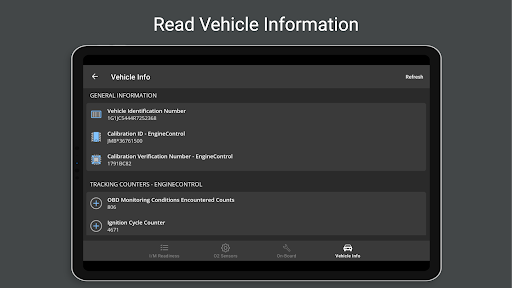
  • Vehicle condition data is super complete
  • The dashboard can be configured by itself
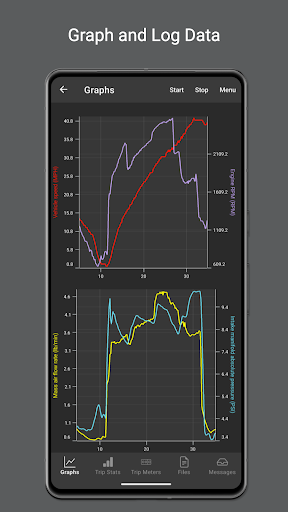
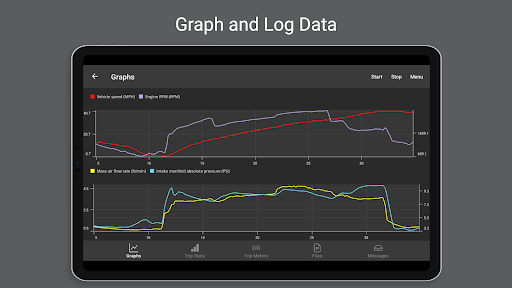
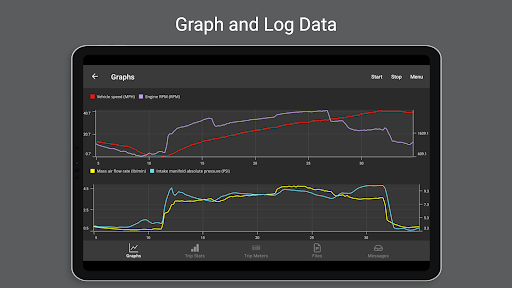
  • Powerful charting tool
  • Super wide compatibility

Cons

  • Occasionally unstable connection
  • The free version has limited functions
  • Advanced diagnosis is a little difficult to follow
  • fast power consumption
  • Occasionally break down

Advertisement

Download OBD Fusion (Car Diagnostics)

You are going to be redirected to the official website to finish the download when you click these buttons above.

FAQ

Is OBD Fusion a safe and reliable mobile app for vehicle diagnostics? +
Of course, OBD Fusion is a mobile app trusted by many car owners and professional repairmen. It can accurately help you find out the problems with your car. It is very convenient to use, the interface is also very considerate, and the operation is not complicated. Security and data protection have always been given top priority, so choosing it as an assistant to monitor and maintain vehicles is quite reliable. Definitely worth a try!
How do I get started with OBD Fusion on my Android device? +
Getting started with the Android version is actually quite simple. You need to have an OBD-II scanner that matches the car, connect it to the car, and pair it with your Android phone. After connecting, open the OBD Fusion app, register an account (if you don't already have it), and then you can play various functions, such as real-time data, sensor readings, fault codes, etc. It's actually a very useful car condition monitoring party stick!
What features make OBD Fusion stand out as a vehicle diagnostics app? +
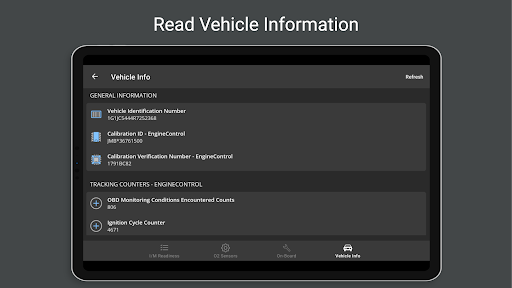
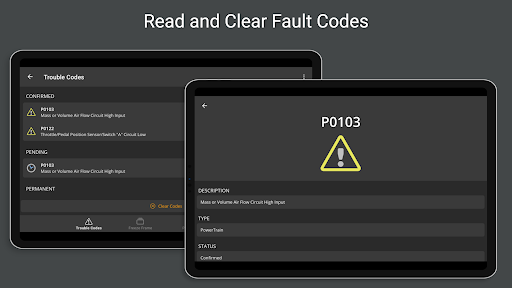
OBD Fusion has a lot of features that can help you get everything done and let you understand the condition of the car in real time. It can display detailed sensor data, read and clear fault codes, and customize its own dashboard. The interface is particularly intuitive and supports a variety of models. Whether you are an ordinary car owner or a professional, it is convenient and practical to use, and people can put it down!
Can I use OBD Fusion to diagnose issues even if I'm not a mechanic? +
Of course, OBD Fusion is especially suitable for ordinary car owners who love cars or car enthusiasts. Its app solution makes those complex diagnoses simple and clear, and easy to understand. You can quickly understand the condition of your car without professional skills. This tool is really good, it saves you peace of mind and saves trouble!
Is OBD Fusion compatible with my vehicle and smartphone? +
The OBD Fusion supports most OBD-II models produced after 1996 and can be used on almost all vehicles. This app can be used on both Android and iOS, and compatibility is still very good. Whether you use Android or Apple, it is smooth to use, and you can monitor the status of the vehicle anytime and anywhere. It is very convenient!
Does OBD Fusion require any special equipment to work? +
Yes, to use OBD Fusion normally, you need to have an OBD-II scanner, the kind that can match and hook with your car. Just plug it into the car's diagnostic interface and connect it to your phone via Bluetooth or Wi-Fi. This App solution can display vehicle data in real time, making it very easy to diagnose problems, making your car healthier!
How often is OBD Fusion's app updated to ensure reliability? +
Their development team is very attentive, often pushing updates, adding new features, fixing bugs, and adapting them to the latest models and mobile phones. This attitude of continuous improvement reflects their professionalism and sense of responsibility. With the latest version of the app, not only will the diagnosis be more accurate, but also more stable, and you will experience a smooth and unobstructed interface at any time!
Is OBD Fusion safe to use with my vehicle's existing systems? +
Rest assured, the OBD Fusion is designed to be safe. It will communicate with your on-board diagnostic system but will never malfunction or damage the car. The operation complies with industry standards, the connection is stable, and data security is guaranteed. Many users trust it and feel safe to use it, highly reliable, and have no worries at all!

Customer Reviews

AI
AI Generated Summary
Based on real user feedback
★ 3.8

Users consistently praise OBD Fusion for reliable connections with recommended adapters (e.g., Veepeak, BAFX) and effective trouble code reading/clearing, highlighting its intuitive interface, rich feature set, and good value for the price. However, compatibility is a key concern: while many report flawless performance on various vehicles, others cannot connect to certain models (2020 Ford Fusion, Renault Megane 2) or specific adapters. Functionality receives mixed feedback—positive for fast diagnostics and customizable dashboards, but negative for lacking features like min/max readings, color-changing gauges, or live misfire counts on GM vehicles. User experience is mostly smooth, though some note occasional connection retries and a less intuitive new diagnostic page that hides code descriptions behind extra taps. Value is debated: some find it far superior to free apps, while others see no added benefit without costly add-ons. Customer support is generally responsive but refunds can be difficult. Overall, a capable tool with room for improvement in compatibility and feature depth.

William Tevault · 2026-06-18
★ 1
This product is a waste of money. It cannot connect to my 2020 Ford Fusion and fails to find any usable ISO file.
Hassan Al-Obaidi · 2026-06-15
★ 5
This app offers a wealth of features for vehicle diagnostics. For optimal performance, always use the recommended OBD adapter and avoid cheap knockoffs.
Un usuario de Google · 2026-06-14
★ 5
I am fascinated by the idea of having that control.
Florante Ferrer · 2026-06-14
★ 4
This works with certain OBDII devices, but not all. Verify compatibility prior to use.
Alí Santana · 2026-06-13
★ 1
It didn't work with my Renault Megane 2. I bought it because it was paid, but it cannot detect errors that a free software can. Google does not allow a refund.

Write a Review

Share your experience with OBD Fusion (Car Diagnostics). Submissions are reviewed before publishing.

Rating *
0 / 2000

You Might Also Like

More apps you may want to try next.

Advertisement
5
Please wait...