OBD Fusion (Car Diagnostics)

OBD Fusion (Car Diagnostics)

OBD Fusion, the top-rated car diagnostics app for Android. Get real-time vehicle data, scan codes, and monitor performance. Free now!

Screenshots

10 images
OBD Fusion (Car Diagnostics) screenshot 1OBD Fusion (Car Diagnostics) screenshot 2OBD Fusion (Car Diagnostics) screenshot 3OBD Fusion (Car Diagnostics) screenshot 4OBD Fusion (Car Diagnostics) screenshot 5OBD Fusion (Car Diagnostics) screenshot 6OBD Fusion (Car Diagnostics) screenshot 7OBD Fusion (Car Diagnostics) screenshot 8OBD Fusion (Car Diagnostics) screenshot 9OBD Fusion (Car Diagnostics) screenshot 10

About OBD Fusion (Car Diagnostics)

OBD Fusion is quite reliable and simple to operate. It is specially designed for vehicle diagnosis and tracking. It can be used on both Android and Apple systems. It is really a good helper for car owners and drivers. It can give you detailed instructions on the status of your car, help you detect problems in advance and keep the car in its best condition. The interface is particularly intuitive and the functions are quite complete. It is basically an artifact specially tailored for car maintenance and monitoring.

Overview

core functions

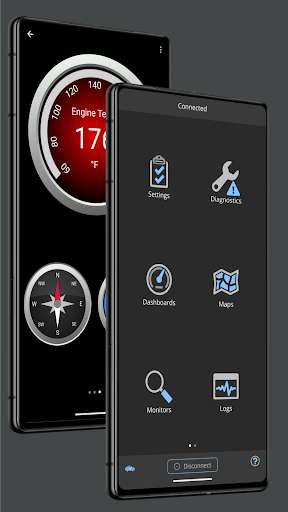
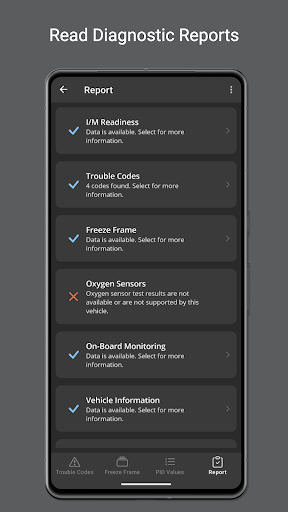
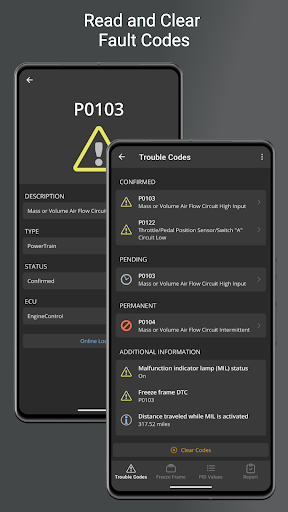
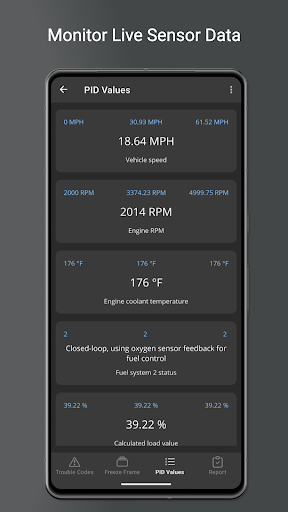
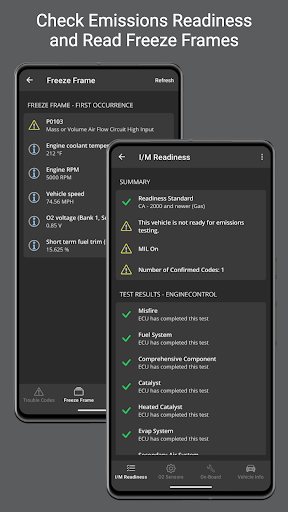
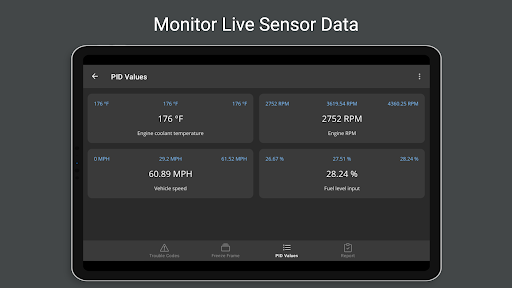
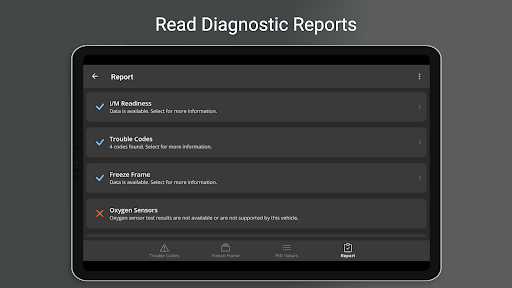
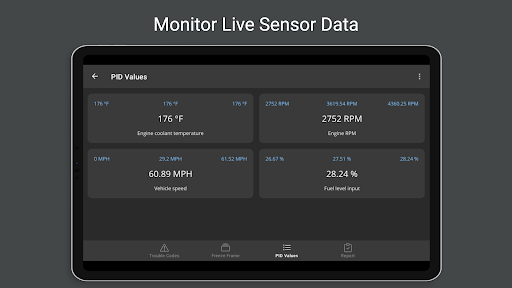
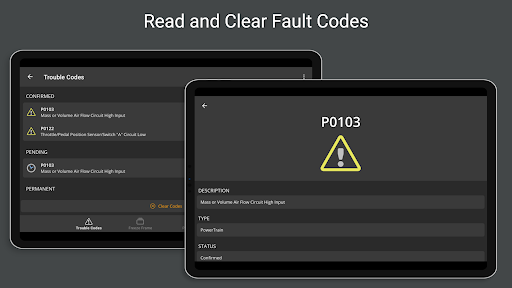
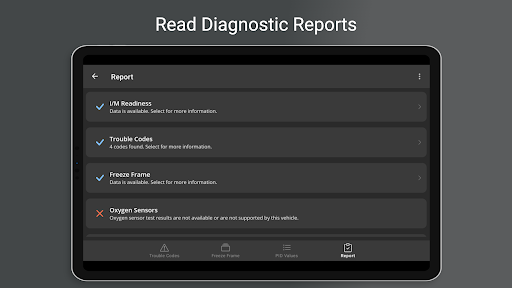
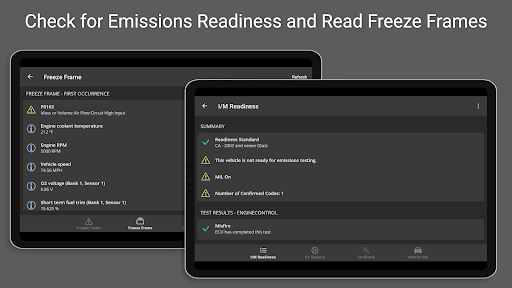
  • The highlight of this software is that it can detect vehicle status in real time and immediately display fault codes and vehicle health reports, which is super convenient!
  • The interface is super simple and easy to operate. You can basically understand various vehicle data without thinking about it.
  • It can also seamlessly connect OBD2 devices, the pairing is super smooth, and the data transmission is also very accurate. There is nothing to say.
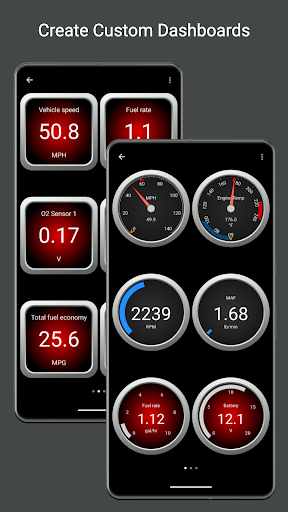
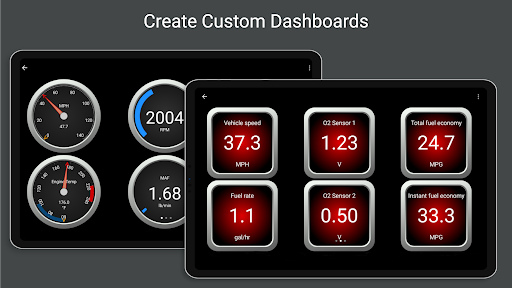
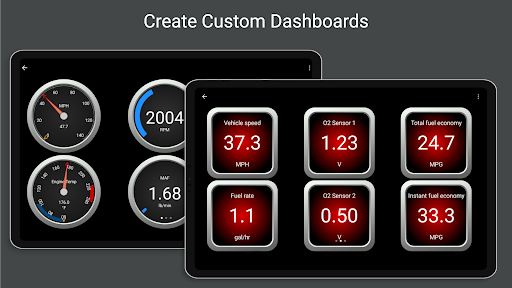
  • You can also customize the dashboard, so that you can see the key parameters of the engine at a glance with a click, greatly improving the user experience.
  • Support offline mode, and the stored detection information can be viewed without networking. It is truly reliable!
  • The smart reminder function will notify you of important issues as soon as possible, helping you save a lot of overhaul costs!
  • Built-in simulation testing function, users can also conduct simulation testing by themselves, improving application diversity.

Who is suitable for using this software

This mobile app is especially suitable for car owners, repairmen and car enthusiasts who want to easily understand the condition of their car. People who like it simple and straightforward and easy to use on Android or iOS devices will definitely like it!

Whether it is temporary troubleshooting or routine maintenance inspections, this solution is super suitable for friends who need reliable vehicle data. Especially for DIY users and professional repairmen who like to do it themselves, it's great to get more detailed system information!

Why choose this App

This Android app is particularly outstanding. With its rich features, it can provide accurate diagnosis and real-time data. It is really powerful. The interface is friendly and it is very smooth to use, making it very comfortable to use!

It can provide trustworthy and detailed vehicle information and become a reliable vehicle troubleshooting and maintenance assistant. It is more reliable than a bunch of ordinary tools, with much higher performance and trust!

Top Recommended Alternative
Pros & Cons

Pros

  • Super friendly interface
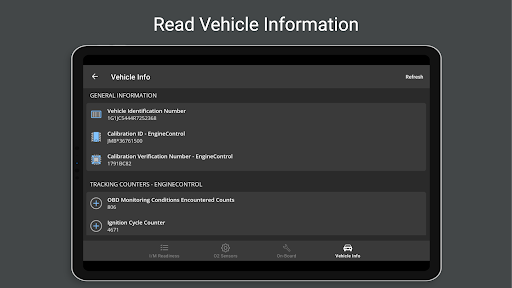
  • Vehicle condition data is super complete
  • The dashboard can be configured by itself
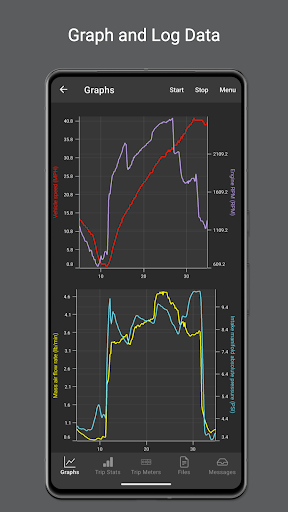
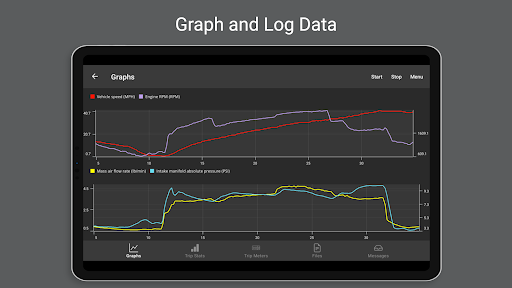
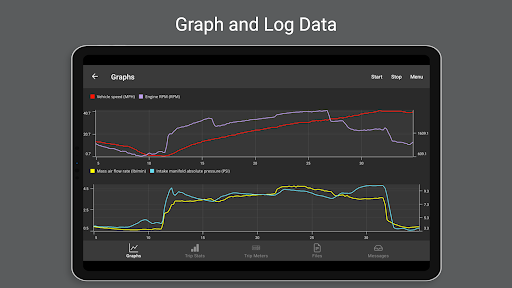
  • Powerful charting tool
  • Super wide compatibility

Cons

  • Occasionally unstable connection
  • The free version has limited functions
  • Advanced diagnosis is a little difficult to follow
  • fast power consumption
  • Occasionally break down

Download OBD Fusion (Car Diagnostics)

You are going to be redirected to the official website to finish the download when you click these buttons above.

FAQ

Is OBD Fusion a safe and reliable mobile app for vehicle diagnostics?+
Of course, OBD Fusion is a mobile app trusted by many car owners and professional repairmen. It can accurately help you find out the problems with your car. It is very convenient to use, the interface is also very considerate, and the operation is not complicated. Security and data protection have always been given top priority, so choosing it as an assistant to monitor and maintain vehicles is quite reliable. Definitely worth a try!
How do I get started with OBD Fusion on my Android device?+
Getting started with the Android version is actually quite simple. You need to have an OBD-II scanner that matches the car, connect it to the car, and pair it with your Android phone. After connecting, open the OBD Fusion app, register an account (if you don't already have it), and then you can play various functions, such as real-time data, sensor readings, fault codes, etc. It's actually a very useful car condition monitoring party stick!
What features make OBD Fusion stand out as a vehicle diagnostics app?+
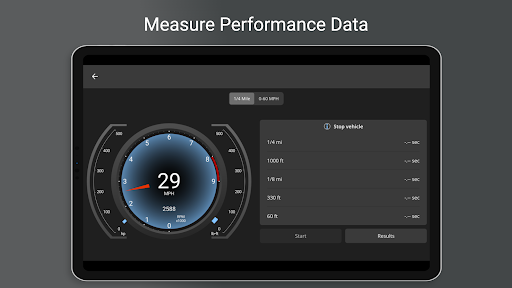
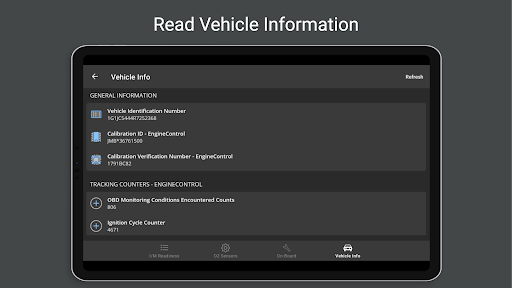
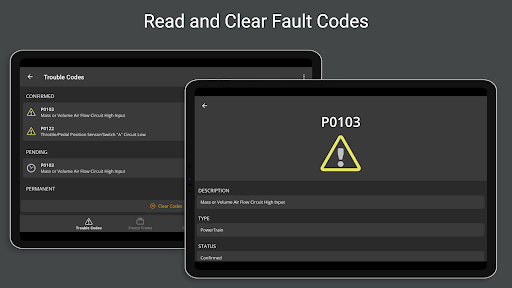
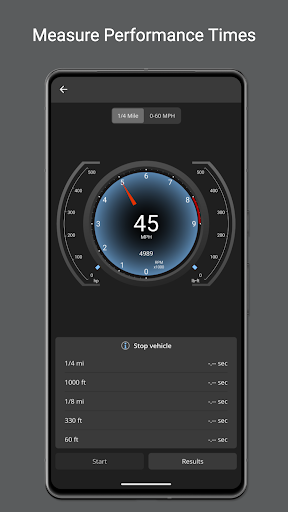
OBD Fusion has a lot of features that can help you get everything done and let you understand the condition of the car in real time. It can display detailed sensor data, read and clear fault codes, and customize its own dashboard. The interface is particularly intuitive and supports a variety of models. Whether you are an ordinary car owner or a professional, it is convenient and practical to use, and people can put it down!
Can I use OBD Fusion to diagnose issues even if I'm not a mechanic?+
Of course, OBD Fusion is especially suitable for ordinary car owners who love cars or car enthusiasts. Its app solution makes those complex diagnoses simple and clear, and easy to understand. You can quickly understand the condition of your car without professional skills. This tool is really good, it saves you peace of mind and saves trouble!
Is OBD Fusion compatible with my vehicle and smartphone?+
The OBD Fusion supports most OBD-II models produced after 1996 and can be used on almost all vehicles. This app can be used on both Android and iOS, and compatibility is still very good. Whether you use Android or Apple, it is smooth to use, and you can monitor the status of the vehicle anytime and anywhere. It is very convenient!
Does OBD Fusion require any special equipment to work?+
Yes, to use OBD Fusion normally, you need to have an OBD-II scanner, the kind that can match and hook with your car. Just plug it into the car's diagnostic interface and connect it to your phone via Bluetooth or Wi-Fi. This App solution can display vehicle data in real time, making it very easy to diagnose problems, making your car healthier!
How often is OBD Fusion's app updated to ensure reliability?+
Their development team is very attentive, often pushing updates, adding new features, fixing bugs, and adapting them to the latest models and mobile phones. This attitude of continuous improvement reflects their professionalism and sense of responsibility. With the latest version of the app, not only will the diagnosis be more accurate, but also more stable, and you will experience a smooth and unobstructed interface at any time!
Is OBD Fusion safe to use with my vehicle's existing systems?+
Rest assured, the OBD Fusion is designed to be safe. It will communicate with your on-board diagnostic system but will never malfunction or damage the car. The operation complies with industry standards, the connection is stable, and data security is guaranteed. Many users trust it and feel safe to use it, highly reliable, and have no worries at all!

You Might Also Like

More apps you may want to try next.