
Advertisement
Screenshots
Advertisement
About Music Audio Editor, MP3 Cutter
Music Audio Editor, MP3 Cutter is a user-friendly application and is mainly designed for those who want to easily edit and customize their own audio files. As long as Android devices are basically available, they are quite rich in functions and can help you easily trim, cut or improve your music and recording effects. The interface is simple and intuitive, and it is smooth to use. It feels like a reliable tool. It is a good choice for friends looking for audio editing helpers on their mobile phones!
Overview
core feature
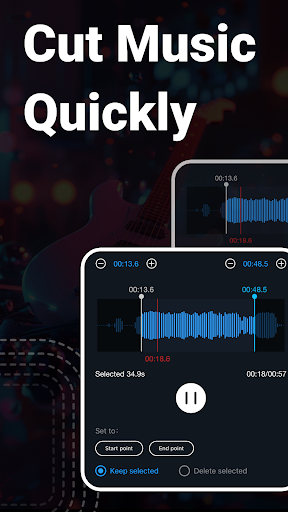
- The intuitive MP3 editing tool makes it easy to achieve accurate audio editing and clipping. It can be done by dragging and dropping, which is super convenient!
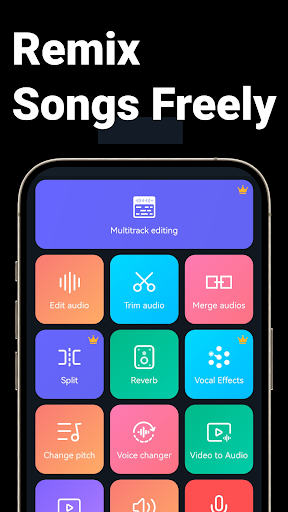
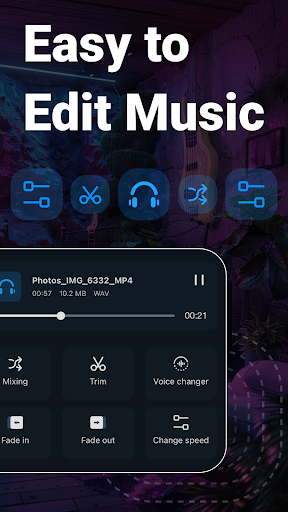
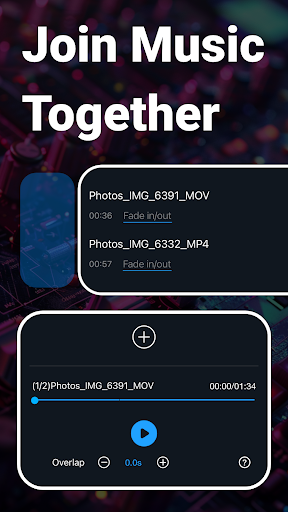
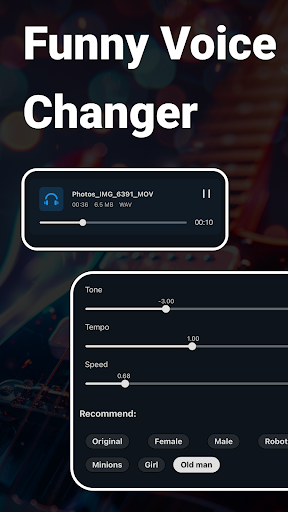
- Rich in functions, it can not only merge and split, but also adjust the audio speed. It can meet various editing needs. It is quite practical!
- Support real-time preview, and you can confirm changes while listening after editing. You don't have to save and then listen again. The experience is great!
- Built-in noise reduction and normalization functions can improve sound quality directly in the application without having to find another tool. It feels quite intimate!
- Supports a variety of audio formats, no matter what format you can handle. It's great as a multi-functional editing tool!
- Simple and lightweight, optimized for Android, runs smoothly without getting stuck, and can be used smoothly on almost any device.
- The interface operation is super easy, even newcomers can get started quickly, and experienced users will feel comfortable!
Who is it suitable for?
This mobile app is particularly suitable for music fans, content creators, or those who need to process audio material quickly, simply and efficiently. It perfectly meets the need for music and audio editing with a simple and powerful tool.
Whether you are editing songs for a song list or making some social media audio clips, you can basically use them. It is suitable for both casual players and professionals. It is efficient!
Why choose this App?
This Android app stands out with its rich features and friendly interface, giving you a smooth editing experience and making any tasks easy. The tools it provides are reliable and can make complex audio editing processes simple and clear.
Pay special attention to quality and performance. Not only is it fast to operate, but it also has no unnecessary clutter design. It perfectly meets the needs of users with high efficiency requirements. It is definitely the first choice for audio editing Android applications!
Top Recommended Alternative

Pros & Cons
Pros
-
Simple and intuitive interface
-
Precise cutting
-
Supports multiple formats
-
Comes with preview function
-
Lightweight and fast
Cons
-
The function is a bit single
-
Export options are a little less
-
Free version of advertising annoying
-
Cannot process files in batches
-
Basic sound effects are not rich enough
Advertisement
Download Music Audio Editor, MP3 Cutter
FAQ
Is Music Audio Editor, MP3 Cutter safe to use on my device? +
How do I install or update the Music Audio Editor, MP3 Cutter app? +
What are the main features of Music Audio Editor, MP3 Cutter? +
Can I use Music Audio Editor, MP3 Cutter offline? +
Does Music Audio Editor, MP3 Cutter support different audio formats? +
Customer Reviews
Users widely praise the app for its intuitive interface, smooth performance, and useful editing features, making it a favorite for quick audio tasks. Many highlight its user-friendly design and reliable functionality. However, opinions diverge on key aspects: while some appreciate the generous free version, others criticize misleading subscription practices—forcing card entry for a 3-day trial without clear disclosure. Similarly, ads are noted as intrusive yet tolerable given the free model. A minority report bugs, crashes, or limited premium features, calling the app fraudulent for blocking saves after trial. Overall, it's valued for ease of use but suffers from transparency issues and occasional instability.
Write a Review
Share your experience with Music Audio Editor, MP3 Cutter. Submissions are reviewed before publishing.
You Might Also Like
More apps you may want to try next.




