

Mojo: Reels and Video Captions
Advertisement
Screenshots

Advertisement
About Mojo: Reels and Video Captions
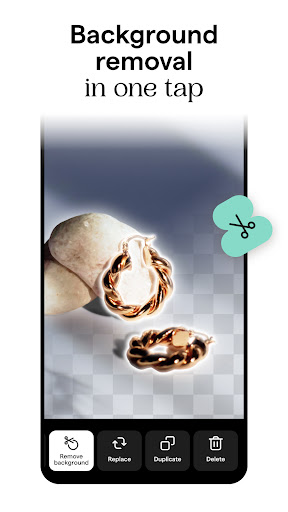
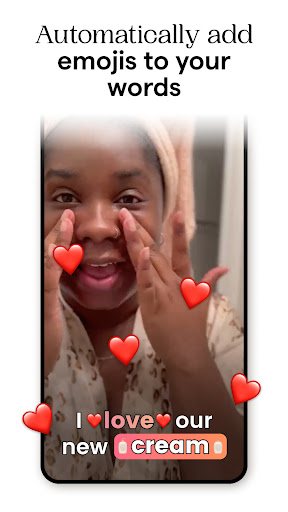
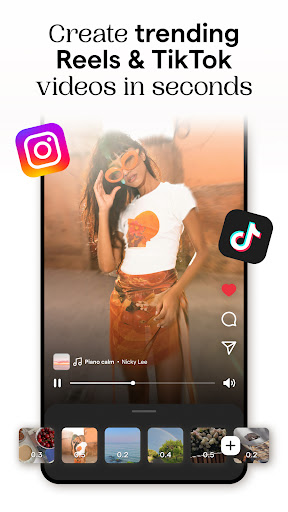
Mojo: Reels and Video Subtitles is a really good mobile app, especially for content creators and people who like to post photos. It provides a variety of tools that make it easy to make attractive short videos and add interesting subtitles, making it a great experience. And among the Android apps in the photo category, this one called Mojo is quite popular. It makes video editing and subtitle adding much easier. There is really no need to find computer software anywhere. With it, the performance of social media has been significantly improved.
Overview
core functions
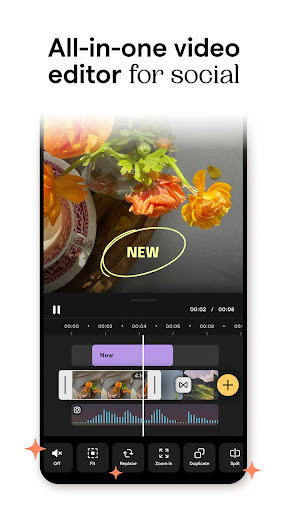
- Easy to operate, intuitive editing tools, and easy to create great Instagram Reels and Short Video.
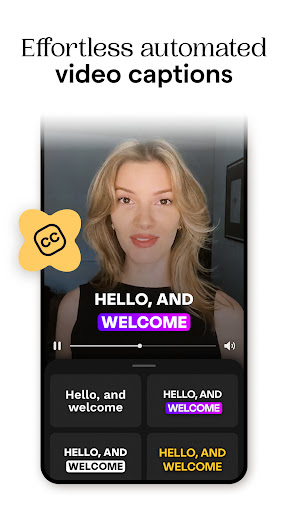
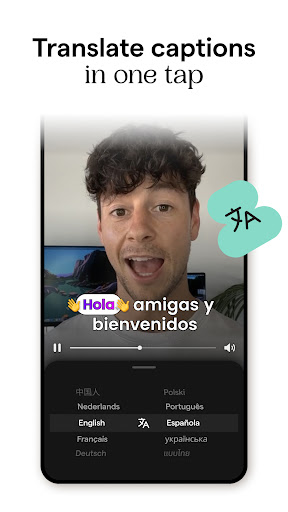
- Automatically generating subtitles saves time and makes your videos more attractive and interactive.
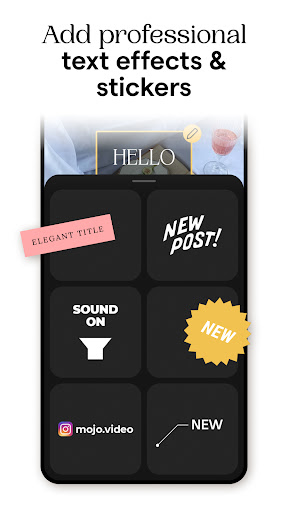
- Rich filters, special effects and background music make the video personalized at will.
- Sharing on various social platforms with one click makes it convenient and direct, making your experience smoother.
- Support offline editing and preview, no longer have to worry about not having the Internet, making it super convenient to use.
- The functions of real-time editing and easy customization of subtitles make the operation more intimate and the user experience is awesome.
- The interface design is super friendly, and whether it is a novice or a veteran, you can easily get started and have fun.
- Designed as a multi-functional launcher, it is easy to quickly open various video editing tools and templates, doubling the efficiency.
Who is this App suitable for?
This mobile app is especially suitable for people who like to socialize, plan to start content creation or small businesses, and want to easily make eye-catching videos. Especially suitable for users aged 15 to 40 who want to leave a cooler impression online.
Whether you're sharing it yourself or doing marketing, this easy-to-use tool can help you quickly create professional-level Reels that are great on Android phones.
Why choose this App
The biggest highlight of this Android app is its powerful functions and simple and easy-to-operate interface, allowing anyone to easily produce video. It is tailor-made for users, saving time and producing high-quality content. It is a blessing for lazy people.
Focusing on user needs and stable and diverse performance, it is definitely the first choice for people who want to find easy-to-use and reliable creative video editing and social media sharing artifacts.
Top Recommended Alternative

Pros & Cons
Pros
-
Intuitive video editing tool
-
Rich template options
-
High-quality subtitle effects
-
Responsive customer service
-
Perfect integration with social platforms
Cons
-
Free features are limited
-
Occasionally break down
-
Language support is pitifully scarce
-
Free version has watermarks
-
Instability of derived mass
Advertisement
Download Mojo: Reels and Video Captions
FAQ
Mojo: Is the software for Short Video and subtitles safe on my mobile phone? +
Of course, Mojo: Short Video and subtitles are actually a very reliable mobile APP that can be found on the Google App Store. After safety testing, it feels safe to use. It is specially prepared for friends who like to do video editing.
However, I still remind everyone that downloading must be from official channels, such as a regular platform like Google Play or the Apple App Store, otherwise the risk is quite high. Regular updates are also very important to patch vulnerabilities and ensure security.
How can I install Mojo on my Android phone: Short Video and subtitles? +
It's very simple, installing this APP does not require too complicated steps. Just search for its name on Google Play, find it and click "Install", it will download it itself, and you can use it.
Afteryou install it, you can open it and try it out. You can stroll around and try things like adding subtitles and doing special effects. The interface is quite friendly and is especially suitable for friends who want to use some creativity on social media. It is easy to use and intuitive.
Mojo: What are the main functions of Short Video and subtitles? +
This software is mainly to help you with video editing and has rich functions. For example, you can add beautiful subtitles, animation effects, and transitions to your video to make your work look cooler and more eye-catching.
Italso provides a variety of templates and adjustable tools that are particularly suitable for video creators. The interface design is also quite considerate. Whether you are a novice or an old driver, you can get started quickly and easily produce high-quality video content.
Can I use Mojo for professional content? Or should I just have fun? +
In fact, whether it's casual filming or professional filming, Mojo is quite suitable. It has enough functions to help you achieve high-quality editing and improve the overall level of content. It is a very practical APP solution.
Whetheryou post your own videos or run a brand account, this Android APP can help you make your videos more professional. Many people use them, and it feels worth a try.
Can it support various video formats and resolutions? +
This is no problem. Mojo supports a variety of common Short Video formats, and it is quite convenient to import material. You can adjust the output video resolution according to your own needs to ensure that the image quality is not discounted.
So, whether you make a fast-cut short film or a longer story video, you can use it to adjust to the effect you want. The operation is smooth, the processing speed is fast, and the experience is great.
Can this software still be used on older Android devices? Or only support new phones? +
Basically, Mojo supports most of the latest Android systems, but if it's running smoothly, it's better to use Android 8.0 and above. The details also depend on the configuration of your device and system updates.
Ifyour phone is old, you can go to Google Play to check the minimum system requirements of the app to ensure that it runs normally. In this way, you can use it to do various video editing and enjoy the latest functions without feeling stuck or incompatible.
How can I ensure the privacy and security of my data when using Mojo? +
To protect your privacy, it is recommended to download Mojo: Short Video and subtitles from official platforms such as Google Play. Applications in formal channels have gone through certain security inspections, making them more secure.
Alsonote that don't arbitrarily authorize some permissions, such as pictures, cameras, etc., and it's best to check the privacy settings more often. Keep the software up to date to the greatest extent possible, so that you can use it with more peace of mind, and create more interesting video content.
Customer Reviews
Users generally appreciate Mojo's ease of use, intuitive interface, and attractive subtitle/title styles, making it popular for Instagram stories and reels. The free version is considered helpful, with no watermarks and non-intrusive ads. However, the app suffers from significant stability issues: many users report frequent crashes, freezes, and long save times, especially with multiple videos. While some find the premium features valuable and reasonably priced, others criticize the limited free content, high subscription cost, and difficulty canceling. A common complaint is that saving often fails with 'something went wrong' errors, and even the Pro version experiences glitches. The frame rate is low (10 fps) and videos can appear artifact-heavy. Some users praise the subtitle functionality, but others find it unresponsive or inaccurate. Overall, Mojo has strong potential but is currently plagued by technical problems that frustrate both free and paid users.
Write a Review
Share your experience with Mojo: Reels and Video Captions. Submissions are reviewed before publishing.
You Might Also Like
More apps you may want to try next.




