Mirror Link Car Connector
Advertisement
Screenshots
Advertisement
About Mirror Link Car Connector
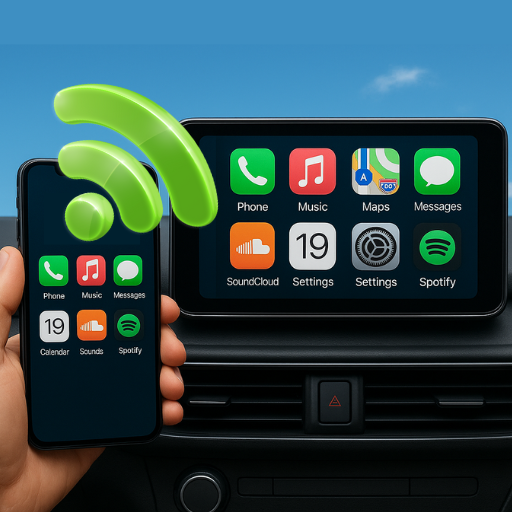
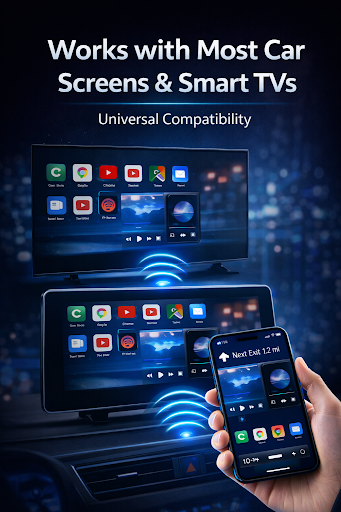
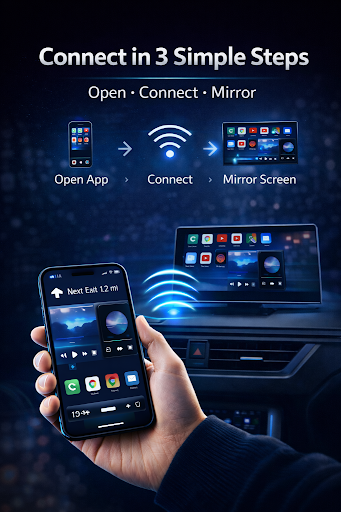
Mirror Link car connector is a very reliable Android app designed specifically to enhance your entertainment experience and connection in the car. It can easily project your mobile phone screen onto the in-car system, allowing you to use it smoothly without getting stuck. As a multi-functional starter, it is a great helper to quickly get the functions you like while driving, making the driving process safer and more fun. This app aims to provide a smooth integrated experience, allowing users to easily connect their mobile phones to their cars, and its performance is stable. If you want a convenient way to connect to their mobile phones, it's basically the answer.
Overview
core functions
- Supporting seamless mirroring connection makes it easy for your Android device to project the screen on the car screen. It's really convenient!
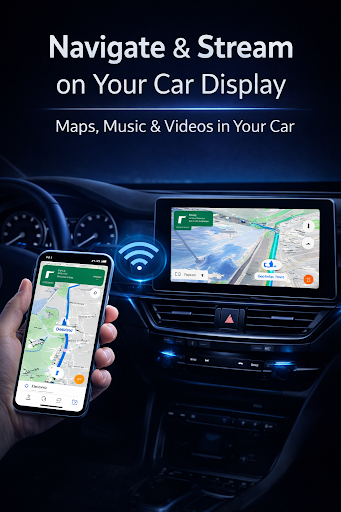
- Synchronizing audio, video and navigation applications in real time makes in-car entertainment smooth and worry-free, and feels as comfortable as home.
- The interface is designed to be particularly intuitive. Setting up and managing the image connection is not complicated at all. It can be used almost without learning. It is super friendly!
- It also has an offline mode, which can maintain a stable connection and reliability even if there is no network, so you don't have to worry about dropping off when you go out.
- The feature-rich application integration can be perfectly combined with the in-vehicle multimedia system, making the car experience more integrated and smooth.
Who is suitable for?
This mobile assistant is especially suitable for drivers between the ages of 18 and 45 who want a reliable and simple way to connect their mobile phones to their cars. Whether it is a technical nerd or an ordinary office worker, the user interface is very friendly and you will understand it at a glance!
Whether it's a street where you feel resentful during traffic jams or driving on a trip, this solution can help you. If you want a convenient and safe starter that frees your hands and enjoys it purely, choose it!
why this
What makes this Android app special is that it is direct and simple to operate, and has very powerful functions. It is specially customized for in-car connections. It is highly stable and easy to use. It is definitely a trustworthy option.
Taking into account common concerns, such as unstable connections or complex interfaces, this software helps you take them into account and provides a safe, easy-to-use, and non-distracting solution. You who pursue quality and trust will definitely like it. Driving with it will be more secure and connected!
Pros & Cons
Pros
-
Smooth wireless connection
-
The interface is particularly friendly
-
Support various models
-
Super fast connection
-
Updated frequently
Cons
-
Occasionally the connection will be disconnected
-
Not suitable for old cars
-
Stability issues.
-
It's a bit troublesome to set up for the first time
-
The customization functions are not rich enough
Advertisement
Download Mirror Link Car Connector
FAQ
Is the Mirror link car connector app safe to use? +
Well, the program for the Mirror Link car connector is quite reliable. After all, it is designed with user safety in mind. It complies with Android security standards and does not collect useless personal information at will. The most important thing is to remember to only download from reliable places, otherwise the risk will be great.
Using this app to connect your mobile phone and car systems is actually quite convenient and safe and durable. After repeated testing, it seems that the stability is good and the compatibility is good. It is practical and has a sense of confidence. It will not suddenly fall off the chain. It is very safe to use it daily.
How do I install the Mirror link car connector app on my Android device? +
This installation is quite simple, just go to the Google Play Store to search for the Mirror Link car connector and download it. Remember to make sure that the Android version of your device meets the requirements, otherwise you may not be able to use it. Don't bother.
Once installed, it acts like a starter that seamlessly connects your phone to your in-car entertainment system. Following the instructions on the interface step by step is quite friendly and convenient. After completing it in a few steps, you basically don't have to worry about complex operations.
What features does the Mirror link car connector app include? +
We can use this app to do many things, such as mirroring it so that your phone's picture can be projected onto the big screen in the car. It can also provide media streaming, navigation, and even manage phone calls, making it more convenient and connected while driving.
These functions are all designed to make your car experience better. They will not make your operations complicated. The interface is quite intuitive. You can quickly find what you want at any time, and will not make you confused on the road for a long time.
Can I use the Mirror link car connector app with any vehicle? +
Although this app wants to work with most cars with supported systems, the compatibility is still a little different. It is recommended that you check the car manual or official support guide to confirm whether your car can be connected using this mirror image.
Basically, as long as your Android device is compatible enough, it will still work smoothly to use. This app performs well on many models and can meet the needs of most friends who want to connect mobile phones and cars. It is quite reliable.
Does the Mirror link car connector app consume a lot of data or battery? +
This app is quite worry-free, well optimized, and basically won't run out of your battery or traffic quickly. After setting it up, it runs steadily in the background and won't make you worry about a sudden loss of power or a deterioration in the network speed.
However, after all, functions such as media streaming and navigation require traffic, and the exact amount depends on how you use it. In order to save electricity, it is recommended that you connect when you have Wi-Fi, or adjust the settings to minimize power consumption, which makes it more worry-free.
Customer Reviews
Users generally praise the app for its smooth performance and clear navigation, especially when mirroring Google Maps to car screens after a simple setup. However, the app is heavily criticized for an excessive number of pop-up ads and a mandatory 5-star rating requirement before any feature can be used, which many find intrusive and unfair. While some users report outstanding results and satisfaction, a significant number state that the app fails to connect to their car or does not support all car manufacturers, rendering it useless. The core conflict is between those who find the app functional and helpful once connected, and those who are unable to use it at all due to connectivity issues and the aggressive ad/rating policy.
Write a Review
Share your experience with Mirror Link Car Connector. Submissions are reviewed before publishing.
You Might Also Like
More apps you may want to try next.