
Microsoft SharePoint
Advertisement
Screenshots
Advertisement
About Microsoft SharePoint
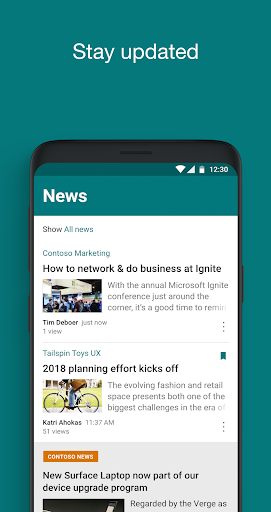
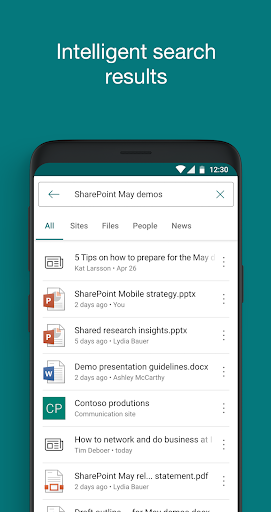
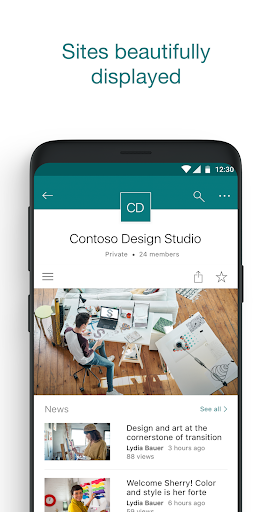
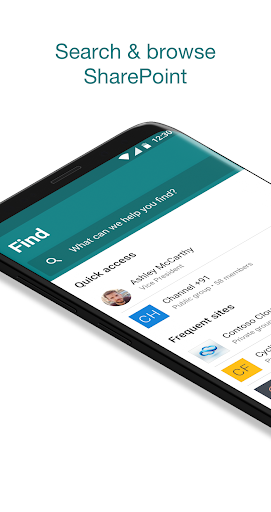
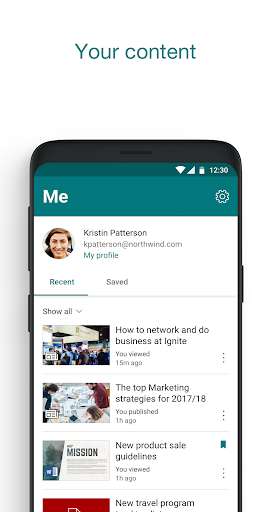
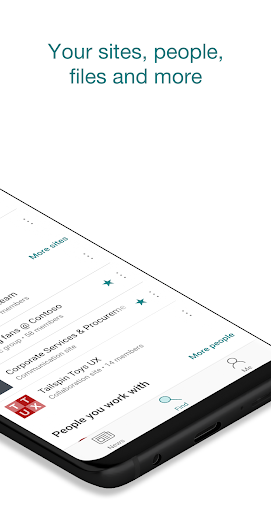
Microsoft SharePoint is really a powerful productivity mobile app that helps teams collaborate and keep them in order, so that they can get things done anytime, anywhere, no matter where you go. Open it at will on the Android platform, and it is very smooth to use. You can quickly find various files, websites and team news. The experience is really good. Whether you work remotely in the office or from home, SharePoint uses its intuitive interface and powerful features to help you improve your work efficiency. It's a great helper!
Overview
core feature
- This application has quite comprehensive functions. Document management, file editing and sharing are smooth, and there is nothing stuck at all.
- Real-time synchronization is really awesome. After making changes, you can see them on all devices immediately, making it more convenient to cooperate.
- Offline mode is also good. You can still browse and edit files when you are not online, and then automatically synchronize, saving your mind!
- Integrated with Microsoft 365, the experience is particularly unified, all tools are on one platform, and productivity has soared.
- It also supports customized notifications, so that document changes and team dynamics can be known as soon as possible, which is super considerate.
- This Android version has a super friendly interface and is specially designed for efficient work on mobile phones, making telecommuting a lot easier.
- We have also done a good job in security, protecting sensitive information and providing users with more peace of mind and security!
Who is this app suitable for?
This efficiency tool is especially suitable for those who travel frequently and need to check information at any time. Its design is very user-friendly and does not pick on people, and people of any age who are familiar with mobile phones can use it smoothly.
Whether it's managing projects remotely or working with colleagues, it's easy to use. Coupled with Android's quick startup, it makes the workflow smoother, which is quite easy!
Why choose this app?
What makes this software outstanding is that it is particularly intuitive to operate and has a smooth experience, making teamwork easier. Cloud synchronization ensures that your data is safe and synchronized quickly, and can be used anytime, anywhere.
Real-time update and offline functions have been added to solve many common work problems and provide a reliable mobile office solution. Focusing on user experience and data security is definitely the first choice for those who need powerful mobile office tools!
Top Recommended Alternative

Pros & Cons
Pros
-
Seamless integration with Microsoft 365 suite is really worry-free and convenient
-
Support strong document management and version control to get rid of chaos
-
The platform is highly customizable and scalable to keep pace with the development of the organization
-
Strong security and good compliance
-
Team collaboration features are great, such as sharing calendars and task lists
Cons
-
The interface is a bit complicated for beginners to use
-
Certain features are limited offline use
-
Occasionally stuck when synchronizing large files
-
The price is a bit expensive and not very friendly for small businesses
-
Customization of some advanced functions requires a technical background
Advertisement
Download Microsoft SharePoint
FAQ
Is Microsoft SharePoint safe on my phone? +
How to log in to the SharePoint mobile application on an Android device? +
Can I use files offline in SharePoint's Android APP? +
What are the main functions of SharePoint mobile apps? +
Is Microsoft SharePoint suitable for small companies? +
Do SharePoint apps support multiple devices? +
How can SharePoint mobile apps make teamwork better? +
What should I do if something goes wrong with my SharePoint application? +
Customer Reviews
Users widely appreciate Microsoft SharePoint for its seamless integration with Microsoft Teams and practical mobile productivity. Key strengths include intuitive navigation, smooth performance on devices like Samsung Galaxy Tab S9+, and continuous feature improvements enabling convenient editing of posts and lists via smartphone. However, several critical dimensions divide opinions. File uploading, a core functionality, is frequently reported as broken or unusable by many users, while others find the app works flawlessly. Mobile experience receives mixed feedback: some praise its responsiveness and user-friendly interaction, yet others complain about unreliable push notifications, incomplete content display, slow page loading, and inability to access folder structures—instead seeing only recent documents. Cross-platform consistency is another pain point; some users enjoy perfect synchronization, while others encounter different views across PC, tablet, and smartphone. Although many appreciate the app's powerful features and organizational capabilities, significant issues persist: frequent crashes, failure to open items that work on desktop, delayed updates, and non-functional hyperlinks after filtering. Overall, SharePoint offers robust collaboration tools but suffers from reliability and mobile access gaps that frustrate a notable portion of users.
Write a Review
Share your experience with Microsoft SharePoint. Submissions are reviewed before publishing.
You Might Also Like
More apps you may want to try next.




