
Advertisement
Screenshots
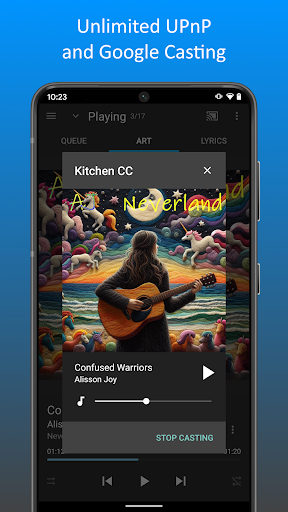
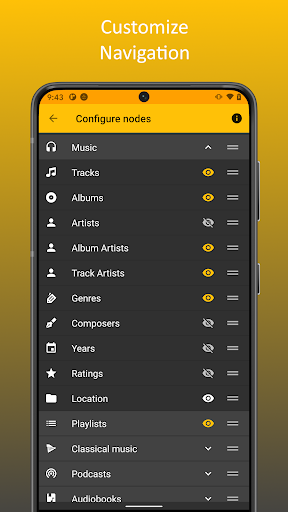
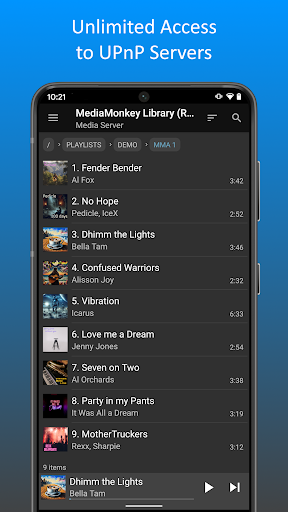
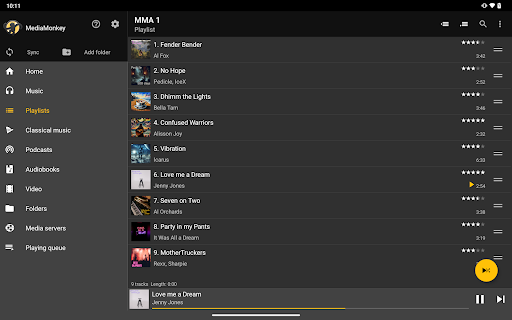
Advertisement
About MediaMonkey Pro
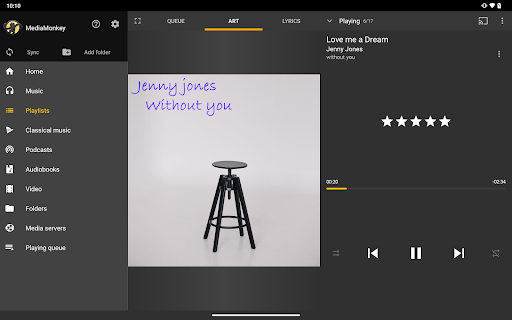
MediaMonkey Pro is really tailor-made for those who love music. It can be said that it is quite thoughtful to get your own music library done without bothering about it. Developed specifically for the Android system, it has a lot of functions. It can help you easily organize song lists, type tags, and even sync music smoothly. This software interface is easy to use and reliable in performance. Many music fans like to use it and feel that the experience it brings is really better than others.
Overview
Core Features
- This music library management is really good. It can help you with automatic labeling, album covers, etc. It is super convenient to find and organize songs.
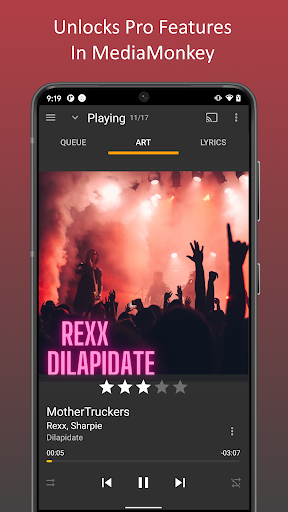
- The playback control is particularly good, with functions such as seamless playback and an adjustable equalizer, allowing you to feel your own feeling every time you listen to a song.
- Offline mode support allows you to enjoy music while you are away without worrying about the embarrassment of not having an Internet. It is especially suitable for travel or remote areas.
- The search and filtering function is super fast, helping you instantly find the song, song list or artist you want to hear among hundreds or thousands of songs.
- Perfectly synchronized with the cloud, ensuring that your music library is backed up at any time, and you don't have to worry about losing it even when changing devices. The sensory experience is smooth.
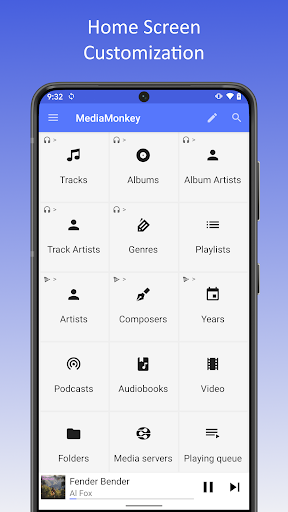
- The interface design is particularly considerate and specially tailored for Android users. The operation is smooth and the functions you want can be quickly found.
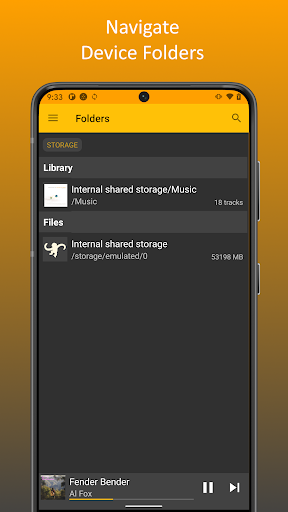
- Various organizing tools, such as song lists, tags, and sorting, make your music collection organized and super convenient.
Who This App Is For
This mobile app is especially suitable for all music lovers. Regardless of age, if you want to find a reliable and versatile player, you can try it. Whether you listen casually or are a hardcore enthusiast, this app can give you a simple and powerful experience.
It's great for those who like to use this APP to manage a lot of music, play offline, or customize a personal interface. It fully meets your needs for a high-quality audio experience anytime, anywhere.
Why Choose This App
This Android music app is really hard to put down because of its full functions and smooth experience. There are no messy advertisements, so the operation is very cool and you will never get tired of using them for a long time.
It pays attention to the actual needs of users, has stable performance, reliability and efficiency, allowing you to enjoy music while also feeling particularly considerate. Compared with other options on the market, it definitely has its own set and is worth a try.
Top Recommended Alternative

Pros & Cons
Pros
- Music management is really comprehensive
- The freedom of customization is so exciting
- Support various audio formats, how considerate
- The synchronization function is very powerful and super convenient
- Awesome labeling and metadata editing capabilities
Cons
- The entry threshold is a bit high
- It takes up a bit too much resources
- Managing podcasts and recordings is not so perfect
- Occasionally, I have some problems with cloud synchronization
- Paid version is not cheap
Advertisement
Download MediaMonkey Pro

FAQ
Is MediaMonkey Pro safe to use on my Android device?+
Of course, MediaMonkey Pro is a very reliable mobile application designed specifically for user safety considerations. It is available on the Google Play store, where the store strictly checks the security of the app and downloads it with confidence.
In order to ensure your safety, it is recommended that you only download this app from official channels. It will also push updates regularly to patch security vulnerabilities and optimize performance. Overall, it is a very reliable music library management tool.
How can I sync my music files with MediaMonkey Pro?+
Synchronizing music with MediaMonkey Pro is actually quite simple. You just connect your Android device to your computer and use its sync function to easily transfer songs.
This app's interface is quite intuitive, it's easy to organize your music, and it can access your files offline. Automatic labeling and song list management are all very considerate and allow you to easily organize your music in an orderly manner.
Can I use MediaMonkey Pro without having to connect to the Internet?+
No problem! One of the biggest advantages of MediaMonkey Pro is its support for offline listening to songs. Once your music files are stored on your device, you can listen to music without having to connect to the Internet.
It is especially suitable for friends who want to enjoy their favorite songs anytime and anywhere, such as taking a train, taking a plane, or being able to get high in places with poor signal. What a great helper!
What audio formats does MediaMonkey Pro support?+
Support it! MediaMonkey Pro can play audio in various formats, such as MP3, AAC, WAV, FLAC, etc., covering almost most commonly used music formats. Its functional design is also very considerate, allowing you to play flexibly, and the sound quality is also good.
In this way, no matter what format your music files are in, you can easily organize and listen to songs, which is especially suitable for music fans who like to collect music in different formats.
What are the main functions of MediaMonkey Pro?+
This app has quite comprehensive functions, such as automatic tagging, creation of song lists, intelligent search, etc. Not only that, it also has a built-in equalizer to support multiple audio formats and enhance the music listening experience.
The operating interface is also smooth and easy to use, making it easy and enjoyable for you to manage music. To say that its characteristics are that it finds a balance between powerful functions and easy to use. It is suitable for those who want powerful functions without too much trouble.
How does MediaMonkey Pro compare to other music management software?+
Compared with other music management applications on the market, MediaMonkey Pro is more detailed and personalized. Its labeling and organizing tools are very professional and can help you organize your music library in order.
As a trustworthy Android app, its stability and performance are very good. If you're looking for an app that is both flexible and feature-rich, MediaMonkey Pro is definitely worth a try.
Does MediaMonkey Pro work with my Android phone launcher?+
Of course! MediaMonkey Pro is very compatible, and basically most Android launchers can be used smoothly. It is designed with this in mind, ensuring that you can access your music library with one click from the home page or application drawer, which is quite convenient.
This makes it a great helper for daily use, especially if you like the one-stop management experience. Putting music directly on the desktop is like moving the entire music warehouse to your hand. It's super practical!
How can software updates improve the functionality and security of MediaMonkey Pro?+
Regular push updates is the key to maintaining an easy-to-use app. Every time MediaMonkey Pro is updated, it fixes bugs, adds new features, and makes the application run more stably.
Continuous improvements make your experience smoother and safer, and keep it at the forefront of Android music management tools. It is a trustworthy partner.
Customer Reviews
MediaMonkey Pro is widely praised as an indispensable tool for managing and organizing personal music collections, offering seamless wireless syncing across Windows and Android, intuitive interface, and excellent value. Users highlight its powerful library management—ideal for those with large MP3 collections or replacing iTunes. However, some note complexities: while many find it straightforward, others describe it as unintuitive, requiring manuals. Syncing works great once configured, but initial setup can be tricky, and some report playlist or duplicate detection issues. Features like artwork loading and Android Auto support have mixed feedback; some experience smooth performance, while others encounter album art or syncing errors. Overall, it's a top choice for serious music collectors, though improvements in usability and specific features are desired.
Write a Review
Share your experience with MediaMonkey Pro. Submissions are reviewed before publishing.
You Might Also Like
More apps you may want to try next.