LogMeIn Rescue Customer
Screenshots
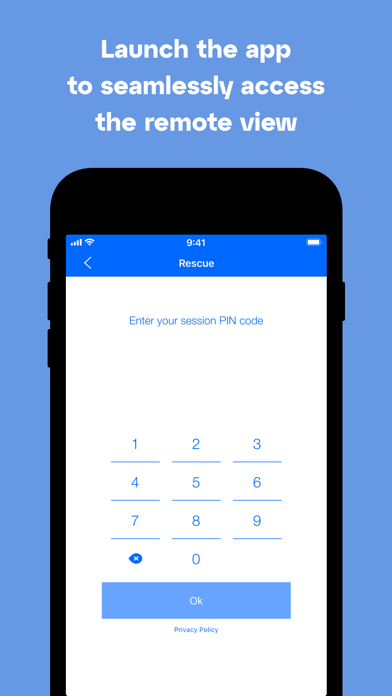
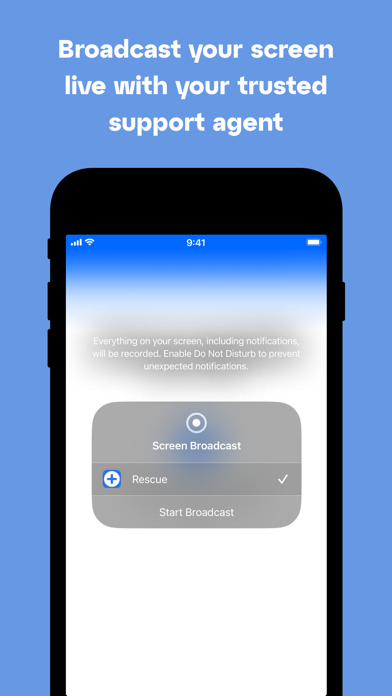
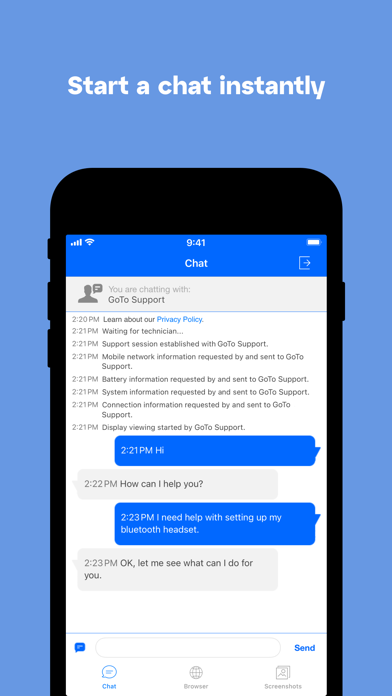
About LogMeIn Rescue Customer
Overview
core functions
- This application can provide real-time remote support, and technicians can instantly solve problems on various devices. It's so convenient!
- It is also equipped with secure session management and uses encrypted connections to protect users 'privacy. It is quite reliable!
- Supports cross-platform operation, and both Android and iOS devices can be connected seamlessly. It's really comfortable and convenient!
- The remote control function allows support personnel to quickly diagnose and solve problems without having to visit the site at all, saving time and being efficient!
- It can also record conversations and produce reports, helping companies improve service quality, and record management becomes smooth.
- Advanced functions such as session transfer and multi-session processing have increased support efficiency, which is really a bonus for the support work!
- The simple and intuitive start-up program settings can easily complete the deployment, and even users who don't understand much technology can easily get started!
applicable population
This mobile app is particularly suitable for IT support teams, help desk technicians, and small businesses that require fast remote support. It's a lifesaver for people who want to use reliable and convenient support tools to get Android or iOS devices done!
Support managers and technicians can also be used for temporary support, remote troubleshooting, and induction training. It can greatly improve the overall experience and service level. It is really practical!
Why choose this app?
This Android app provides powerful features and is designed for fast, safe and reliable remote support, making it the first choice of many professionals. The interface is simple and intuitive, and the user experience is particularly smooth, so you basically don't have to worry about getting started!
It is also known for its practicality, meeting various support needs in real life, and has comprehensive functions to help you solve problems faster. It can also process sensitive information, making people more assured!
Top Recommended Alternative

Pros & Cons
Pros
- Remote access is very reliable
- Picture sharing is clear and real-time
- Cross-platform support is great
- Session recording function
- Simple and easy to use interface
Cons
- Too few customization options
- Occasionally there will be minor problems, such as disconnection
- Power consumption is faster
- It's harder for beginners to get started
- Tool integration is not rich enough
Download LogMeIn Rescue Customer


FAQ
How do I log in to LogMeIn Rescue Customer on my mobile device?+
To start using LogMeIn Rescue Customer, you open the app and enter your login information. If you are a novice, your organization should provide you with an account and password to log in so that you can use it smoothly.
This mobile app is simple in design, easy to operate, and can quickly access remote support sessions. Once logged in, you can efficiently manage customer support on your Android phone or other supporting smartphone.
Is LogMeIn Rescue Customer safe to use on my Android device?+
Of course, LogMeIn Rescue Customer is a very secure application that uses encryption technology to protect your data security during remote support. It does a good job in terms of security, and you can rest assured that your information will be strictly confidential.
The app will also be updated regularly to ensure it meets the latest safety standards and gives you peace of mind. Remember to only download apps from official channels to avoid security risks.
What are the main app features of LogMeIn Rescue Customer?+
This application has rich functions, including remote device troubleshooting, real-time chat, session management and screen sharing. Helping solve problems relies on these practical functions, allowing the support team to efficiently reach the core of the problem and solve it directly on the mobile phone.
As a launcher for remote assistance, LogMeIn Rescue Customer makes it easier for you to use. It can quickly call up support tools, and you can quickly get help, eliminating the cumbersome process.
Can I use LogMeIn Rescue Customer on older versions of Android?+
Yes, it is compatible with different Android versions, but it is recommended that you use the latest version as much as possible so that the experience will be better. You can check detailed information on the app store page for specific compatibility.
Updating your phone system can also enhance security and performance, ensuring that this remotely supported app is smooth and reliable to use.
How do I troubleshoot common problems with the LogMeIn Rescue Customer app?+
If you encounter problems, you can try restarting your device or updating your apps and operating system. Clean up the cache and ensure that the network connection is stable, which will be better.
If you still have problems, it is recommended to check the Help and Support section of the app or visit the official support website. Using these features correctly can avoid many common problems and make your application experience smoother!
You Might Also Like
More apps you may want to try next.