FamiliarApps logo
Keyboard Maker: Keyboard Theme

Keyboard Maker: Keyboard Theme

Advertisement

Screenshots
14 images
Keyboard Maker: Keyboard Theme screenshot 1 Keyboard Maker: Keyboard Theme screenshot 2 Keyboard Maker: Keyboard Theme screenshot 3 Keyboard Maker: Keyboard Theme screenshot 4 Keyboard Maker: Keyboard Theme screenshot 5 Keyboard Maker: Keyboard Theme screenshot 6 Keyboard Maker: Keyboard Theme screenshot 7 Keyboard Maker: Keyboard Theme screenshot 8 Keyboard Maker: Keyboard Theme screenshot 9 Keyboard Maker: Keyboard Theme screenshot 10 Keyboard Maker: Keyboard Theme screenshot 11 Keyboard Maker: Keyboard Theme screenshot 12 Keyboard Maker: Keyboard Theme screenshot 13 Keyboard Maker: Keyboard Theme screenshot 14

Advertisement

About Keyboard Maker: Keyboard Theme

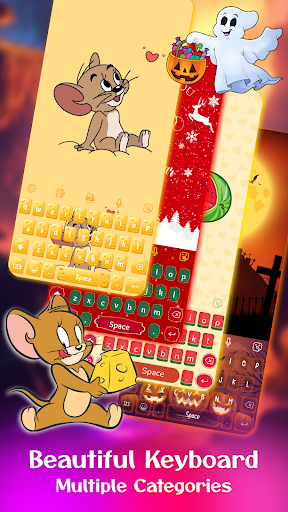
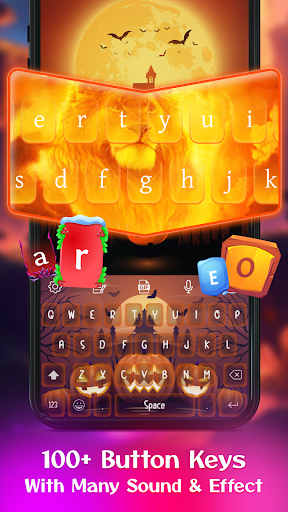
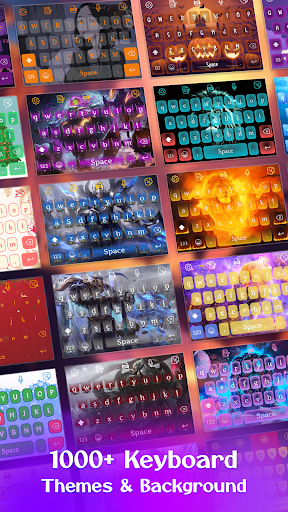
Keyboard Maker: Keyboard Theme is really a super changeable and easy-to-use personalized mobile phone software designed specifically for Android phones. It's very easy to use and allows you to change the keyboard into a variety of unique themes and styles as you please. The interface is simple and clear, and the functions are quite rich, which can greatly enhance your enjoyment of using the machine. Whether you want a fresh and refined look or a themed keyboard that echoes your mood, this Android app can use its convenient solution to help you express your personality. It's a really lovable choice!

Overview

core feature

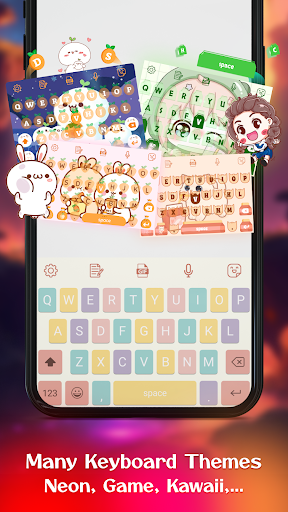
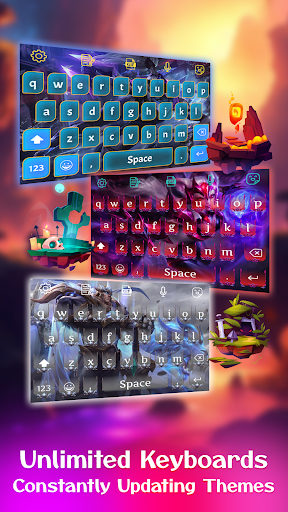
  • The customizable keyboard theme allows users to easily create their own typing atmosphere. It's really considerate.
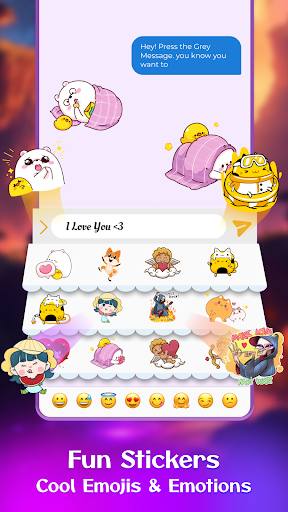
  • Rich features, such as emoji support, GIF animations, and quick entry of phrases, improve efficiency without worrying.
  • The operating interface is super friendly, whether you are a novice or a veteran, you can use it smoothly, and the experience is exploding!
  • Sync in real time to ensure that your themes and settings are consistent across various devices, which feels particularly intimate.
  • Support popular launcher applications to enhance your device personalization choices, which is convenient and practical.
  • Multi-language support allows users around the world to enjoy using it. It's great!
  • Offline mode allows you to enjoy the various functions of this app without having to connect to the Internet. It's so sweet!

Who is suitable for?

This mobile app is especially suitable for those who like to personalize their Android experience, especially those who are keen on customizing keyboards and themes.

Whether you are a student, a professional person, or a casual playboy, you can find a solution that suits you and makes typing more interesting and special.

Why choose this app

It brings an excellent smooth experience and is rich in functions. It can be said that it is tailor-made for the personalization of the device. Especially suitable for those who want a diverse and personalized launcher!

Through the intuitive interface and real-time synchronization, it solves many common customization problems. It combines functions and styles, and naturally becomes the first choice for many users. It is really easy to use and stylish!

Top Recommended Alternative

Pros & Cons

Pros

  • Customizable themes
  • Intuitive and easy-to-use interface
  • high-quality images
  • frequently updated
  • Compatible with multiple devices

Cons

  • Limited free themes
  • Sometimes it gets stuck when changing themes
  • Some themes lack customization
  • Animation themes consume more power
  • Interface supports limited languages

Advertisement

Download Keyboard Maker: Keyboard Theme

You are going to be redirected to the official website to finish the download when you click these buttons above.

FAQ

Is it easy to install Keyboard Maker: Keyboard Theme on my device? +
Of course, installing a Keyboard Maker: Keyboard Theme on your phone is not that complicated. This app basically works with most Android devices. The installation process went smoothly without too much trouble. You can find quite detailed operation guides in the app or on the app store page. Once installed, it fits well into your original keyboard and operates smoothly. The user-friendly interface allows you to easily start working on your keyboard theme without worrying about making mistakes even if you are not very proficient in technology.
Does Keyboard Maker: Keyboard Theme have customized features? +
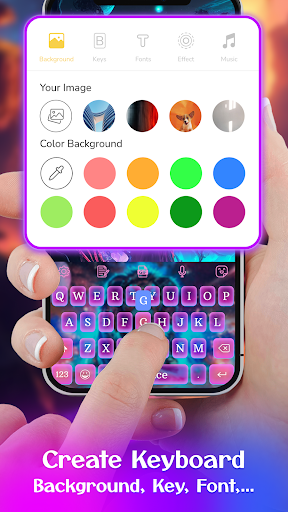
Absolutely! This app provides an ultra-rich variety of keyboard themes and personalization options, allowing you to create a keyboard interface that suits your style completely. You can adjust the color, background, font, and even button style to do whatever you want to enhance your experience. This app-based solution has a particularly friendly interface and makes it easy for you to design your ideal dedicated keyboard. It's very suitable for those who like to add a little personal color to their mobile phones. It's full of true customization!
Is Keyboard Maker: Keyboard Theme safe to use? +
Rest assured, the development team attaches great importance to user security and privacy issues. This app has been rigorously tested and is guaranteed to be downloaded on a reliable platform like Google Play. As long as you download it from official channels, you basically don't have to worry about security risks. Choose this reliable launcher and themed app, not only will you enjoy a stable and assured experience, but you will also have rich customization features, which not only protects your privacy, but also makes your phone more interesting.
Is this Keyboard Maker: Keyboard Theme compatible with the launcher I use now? +
In most cases, it's okay. It works well with the standard Android launcher and is very convenient to use to change keyboards. Support many popular launchers, and the entire transformation process will be much smoother. Because it can also help you customize themes and improve your application experience, it is definitely a good helper to improve the personalization of your mobile phone. However, it is recommended that you check its specific requirements on Google Play to ensure that it is compatible with the device or launcher version you are using.
After I customize it with this app, can I restore it to the original keyboard? +
Of course you can! This app can help you switch back at any time without worrying about complex operations. Once you decide to uninstall Keyboard Maker: Keyboard Theme, the system will automatically restore your default keyboard settings to the original ones. In this way, you can control your own input method at any time, which is super convenient. It is personal and does not affect your usage habits. It is a smart solution that allows you to have fun without worrying about trouble.

Customer Reviews

AI
AI Generated Summary
Based on real user feedback
★ 4

Users widely praise Keyboard Maker: Keyboard Theme for its stunning and creative themes, excellent performance, and ease of use, often describing it as remarkable and exceeding expectations. It is ideal for those who enjoy switching keyboard styles daily. However, while many find the functionality seamless, some users note excessive ads as a major downside and limited free choices. Additionally, although the app works perfectly for most, a few mention the need to pay for many items. Overall, it delivers a high-quality personalization experience with balanced trade-offs.

Bhakto Halder · 2026-06-23
★ 5
This is the English version of the original content.
Danika Stephens · 2026-06-23
★ 4
This content is exceptionally impressive and remarkable, leaving a strong positive impression on its audience.
Khan Zada · 2026-06-21
★ 5
This application is truly remarkable and provides an outstanding user experience.
Sboui Theker · 2026-06-15
★ 5
It is very awesome
Light Yagami · 2026-06-14
★ 1
Overall, the content is very hilarious, but there must be some ads. Despite that, the quality is good.

Write a Review

Share your experience with Keyboard Maker: Keyboard Theme. Submissions are reviewed before publishing.

Rating *
0 / 2000

You Might Also Like

More apps you may want to try next.

Advertisement
5
Please wait...