
Invoice Simple: Invoice Maker
Advertisement
Screenshots
Advertisement
About Invoice Simple: Invoice Maker
Invoice Simple: Invoice Maker is a very considerate software. It is specially designed for freelancers and small businesses and is very convenient to use. It is so simple to operate that it feels like a hit and can help you quickly get professional invoices. Whether it's invoicing, estimating items or tracking payments, it has become extremely easy. The interface is very intuitive and you don't have to worry about making mistakes. It's a good start-up partner for a small company. It has all the necessary features to allow you to settle bills anytime, anywhere. It feels so sweet and efficient.
Overview
core functions
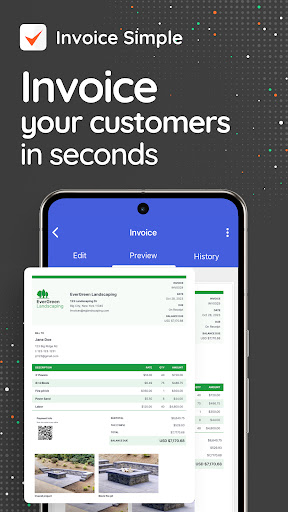
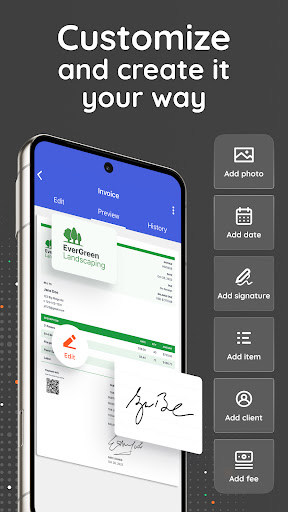
- This application has a super convenient invoice generation tool that allows you to customize your own template, which is extremely fast to use and can settle bills immediately.
- The real-time synchronization function enables seamless switching between multiple devices. You can access and edit invoices at any time on which device you want to use, which is particularly convenient.
- Offline mode support, invoice management can be completed without the Internet, and work is continuous, worry-free and reliable.
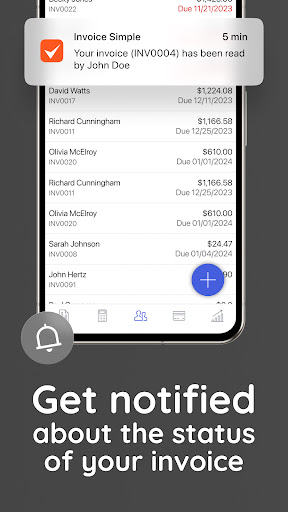
- The software also comes with expense tracking and payment reminders to help you understand the finances of your business clearly and at a glance.
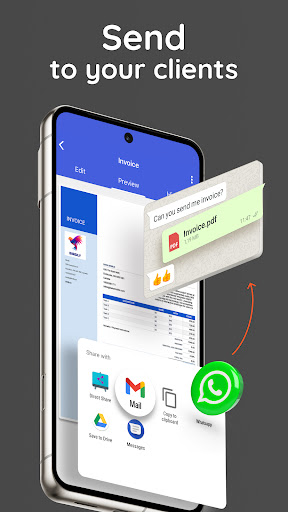
- Built-in PDF export and sharing functions, sending professional invoices directly from the application is super convenient, saving the trouble of typing and copying.
- It's like software on a startup console. The interface is simple and easy to operate. You can activate any function you want without worrying about getting lost.
- It also includes customer management and tax calculation functions to help you simplify the billing process and is tailored for small businesses.
Who is suitable for?
This mobile app is very suitable for small bosses, freelancers and entrepreneurs. It is a good helper on Android phones for people who want to get invoices done easily and quickly.
It is also especially suitable for those who like to rely on APP to solve their finances, and can easily pay bills and expenses while traveling or in the office.
Why choose this?
The most attractive thing about this Android app is its user-friendly interface and rich features that make it easy to use and bill processing easy and efficient.
Reliable and practical, cost-effective, is the pursuit of efficiency and reliability of you, billing and management of business wise choice!
Top Recommended Alternative

Pros & Cons
Pros
-
Easy to use interface
-
Customizable invoice template
-
Multi-device cloud synchronization
-
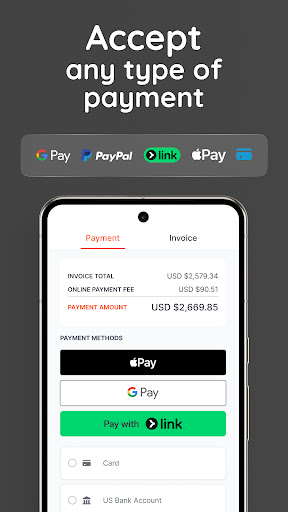
Integrate multiple payment methods
-
Automatic tax and currency conversion
Cons
-
Free features are limited
-
Export format needs improvement
-
Custom functions are quite basic
-
Offline functions are slightly insufficient
-
Customer support needs to improve
Advertisement
Download Invoice Simple: Invoice Maker
FAQ
How to log in or create an account for the app Invoice Simple: Invoice Maker? +
Getting started with the Invoice Simple: Invoice Maker mobile App is actually quite easy. You can register with your email or connect it with your existing business account. The guidance of this application is super smooth and can help you get started quickly and get everything done quickly.
Afterlogging in, you can use all the functions, which are specially designed to help you with trivial matters such as invoices. Whether it's Android or Apple devices, it's very smooth to use. You can manage invoices anytime, anywhere, and get things done easily.
Is this Invoice Simple app safe? Will my data be protected? +
This app values user security and privacy and uses industry-standard encryption technology to protect your financial and personal data. It will be reviewed by Google Play and the Apple App Store before being launched to ensure its safety and reliability.
Withthis app designed for small business owners and freelancers, you can be more assured that your data will not be leaked. The reputation of the developer is also quite good, and its reliability is guaranteed, allowing you to use it with peace of mind and not to worry about handling sensitive information.
What are the main functions of Invoice Simple: Invoice Maker? +
This mobile app has many business-oriented features. You can make professional invoices while using it, customize the template yourself, and send it directly from your mobile phone. It supports multiple currencies and various tax settings, and can basically meet different types of business needs.
Thereare additional features such as tracking outstanding invoices, collecting money online, and generating reports. These can help you better control your finances. It doesn't matter if it doesn't matter if it's Android or iPhone. It's super convenient.
Can I use this app without using the Internet? +
Of course! This Invoice Simple: Invoice Maker supports offline operations, so you can make and edit invoices without the Internet. Especially suitable for people who often go out or where the Internet is not very good.
Whenyou get back to where there is a network, it will automatically sync your data to ensure that records are kept up to date. This offline feature greatly improves the overall experience and makes it more reliable and convenient for you to use it every day.
What devices and operating systems does this app support? +
It is suitable for both Android and Apple systems and is suitable for almost all mainstream devices. As an invoicing tool specially created for business, it is very easy to use and runs smoothly on most smartphones and tablets.
Whetheryou use an Android or iOS device, you can enjoy a consistent experience, the operation is intuitive, and the functions are complete, making it convenient for you to process invoices and bills.
How can I customize my invoice? +
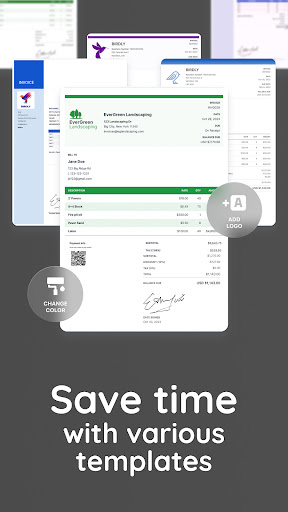
Customizing invoices with this app is actually super easy. You can choose different templates, upload your LOGO, and customize various fields to fully match your brand style. The format is very flexible and can be adjusted at will to create a professional style.
Forexample, description, price, taxes and fees, you can quickly modify them. In this way, each invoice looks professional, and is particularly suitable for your business needs, and is flexible enough to fly.
I want a new feature or upgrade, how can I get it? +
Updates to this app can be made through your mobile phone's app store-Google Play for Android and the App Store for Apple. Frequent updates will bring new features and security improvements, making you have a better time playing.
Itis important to keep it up to date so that you can use the latest features and ensure device compatibility. The operation is very convenient, no need to worry at all, it will automatically prompt for updates, and it will be no problem to match your busy pace.
If you encounter problems, is there customer service support? +
Of course there is! Developers provide specialized customer service support that can help you solve various questions. You can find help options in the APP, or visit the official website to find tutorials and contact information. The support team is experienced and dedicated to serving business users like you.
Theirprofessionalism and care ensure that you will have no worries when using this invoice tool, and you will get timely help when encountering problems, making it more comfortable and more secure.
Customer Reviews
Users overwhelmingly praise Invoice Simple for its user-friendly interface, straightforward navigation, and professionalism, making it ideal for beginners and small businesses seeking efficient invoice management. Key strengths include ease of editing templates and core billing functionality. However, critical issues emerge: server dependency and sync failures frustrate users, causing incomplete invoices. While many find the app reliable, others report frequent loading problems or unresponsiveness. Pricing is controversial—some consider it fair, but others criticize nearly monthly price increases and perceived greed. Feature gaps surface: inability to send invoices to two emails simultaneously, lack of a quotation option, and removed payment date editing (previously possible). Customer support earns high marks for promptness. A minority allege deceptive free trial practices and excessive ads. Overall, users love the simplicity but face reliability and cost concerns.
Write a Review
Share your experience with Invoice Simple: Invoice Maker. Submissions are reviewed before publishing.
You Might Also Like
More apps you may want to try next.




