Infocar - OBD2 ELM Scanner
Advertisement
Screenshots
Advertisement
About Infocar - OBD2 ELM Scanner
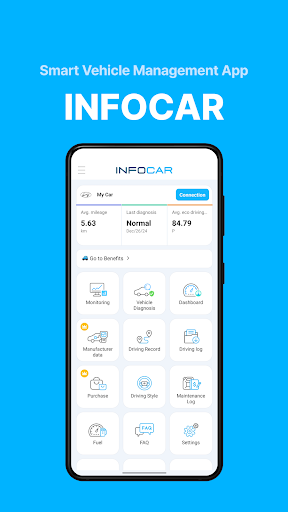
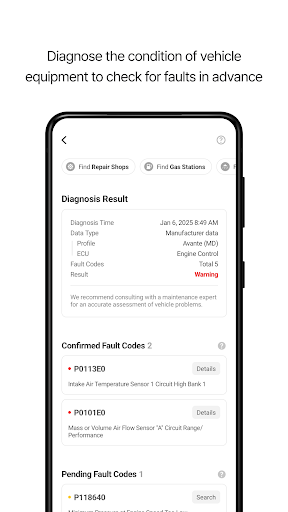
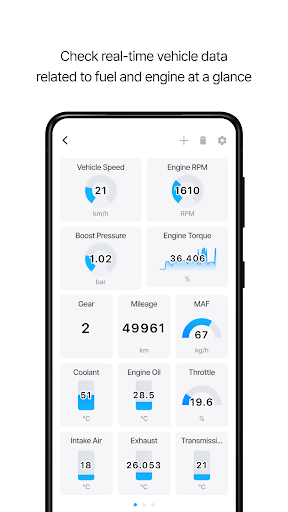
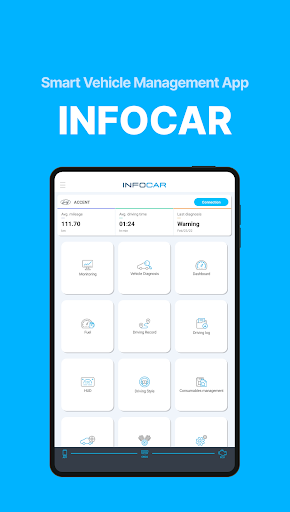
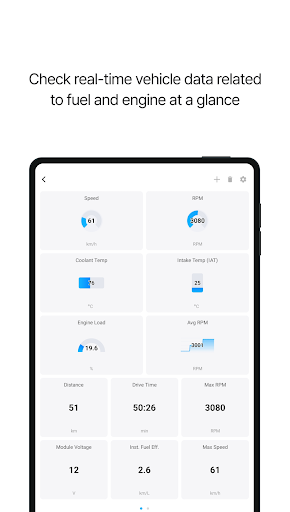
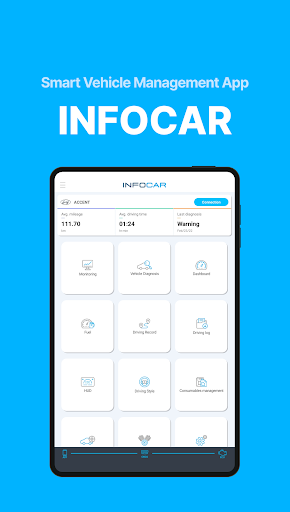
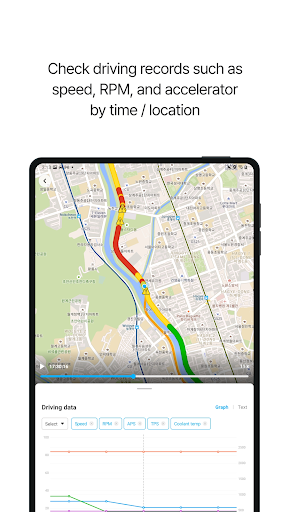
Infocar-OBD 2 ELM Scanner is a very reliable mobile phone application specifically used for car diagnosis. Users can connect with their car's in-vehicle system with a simple click. This Android APP is easy to use. The interface is simple and generous. It can display engine data in real time, read fault codes, and help you monitor the health of the vehicle. Not only is it helpful to car fans, but professionals also find it very reliable to use it. If you want to figure out what's going on with your car, it can help provide accurate feedback, which is very considerate.
Overview
core feature
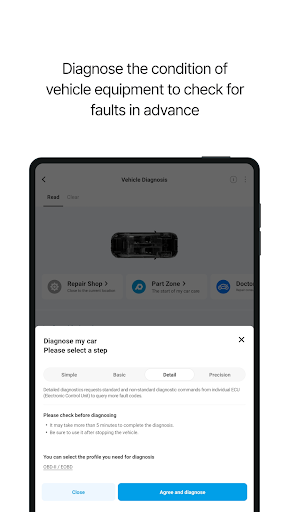
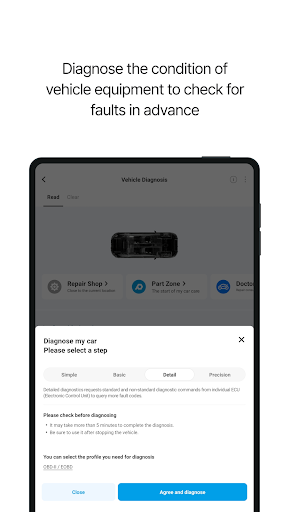
- This software can scan and detect in real time. Users can immediately know what's wrong with the car with a swipe on their mobile phone. It's so convenient!
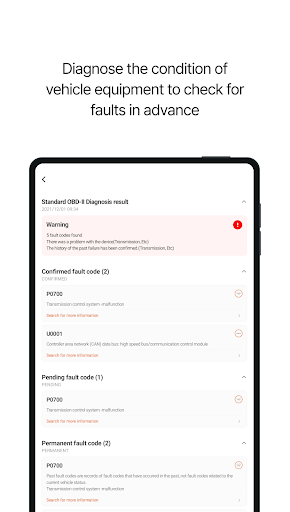
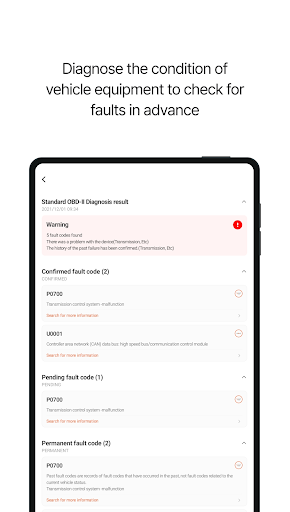
- It can also fully read and clear OBD2 fault codes, helping you easily maintain the health of your car without being so troublesome.
- Through Bluetooth connection, the software can seamlessly connect with ELM scanners and other devices, making data transmission super smooth, making people worry and effort.
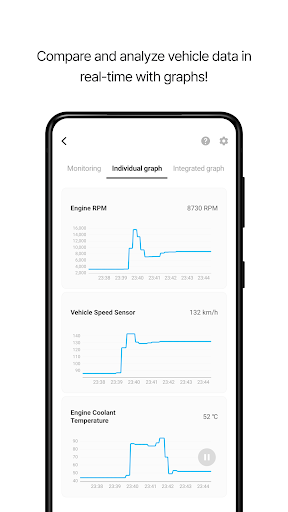
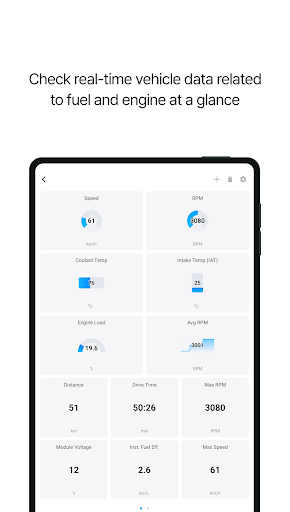
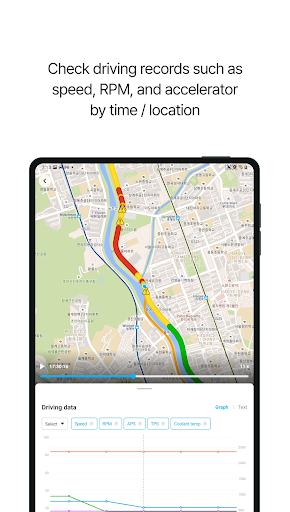
- There are many features, such as real-time monitoring of car data and customizable dashboards, allowing you to enjoy a personalized car troubleshooting experience.
- This Android app can also be used offline. Even if there is no network, the diagnostic results can be viewed at any time. It's pretty amazing!
- The interface design is very people-friendly. Even if you don't understand complex car data, it can be easily handled and the operation is simple and convenient.
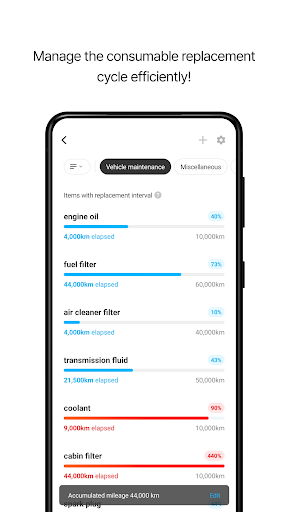
- Supporting multiple vehicle files, maintenance technicians can manage several vehicles at the same time, which is simply efficient.
Who is this software suitable for?
This mobile app is especially suitable for friends who love cars, DIY people who repair cars themselves, and professional maintenance technicians. It's great to use it to diagnose cars on Android devices!
It is also very suitable for those who want to find an efficient and easy-to-use solution to do quick inspections anytime and anywhere, or deal with urgent roadside failures, saving time, trouble and reliability.
Why choose it?
With a complete set of functions, this Android software can provide a fast and accurate diagnostic experience. The overall performance is quite excellent, making it more comfortable for you to use it!
It provides a trustworthy solution that is convenient and practical compared to other methods. It not only saves time, but also saves a lot of money on repairing cars. It is really worth the money!
Top Recommended Alternative
Pros & Cons
Pros
- Comprehensive OBD2 diagnostic capabilities
- The operating interface is very friendly
- Support multiple vehicle models
- Bluetooth connection, super convenient
- Additional functions such as frozen frame data and vehicle information
Cons
- High-level diagnoses of certain brands are not comprehensive enough
- Bluetooth connection stability needs to be improved
- Occasionally, the software gets stuck
- Limited customization support for advanced users
- There are too many advertisements in the free version
Advertisement
Download Infocar - OBD2 ELM Scanner


FAQ
How can I log in to the Infocar - OBD2 ELM Scanner app?+
To use this app, you must first register an account or log in with an existing account. When opening it, just follow the prompts on the screen. Either register or log in. It's super easy.
The login process of this mobile software is actually smooth and ensures the security of your data. Once you log in, you can use all functions seamlessly, and the experience is instantly improved.
Does Infocar App fit my car?+
This Infocar-OBD2 ELM Scanner is suitable for almost most vehicles that support the OBD2 protocol. Basically, all vehicles shipped after 1996 can be used. Various models on the market have been tried, and the compatibility is quite good.
As an Android app, it is designed to be considerate and reliable, specifically for vehicle diagnosis services. So, it's best to make sure that your car supports the app's protocol, so that it will be smoother to use.
Is it safe to use this app on my phone and car?+
Of course! Infocar is a software developed by a professional team and pays special attention to user safety and data protection. It uses common encryption methods and complies with privacy regulations, so you can use it with confidence.
As long as you follow the instructions, there is no danger to your phone or car using this app. Its design goal is to make it easier for you to maintain a car without worrying about safety issues.
What are the main functions of Infocar - OBD2 ELM Scanner app?+
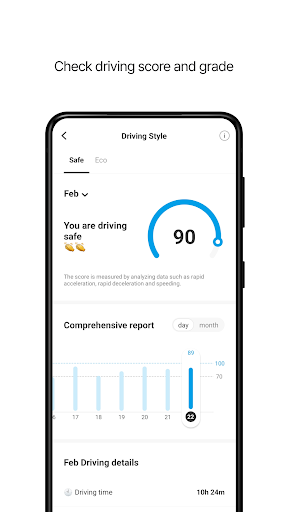
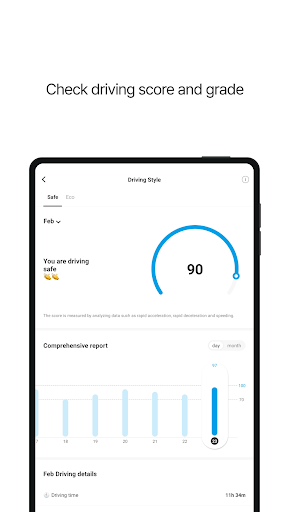
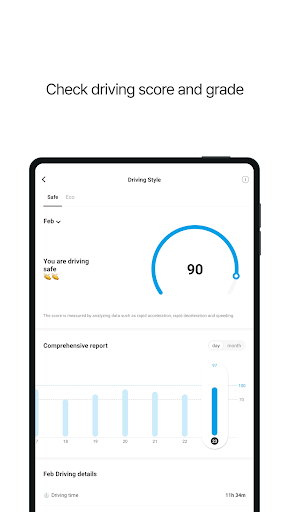
This software has quite comprehensive functions, including real-time engine data, fault code reading and clearing, and monitoring the status of various sensors. It can also generate detailed reports to help you get a clearer picture of the health of your car.
In order to make it convenient for users to use, the menu is designed to be simple and clear, and key functions can be done with one click. Whether you are a car owner or a repairman, this app can be of great help and is particularly reliable.
Can I use this app on an Android phone without having to connect to the Internet?+
Yes, most of the functions can be used without even having to connect to the Internet after downloading and installation. In particular, the real-time diagnosis function can basically be operated offline and is not restricted by the network, making it very convenient.
In this way, you can have a good working experience even in places where the network is not good. However, some functions that need to be updated or in the cloud have to be connected to the Internet to ensure that you are using the latest version of things and that it is easy to get the latest data and functions in a timely manner."
You Might Also Like
More apps you may want to try next.