inCarDoc Pro | OBD2
Advertisement
Screenshots
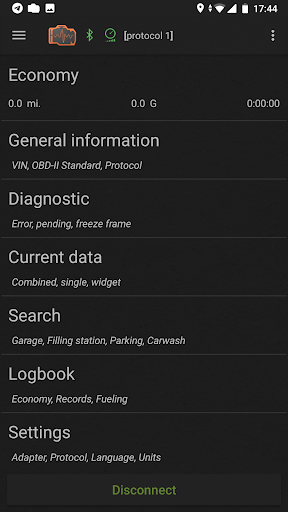
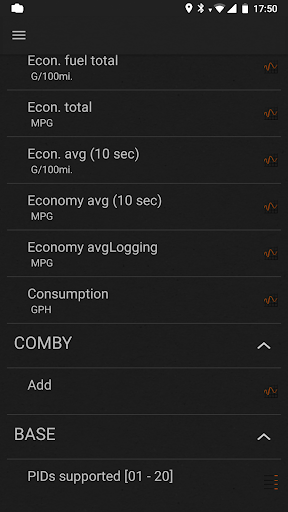
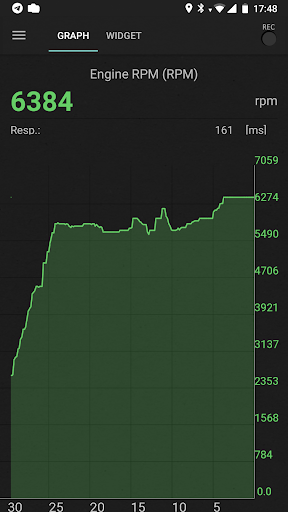
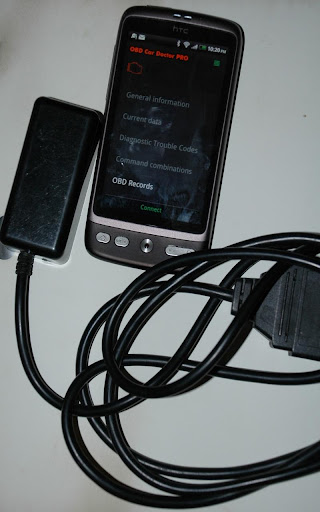
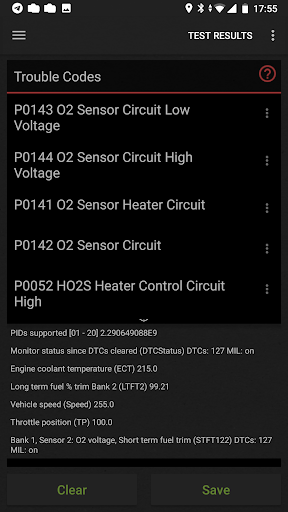
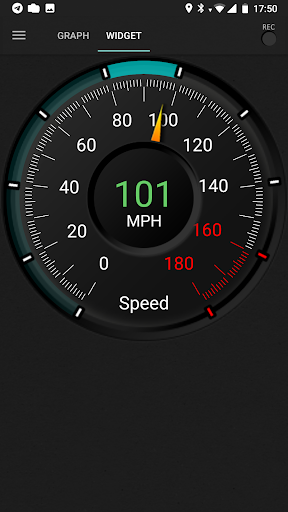
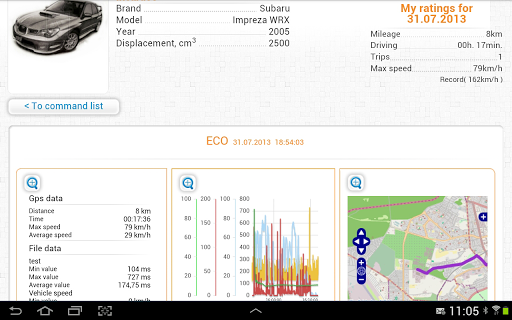
Advertisement
About inCarDoc Pro | OBD2
InCarDoc Pro |OBD2 is actually a reliable mobile phone application, especially suitable for those who love cars, or friends who want to figure out the car's condition by doing it themselves. This Android app can provide you with detailed vehicle information, real-time fault diagnosis, and a bunch of detailed reports, making it easier for you to maintain your car with your mobile phone. The interface design is quite user-friendly. Whether you are a novice or an old driver, it will be smooth to use and you won't feel confused.
Overview
core feature
- This application has a comprehensive vehicle diagnosis function. Users can easily read and clear fault codes, which feels quite convenient.
- Real-time data monitoring can immediately see engine performance and sensor status, making the diagnosis more accurate and a bit considerate.
- Support offline mode, you can view stored data when there is no network, and do some basic tests. It is quite practical.
- The interface design is simple and intuitive, and it is quick to use. It can be easily operated by both a novice and an old driver. It is so friendly!
- Advanced functions also include battery health testing and exhaust emission testing, which help you understand the condition of the vehicle in all directions. It is quite comprehensive.
- Compatible with all models, you can use it as long as you have an OBD2 adapter. You can try this no matter what car you drive, which is quite convenient.
- Auto repair shops and car fans can use this APP to simplify maintenance procedures, which saves time and worries, and is very practical.
Who is this APP suitable for?
This mobile APP is especially suitable for car owners, repairmen, and do-it-yourself car fans to find reliable vehicle diagnosis tools. It is for people who need professional functions but want to use them simply.
Whether you have problems driving every day or running a small repair shop, this software can help you get a lot of things done. If you want to use a convenient APP to keep your car in the best condition without causing trouble, this is it!
Why choose this APP
This Android app has a very user-friendly interface and is particularly powerful, making complex testing simple and accessible to almost everyone. It is very reliable to use, and there is professional car insurance knowledge behind it, so I feel very at ease.
As an application-based software, it helps you quickly find problems, save time, and avoid big problems. It is reliable and easy to use. Old drivers and professionals like it, and it is very easy to use!
Top Recommended Alternative
Pros & Cons
Pros
- Vehicle diagnostic functions are truly comprehensive
- The operating interface is particularly friendly
- Ultra-wide compatibility OBD2 device support
- Powerful data recording and export functions
- Additional features such as trip analysis and maintenance reminders
Cons
- Free features are limited
- Occasionally unstable connection issues
- Compatibility issues with older models
- Novices need time to get used to advanced features
- Power consumption faster
Advertisement
Download inCarDoc Pro | OBD2


FAQ
How do I get started with inCarDoc Pro | OBD2 on my mobile device?+
Start using inCarDoc Pro| OBD2 is quite simple. Just go to the Google Play Store or Apple's App Store to install the app on your phone, and then plug the OBD2 scanner into the interface in the car. Open the app and it will let you pair the scanner via Bluetooth, which is not complicated at all. This APP is very user-friendly and guides you through the steps, allowing you to easily handle various vehicle diagnoses. It is convenient and reliable to use. The experience is really good!
Is inCarDoc Pro | OBD2 safe to use and trustworthy?+
Of course, inCarDoc Pro| OBD2 has been tested and is safe and reliable. It is specially designed to securely connect to your vehicle OBD2 interface to ensure that your data is not leaked. As a regular car and vehicle application, it fully meets safety standards. You can safely use this APP to obtain accurate diagnostic information and monitor vehicle status without worrying about privacy or security issues. It is definitely a reliable tool that car owners want.
What are the main features of inCarDoc Pro | OBD2?+
This Android app is rich in features, including real-time vehicle detection, fault code reading and clearing, and detailed sensor data display. It is like a powerful vehicle diagnostic artifact that can help you understand the health of your car at a glance. The interface is very intuitive and allows you to easily grasp engine performance, emissions and other key parameters. The operating experience is simple and smooth, and is loved by drivers who want to keep track of the car at any time.
Can I use inCarDoc Pro | OBD2 on different vehicle models?+
No problem at all! inCarDoc Pro |OBD2 supports most models with OBD2 interfaces since 1996. It is suitable for many vehicle brands. Whether it is BMW, Honda, Ford or other brands, this application can be used to diagnose and evaluate vehicle conditions, bringing a reliable testing experience. The more models you have, the more comfortable you will be using them and grasp the health status of your car anytime and anywhere.
Is inCarDoc Pro | OBD2 compatible with my smartphone?+
This mobile APP supports Android and iPhone. As long as your phone meets the minimum system requirements, you can easily download and install it, and then pair it with a Bluetooth OBD2 scanner is easy, taking a few seconds. No matter which device you use, the application's functions work seamlessly, making it easy for you to use. Whether you use it as a Detection Tools or an assistant to monitor car conditions, it feels great!
Are there any privacy concerns with using inCarDoc Pro | OBD2?+
Privacy and data security are our focus, inCarDoc Pro| OBD2 was designed with this in mind. It only accesses necessary vehicle diagnostic data, does not share your personal information without authorization, and recommends ensuring a secure Bluetooth connection. Users can use such a reliable application with confidence, and data protection is in place. Use it to monitor vehicles and check for faults, and you don't have to worry about privacy leaks at all. It's quite peace of mind!
Customer Reviews
Users widely praise inCarDoc Pro for its ease of use, affordability, and effective basic diagnostics, often recommending it for troubleshooting check engine lights and clearing error codes. Key strengths include smooth operation, cost-effectiveness, and practical fault detection on many models like Chery Fulwin and Hyundai Elantra. However, opinions are divided on reliability: some users report flawless connection and accurate code reading, while others complain of connection failures (Bluetooth/Wi-Fi drops) and lack of error details even compared to free apps. Compatibility varies—positive experiences with Chevrolet Onix and Berlingo contrast with failures on BMW, Renault Megane, Nissan Almera, and WJ Jeep. Some users note the app lacks ECU adjustment and imperial measurement lock. Overall, a decent choice for fundamental tasks but not universally compatible.
Write a Review
Share your experience with inCarDoc Pro | OBD2. Submissions are reviewed before publishing.
You Might Also Like
More apps you may want to try next.