
HD Camera: Professional Camera
Advertisement
Screenshots
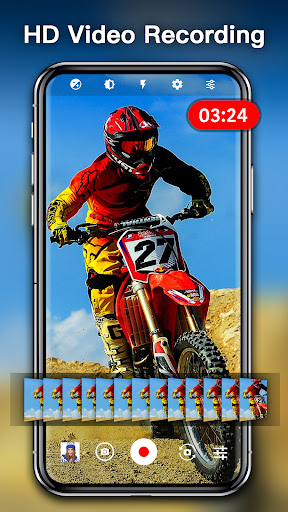
Advertisement
About HD Camera: Professional Camera
HD Camera: The professional camera app is quite interesting. It is a mobile app specially prepared for those who like photography or professional photographers. Available on Android, it provides a host of advanced photo tools and post-editing features to help you make your photos better. The interface is quite intuitive, easy to use, and powerful, allowing you to shoot, edit and share high-quality pictures anytime and anywhere. The experience is very good!
Overview
core functions
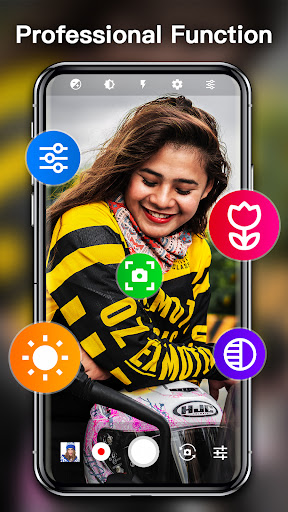
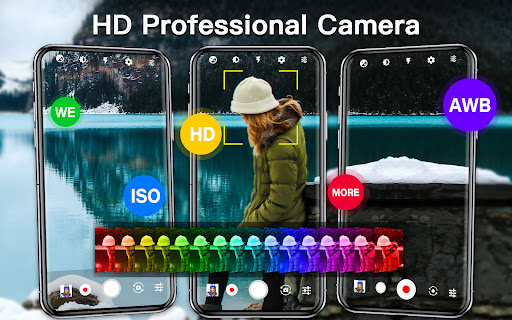
- This app has a professional camera interface, and controls such as manual focus, shutter speed and ISO allow you to make fine adjustments when taking pictures. It is really a precision shooting tool that people can love down.
- It also comes with real-time image processing and editing tools, which can be beautified immediately after taking photos. It is especially suitable for quick sharing and posting to social media, which is extremely efficient!
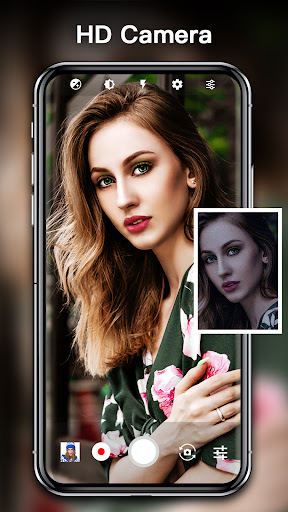
- Provide a high-pixel photo mode to ensure that every picture is clear and delicate. Whether it is for professional use or printing, there is no problem. The effect is reliable!
- The built-in gallery makes it particularly convenient for you to organize and find the best photos. Everything is in this app without quitting, and the experience is super smooth!
- Support multiple photo modes such as HDR, timed shooting, and continuous shooting to help you perfectly capture every moment and turn imagination into reality!
- You can also set the launcher and put it on the desktop to quickly start your photography journey anytime and anywhere. It's so convenient!
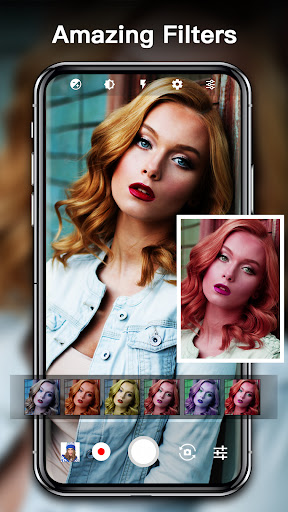
- The all-round features also include real-time filters and special effects, allowing you to try out various styles before taking photos, and your creativity is bursting!
Who is this App suitable for?
This mobile app is particularly suitable for photography enthusiasts, amateur photographers and content creators, especially those who want to take professional-quality photos with their Android phones.
Whether it's recording family happy hours, engaging in creative photography, or publishing social media content, using this app allows you to experience an intuitive and feature-rich professional-level experience, specially created for mobile photography powder!
Why choose this app?
This Android app is not only stable and reliable, but also simple to operate and has a friendly interface. It can help you take high-quality photos. It feels particularly convenient!
It stands out among many camera applications. It combines professional-level camera functions and a smooth experience. It is definitely an ideal choice for you to not miss if you want to improve your mobile photography level!
Top Recommended Alternative

Pros & Cons
Pros
-
High-quality professional-grade pictures
-
Customizable shooting mode
-
Excellent low-light performance
-
Intuitive interface design
-
Real-time preview with grid and horizontal lines
Cons
-
It's hard for beginners to get started
-
Occasionally stuck during high-resolution shooting
-
Not much video stabilization effect
-
The requirements for equipment are quite high
-
It takes a long time to use the electricity quickly
Advertisement
Download HD Camera: Professional Camera
FAQ
HD Camera: Professional Camera Is this app safe to use on my device? +
Don't worry, this "HD Camera: Professional Camera" is done with great care, and its safety is quite guaranteed. It has gone through many strict tests to ensure that there are no viruses, Trojans, etc., and it is quite reliable for users to use it.
Theapp is available on the Google Play Store, meets Google's security standards, and is quite safe on an Android phone. Remember, you should try to choose formal channels to download apps to ensure the security of your device.
How can I install the "HD Camera: Professional Camera" app on my Android device? +
Just click on the link to this app in the Google Play Store. It's quite simple. Make sure your device system is also up to date so that all functions can be used smoothly without problems.
Theinstallation process is actually quite straightforward-click the "Install" button, and you will complete the installation yourself after downloading. It basically supports most Android machines and allows you to take professional photos. The experience is not bad.
What are the main functions of the "HD Camera: Professional Camera" app? +
This software has a friendly interface, with manual controls, high-resolution shooting and real-time filters. Whether you are a novice or a veteran, you can use it quite easily. It also provides some advanced editing tools to make photos more beautiful directly in the app.
Itsrich combination of functions aims to turn your phone into a professional camera and make ordinary photos taller. For friends who want to improve their mobile photography level, it is definitely a good choice.
How does this "HD Camera: Professional Camera" work on older Android devices? +
Yes, the design of this APP is quite optimized and can be used smoothly on various old devices. However, if the equipment is a little old, the system and hardware are slightly inferior, which will affect the experience, but it is still quite reliable in general.
Developerswork hard to ensure compatibility, and many users find it easy to use, regardless of the year of the device. This allows most users who like mobile photography to use it smoothly, and the experience is not bad.
Can I adjust settings in "HD Camera: Professional Camera"? +
Of course! This app has a wealth of custom controls, such as ISO, shutter speed, focus mode, etc., so you can adjust the desired effect according to your preferences. This is quite thoughtful and allows you to take professional-level photos without professional equipment.
Adjustingthese parameters can also allow you to experience more fun shooting, especially for friends who like to take photos or want to control more details. This is one of the reasons why many photography enthusiasts prefer to use this app.
Customer Reviews
Users widely praise HD Camera: Professional Camera for its excellent image quality, high-definition resolution, sharp details, and vibrant colors. Many appreciate the wide range of filters, fast capture speed, and professional-grade results. The app is often described as easy to use with customization options beyond standard phone cameras, and some users highlight its ad-free experience and background removal features for photos and videos. However, there are mixed opinions on functionality: while many find the app reliable and effective, some users report issues with saving pictures and videos—specifically the inability to save to an SD card or uncertainty about where files are stored. A few reviewers also question the app's practical value. Overall, the app is highly recommended for its core camera performance, though storage limitations may be a drawback for some.
Write a Review
Share your experience with HD Camera: Professional Camera. Submissions are reviewed before publishing.
You Might Also Like
More apps you may want to try next.




