
Google Tasks
Advertisement
Screenshots
Advertisement
About Google Tasks
Google Tasks is a very thoughtful mobile app that helps you organize your daily tasks so that you can no longer be messy and remain efficient. It can be used on both Android and Apple, the interface is so simple that people like, and the operation is easy to use. It can help you make lists, set reminders, and track key deadlines. It feels quite practical. Its intuitive design and core functions are reliable and can be regarded as a good helper for personal and work planning.
Overview
core functions
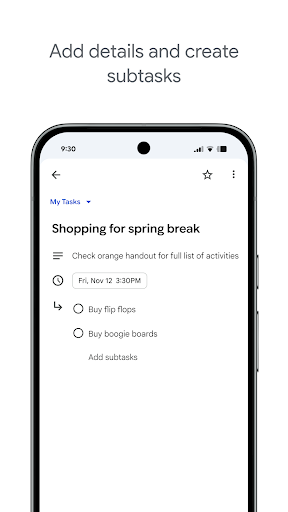
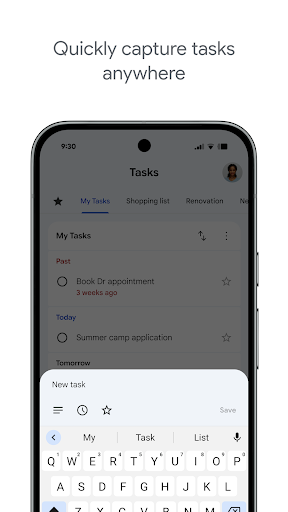
- The task management of this application is particularly intuitive and allows you to easily create, edit, and organize tasks. It feels particularly convenient!
- Real-time synchronization is great, making sure your to-do list stays updated on all devices and it's super smooth!
- In offline mode, you can access and operate tasks at any time even without the Internet. It's so convenient to use them outside the house!
- Support multiple list classifications to help you arrange personal, work or other project tasks in an orderly manner, with clear organization and peace of mind!
- Reminders and deadlines help you complete tasks on time, so that you don't have to worry about forgetting important deadlines!
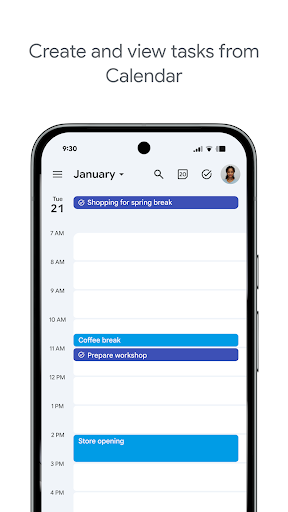
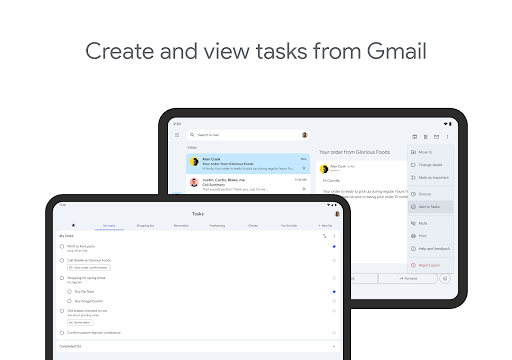
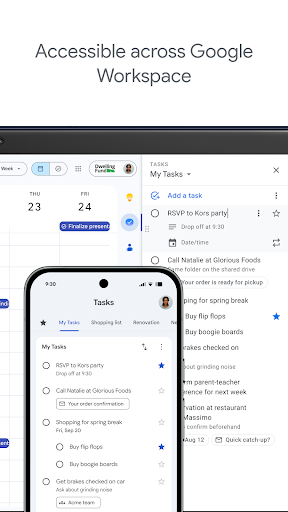
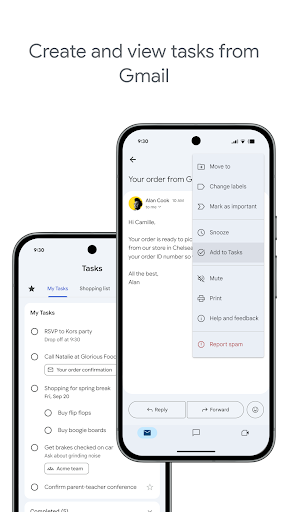
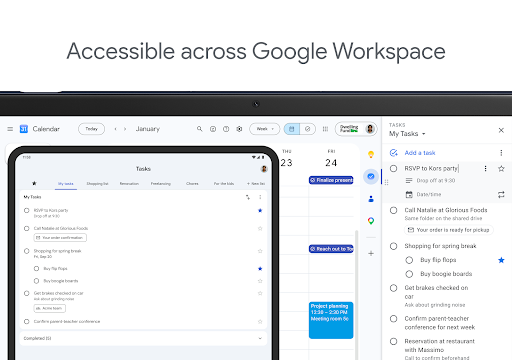
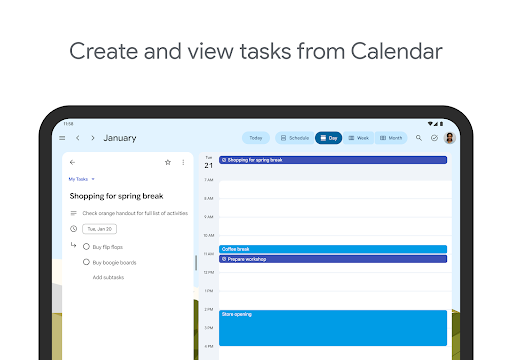
- Seamless connection with Google Calendar and Gmail makes your workflow more efficient and feels very well taken care of!
- This starter has a simple and clean interface, a great experience, no clutter, and the whole feeling is very comfortable!
Who is this app suitable for?
This mobile app is especially suitable for busy professionals, students, or anyone who needs a way to efficiently organize daily tasks and responsibilities. Its design is very simple and can be used by people of any age. It is very reliable and worth a try!
If you're looking for an app to manage to-do lists, set reminders, or track personal and work projects, Google Tasks is a great choice. For those who need a simple and powerful Android app to organize tasks anytime, anywhere, it's the perfect choice!
Why choose this app
This app has a refreshing interface, is particularly friendly to use, and has many powerful features that can help you improve productivity. Sync and offline modes are designed so that you can easily manage tasks no matter where you are.
Among many task management software, Google Tasks has won the trust of many users with its deep integration into the Google ecosystem and simple and straightforward style. It is a reliable Android tool for efficiently scheduling tasks and daily planning. It is really worth recommending!
Pros & Cons
Pros
-
Perfect integration with the Google ecosystem
-
Super friendly interface
-
Cross-platform synchronization
-
Task organization is very convenient
-
free of charge with
Cons
-
Not enough advanced features
-
The reminder function is relatively basic
-
Offline mode without tasks
-
Limited personalization
-
No native collaboration capabilities
Advertisement
Download Google Tasks
FAQ
Is Google Tasks safe to use on my device? +
Well, Google Tasks is a very reliable mobile application. It is supported by Google and you can tell at a glance that there are strict security and privacy standards. Many people use it to manage personal and work tasks, and they trust it.
It often pushes updates, not only to fix bugs, but also to strengthen security measures. Use the official Google Tasks on your Android or iOS device, and you can basically feel more secure and secure your data.
Can I use Google Tasks on my Android device? +
Of course, Google Tasks is a popular Android app that helps you organize tasks and to-do items. It also works well with other Google services and is easy to use.
This application interface is simple but easy to use, making it super easy for you to manage tasks with your mobile phone every day. Whether it is an Android phone or a tablet, you feel smooth to use.
How do I set up Google Tasks on my phone? +
Setting up Google Tasks is actually quite easy, you can find it directly on the Google Play Store or the Apple App Store. It's a multi-function launcher that organizes your tasks and runs out of use. Just install it, open it, and log in to your Google account and you're done.
After installation, you can create, edit, organize tasks, and automatically synchronize them with your Google account. It works smoothly across devices. It's a really good experience.
What are the main app features of Google Tasks? +
The main functions of Google Tasks are: creating a detailed to-do list, setting deadlines, and organizing tasks in different lists to improve your efficiency. It can also connect directly with Gmail and Google Calendar, making the entire experience smoother.
In addition to these, it can also be used offline, automatically synchronized, and you can keep track of your task schedule at any time at work or away from home. At this point, Google Tasks is definitely a reliable daily planning helper.
Is Google Tasks suitable for professional use? +
Of course, Google Tasks is not only suitable for personal use, but also suitable for the workplace. The interface is simple and clear, and the functions are also very practical. It helps you easily track work-related tasks, deadlines and projects, making it efficient.
As a product from Google, it is very safe to use. It can also be perfectly combined with the tools you commonly use to form an overall task management ecosystem and help you get twice the result with half the effort.
Customer Reviews
Users widely appreciate Google Tasks for its simplicity, ease of use, and seamless integration with Google Calendar, which helps them stay on track and productive. The app is seen as highly effective for basic task management, especially for those with ADHD. However, several key dimensions spark mixed feedback. Regarding reminders: while some find the reminder feature helpful, many report missing notifications for recurring tasks and a lack of flexible intervals (e.g., multiple times daily). In terms of collaboration: users request real-time sharing and editing with others, but currently this feature is absent. For task organization: many praise the straightforward design, but others criticize the missing ability to select multiple tasks at once, limited sorting options, and no subtask support. The interface is considered simple by some, but unintuitive and cumbersome by others regarding reorganizing tasks. Widget functionality: the removal of the transparent widget and small font size in the widget are common complaints. Overall, Google Tasks excels in basic productivity but lacks advanced features expected in 2023, making it a solid yet incomplete tool.
Write a Review
Share your experience with Google Tasks. Submissions are reviewed before publishing.
You Might Also Like
More apps you may want to try next.




