
Google Pixel Watch
Advertisement
Screenshots
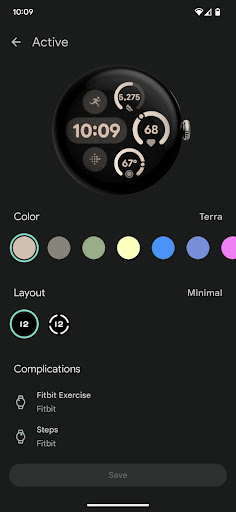
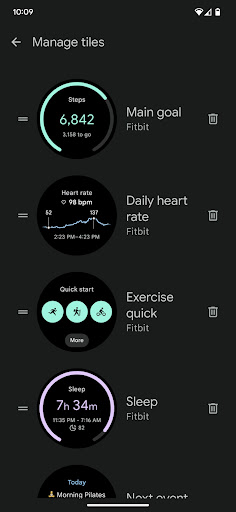
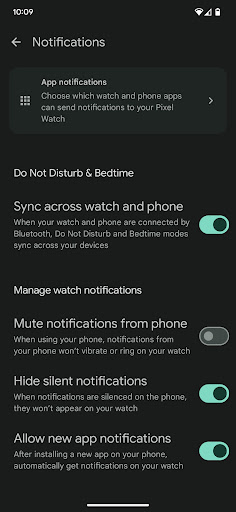
Advertisement
About Google Pixel Watch
Overview
core feature
- This app supports real-time synchronization to ensure that your data is updated seamlessly between devices. It's really convenient!
- The interface is particularly intuitive and easy to use, allowing you to quickly find health, notification and exercise tracking functions.
- It also supports offline mode. You can use some basic functions even without the Internet. It's very considerate!
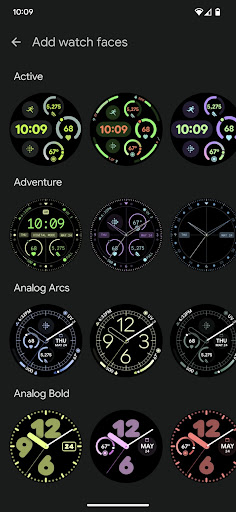
- You can customize the dial and quickly switch, allowing you to directly control settings on your watch, which is super convenient!
- Support an app-based integration solution, which works seamlessly with Android phones and wearable devices, and the experience is smooth.
- Health monitoring features are comprehensive, including heart rate and sleep tracking, to help you keep track of your physical condition.
- The pairing is particularly smooth, the connection is easy via Bluetooth, and the settings are also quick, which greatly improves the overall experience.
Who is this app suitable for?
This mobile App is especially suitable for those tech savvy friends between the ages of 20 and 50-who want to realize the full potential of your watch. Those who need a reliable Android app to control health, notification, and exercise will definitely love this one!
Whether you are a busy office worker, a fitness fan, or just want to find a reliable starter so that you can connect and orderly all day long, it is very suitable for using it. It can help you a lot in real life!
Why choose this App
This Android app stands out for its rich features and is particularly friendly to operate. It is specially designed for wearable devices. It is really convenient and practical. It provides a trustworthy solution that takes your watch to the next level and easily handles various needs.
Pay attention to reliability and ease of use. It also helps you solve a lot of connection and use troubles. It is undoubtedly a great choice for an all-around watch application!
Top Recommended Alternative
Pros & Cons
Pros
-
The interface is really intuitive and you can operate it almost without thinking.
-
Deep integration with Google services, feeling seamless connection
-
Fitness tracking functions are super powerful and have many functions
-
The battery life is not bad, I can last for a day
-
The hardware workmanship is quite reliable
Cons
-
The third-party application ecosystem is not so rich
-
If you don't use an Android phone, many functions won't be available.
-
Software responses occasionally stall
-
There are fewer options for customization of the dial
-
If you use GPS for a long time to exercise, the battery will run out quickly
Advertisement
Download Google Pixel Watch
FAQ
How do I install the Google Pixel Watch app on my device? +
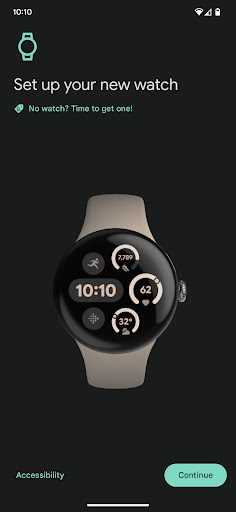
If you want to start using it, you can find this Google Pixel Watch app on the Google Play Store because it is specifically designed for Android devices. Once you find it, just click Install, and then follow the instructions to connect to your smartwatch.
It's best to keep your Android system up to date so it's smoother to install and easier to use. This app helps you easily pair and manage your Pixel Watch. It's a must-have launcher for wearable devices!
Is the application of Google Pixel Watch safe? +
Yes, this app was developed by Google and downloaded from the regular Google Play store. The quality and security are guaranteed. Remember to obtain it from formal channels to avoid potential risks.
ThisAndroid app adheres to strict security standards and is frequently updated, fixes vulnerabilities, and improves functionality. I believe in Google's consistent reputation. Its application is very reliable and trustworthy for both wear and mobile phones!
What are the main functions of the Google Pixel Watch app? +
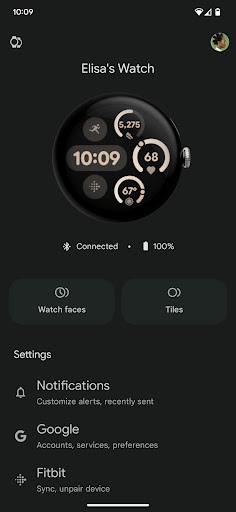
They help you manage your Pixel Watch settings, track your fitness, receive notifications, and customize your watch face. It's basically the core control center of your smartwatch, with super smooth pairing.
Asa dedicated launcher for Android devices, it can synchronize information in real time, including health data, and control notifications. These functions are designed to make your experience with Pixel Watch better, smoother and smoother.
Can I use this Pixel Watch app on my iPhone? +
Currently, this Pixel Watch application is mainly designed for Android and runs on Google Play. Its iOS compatibility is limited and it may not be possible to use all functions.
Ifyou use an iPhone, it is recommended to check if there are any related official apps in the Apple App Store or apps that support Pixel Watch. However, if you pursue the most complete experience, it will be smoother and more convenient for Android users to use.
Does this app support older versions of Android? +
This Pixel Watch app requires a newer Android version to work best. Older devices running older systems may experience compatibility issues or have fewer features.
Itis recommended that you update your device software to the latest version so that you can fully enjoy all functions, especially since this launcher can be used when connecting and managing your watch.
Customer Reviews
The Google Pixel Watch is praised for its stylish design, seamless ecosystem integration, and simple setup. However, users report significant issues with pairing, battery life, and feature reliability. While some find it a versatile accessory, many struggle with frequent connection failures and short battery drain. Sleep tracking and fitness features are often unreliable; for example, the March update broke step counting for strength training, and the 'Ring My Phone' function stops working. Customization is limited—users cannot set their own wallpaper. Positive feedback highlights its beauty and ease of use, but negative experiences dominate, with many regretting the purchase. The watch works inconsistently across devices, and support offers little help.
Write a Review
Share your experience with Google Pixel Watch. Submissions are reviewed before publishing.
You Might Also Like
More apps you may want to try next.




