

GCamera: GCam & HD Pro Photos
Advertisement
Screenshots
Advertisement
About GCamera: GCam & HD Pro Photos
GCamera: GCam & HD Pro Photos is a popular mobile app designed specifically to enhance your photography experience on Android devices. It brings a lot of advanced camera functions and optimizes image processing, making you feel particularly reliable when using it and can take high-quality photos at your fingertips. With its simple and intuitive interface, whether you are an amateur or a professional photographer, you can easily improve the photo taking experience. It's really convenient!
Overview
core feature
- Using advanced HDR technology, photos with bright colors and high quality can be taken even in poor light environments. Really illuminate the dark and capture every detail!
- Real-time photo editing tools, including filters, exposure adjustments and color corrections, you can see the effects immediately after adjustment, super convenient!
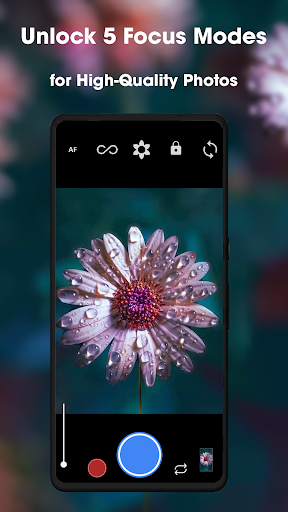
- Support manual controls, such as ISO, shutter speed and focal length, allowing you to experience the feeling of professional photography on your mobile phone, and adjust it as you want!
- Perfectly integrated with your mobile phone's photo album, you can quickly access, edit and share photos with just a click, with almost no need to jump out of the app, which is super considerate!
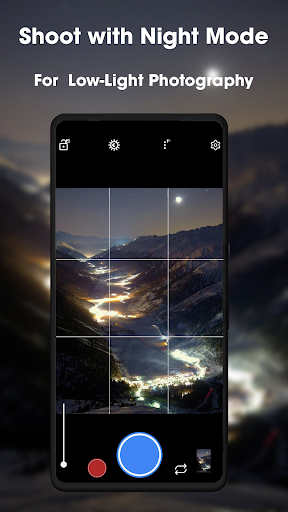
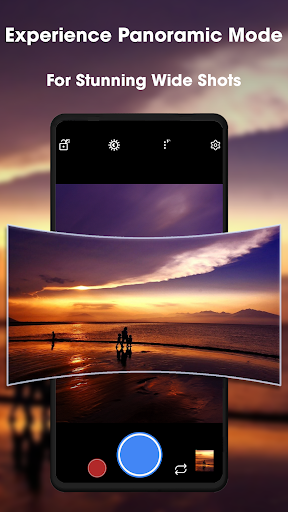
- Multiple shooting modes: such as time-lapse, night view, and panoramic view, open up unlimited creative possibilities and make your photos not monotonous!
- Output high-definition noise-free photos to produce clearer and more delicate works, whether for daily or professional use. It's really practical and beautiful!
Who is suitable for?
This app is especially suitable for friends of all ages who love photography. Whether you are professional or not, whether you want to improve your mobile phone photo experience or occasionally take pictures of scenery or people, you can find the right tool for you. Not picky at all!
For those who like to take pictures of scenery during the day, cities at night, or cool portraits, this app can help you become more awesome! Its diverse models can also satisfy small partners with different scenarios and skill levels. It is a one-stop solution.
Why choose this app
The charm of this Android app is that it combines user-friendly operation with professional-level features, making it an ideal choice for anyone who wants an all-round photography tool. Whether it's a simple and quick photo taking or a detailed retouching, this place can satisfy you!
The design takes into account the problems often encountered in taking photos with mobile phones, and it is easy to take high-quality photos. Stable performance and intuitive interface. Whether you are a photography enthusiast or not, you can use it easily. It is convenient and professional. It is so exciting!
Top Recommended Alternative

Pros & Cons
Pros
-
The photo quality is superb
-
Night view mode is awesome
-
Manual adjustment of lifting force
-
Customizable interface
-
Intelligent optimization of scenarios
Cons
-
Compatibility is not very strong
-
Power consumption is a bit high
-
It's a little difficult to get started
-
Occasionally, I fall off the chain
-
Editing functions are relatively basic
Advertisement
Download GCamera: GCam & HD Pro Photos
FAQ
Is GCamera: GCam & HD Pro Photos safe to install on my device? +
Of course, GCamera: GCam & HD Pro Photos is quite reliable. It is a mobile app that helps you improve your photo experience. There are some prestigious developers behind it, who also update it regularly to ensure its security and performance are good.
Becauseit can be found on the Google Play Store, you can rely on comments and developer information to determine whether it is safe or not. Remember that you still have to download it from official channels. Don't be lazy and click on copycats, or you are afraid of being cheated.
How do I install GCamera: GCam & HD Pro Photos on my Android device? +
Installing this Android app doesn't need to be too difficult, just click on the Google Play Store link, press the install button, and then follow the prompts. If you want to install using an APK file, you have to turn on permissions from unknown sources in the settings. Don't forget.
MostAndroid phones can be used, and the experience is quite smooth. It is especially suitable for friends who like to play camera. I hope you can find the super camera function you like.
What are the main features of GCamera: GCam & HD Pro Photos? +
This application has a lot of functions, such as high-quality HDR night view, night shooting mode, super resolution... it just turns your mobile phone into a professional camera. Many functions are comparable to some specialized equipment, which is quite shocking.
Italso takes into account the user experience, has real-time filter adjustment, and easy sharing functions, which can meet your needs whether you take a casual photo or take a professional photo.
Does GCamera: GCam & HD Pro Photos work on all Android devices? +
Most new Android phones are quite compatible with this app, but sometimes they also depend on the hardware and Android version. If you are interested, go to Google Play in advance to see what the requirements are and have an idea.
Aslong as your equipment meets the requirements and is really smooth to use, it can help you improve your mobile phone's photography skills to several levels. Old devices may have fewer features, but the overall experience is still good.
Is GCamera: GCam & HD Pro Photos a good choice for amateur photographers? +
No doubt! This app is specially designed for Xiaobai, is user-friendly and has quite powerful functions. Help you easily take beautiful photos and instantly improve your photography level.
Gesturecontrol, automatic mode, etc. are easy to use, and you can take pictures with a professional feeling without having to mess with NPC settings. What a blessing for newbies!
Are there any privacy concerns when using GCamera: GCam & HD Pro Photos? +
Since it is on the Google Play Store, it basically meets common privacy and security standards. Pay more attention to permission settings before installation to avoid leaking personal information.
Developersare quite open and transparent, tell you all the data and everything, and everyone uses it with peace of mind and has no worries about leaking personal privacy.
How often is GCamera: GCam & HD Pro Photos updated? +
The development team is very diligent and often releases new versions, fixes bugs, and adds new features. Every update will make you more comfortable and experience it better.
Keepingup to date can also keep your phone's camera function in optimal condition, giving full play to the potential of this Android camera artifact. The more you use it, the more you like it.
Where can I find more help or support for GCamera: GCam & HD Pro Photos? +
If you encounter problems, it is recommended to go to the App Store page on Google Play first. User reviews and developer replies often contain some useful information.
Ifyou still need more professional help, you can contact the official or go to the forum to ask. You can usually find detailed solutions to help you use them more smoothly.
Customer Reviews
Users generally praise GCamera: GCam & HD Pro Photos for its convenience, ease of use, and ability to significantly improve video quality—e.g., enabling 4K HD and 120 FPS on devices like Redmi 6 where the original camera only supports 780p. Many appreciate the clarity, vibrant colors, and overall good results. However, the app is heavily criticized for its aggressive monetization: excessive advertisements and a mandatory weekly subscription fee (around $15 or 1000 bucks per week) that frustrates users from the very first interaction. While some find the panorama mode confusing and non-functional, others note that the app is not as good as the original Google Camera. Overall, positive feedback on performance is overshadowed by the intrusive ad and subscription model.
Write a Review
Share your experience with GCamera: GCam & HD Pro Photos. Submissions are reviewed before publishing.
You Might Also Like
More apps you may want to try next.




