ElevenReader: Read Books Aloud
Advertisement
Screenshots
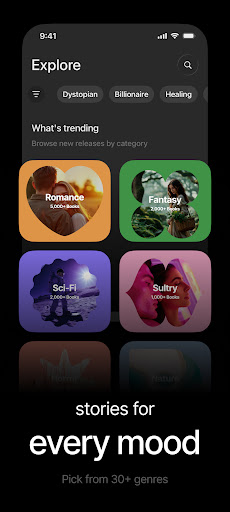
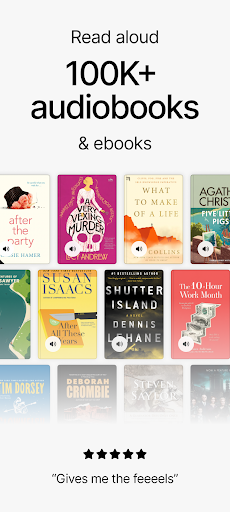
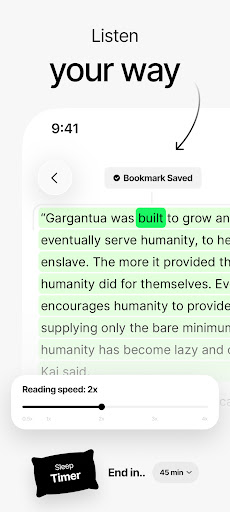
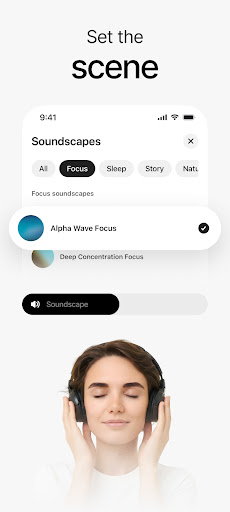
Advertisement
About ElevenReader: Read Books Aloud
Overview
core functions
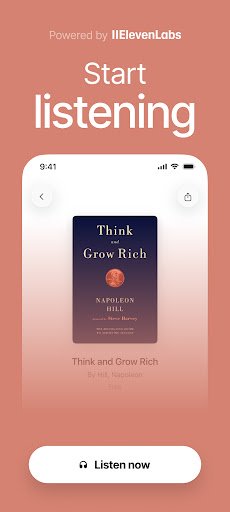
- This app has a very intuitive voice reading function that frees your hands and does things while listening to books. It is super convenient!
- Support offline mode, you can listen to content anytime and anywhere when you go out to play or on the road, without worrying about not having the Internet.
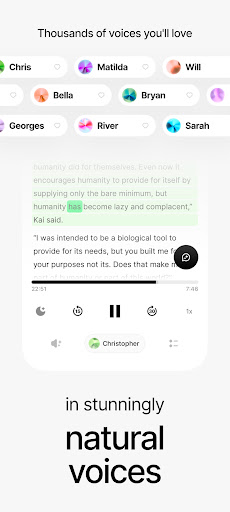
- Real-time Text To Speech sounds supernatural, like someone is telling you a story and enjoying it while listening. Full score for experience
- You can also customize your voice settings, select different sounds, adjust the speed, and configure your exclusive listening method
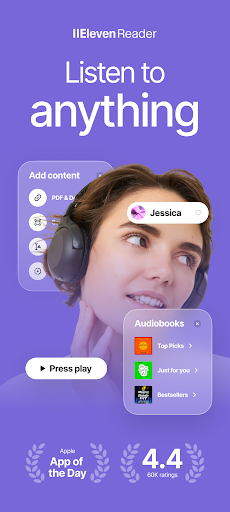
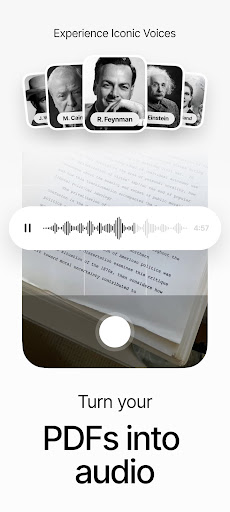
- Supports PDF, EPUB, and pure text formats. Content management is not complicated at all, and various files can be easily handled.
- This mobile version of the APP is ad-free throughout the entire process, concentrate on listening and reading, and will not be disturbed by advertisements. The experience is quite smooth
- The interface design is simple and refreshing, and the operation is also very friendly. It can be easily used regardless of age or technology level.
Who is suitable for?
Friends who like to read and want to enjoy reading with their voice, such as commuters, busy people, and people who love multitask are all suitable. It is also very suitable for students, professionals or the elderly. They want to find a simple and easy-to-use tool for listening to books or entertainment.
If you are looking for an APP that can listen to e-books and improve your learning efficiency, this Android app is super smooth to use and can meet your daily reading and mobile learning needs at any time.
Why choose this APP?
The most attractive thing about this Android app is its high-quality Text To Speech, offline capabilities and user-focused design. Listening to books has become super convenient, and you can do it even without the Internet. It is very considerate.
Rich functions and a trustworthy platform make it comfortable and easy for users to use. It is definitely the TOP choice for those who pursue high-quality reading and reference materials, and it is worth a try!
Top Recommended Alternative

Pros & Cons
Pros
-
HD Text To Speech
-
support multiple languages
-
The interface design is simple and easy to use
-
Speed and pitch can be adjusted
-
Use downloaded voice offline
Cons
-
Fewer customization options
-
Occasionally pronunciation will be wrong
-
The free version has limited functions
-
Limited exported audio formats
-
Long text may be slower to read
Advertisement
Download ElevenReader: Read Books Aloud
FAQ
Is ElevenReader - Voice Reader safe to use on my device? +
Of course, ElevenReader - Voice Reader is a very safe and reliable mobile app that can be found at any time on the Google Play store. It follows normal security protocols to ensure that your data and privacy are fine.
Remember to download it from official channels, such as Google Play or the Apple App Store, to avoid risks. Regular updates are also important to ensure security, but also bring new features to make the experience smoother and more fun.
How do I install ElevenReader - Voice Reader on my Android device? +
Want to install this Android app? Just go directly to Google Play and search ElevenReader - Voice Reader, and then click the install button. The interface is super easy to get started and can be done in a few steps.
Its interface is designed to be quite user-friendly, making it easy to play voice reading and other functions. After installation, you can adjust your own settings and enjoy a personalized experience.
Does ElevenReader - Voice Reader require an internet connection to work? +
Sometimes you may use the Internet, but most functions can also be used offline, so you can still listen to content without the Internet. This allows you to listen to books and read happily without having to connect to the Internet.
It is especially suitable for those who go out frequently or have unstable Internet. If you want to use this voice reading tool, you can use it anytime, anywhere.
What are the main app features of ElevenReader - Voice Reader? +
This app has quite rich functions, including natural voice reading, speed adjustment options, and seamless connection with e-books and documents. The goal is to make reading easier and more interesting.
Whether you're an Android user or like to use a launcher app with voice reading, you can find features you like. The operation is smooth and intuitive, especially suitable for book fans and friends who consult information.
Can I use ElevenReader - Voice Reader as a launcher app on my device? +
In fact, it is mainly a voice reading application and is not intended to be used as a starter. It is more focused on providing rich reading and listening functions.
If you need an app that makes reading more convenient, this app with voice reading is a great way to make the content on your device more interesting and user-friendly.
Which devices are compatible with ElevenReader - Voice Reader? +
This app is mainly designed for Android devices and has good compatibility. Basically, the latest models can be used. Its interface is well optimized and the experience is stable.
Although it is developed for Android, it is also very suitable for users who are looking for a simple and easy-to-use voice reading tool, especially friends who use their mobile phones or tablets to read and listen to books.
How can I improve my app experience with ElevenReader - Voice Reader? +
Want to make the experience better? You can try adjusting your speed and changing your voices to see which one suits your liking best. Don't forget to stay updated, as new versions often bring new features and optimizations.
Using it every day, such as reading, checking information, etc., can make you more proficient, thus giving full play to its role as a voice tool and content reading assistant.
Is ElevenReader - Voice Reader suitable for everyone? +
Of course, this app is designed to be people-friendly and suitable for all age groups to read or listen to content. Whether you are a student, an office worker, or someone with reading difficulties, you can try it.
The interface is friendly and simple to operate, making it easy for even novices to get started. Its goal is to make it easier for everyone to access content, whether they want to listen to it or watch it.
Customer Reviews
Users praise ElevenReader for its natural, immersive voices and intuitive UI, offering a vast selection and personalized settings that enhance reading. Key strengths include excellent AI narration and support for diverse content. However, concerns arise around stability: some users experience crashes, loading loops, and skipped chapters after updates, while others find the app reliable. The subscription model draws mixed feedback—some value the Pro price for unlimited listening, yet many criticize hidden auto-charge policies, high costs, and lack of a genuine free trial. Customer support is often unresponsive, with accounts unjustly banned. Features like PDF handling and chapter separation frustrate users due to glitches and limited editing. Overall, the app delivers quality audio but suffers from significant bugs and pricing transparency issues.
Write a Review
Share your experience with ElevenReader: Read Books Aloud. Submissions are reviewed before publishing.
You Might Also Like
More apps you may want to try next.