
Easy Pose - 3D pose making app
Advertisement
Screenshots
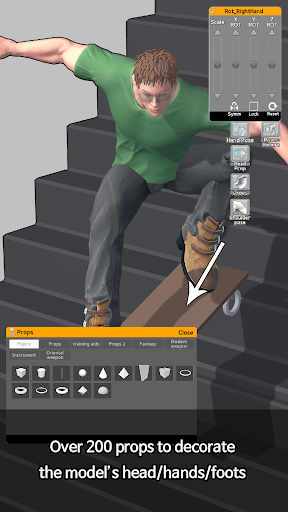
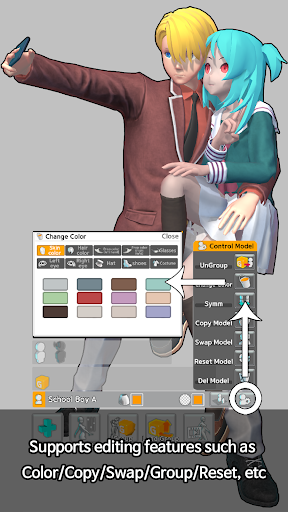
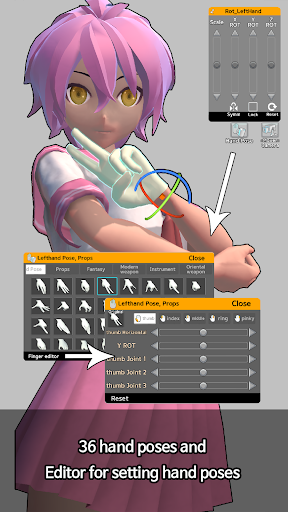
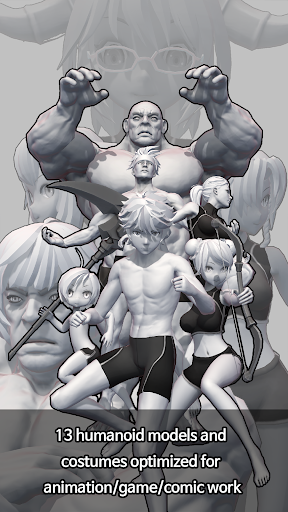
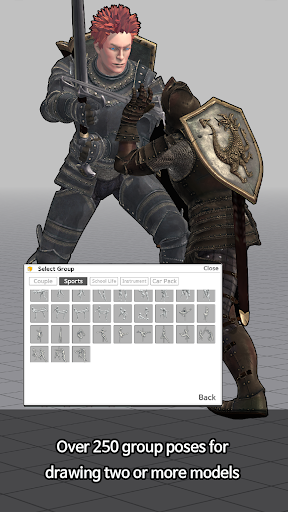
Advertisement
About Easy Pose - 3D pose making app
Overview
core feature
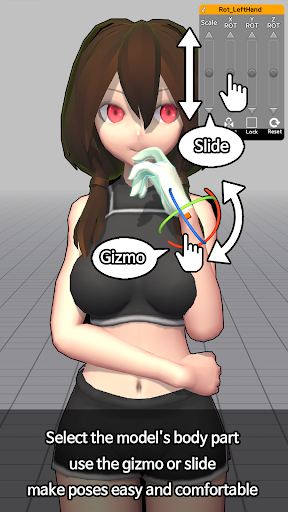
- The intuitive 3D pose making tool allows you to easily create realistic models with fine control. It's really convenient!
- Supports real-time editing and preview, changes can be seen at a glance, and the whole experience feels particularly smooth and considerate.
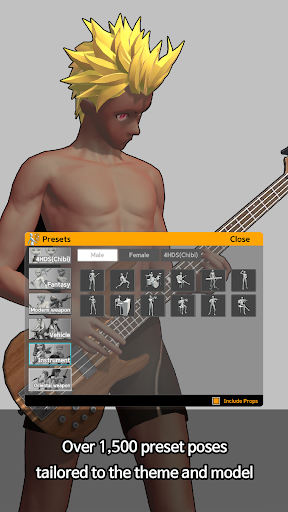
- The rich preset poses and material library helps you save a lot of time. Whether you are a novice or a veteran, you can find suitable content.
- You can also export postures in multiple formats, making it super convenient to share or combine them with other art projects. It's so practical!
- The devices are synchronized and seamlessly connected to keep your works up to date at all times. The functions are so powerful and the experience is super smooth!
- Customizing the background and light settings can enrich the environment of your work and is especially suitable for art and design enthusiasts.
- It can also be used offline mode without the need for the Internet. It's so thoughtful to draw anytime and anywhere when you are away!
Who is suitable for?
The app is particularly suitable for digital artists, illustrators and designers, using it to imagine various human postures on their mobile phones. Whether you are a novice or a veteran, this tool can help you stimulate creativity and improve your skills.
It is especially suitable for art students or enthusiasts who want to find a simple app to practice anatomy or make a reference map for various projects. It is very convenient anytime, anywhere.
Why choose this app
This Android app is smooth and powerful, and is designed for art and design needs. The operating interface is particularly friendly and the performance is very reliable. It is definitely the best among 3D pose software.
Its biggest highlight is that it combines realistic posture-making tools with the flexibility of offline use, providing artists with a precise and convenient working platform, and its efficiency increases exponentially!
Top Recommended Alternative
Pros & Cons
Pros
-
Intuitive 3D pose creation interface
-
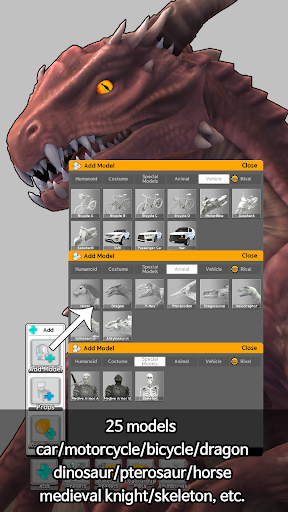
Rich customizable 3D models
-
Real-time preview function
-
Support exporting multiple formats
-
Cloud storage and sharing options
Cons
-
The free version has a limited posture library
-
Complex models occasionally stall
-
Customized selection of basic materials and accessories
-
It takes time to master advanced functions
-
Some export formats do not fully support binding data
Advertisement
Download Easy Pose - 3D pose making app
FAQ
Is the Easy Pose - 3D Posture app safe to use on my device? +
Of course, Easy Pose is quite reliable. It is a well-known mobile software that is designed to be safe and you don't have to worry about privacy. It will also be updated regularly to ensure that security standards are in place and data protection is in place.
Like all Android apps, it is recommended that you download them from reliable channels, such as the Google Play Store. This software attaches great importance to user privacy and abides by various rules of data security, which is quite reassuring!
How to start making apps with Easy Pose - 3D Posture? +
Getting started with this application is actually quite simple. After you install it on your Android device, you can directly explore various functions, such as making poses and adjusting details. Basically, you don't need to make too complicated settings to use it.
The interface is quite intuitive, and both beginners and experienced users can easily get started. You can feel comfortable at the beginning. The experience is quite smooth and won't fall off the hook.
What are the main functions of Easy Pose? +
This software is suitable for people who like to draw and design. There are various functions that can be used to easily create, adjust, and save 3D human poses. It also supports preview from different angles and detailed posture control, which is a very practical tool.
It also supports real-time preview and export, which can help you better realize your ideas. Whether it is drawing sketches or practicing body painting, it is very helpful.
Can Easy Pose be used on other devices and platforms? +
Currently, this software is only available on the Android platform, so it can be used on most Android phones and tablets. Whether there is an iOS version in the future depends on the developer's arrangements.
Because it is mainly a mobile application, there is no desktop version yet, but the Android version is quite easy to use, easy to carry, and can be used anytime, anywhere.
Can I easily customize my posture with this software? +
Of course! Easy Pose's interface is very friendly and you can handle various poses with almost no worry. You can adjust your limbs, angles, and make natural poses, which is very suitable for artists and designers.
The functions of this software are designed very carefully, allowing you to accurately control every action, which helps improve your skills. It can also be used to do detailed works or animation projects. It is quite practical!
Does this APP support offline operations or cloud storage? +
Supported! You can work offline without the Internet, and you can call up your posture at any time. It is especially suitable for artists who are often away from home.
Regarding cloud storage and synchronization, I suggest you pay attention to the latest version updates. The current version basically supports local storage, making data safe and convenient, so you don't have to worry about losing it.
Is this app suitable for beginners or professional users? +
Both are suitable! Easy Pose is very considerate, has a simple and easy-to-understand interface, and is quick to get started for novices, but it is actually very powerful and supports professional-level detail adjustments.
It can not only help beginners lay a good foundation, but also meet the high-level needs of experienced users. It is easy to use and improves skills. It is a balanced design.
How does Easy Pose improve my experience as an artist? +
It provides very detailed 3D pose making tools and is easy to operate, greatly improving the creative experience with this app. You can accurately adjust every part of the body to help you better understand the anatomy and grasp posture.
Moreover, the compatibility of Android devices makes it a trustworthy tool. Artists can integrate 3D poses into their creative process with peace of mind, which is convenient and confident!
Customer Reviews
Users widely praise Easy Pose as an excellent tool for anatomy reference and pose creation, particularly for artists and character designers. Key strengths include a comprehensive model library, responsive customer support, and ease of use for sketching bases. However, many users express frustration with the aggressive ad frequency and paywall restrictions, noting that free access is heavily limited. While some appreciate the core functionality for learning anatomy and perspective, others find the inability to adjust body parts (waist, neck, chest, weight), import custom models, or use more than three characters frustrating. Positive feedback highlights the app's helpfulness for OC designs and couple poses, while negative comments cite excessive ads, a steep learning curve for moving characters, and missing features like invisible body parts or chibi models. Overall, it's a valuable but imperfect tool that strikes a balance between utility and monetization.
Write a Review
Share your experience with Easy Pose - 3D pose making app. Submissions are reviewed before publishing.
You Might Also Like
More apps you may want to try next.




