Draw Animation - Anim Creator

Draw Animation - Anim Creator

Draw Animation - Anim Creator for free and unlock your creativity with easy tools to turn sketches into animated stories. Start your animation journey now!

Screenshots

12 images
Draw Animation - Anim Creator screenshot 1Draw Animation - Anim Creator screenshot 2Draw Animation - Anim Creator screenshot 3Draw Animation - Anim Creator screenshot 4Draw Animation - Anim Creator screenshot 5Draw Animation - Anim Creator screenshot 6Draw Animation - Anim Creator screenshot 7Draw Animation - Anim Creator screenshot 8Draw Animation - Anim Creator screenshot 9Draw Animation - Anim Creator screenshot 10Draw Animation - Anim Creator screenshot 11Draw Animation - Anim Creator screenshot 12

About Draw Animation - Anim Creator

Draw Animation - Anim Creator is quite convenient, especially for those who want to create or amateur enthusiasts. It can make cool animations and paintings anytime and anywhere on your mobile phone. It supports both Android and iOS platforms. The tools inside are quite rich and have many functions, allowing friends who like art and design to have fun. Whether you are just getting started or an experienced animation veteran, this app interface is super intuitive and can turn your ideas into reality without any effort to use. It's really amazing!

Overview

core feature

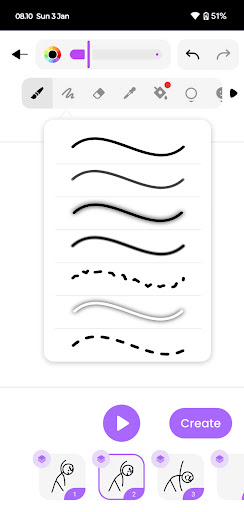
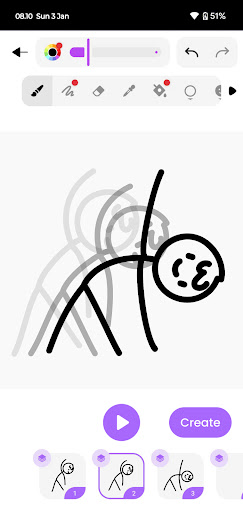
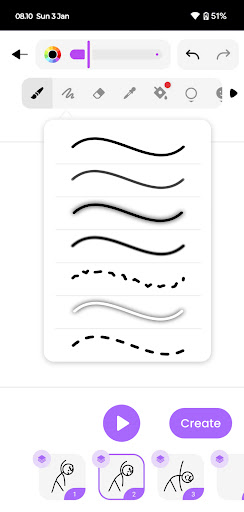
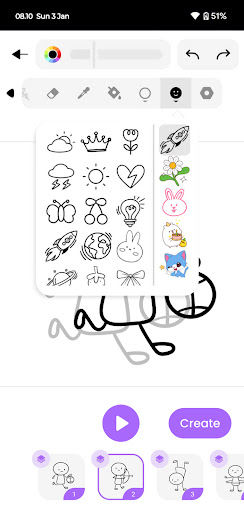
  • The interface is intuitive and the brushes are diverse. It helps you make delicate animations and sketches, which feels super convenient.
  • Support real-time preview of animations and see the effects of modifications at any time. The creative experience is great!
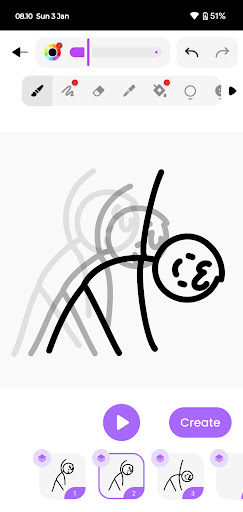
  • You can use layers and onion skins, which is very convenient to carry out complex animation processes without getting messy.
  • There is also an offline mode, where you can create without using the Internet. It's so considerate!
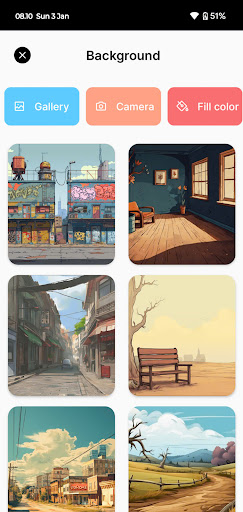
  • Built-in gallery and export functions make it easy to save and share your work, which is especially convenient.
  • The interface is customizable and can be adjusted according to your preferences, making it easier to use.
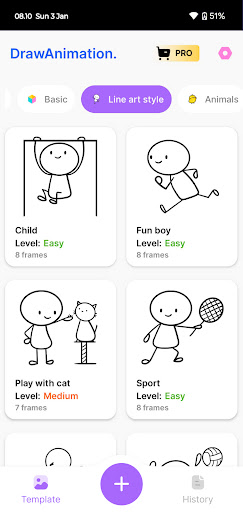
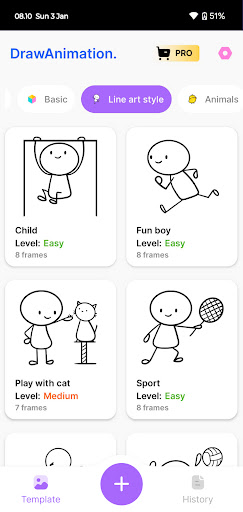
  • Provide a variety of templates and tutorials, so that novices can quickly get started and learn to use this software to become animation masters!

Who is suitable for?

This mobile app is particularly suitable for amateur and professional artists, students, and creative people who like digital art and animation. If you like to use an Android phone to do animation, this tool basically meets all levels of needs and is quite friendly.

If you want to find a software to do sketching or animation, it is quite suitable to play in your spare time or use it at work. It is a reliable platform that can open your creative adventure at any time no matter where you are.

Why choose this app?

This Android app provides a complete set of functions for animation and artistic creation, and is definitely the first choice for users seeking efficiency and experience. Its portability and flexibility are especially suitable for people who like to create anytime, anywhere.

What makes it special is that it focuses on bringing a smooth user experience. It combines professional tools and an easy-to-use interface to solve the problems of general animation software. It is reliable yet of high quality, and is very cost-effective!

Top Recommended Alternative

Pros & Cons

Pros

  • Intuitive interface and simple operation
  • Rich animation tools
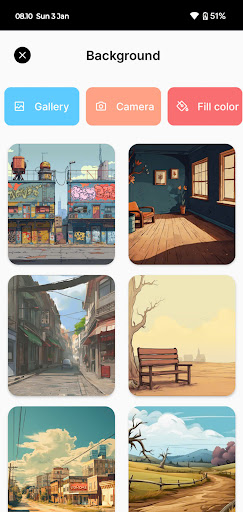
  • Super rich material library
  • Various export methods
  • Frequent updates and technical support

Cons

  • Free features are limited
  • Poor performance of old equipment will be stuck
  • The free version has limited export resolution
  • It takes time to master advanced functions
  • No cloud backup

Download Draw Animation - Anim Creator

You are going to be redirected to the official website to finish the download when you click these buttons above.

FAQ

Is Draw Animation - Anim Creator safe to use on my device?+
Of course, Draw Animation - Anim Creator is a safe and reliable mobile App that can be used on both Android and Apple. Developers care very much about user safety and strictly control data protection. It is also updated frequently to fix loopholes and improve performance to ensure that everyone can use it with confidence and that creators of any skill level can feel trustworthy.
How do I install Draw Animation - Anim Creator on my device?+
Installing this application is actually quite simple. Android friends can go to Google Play to find them, while Apple users can go to the App Store to search. As long as you type in the name, you can usually find it. After downloading, the installation wizard will guide you while helping you with all the steps. The drawing tools and animation settings are all designed to be very intuitive, so you don't have to worry about difficulty getting started at the beginning.
What are the main features of Draw Animation - Anim Creator?+
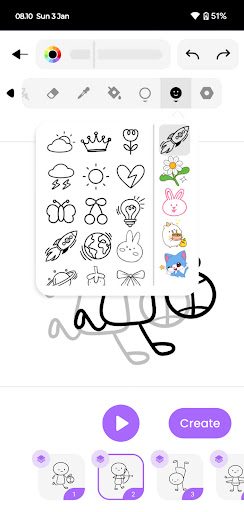
The app has many features for animation enthusiasts and artists, such as multi-layer drawing, frame-by-frame animation, and smooth editing tools. It feels like professional software, but the interface is super friendly and can be easily operated whether you are a novice or a veteran. Creating animations directly on your mobile phone is so convenient!
Can I use Draw Animation - Anim Creator offline?+
Yes, once you have downloaded all the materials, this software can also be used offline. Its functions are well optimized for both online and offline, and you can do animations anytime and anywhere. In this way, whether you are going out or without the Internet, your creation will not be delayed. It is a practical and considerate tool.
Does Draw Animation - Anim Creator support different device sizes and resolutions?+
Of course support! This software is very attentive and maintains a consistent experience across a variety of Android and Apple devices. Different screen size can be easily adapted, the picture is clear, and the operation is smooth. Don't worry about incompatible equipment or insufficient resolution. Painting and animation are a reliable choice without pressure.
Is there a community or support available for Draw Animation - Anim Creator users?+
Yes, many users share experiences and ask questions in various communities and forums. Developers will also update regularly and listen to user suggestions. Whether you are a novice or an expert, with background support, problems are easier to solve and use more smoothly, which can help you better play animation and painting.
How does Draw Animation - Anim Creator enhance my creative work?+
This software brings many powerful features that can help you turn ideas into reality. The interface is designed to be intuitive, allowing you to easily experiment with animations, sketches and designs. It pays special attention to creativity and ease of use, allowing you to create professional-level animations with your mobile phone. It is definitely a great tool in art and design projects.
Is Draw Animation - Anim Creator suitable for beginners?+
Yes, it is specially prepared for novices. It has a friendly interface and simple operation. There are often tutorials and guides to help you get started quickly. Whether you are just starting to experiment with art or looking for software to improve your skills, this app will provide an environment that supports your growth and allows you to continuously explore your creative potential.

You Might Also Like

More apps you may want to try next.