Advertisement
Screenshots
Advertisement
About Disney Cruise Line Navigator
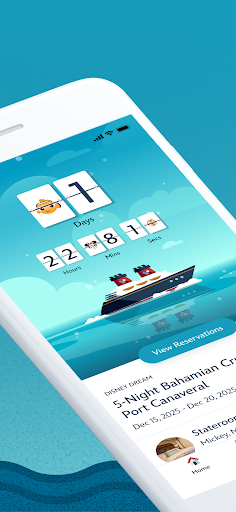
The app Disney Cruise Line Navigator is so sweet. It's a mobile app designed to make your cruise journey smoother. Whether you're using Android or iOS, it can be easily handled. It can help you check important information, arrange entertainment activities, find places to eat, and details of various ports anytime, anywhere. The interface is particularly intuitive, and you basically don't have to worry about how to operate it. You can browse and utilize these resources smoothly at any time. It can be said that this APP is a must-have artifact for planning and enjoying cruise travel, and it really helps a lot!
Overview
core functions
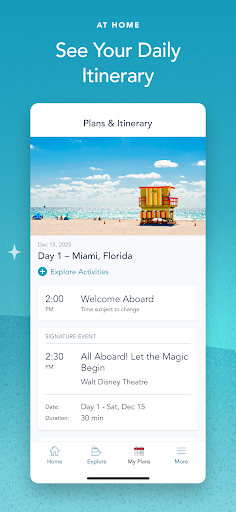
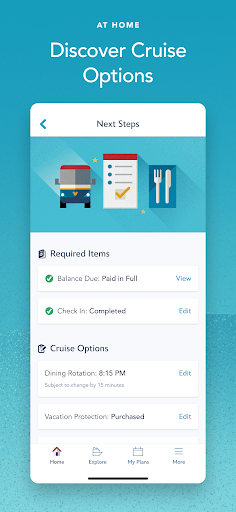
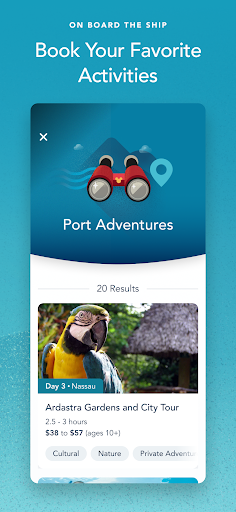
- This app has a super comprehensive itinerary planning feature that helps you easily manage port visits, short tours and boat activities without stress!
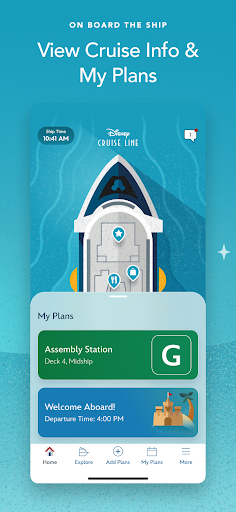
- You can also see cruise ship information in real time, such as ship maps and timetables. It is very easy to use during the journey and the experience is much improved.
- Personalized notices will tell you about upcoming events and special offers on board. It's really thoughtful to keep up with current events and keep up with others.
- It also includes digital room cards and boarding badges to simplify your cruise process, save paper and be convenient, which is really worry-free and environmentally friendly.
- Moreover, you can book restaurants and arrange various activities with one click, and you can do whatever you want when you go out, making planning super simple.
- Offline mode allows you not to worry about using it without the Internet. Important functions can still be used. What a thoughtful design.
- Interactive boat maps help you navigate easily, and the various complex facilities on the big ship can be seen at a glance, so you don't get lost when traveling.
- Multi-lingual support can be used smoothly by passengers from all over the world, improving convenience and trust.
Who is this App suitable for?
For families, friends traveling alone and even the elderly, this app is a great choice for anyone who enjoys an orderly, carefree cruise experience. It is suitable for users who want to easily complete their entire journey with a reliable app.
Whether you are a first-time cruise or a "veteran" many times, this App helps you master everything, stay connected, and make every moment of the journey exciting. It is especially suitable for people who seek convenience and want to enjoy a better experience on board.
Why choose this App?
This Android app provides a reliable and feature-rich solution built specifically for cruise passengers. The interface is intuitive and comprehensive, allowing you to easily control the entire voyage without any effort.
Real-time updates, automatic notifications, and offline support, these thoughtful designs make your cruise journey smoother and happier, and the overall experience becomes great. It is definitely worth a try.
Top Recommended Alternative

Pros & Cons
Pros
-
Super user friendly interface
-
Real-time schedule updates
-
Full range of onboard information
-
personalized experience
-
support multilingual
Cons
-
Occasionally there are network problems
-
Not many offline functions
-
Some devices respond slowly
-
Push notifications will be late or missed from time to time
-
The novice settings may be a little more complicated
Advertisement
Download Disney Cruise Line Navigator
FAQ
How do I log into the Disney Cruise Line Navigator app? +
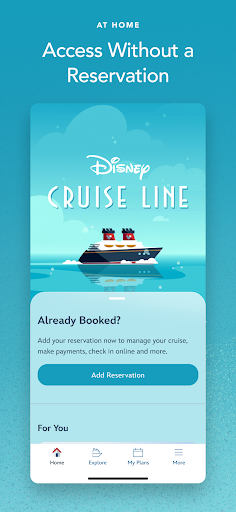
It's actually quite simple to log in to the Disney Cruise Navigator app and view booking information or cruise information. After opening the app, a login interface will pop up and enter your registered email address and password. If you are still a novice, it's easy to register an account in the app yourself and it's easy to get started.
Thelogin process of this app is quite secure and protects your personal information from being leaked. With this app, you can make reservations, check boat activities, and even keep up with important cruise information. It can be used on your mobile phone, whether it is Android or other supported mobile devices.
Is the Disney Cruise Line Navigator app safe to use? +
Of course, this Disney cruise navigation app is very safe and pays special attention to user privacy and security. It follows strict security protocols to ensure that your personal information and payment information are protected during the experience.
Asa trustworthy application, Disney regularly updates their apps to ensure that safety and performance are constantly improved. Remember to only download it through official channels, such as Google Play or App Store. Don't be greedy for small gains and avoid some security risks.
What are the main features of the Disney Cruise Line Navigator mobile app? +
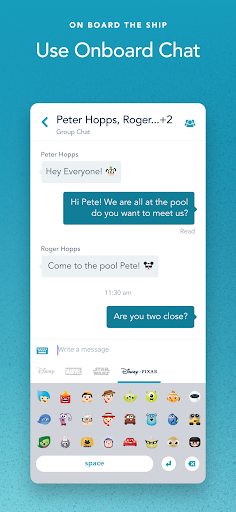
This app is quite functional and aims to make your cruise journey smoother. You can check the daily activity arrangements, restaurant choices, and look at the ship's maps at any time, all with one click. You can also set reminders, make restaurant reservations, and even communicate with fellow partners without obstacles.
Thesefeatures are designed to reduce your stress and allow you to make the most of every moment of the cruise experience. The interface is very intuitive, smooth operation, whether it is to check the itinerary or find entertainment programs, are very convenient.
Can I use the Disney Cruise Line Navigator app on my Android device? +
Of course you can! This Disney Cruise Line Navigator app was developed specifically for Android devices and can be used on almost all Android phones. For friends who want to stay connected and understand cruise information at all times, it is a must-have artifact.
Thisapp is perfectly integrated into your device, making it easy for you to get cruise details, notifications of onboard activities, and various practical tips at any time. The design is so that you can use it easily and everything you need to know can be reached at one touch.
Are there any issues with installing or updating the Disney Cruise Line Navigator app? +
Most people feel that installing and updating this app is not difficult and can be done through Google Play. If you encounter any problems, first check whether your phone has enough space and whether the system version is the latest. Sometimes restarting the device can solve the problem.
Regularupdates will bring new features and performance optimizations, and the overall experience will be better. If the problem persists, you can also contact Disney customer service to help solve it. It's so thoughtful to quickly check the problem.
Is the Disney Cruise Line Navigator app suitable for all age groups? +
The interface design of this app is quite user-friendly and can be easily used for both adults and children. Whether you bring your family with you or yourself, you are a good helper. Its functions are very intuitive and you can easily find any important cruise information.
Whetheryou are a tech expert or a mobile phone, this application should be as simple and clear as possible, so that everyone can understand travel arrangements without pressure, so that the journey is smooth and smooth without obstacles.
Can I access the Disney Cruise Line Navigator app without an internet connection? +
Yes, some functions can also be used when the network is disconnected, such as downloading booking information and ship maps in advance and viewing them anytime and anywhere. It is especially useful when you have unstable Wi-Fi or no signal.
However, to update information or send messages in real time, you have to connect to the Internet. The goal of this app is to allow you to keep information synchronized whether online or offline, ensuring that you have the content you need at all times.
How does the Disney Cruise Line Navigator app improve my cruise experience? +
By centralizing all critical information in one simple and easy-to-use app, Disney saves you a lot of trouble. You can use it to arrange daily itineraries, book restaurants, and navigate various equipment and locations on board, making the entire cruise journey a lot easier.
Thisapp-based solution is both convenient and reassuring, allowing you to stay organized and have no worries, so that you can concentrate on enjoying the wonderful time on a Disney cruise ship. A memory-filled journey awaits you.
Customer Reviews
Users widely praise the app for centralizing cruise schedules, onboard maps, and activity bookings, calling it essential for planning and staying connected with family. Key dimensions: Stability & Performance—many appreciate its smooth daily use, but frequent crashes during booking and dining sections are a persistent frustration. Messaging & Connectivity—while the in-cruise chat is valued, some users report it fails more than half the time due to unstable Wi-Fi and lag. Navigation & Activity Booking—the interface is convenient once mastered, yet others struggle to find workflows hidden in menus and miss notifications for event registration. Overall, a useful tool undermined by reliability issues.
Write a Review
Share your experience with Disney Cruise Line Navigator. Submissions are reviewed before publishing.
You Might Also Like
More apps you may want to try next.