

Connecteam Team Management App
Advertisement
Screenshots
Advertisement
About Connecteam Team Management App
Overview
core features
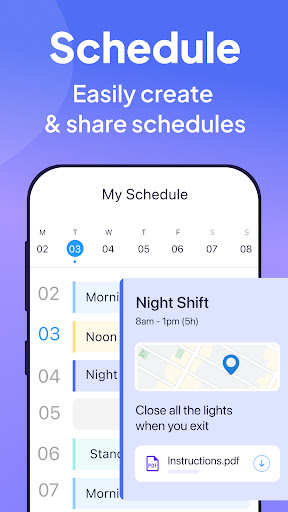
- The task management function of this software is very powerful. It is updated in real time to ensure that team members can keep in sync no matter which device they are on. It feels quite considerate.
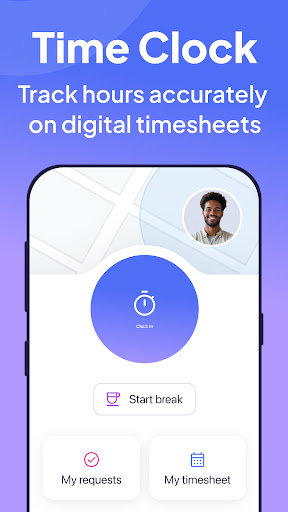
- There are also time tracking and attendance tools to help you easily handle your salary and shift matters. It is very practical and saves trouble.
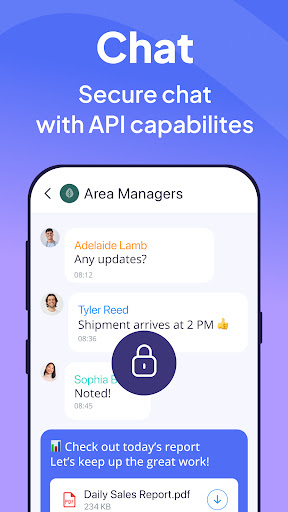
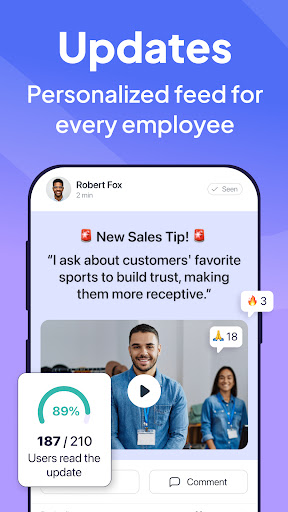
- The mobile version also adds some communication functions, such as instant chat and announcements. I always feel that it is quite convenient for everyone to keep in touch.
- Offline mode is also good. It doesn't matter if you don't have the Internet. Tasks can still be accessed and edited, and automatically synchronized when you get back online. It's a pretty smart design.
- Security measures are also in place, with role authority control to protect sensitive company data without worrying about disclosure.
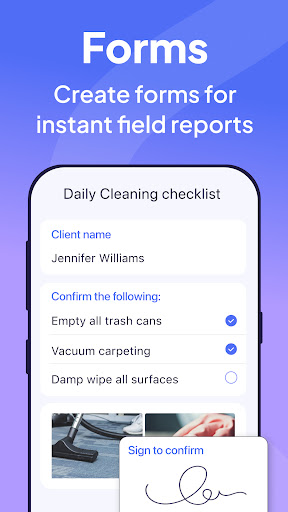
- In addition, reports and analysis are provided so that managers can clearly see the team's performance and work efficiency and help provide guidance.
Who is suitable for?
This app-based solution is especially suitable for small and Medium"-sized business owners, team managers, or personnel who want to find a more efficient way to manage their teams.
Whether it is a remote team or an on-site employee, using this software has smooth communication, convenient management, simple operation, and a reliable experience.
Why choose this?
This Android software has an intuitive interface, powerful functions, and is very reliable. It is especially suitable for team management.
It is an all-round solution that not only makes daily work easier, but also ensures data security, smooth operation, and improves overall efficiency. It is really a good helper to improve corporate productivity!
Top Recommended Alternative

Pros & Cons
Pros
-
intuitive user interface
-
full-featured
-
Powerful communication tools
-
Mobile phone is available at any time
-
Process can be customized
Cons
-
Limited integration options
-
Small team prices are high
-
Advanced function learning curve is steep
-
Limited offline functionality
-
Slow customer support response
Advertisement
Download Connecteam Team Management App
FAQ
How do I log into the Connecteam Team Management App? +
Is the Connecteam app safe to use on my Android device? +
Can I use the Connecteam app without an internet connection? +
What are the main app features of Connecteam? +
Does the app support multiple users and roles? +
Is the Connecteam app suitable for small or large businesses? +
How often is the Connecteam app updated for new features or improvements? +
Where can I find more information or support for the Connecteam app? +
Customer Reviews
Users generally appreciate Connecteam for its simplicity, intuitive interface, and comprehensive features that streamline team communication and time tracking, especially for small businesses starting with a free plan. Key dimensions include: "Ease of use" – many find it straightforward and fast; "Performance" – while some report smooth operation, others experience lag, crashes, and non-responsiveness after updates; "Location & time accuracy" – praised by some for effective tracking, but criticized by others for incorrect location data and unreliable timekeeping leading to payroll disputes; "Customer support" – positive mentions of helpful staff (Irma, Nelly) contrasted with unreturned calls about timesheet issues. The app's NFC update caused disruptive auto-launch for some, and Android users lament unnecessary changes that broke shift editing. Overall, a capable tool with notable stability concerns.
Write a Review
Share your experience with Connecteam Team Management App. Submissions are reviewed before publishing.
You Might Also Like
More apps you may want to try next.




