

Clap to Find My Phone, Whistle
Advertisement
Screenshots

Advertisement
About Clap to Find My Phone, Whistle
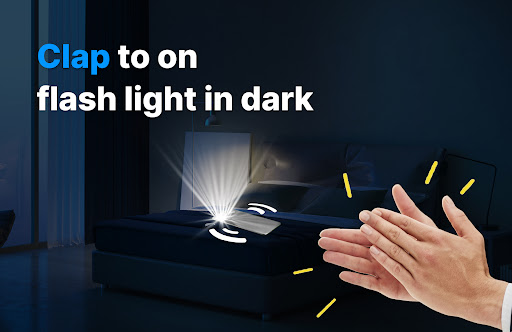
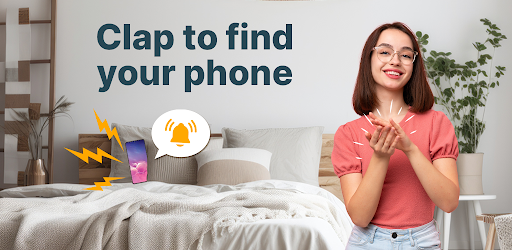
Clap your hands to find my phone and whistle is a very thoughtful app and is especially suitable for people who can't find their phone. It is specially designed for Android devices and has a powerful sound trigger function. As long as you clap your hands or whistle, it will respond immediately and help you find your lost phone. To be honest, it's quite convenient, easy to operate, and easy to use, so you almost don't have to worry about not being able to find your mobile phone. The emergence of this small app makes finding a mobile phone safer and more convenient. It can be easily done with some familiar sounds, which makes people feel quite considerate.
Overview
core functions
- This app can turn on voice positioning with just a click, making it super easy to find a mobile phone without worrying about how to find it.
- It also comes with a whistle detection function, which responds as soon as it rings. It can also help you find your mobile phone in an instant. It's really fast!
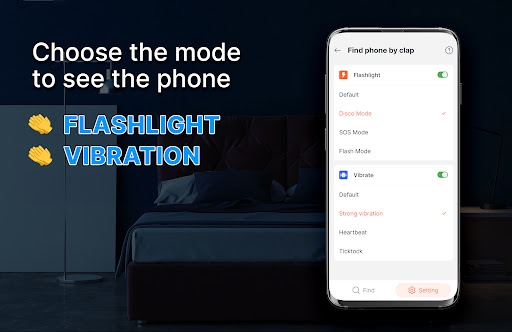
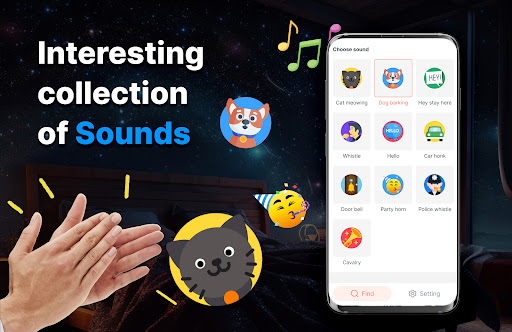
- Personalized sound reminders can be set to make it easier to distinguish your device in a noisy environment. It is considerate and practical.
- Support offline mobile phone search, even if you don't have the Internet, it can help you find it, which is so thoughtful!
- Real-time synchronization ensures seamless collaboration between multiple devices, and the accuracy of finding things increases exponentially!
- This Android app can also run in the background without disturbing your other operations, making it very easy to use.
- The interface is simple and intuitive, allowing people of any age group to easily get started, and there is no pressure to operate.
Who is this app suitable for?
This software is especially suitable for people who often lose their mobile phones, such as busy office workers, students, or elderly people who want a way to find their mobile phones with one click. It's so convenient to solve the small troubles in life with simple operations!
Whether you're looking for a mobile phone at home, in the office, or outdoors, this app can save you a lot of peace. Its design is super friendly and can be easily handled by anyone. It's the best choice to help you keep your mobile phone handy at all times!
Why choose it?
This Android app provides a particularly reliable and easy-to-use combination of features, especially for its real-time detection and offline mobile phone search capabilities. When you use it to find a mobile phone, you feel particularly at ease. You don't have to worry about misoperation or getting into trouble. It is simply an artifact to save the "panic of losing your mobile phone"!
Designed to solve common annoyances, this app makes it easy to find lost phones with innovative features and a clean interface. It combines efficient, reliable and seamless performance and is an excellent choice for users who want to solve phone loss problems.
Top Recommended Alternative
Pros & Cons
Pros
-
The operating interface is super simple
-
Multiple alarm modes
-
low false alarm rate
-
Compatible with ordinary mobile phone microphones
-
You can push notifications instantly
Cons
-
Sensitive to certain sounds.
-
Depends on microphone quality
-
fast power consumption
-
Fewer customization options
-
Occasionally I miss sounds
Advertisement
Download Clap to Find My Phone, Whistle
FAQ
Is this app safe to use on my Android device? +
Well, yes,"a little applause to find your mobile phone and whistle" is actually quite reassuring. It takes into account the safety and privacy of users. It is available on the Google Play Store, so you can download it with confidence without worrying about data being leaked or anything.
Thepermissions used by this application are also normal, such as detecting sounds or vibrations, and there are no particularly intrusive permissions. Remember to only download it through regular channels, don't just create a copycat, otherwise your safety will be discounted!
How to set up the "Little Applause Find Your Phone, Whistle" app for the first time? +
The operation is actually quite simple. After you download and install the app, you will probably be asked for some permissions, such as microphone and vibration permissions. After all these are allowed, you can set your sound triggers according to your preferences, which makes it much easier to find your mobile phone.
Theinterface is also very friendly and will guide you through the settings step by step. The whole process is quite smooth. Whether you use Android or set it as a launcher, it's easy to tune your favorite style.
What are the main functions of "Little applause, find your mobile phone, whistle"? +
It is quite functional and is specially designed to help you quickly find your lost phone. You can activate it by clapping your hands, whistling or clicking on the screen, which is simply too convenient for friends who often lose their phones.
Themain features are custom sound triggering, fast startup, and compatibility with most Android devices. Don't be afraid even if your phone is muted. It can also help you find it by vibrating reminders or making loud noises.
Can I use this app as a launcher on my Android phone? +
In fact,"a little applause to find your mobile phone and whistle" is mainly a tool to find your mobile phone and will not replace your home screen launcher. However, it can be easily integrated into your mobile phone and can be used at any time with a click. The interface is also very user-friendly, and it is easy to activate with one click from the homepage or widgets.
Ifyou want to use it more easily, you can add its parts to the starter, so that you can turn on the sound trigger function with a single click, without having to make a lot of menus or anything, saving a lot of trouble.
Can I still use this program to find my mobile phone when it is in mute or do not disturb state? +
This is quite powerful. No matter whether the phone is in mute or DND mode, as long as you activate it with the sound of whistling or clapping, the phone's ringtone will ring at the maximum volume, helping you find it quickly!
Therefore,"a little applause to find your mobile phone and whistle" is really practical for those who are accustomed to putting their mobile phones aside, or using them during meetings or sleeping!
Is the app "A little applause looking for your phone and whistling" available on the iPhone? +
Currently, this app is only available on the Google Play store for Android. It is mainly for Android users. The functions are also simple and practical, making it suitable for most Android smartphones to use with confidence.
iPhoneusers will have to find another solution. There is no official iOS version. If you are looking for apps that are similar to mobile phones, remember to pick ones that are trustworthy in terms of security and experience.
How about privacy and personal data security for this app? +
Don't worry,"a little applause to find your mobile phone and whistle" respects the privacy of users very much. It will only request necessary permissions, such as microphones and vibrations. It will not collect your personal information at all. Privacy is absolutely guaranteed.
Itrelies on the functions of local equipment and is highly secure and reliable. It is still recommended that you pay attention to permissions and version updates to ensure that the use process is absolutely safe and safe.
What should I do if there is a problem with my application? +
If you encounter problems, the first step is to confirm that your mobile phone system is up to date, and then make sure that all app permissions are enabled. Sometimes restarting your phone can solve many minor problems.
Ifit still doesn't work, you can go to Google Play to check the latest version or check the app's help documentation. This tool itself is quite reliable. A few simple inspections can bring it back to normal without any trouble at all.
Customer Reviews
Users generally appreciate the app's core functionality of finding a phone via clap or whistle, with many praising its effectiveness in locating lost devices and preventing theft. Key strengths include simple activation and loud sound alerts. However, opinions are mixed on reliability: while some find it 'very nice' and 'excellent', others report it 'does not work as intended' or fails to activate sound. Usability is another concern—some users struggle with pausing or understanding steps, wishing for clearer instructions. Additionally, users request more sound options and Spanish language support. Overall, the app offers a useful idea but requires improvements in stability and user guidance.
Write a Review
Share your experience with Clap to Find My Phone, Whistle. Submissions are reviewed before publishing.
You Might Also Like
More apps you may want to try next.




