Bolt for Tesla - Tasker Plugin
Advertisement
Screenshots
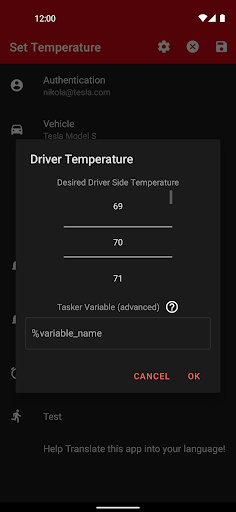
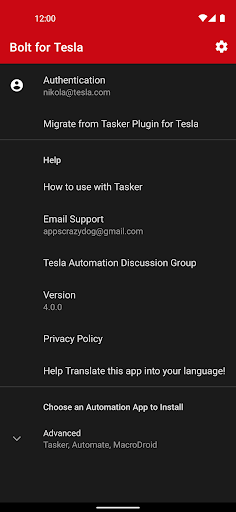
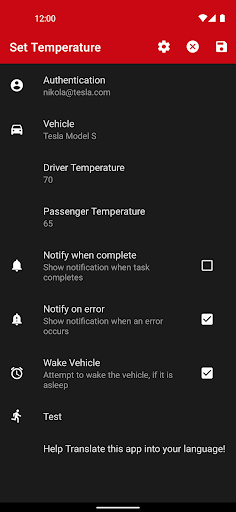
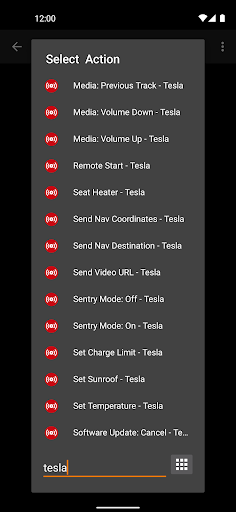
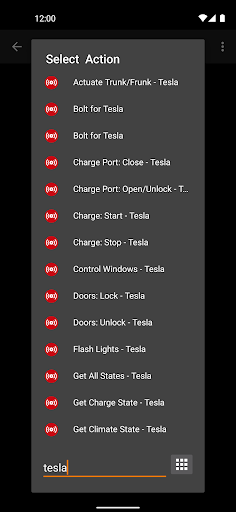
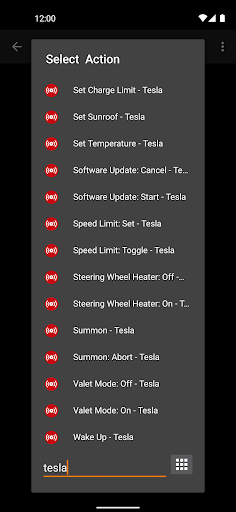
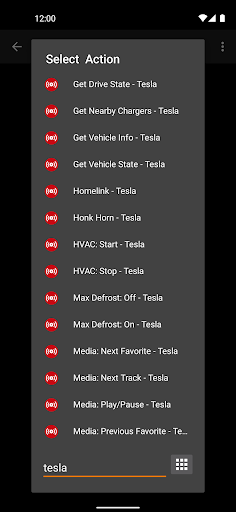
Advertisement
About Bolt for Tesla - Tasker Plugin
Bolt for Tesla - Tasker Plugin This Android app is so practical, an automated tool designed to enhance your Tesla owner experience. It is like a thoughtful little assistant that can be perfectly integrated with your mobile phone, allowing you to customize and simplify various tasks related to electric vehicles anytime, anywhere. The interface is simple and easy-to-understand and powerful, making it particularly easy for Tesla users who like technology and pursue convenience to use it. Controlling the car has become smarter and more convenient, and the whole person feels more in control!
Overview
core functions
- This app is flawlessly combined with Tesla cars and can help you easily control various functions of the vehicle remotely. It's so convenient!
- There are also advanced automation features, such as real-time triggers and timed tasks, that make your vehicle management more flexible and smarter.
- With support for Android phones, users can use their phones to do everything directly, and no longer have to bother for a long time.
- Providing complete vehicle diagnostics will give you detailed vehicle condition reports and give you a clear picture of Tesla's performance and health.
- The connection protocol is very secure, ensuring that the communication between the mobile phone and the vehicle is absolutely reliable, and you can use it with confidence without worries.
- You can also push exclusive notifications according to different situations, so that you can know the status of the vehicle as soon as possible. The experience is great!
- The settings are super simple and can be used as a starter application. You can quickly enter the vehicle control page with one click, which is super convenient.
- It can also automatically arrange charging, air conditioning and other functions based on your habits, making car management smarter and worry-free.
Who is suitable for?
This APP is especially suitable for car owners who own Tesla and want to use software to manage their vehicles. For technology-sensitive users aged 25 to 50, automation and controls are a boon.
Whether you are a busy professional or an avid car fan, this app can help you monitor, customize and optimize your Tesla anytime, anywhere, making management easy and efficient.
Why choose this model
What makes this Android app special is that it provides reliable vehicle control and diagnostic functions, which is easy to use. Its seamless connection allows you to experience smoother and better than ordinary alternatives.
The design takes into account the needs of users, the interface is intuitive, and the automation function makes everything simple and clear, solving the troubles of many car owners when managing vehicles. For Tesla owners who pursue comprehensive and reliable, this is definitely a trustworthy choice!
Top Recommended Alternative

Pros & Cons
Pros
-
Intuitive Tesla integration
-
Rich customization options
-
The user interface is very friendly
-
Powerful automation functions
-
Active community support
Cons
-
Limited device compatibility
-
Occasionally it crashes during setting up
-
Learning thresholds for higher-order functions
-
Command responses sometimes experience delays
-
Official documents are not detailed enough
Advertisement
Download Bolt for Tesla - Tasker Plugin
FAQ
Is Bolt for Tesla - Tasker Plugin safe to use? +
In fact, Bolt for Tesla is a very reliable application, built by some trustworthy developers, and its security is decent. It protects your data and privacy in accordance with standard security measures, while also connecting your Tesla and Android devices with a sense of security.
Itcan be found on the Google Store and undergoes regular security inspections. As an application-based solution, it is also highly transparent, has clear authority control, and is relatively safe to use. Overall, don't worry too much about safety, it's quite reliable.
How do I install Bolt for Tesla - Tasker Plugin on my Android device? +
Installing this Android app is actually quite simple. You just need to go to the Google Play Store and find Bolt for Tesla, click the install button, and authorize the permissions. Most Android phones can be used, which is quite convenient and suitable for many Tesla owners.
Afterinstalling it, you can also set some functions according to your needs to make it more suitable for use. After all, it's a launter-type app that works well and integrates well with your device, making it easier for you to control your Tesla on your Android phone.
What are the main app features of Bolt for Tesla? +
This mobile app is quite functional. It is specially designed for Tesla car owners. It can remotely control and check battery status. There are also some advanced customization options, all of which are achieved through its application solutions.
Itsfunction is to allow you to directly handle key car operations with Android devices. The interface is quite intuitive and easy to operate, making it simple and efficient for you to manage Tesla, and easy to use.
Is Bolt for Tesla compatible with all Tesla models? +
At present, most new Tesla can use the Bolt for Tesla - Tasker Plugin, and the adaptability is good. However, compatibility also depends on the software version and functions of your car. If your car's system is older, it may have a slight impact.
Fora better experience, it is recommended to keep your Tesla firmware up to date. This app is an application solution. It is designed quite intelligently and basically allows most Android users to control their own cars with confidence.
Can I use Bolt for Tesla offline or without internet connection? +
Some functions do require networking to be used, but basic vehicle condition monitoring and control can be connected to the back of the vehicle. As long as the equipment is on the same local area network as the vehicle, it can be operated offline. It's quite convenient, especially if you can use it in places where the signal is not very good.
Thisgives you more flexibility to use, especially when the network is unstable or in remote areas. As an Android application, it is well optimized and can be used smoothly in various network environments, making it very popular for car owners who want to get their vehicles done quickly.
How frequently is Bolt for Tesla updated? +
Developers often push updates to make new features, security and compatibility better. In this way, your application will remain smooth and safe after a long time, and you don't have to worry about dropping the chain.
Keepingapps up to date will make performance better. Updates also reflect that developers have been working hard to improve the user experience. They are really careful and their sense of security has also improved a lot.
Is Bolt for Tesla an easy-to-use app for beginners? +
Of course! Its interface is designed to be very user-friendly, and of course, whether you are a novice or an old driver, you can get started quickly. It's especially easy to understand and has clear navigation, allowing you to control your Tesla easily.
Itemphasizes simplicity and convenience, and is definitely an easy starter, allowing you to control your car without having to work hard. It is quick to get started and easy to operate, so you almost don't have to worry about not understanding it. What a considerate assistant.
Where can I find more information or support for Bolt for Tesla? +
The benefits are actually found in the application introduction on Google Play or on the developer's official website. Many times, there are common questions and contact information that can be found at your door to solve problems. It's quite convenient to check information.
Also, as an app customized for Tesla owners, user reviews and third-party information can also help you judge its reliability and practicality. Remember to use a reliable app, so that it will be safer and more secure!
Customer Reviews
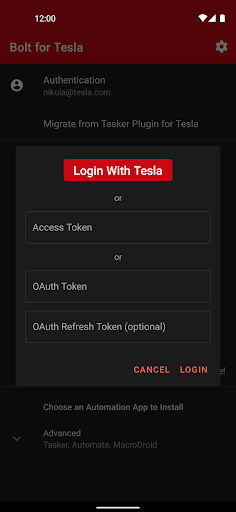
Bolt for Tesla - Tasker Plugin is widely praised for its seamless Tasker integration and robust automation capabilities, enabling users to schedule charging, control HVAC, and open trunk via widgets. The developer is consistently commended for extremely responsive and helpful support. Most users find the app intuitive and reliable, with smooth upgrades from the previous plugin. However, some areas draw mixed feedback: while many praise the straightforward setup, a few Samsung users report a cumbersome SSO token login process. Regarding features, the app provides excellent core controls, but missing functionalities like door unlatching (Model X) and detailed HVAC toggles (e.g., AC on/off, air recycling) are noted. Pricing is a point of contention: many consider it worth every penny for the value, yet others criticize the shift to a monthly subscription instead of relying on Tesla's free API quota, and one user felt misled by upfront payment plus subscription. Overall, the app delivers powerful automation for Tesla owners, with stellar developer support, though minor UI and feature gaps exist.
Write a Review
Share your experience with Bolt for Tesla - Tasker Plugin. Submissions are reviewed before publishing.
You Might Also Like
More apps you may want to try next.