FamiliarApps logo
Big Keyboard: Easy Homescreen

Big Keyboard: Easy Homescreen

Advertisement

Screenshots
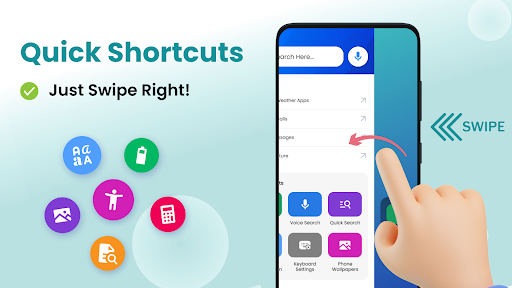
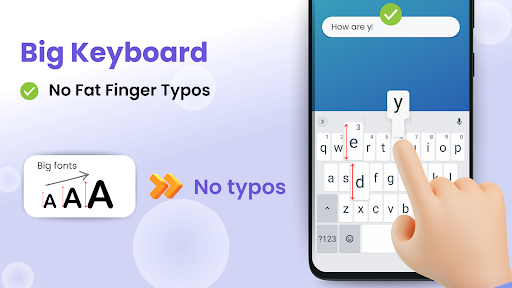
6 images
Big Keyboard: Easy Homescreen screenshot 1 Big Keyboard: Easy Homescreen screenshot 2 Big Keyboard: Easy Homescreen screenshot 3 Big Keyboard: Easy Homescreen screenshot 4 Big Keyboard: Easy Homescreen screenshot 5 Big Keyboard: Easy Homescreen screenshot 6

Advertisement

About Big Keyboard: Easy Homescreen

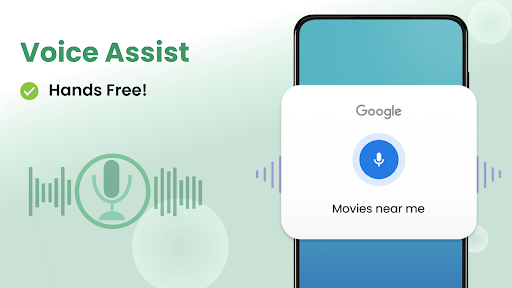
Big Keyboard: Easy Homescreen This starter is really easy to use. It is a multi-functional tool that helps you take care of your mobile home page as you please. The interface design is particularly simple and intuitive, making it easy to use without worrying about cumbersome operations. As a trustworthy application, it can also enhance the experience. You can easily open which App or adjust settings if you want to quickly, and you will not be disappointed.

Overview

core feature

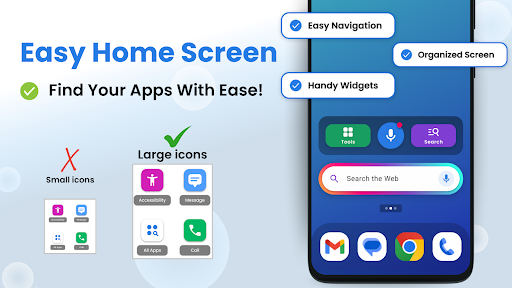
  • The home page layout can be adjusted at will, and users can easily place apps and widgets and quickly find what they need. It is really convenient and considerate.
  • The launcher's functions are super intuitive, including personalized themes and icon packs, making your interface look unique and exclusive.
  • It runs very smoothly, and the optimized performance allows all Android models to be used smoothly without getting stuck. The experience is awesome!
  • It also supports offline mode, so you can customize the homepage at will even if you don't have a network, and you don't have to worry about the troubles caused by unstable network.
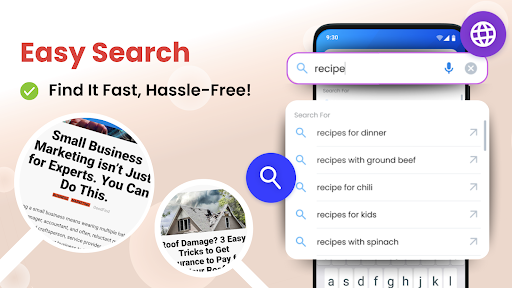
  • Comes with a search bar, you can find anything you want in a couple of clicks. You can quickly launch applications or check information directly from the home page, which is so convenient.
  • One-stop application solutions allow you to create a personalized launcher of your own style, which is simply tailor-made.
  • The interface is super friendly, no matter whether you are old or young, you can easily get started, improving efficiency and worrying.

Who is it for?

This mobile app is especially suitable for Android users who want to make their phones personalized. Whether you like a simple and powerful launcher or want to experience better application management, you can try this solution. It's really amazing.

Whether you are a busy office worker, a student party, or a little fan who likes to keep your mobile phone in order, this app helps you create an orderly and pleasing home page that makes daily operations easier and navigation more comfortable.

Why choose this app

This Android app provides a personalized experience with ultra-high freedom, making it easy for you to make the screen the way you like it. Focus on the functions that improve the user experience, making it stand out from many initiators, and it is particularly considerate.

For some of the inevitable troubles when using the default launcher, it combines face value and practicality with a user-first approach. It is definitely your most trustworthy choice when pursuing mobile phone performance and style!

Top Recommended Alternative
Pros & Cons

Pros

  • user-friendly interface
  • Big and clear button
  • Customizable layout
  • runs smoothly
  • lightweight design

Cons

  • Limited theme selection
  • Function is too basic
  • Inadequate language support
  • No backup/restore functionality
  • Less customization of auxiliary functions

Advertisement

Download Big Keyboard: Easy Homescreen

You are going to be redirected to the official website to finish the download when you click these buttons above.

FAQ

Is Big Keyboard: Easy Homescreen safe to use on my device? +
Of course, the Big Keyboard: Easy Homepage app is quite reliable, and it is always designed with user safety in mind. It meets the security standards of the Google Play Store and ensures that your data and everything are safe and there will be no problems. Remember to download it from official channels, such as the Google Play Store, don't click on unreliable links, and also check the permissions clearly to protect your device. This Android app was created by a reputable team to give you a safe experience.
How do I install Big Keyboard: Easy Homescreen on my Android device? +
This installation is actually quite simple and not difficult. Just search for "Big Keyboard: Easy Homescreen" on the Google Play store, find it, click the install button, and it will be automatically downloaded soon. After installation, there will be some simple guides to help you set up the home page, and then you can enjoy its various personalized functions, making your device more unique.
Does Big Keyboard: Easy Homescreen support different Android versions? +
Yeah, this Android app supports many different Android versions, which can be used by almost most users. It's optimized well for newer devices, but it also works well on older versions of Android. In this way, no matter whether the device you use is new or old, you can use this app, and the experience will be relatively stable, smooth and considerate.
Can I customize the app's appearance and features with Big Keyboard? +
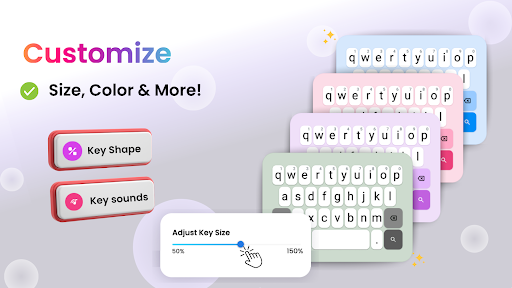
Of course you can! Big Keyboard: Easy Homescreen offers a variety of personalized options. You can change the theme, adjust the size of the buttons, adjust the layout, and follow your preferences exactly. The purpose of this app is to help you create a unique and practical homepage that makes your equipment more in line with your style and needs.
What are the main app features of Big Keyboard: Easy Homescreen? +
This launcher has many features, such as the ability to customize the layout, easy typing with large buttons, and the ability to quickly open favorite apps. Its goal is to make your application experience cooler and smoother. The interface is friendly, intuitive to operate, and simple and easy to use. It allows you to personalize your homepage as you please, and it also brings more convenience. It is really smooth to use.
Is there customer support available if I encounter issues? +
Of course, if you have any problems, ask them. The development team of Big Keyboard: Easy Homescreen is quite responsible and provides customer service channels to help you solve your problems. They can be reached through the Google Play Store page or through their official contact details. With reliable support, you can feel more secure and use this app to personalize your device without worrying about major problems.
Will updating the app disrupt my current settings? +
Generally speaking, updates to Big Keyboard: Easy Homepage go smoothly and will bring some new features. Your personalized settings will basically be retained, but for insurance reasons, it is recommended to back up your settings before upgrading. Regular updates also make apps more stable and secure, ensuring that your experience remains as smooth as ever.
Is Big Keyboard: Easy Homescreen suitable for all age groups? +
Yes, this launcher is very friendly and can be used smoothly by users of all ages. Its interface is simple and intuitive, and its functions are very diverse. Whether you are a technical nerd or a novice, you can get started quickly. It allows everyone to easily customize their own equipment, enjoy the convenience brought by personalization, and use it comfortably. It's a very thoughtful design.

Customer Reviews

AI
AI Generated Summary
Based on real user feedback
★ 2.5

Users generally appreciate the larger keyboard size for a more comfortable typing experience and find the app helpful for saving money and improving efficiency. However, significant concerns arise regarding security: many users report it as a malicious app that steals personal data and credit card information, with some claiming it is impossible to uninstall. While some users enjoy the smooth performance and updates, others criticize the app for disrupting existing app arrangements, having bugs, and being confusing to use. The functionality is praised by some for being intuitive, but criticized by others for being ineffective or average. Overall, strong positive feedback on usability is overshadowed by serious security warnings.

John Ballou (RangerBear376) · 2026-06-23
★ 1
The device does not turn on at all. Please check the power source and try again.
Ozzy · 2026-06-21
★ 5
I prefer things simple and uncomplicated.
Michael Canhoto · 2026-06-19
★ 5
I truly appreciate using a larger keyboard for a more comfortable typing experience.
Richard Finch · 2026-06-19
★ 5
Wonderful! 😄
Eh Doh · 2026-06-18
★ 1
This drastic change in my phone's appearance is something I really dislike.

Write a Review

Share your experience with Big Keyboard: Easy Homescreen. Submissions are reviewed before publishing.

Rating *
0 / 2000

You Might Also Like

More apps you may want to try next.

Advertisement
5
Please wait...