Bark - Parental Controls
Advertisement
Screenshots

Advertisement
About Bark - Parental Controls
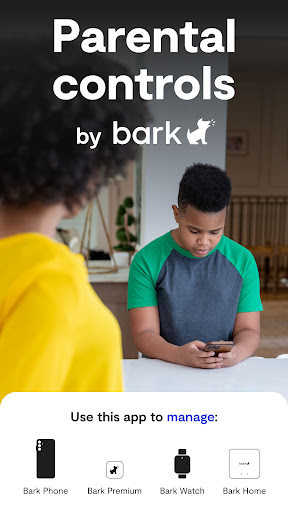
Bark-Parental Control is quite reliable. It is mainly a mobile app that helps parents monitor and manage their children's Internet access. It supports Android and iOS platforms and has quite comprehensive functions. It can help you ensure the safety of children using mobile phones in a more convenient way. It can also be a very considerate family partner and help create a healthier mobile environment.
Overview
core functions
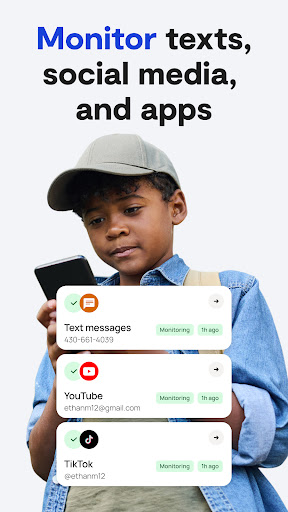
- This application can monitor various developments of the device in real time, helping parents keep track of their children's mobile phone use at any time, and feel more at ease.
- It also has a content filtering function, which can prevent some bad websites and inappropriate apps from going online, ensuring that they are safer and more secure when surfing the Internet.
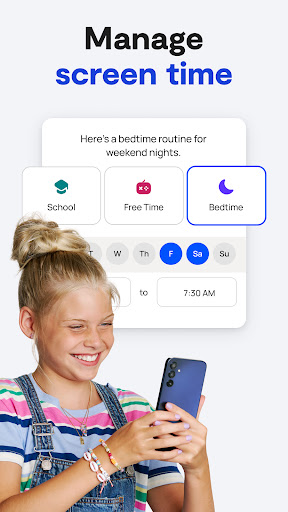
- It also includes a screen time management tool that can set the daily usage time to remind children not to play for too long and effectively control screen viewing time.
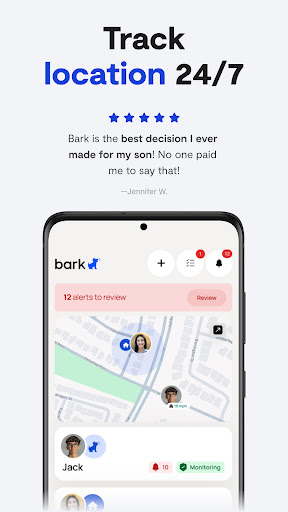
- The location tracking function is particularly considerate and can also be set up to remind parents once the child walks out of a safe area and feel more at ease.
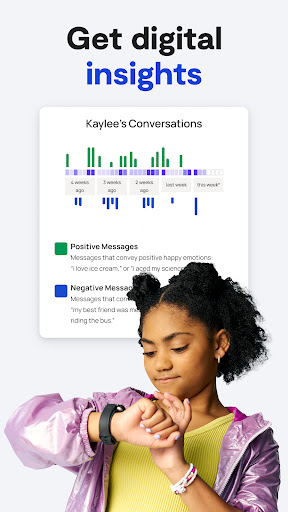
- The Android app will also provide detailed activity reports, allowing parents to gain insight into their children's usage habits and preferences on various apps.
- The interface is simple and easy to use, like a considerate little assistant, helping you easily complete settings and daily management. It's really convenient.
Who is this app suitable for?
This parenting mobile app is especially suitable for parents who look after children and teenagers, especially those who want a reliable tool to ensure that their children use the device safely.
If you want to manage your children's screen time, monitor their online activities, or set some content filtering rules, this app will be a great helper for your daily management.
Why choose this app
Its interface is intuitive, easy to use, and powerful. It can help parents protect their children's digital world with confidence and guide them to use electronic devices correctly.
The most amazing thing is that it provides comprehensive functions and truly meets the actual needs of parents. It has become one of the great choices in digital security management and is completely worth a try.
Top Recommended Alternative

Pros & Cons
Pros
-
Content filtering is quite comprehensive
-
Parental controls can be customized
-
Real-time monitoring is so powerful
-
Super friendly interface
-
Excellent cross-device compatibility
Cons
-
App blocking functions are not comprehensive enough
-
Content filtering occasionally goes wrong
-
Power consumption is a little too much
-
Newbies may find the setup complex
-
The free version of geofence has limited features
Advertisement
Download Bark - Parental Controls
FAQ
Bark -Are parental controls safe to use on my child's device? +
Well, yes, Bark's parental controls are designed for safety reasons. It uses encrypted transmission to protect children's privacy and does not disclose information during surveillance.
Asa relatively mature application solution, it complies with privacy regulations and industry standards and is a trustworthy choice, especially when parents want to find a reliable parental control software for Android devices.
How do I install Bark -Parental Controls on my Android device? +
It's actually quite simple. Just download it from the Google Play Store, follow the instructions step by step, and you can install it, and then follow the prompts to set up the monitoring content you want.
Thisapp will guide you step-by-step in setting filters, monitoring activities, and customize controls to ensure you are comfortable with using them and help you better monitor your child's mobile phone usage.
Bark -Can parental controls be used as starters? +
Although Bark appears mainly as a comprehensive parental control software, it can also be used in conjunction with a launcher to make it easier for you to monitor and manage application functions.
Thisexperience is optimized for parental supervision and safe browsing. It is a reliable application solution that is especially suitable for parents who want to customize their children's mobile phone environment.
What are the main functions of Bark -Parental Controls? +
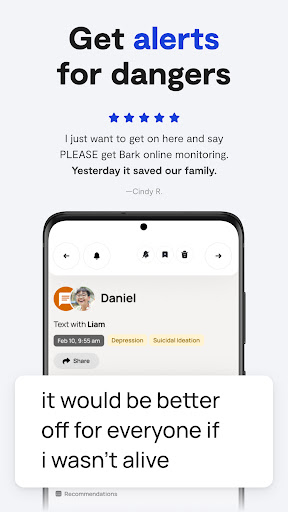
It monitors text messages, social media, email and app usage, keeps parents informed of their children's digital lives, and alerts them of potentially harmful content.
Thesefeatures are intended to provide a comprehensive and safe experience, especially for families who want to effectively supervise their children on Android phones and tablets.
Bark -Are parental controls suitable for all ages? +
Of course, Bark is suitable for children and teenagers of all ages. It helps parents set reasonable boundaries and effectively monitor online activities without interfering too much.
Thisplan can be adjusted according to different stages of growth, balancing supervision and privacy, and providing a safe and secure environment for children.
What are the privacy considerations when using Bark -Parental Controls? +
Bark attaches great importance to user privacy. Data is encrypted and follows strict privacy policies. It will only access necessary information to responsibly monitor online dynamics.
Asa mature application, it will transparently explain the purpose of data and win the trust of parents. It is a good choice for effective supervision while protecting privacy.
Can I customize the app's functions to my child's needs? +
Of course! Bark allows parents to adjust filtering conditions, reminder thresholds and monitoring content based on their child's age and maturity, and tailor the most suitable settings.
Thisensures that the device is safe and meets the child's growth needs, while respecting their privacy and autonomy.
How can Bark help with managing screen time? +
It helps set screen time limits and usage schedules to help children and teenagers develop healthy digital habits.
Thissolution is carefully designed to encourage positive technology habits and make it easier for parents to monitor their children's app usage, especially on Android devices.
Customer Reviews
Many users appreciate Bark's ease of setup and its ability to foster important conversations about online safety, effectively blocking inappropriate content and alerting to bullying or peer pressure. However, frequent complaints highlight severe delays in location updates and alerts—sometimes hours or days late—rendering the app unreliable for real-time monitoring. While some find the interface intuitive, others describe it as cluttered and hard to navigate, with excessive false positives flagging harmless words. Cross-platform support is lacking: Android parents managing iOS children miss half the features. Performance issues include constant glitches, storage bloat, and children easily bypassing controls. A few long-term users praise its continuous improvement, but many regret the subscription cost due to bugs and unmet expectations.
Write a Review
Share your experience with Bark - Parental Controls. Submissions are reviewed before publishing.
You Might Also Like
More apps you may want to try next.