FamiliarApps logo
Background video recorder

Background video recorder

Advertisement

Screenshots
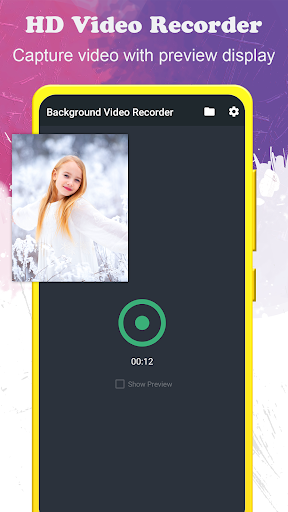
23 images
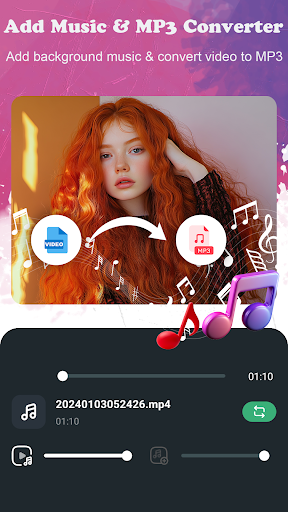
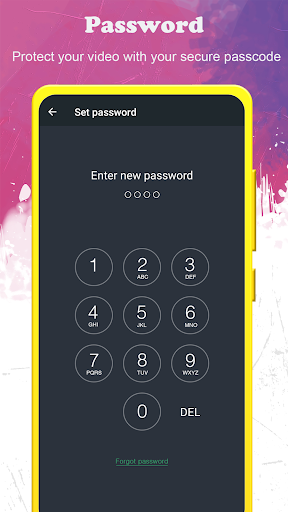
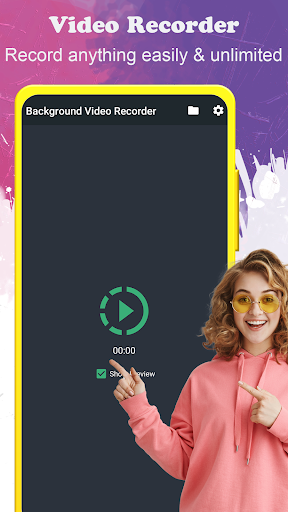
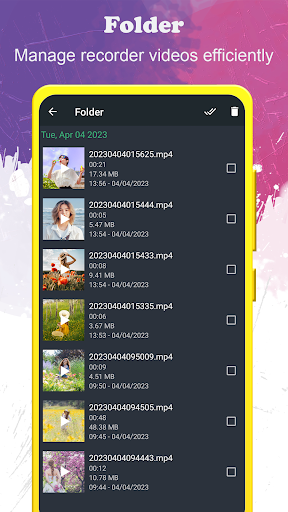
Background video recorder screenshot 1 Background video recorder screenshot 2 Background video recorder screenshot 3 Background video recorder screenshot 4 Background video recorder screenshot 5 Background video recorder screenshot 6 Background video recorder screenshot 7 Background video recorder screenshot 8 Background video recorder screenshot 9 Background video recorder screenshot 10 Background video recorder screenshot 11 Background video recorder screenshot 12 Background video recorder screenshot 13 Background video recorder screenshot 14 Background video recorder screenshot 15 Background video recorder screenshot 16 Background video recorder screenshot 17 Background video recorder screenshot 18 Background video recorder screenshot 19 Background video recorder screenshot 20 Background video recorder screenshot 21 Background video recorder screenshot 22 Background video recorder screenshot 23

Advertisement

About Background video recorder

Background video recorder is a particularly intimate Android app that helps you secretly record videos in the background without disturbing your daily operations. Its main goal is to allow you to easily record the videos you want while using your mobile phone. It never feels troublesome. The interface is also very user-friendly and it is extremely smooth to use. Whether it is daily entertainment or work needs, it can provide a reliable solution, which is really worry-free and practical.

Overview

core functions

  • High-quality background video can record every moment smoothly without getting stuck, which is particularly convenient.
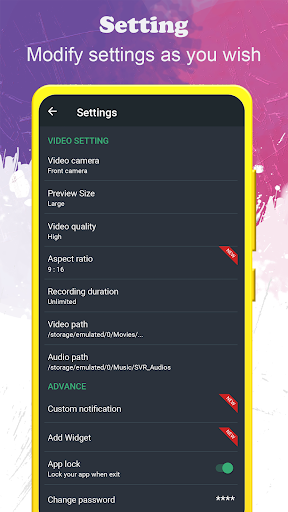
  • It supports multiple resolutions and can also adjust the frame rate to meet different functional needs. It is quite considerate.
  • The operating interface is very simple, making it super convenient to find, record and manage videos anytime, anywhere.
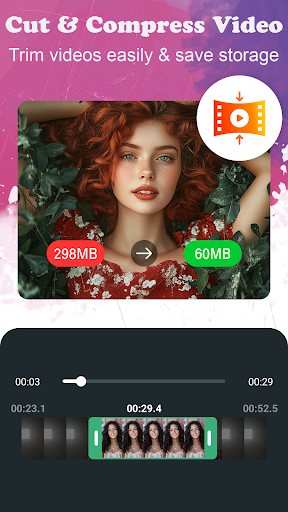
  • Built-in editing tools make it easy to cut, crop, add special effects, and it's not bad to tidy up before saving.
  • There is no advertising interference, and it can also be played in the background. The experience of playing with the computer has been improved a lot. It's really good.
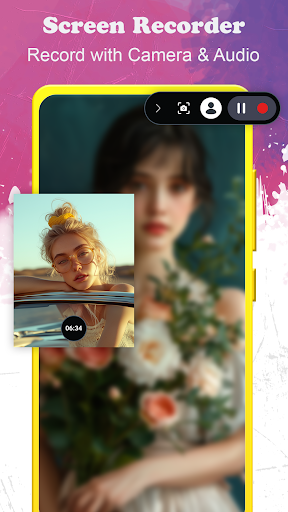
  • You can also record in the background, allowing you to use other software or surf the Internet while recording. It's so free.
  • Supports multiple formats of storage and adapts to various purposes, making it quite flexible.

Who is suitable for?

This mobile app is particularly suitable for content creators, students, and professionals who need to secretly record videos. Many users are looking for reliable background recording solutions, so this is very suitable.

If you want to easily handle background recording during meetings, tutorials or personal projects, but want to have a smooth experience without being stuck, then this app is simply the best choice. It's so convenient!

Why choose this model

The reason why this Android app stands out is that it has a super friendly interface and powerful features, which can meet various recording needs. Designs such as background recording and adjustable parameters really make daily use very convenient.

Choosing it means that you have chosen a trustworthy solution that not only has stable performance, but is also competent for various recording tasks. Whether it is an amateur or a professional, it can be used smoothly and is the first choice for video recording enthusiasts!

Top Recommended Alternative

Pros & Cons

Pros

  • Support 4K picture quality, high-definition and delicate recording effects
  • Backstage recording does not stop, stop as soon as you say
  • Super friendly interface and stress-free operation
  • Supports multiple formats and adjustment parameters
  • Professional features such as Face Recognition and timed recording

Cons

  • The free version has limited functions
  • Long recording will occasionally break down
  • It consumes a lot of power during recording
  • The free version will watermark the video
  • Requires authorization, which may cause some people to worry about privacy

Advertisement

Download Background video recorder

You are going to be redirected to the official website to finish the download when you click these buttons above.

FAQ

How can I install the background video recorder app on my device? +
Installing this background video recorder on Android devices is actually quite simple. You just need to find it on Google Play, search for categories like 'Video Players & Editors', and then download and install it according to the usual process. After downloading and opening it, and giving you some permissions, the entire installation process is quite smooth. This way, you can easily record videos in the background without worrying at all, and the experience is very reliable. Done!
Is this background video recorder safe to use? +
Of course, the development team is very attentive to this application, thinking about user privacy and security issues. Developers have also set up various security measures to protect your data from being compromised. Moreover, Android users have quite good reviews of it, which proves to be quite reliable. Remember to only download from regular channels, such as Google Play, to ensure safety. This security makes it a trusted privacy-friendly app, and there is no problem secretly recording videos.
What functions does this background video recorder have? +
This Android app is quite rich. For example, you can record videos in the background while walking without delaying other operations. Moreover, it also supports adjusting recording quality, quickly starting and stopping recording, and making file management very convenient. The interface is designed to be friendly, and it will satisfy you whether you are just playing around or need some more advanced features. It is specially tailored for users who want to secretly record videos. It is quite reliable.
Can I still use this screen recorder when I use the Android launcher? +
Of course you can! This background video recording app is compatible with most Android launchers and will not affect your daily mobile phone habits. You can open all your apps without pressure and everything is smooth. Therefore, it is a pretty good solution. It can record videos in the background without disturbing your normal use of the machine. It is a good helper for people who like it without affecting the experience!
Does this software support different video formats or image quality adjustments? +
Of course! It has options to adjust image quality and supports multiple formats, allowing you to freely choose according to your needs. Want a clearer definition? No problem; want it to be convenient and quick to share and store? A low setting will also work. This custom operation makes the user experience richer and is especially suitable for users who want to control video quality and play more flexibly. You don't need complicated settings, you can do it in a few simple steps.
Does this software have an update record? It can be seen that someone has been maintaining it? +
Yes! Developers often push new versions, improve performance, add new features, etc., indicating that they have been maintaining this thing. You can usually see the latest updates on Google Play. Regular updates ensure that the software keeps up with the Android version and remains reliable and trustworthy. In short, this is a guaranteed and good helper for background video recording.
What should I do if I encounter problems using it? +
If you encounter problems, first try updating to the latest version. Many bugs are solved by the new version. You can also go to the application's support page to check it out, or directly contact after-sales services through Google Play to help solve the problem. The key to smooth use without problems is to rely on developers to constantly update and maintain it. The same goes for this app, which ensures that it can record videos stably and reliably at all times to help you solve problems.
Are there similar apps on iOS devices? +
Currently, this background screen recorder is only available on Android, and no similar exclusive application has been seen on iOS. However, if you want to implement similar features on your iPhone, you may need to look for alternatives in the App Store, and you may be able to find some apps that support background screen recording. Although the experience will vary based on different platforms, the background recording functions enjoyed by Android users are quite powerful and convenient to operate. Overall, it is a quite reliable solution.

Customer Reviews

AI
AI Generated Summary
Based on real user feedback
★ 4

Users widely praise this app for its exceptional utility in daily tasks, evidence documentation, and discreet recording. Key strengths include excellent hidden camera functionality, smooth and crystal-clear recordings, and a clean interface. However, opinions diverge on critical aspects: while many commend the recording quality and reliability, some report the microphone not working. Regarding monetization, basic functions work with OS notifications, but recording over 5 minutes requires a steep $47 yearly subscription, which many find excessive. Additionally, some users complain about overwhelming advertisements with concealed close buttons. Privacy concerns also arise, with questions about whether videos are uploaded online. Overall, the app delivers on core promises for those who need a hidden recorder, but subscriptions and ad intrusiveness may frustrate potential users.

rajagiri ayyappa · 2026-06-20
★ 5
Excellent, really useful for daily tasks.
Muhamed Junaid · 2026-06-18
★ 2
This is a good app with beastly performance.
PATRICK OKOLIE · 2026-06-16
★ 5
The object exhibits an exceptional level of sharpness, capable of cleanly cutting through materials with minimal resistance. This characteristic is highly desirable for precision tasks.
Ergys Gjoni · 2026-06-15
★ 5
excellent
JETHVA VEER · 2026-06-15
★ 3
This is a very nice application that is genuinely well-hidden, making it a delightful find for users who appreciate understated tools.

Write a Review

Share your experience with Background video recorder. Submissions are reviewed before publishing.

Rating *
0 / 2000

You Might Also Like

More apps you may want to try next.

Advertisement
5
Please wait...