

AT&T Visual Voicemail
Advertisement
Screenshots

Advertisement
About AT&T Visual Voicemail
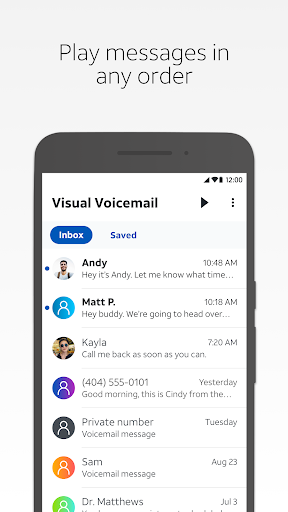
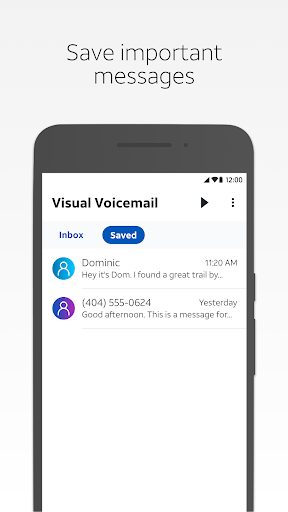
AT&T Visual Voicemail is a very reliable mobile phone software. It is specially designed to help you handle the voicemail on your mobile phone, making management easier. Whether you use Android or other platforms, you can use this app. Its interface is really intuitive, it is smooth to use, and it also comes with some awesome features. After all, it's a practical solution that makes it a lot easier for you to listen, organize and quickly access your voicemail. It's really good!
Overview
core functions
- This application interface is super friendly, it's easy to use, and it's easy to manage voicemail without making you crazy.
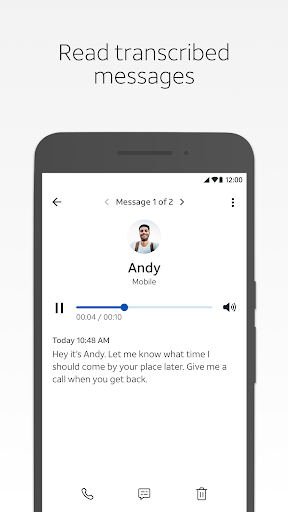
- Turning voice into text in real time helps you see the content of the message instantly without having to click on the sound, saving time and convenience.
- Perfectly integrated with your Android phone, you can access your voicemail directly with one click from the notification bar, which is super considerate.
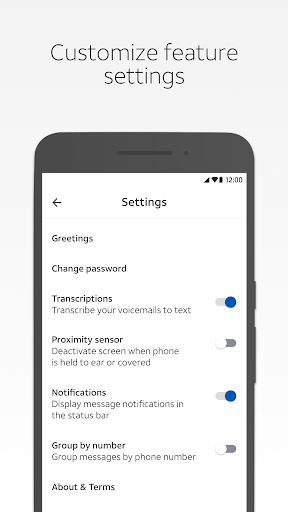
- You can customize voice greetings and preferences to give you a personalized voice experience and listen more readily.
- Support cloud backup, and secure voice mailbox storage 24 hours a day. No matter if you change equipment or encounter an accident, you can retrieve it at any time.
- There is also offline mode, so you can still listen to the voice without the Internet, and you don't have to worry about going out.
- It also automatically filters spam calls and messages to help you keep unwanted annoyance out of the door.
Who is this app suitable for?
This software is especially suitable for busy professionals, older users, or people who want a simple and convenient way to manage their voicemail. It is simply a savior for friends who need express delivery to check information or who prefer to read text rather than listen. It is practical and considerate.
Especially for friends who are in urgent need of receiving news during action, or who are too lazy to click and like to see the content at a glance, this app can really help a lot and become a right-hand assistant for your daily communication.
Why choose this app
This Android app delivers a reliable and intuitive experience that truly helps you improve your efficiency in processing voicemail. It integrates a wealth of functions, allowing you to see the differences among similar products at a glance.
The thoughtful designs of real-time transcription, cloud backup and garbage filtering solve the worries of most users and ensure that you use them smoothly. They are a communication helper you trust and are perfectly integrated into your daily life.
Top Recommended Alternative

Pros & Cons
Pros
-
Super user friendly interface
-
Voice to text function
-
Seamless connection with AT&T network
-
Timely notification reminders
-
Support multi-device synchronization
Cons
-
Transcription is sometimes not accurate
-
Offline access is limited
-
Sometimes I get stuck or collapse
-
Not many personalized settings
-
New news is a little slow to transcribe
Advertisement
Download AT&T Visual Voicemail
FAQ
How do I log in to AT&T visual voicemail on my mobile phone? +
Is it safe to use AT&T visual voicemail on Android phones? +
What functions does AT&T visual voice mailbox have? +
Can I install AT&T visual voicemail on an older Android phone? +
What should I do if I forget the login information for AT&T's visual voice mailbox? +
Does AT&T have visual voicemail on the iPhone? +
What improvement does AT&T visual voicemail improve compared to traditional voicemail? +
Are there any security tips to pay attention to when using AT&T visual voice mail? +
Customer Reviews
Users generally appreciate the convenience of AT&T Visual Voicemail for quickly skipping unwanted messages and the quality of its audio-to-text transcription. However, the app suffers from significant stability and usability issues. Key concerns include frequent crashes, inability to delete voicemails, and calls being forwarded directly to voicemail without ringing. Many users report that the interface cuts off content without scroll functionality, notifications fail to appear, and the app stops working after a short period, requiring reinstallation. Compatibility issues with certain devices and lack of responsive customer support have led to frustration. While some users find the service excellent and intuitive, others describe the experience as deeply disappointing, citing persistent bugs and no updates for months.
Write a Review
Share your experience with AT&T Visual Voicemail. Submissions are reviewed before publishing.
You Might Also Like
More apps you may want to try next.




