
Apple Music
Advertisement
Screenshots
Advertisement
About Apple Music
Overview
core feature
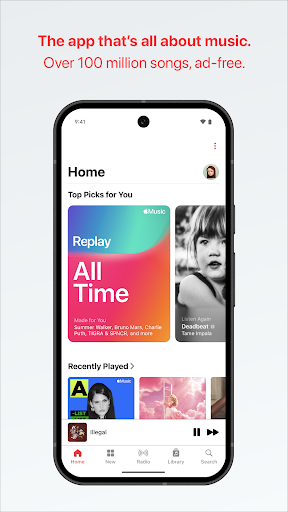
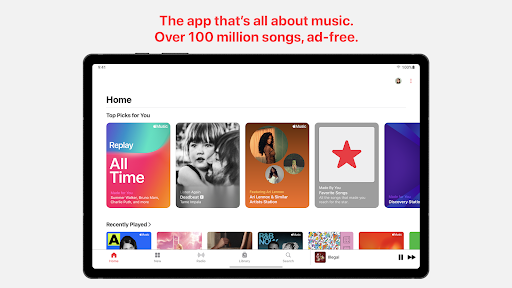
- This app has a super rich music library that allows you to hear thousands of songs anytime and anywhere. It is simply an ocean of music!
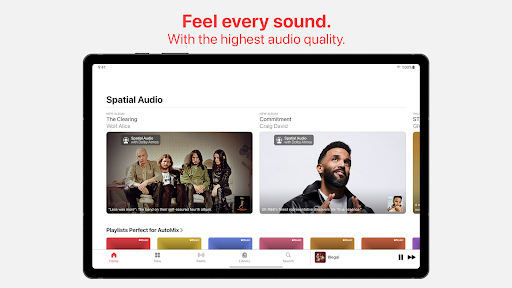
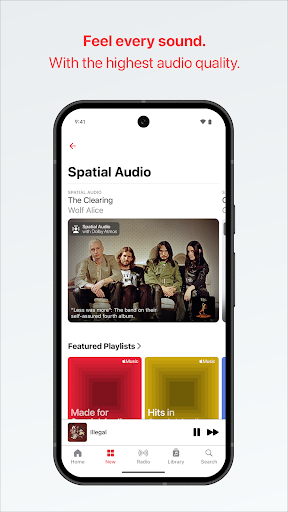
- High-quality audio playback sounds really enjoyable. Whether you are at home or out, the sound is so clear and moving.
- Offline mode can help you download your favorite songs and enjoy them even without the Internet. What a thoughtful design!
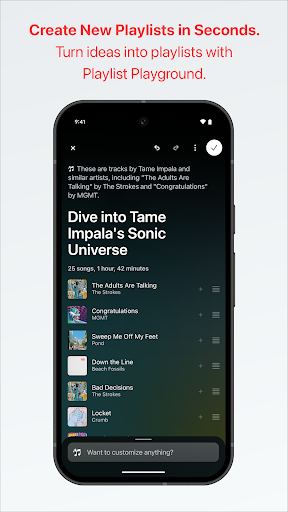
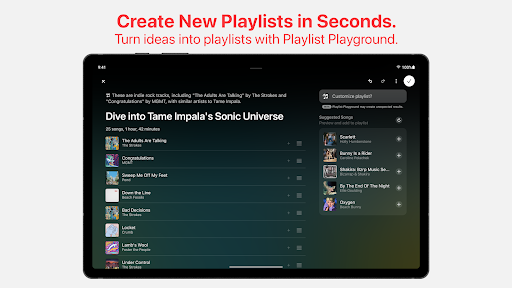
- Personalized song lists and recommendation functions will continue to bring you new surprises based on your listening habits, feeling like an exclusive music friend.
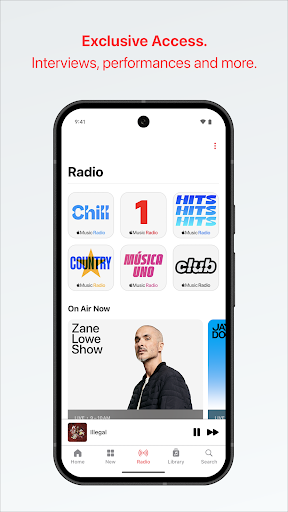
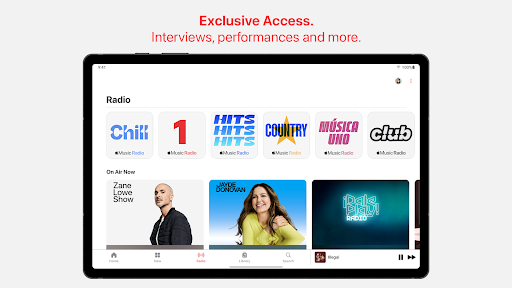
- The built-in radio function allows you to push selected radio stations and live programs, listen to music and also chase stars and programs. It's great!
- Seamless integration with your starter, finding songs is super fast, using them effortless, and life becomes more convenient.
- The interface is very friendly and intuitive, it won't get people lost, it can get anyone using it, and it's easy to get started!
- Some advanced features, such as lyrics display and offline song list management, make the overall experience more complete and see the truth in the details.
Who is this app suitable for?
This mobile app is especially suitable for music fans of all ages. As long as they want to listen to their favorite songs at any time, they are a great partner on Android devices!
It is especially suitable for users who want a one-stop solution. Whether it is streaming music, organizing song lists, or enjoying high-definition sound quality, it can satisfy you without disturbing and have a perfect experience!
Why choose this app
This Android app provides a comprehensive and reliable music streaming experience, with a rich music library and smart features that make people addicted at once.
It solves many troubles in listening to songs, such as being able to listen offline and personalized recommendations. It has become the first choice for many users who pursue quality and trust. It's really great!
Top Recommended Alternative

Pros & Cons
Pros
- Super rich music library
- High-quality audio streaming
- Seamless ecosystem integration
- Selected song lists and personality recommendations
- Listening to songs offline and sharing with family
Cons
- Limited free experience
- Occasionally synchronization problems occur
- The novice interface is a bit complicated
- Voice control is a bit limited
- The price is more expensive than others
Advertisement
Download Apple Music


FAQ
How do I log into my Apple Music account on this mobile app?+
It's actually quite easy to sign in to Apple Music on this mobile app. After you download and install the Android app, open it, then click the login option, and you will have to enter your Apple ID and password, just as easily as on any other device.
Ifyou don't have an account yet, it doesn't matter. You can register directly in the program or link your existing Apple Music subscription to it. This app is friendly to both new and old users, ensuring that you can listen to your favorite music quickly!
Is it safe to use the Apple Music Android app and how are my data protected?+
Apple Music is a pretty big software, and its security measures are in place. The Android version also follows industry standards, data transmission is encrypted, and the login process is very secure, so you don't have to worry about privacy issues.
Apple's privacy reputation is still very good, so using this app can be relatively safe.Remember to always keep your devices and apps up to date so that you can enjoy the latest security protection, especially if you use it as your main channel for listening to music, you should pay more attention!
What are the main app features of Apple Music on Android devices?+
This Android version of Apple Music is quite functional. There are a large number of songs, selected song lists, offline listening to songs and personalized recommendations. Basically, whether you are at home or away, you can enjoy a good experience. You can also listen to the radio station, display lyrics, and connect it with your original music library. It has many functions!
Thesefunctions make Apple Music comprehensive and convenient on Android. Friends who like diverse entertainment will definitely find this thing very suitable!
Can I use Apple Music as a launcher app on my device?+
Although Apple Music itself is not a launcher app, you can add it to your phone's home screen and open it quickly and easily. If your device supports personalized customization, put it in a conspicuous position and it will be especially convenient to listen to songs!
ManyAndroid users add the Apple Music icon to their launcher for ease of navigation, but it is still a common application and cannot replace your default launcher. It is a good partner specially used to listen to songs. It is simple and practical!
How often is the app updated, and what improvements can I expect?+
Apple often pushes updates to the Android version of Apple Music, including more stability, security, and various new features. Each upgrade can make your experience smoother, fix some minor problems, add some new gadgets, and make it more comfortable to use overall.
Keepingthe latest version means that you can enjoy the best performance without being stuck, and the interface will become more and more suitable for your usage habits, allowing you to enjoy music easily and without interruption!
Customer Reviews
Users consistently praise Apple Music for its outstanding audio quality, with many highlighting true lossless CD-quality sound, crisp clarity, and balanced output. The intuitive interface and seamless performance on iOS devices are also frequently commended. However, opinions diverge on key aspects: while the sound fidelity is widely appreciated, some users report occasional sudden loud noises during song transitions and inconsistent volume levels across tracks. Performance and stability receive mixed feedback – many enjoy a smooth, glitch-free experience, yet others encounter frequent freezes, crashes, bugs, and slow loading, especially on Android, older devices, or Surface. The recommendation algorithm is a major pain point: most users find it terrible at tailoring suggestions, often repeating the same tracks and failing to recommend unknown similar artists, though a few find it functional for basic use. Features like CarPlay integration work well on iPhone but are poor on Android Auto. Additionally, the artist catalog is considered incomplete, and offline album covers often fail to display. Overall, Apple Music excels in sound quality and design but struggles with algorithmic personalization and cross-platform consistency.
Write a Review
Share your experience with Apple Music. Submissions are reviewed before publishing.
You Might Also Like
More apps you may want to try next.