
App Lock - Applock Fingerprint
Advertisement
Screenshots

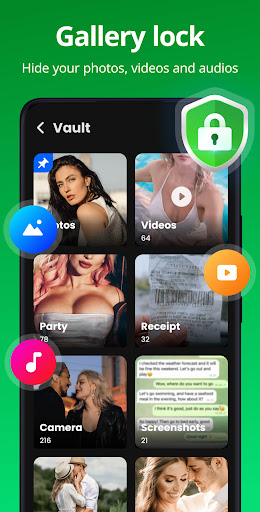
Advertisement
About App Lock - Applock Fingerprint
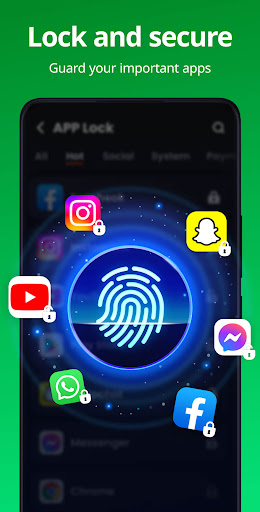
App Lock - Applock Fingerprint is really a reliable Android application. It mainly helps you lock the applications on your phone and protect them with your fingerprint or password. It feels quite at ease. It's very simple and easy to operate, smooth to use, and won't cause me a headache. This solution is especially suitable for those who want to keep their privacy tight and keep their confidentiality to the extreme. They can really hand it over with confidence and keep your secrets from being leaked.
Overview
core functions
- Protect your apps with fingerprints and passwords to ensure that no one can break in at will, and you feel extremely secure!
- It will automatically lock after setting it for a period of time, and security will be instantly upgraded and privacy will be more guaranteed.
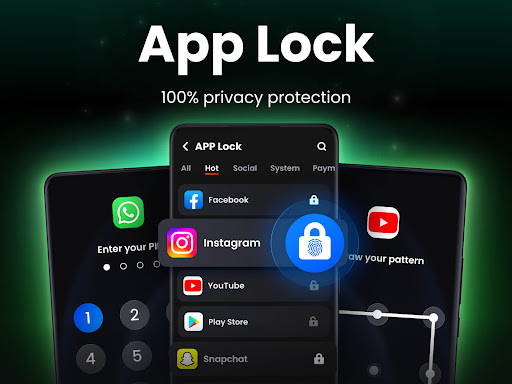
- You can customize application locks and choose the apps you want to protect to make privacy more intimate and exclusive.
- Use the fingerprint sensor to lock or unlock it with one swipe. It is convenient and fast, and the experience is amazing!
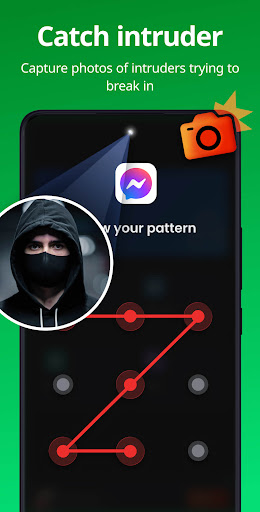
- Did you encounter someone trying to break in? The alarm rings, notices and reminders, and enhances protection will never be sloppy!
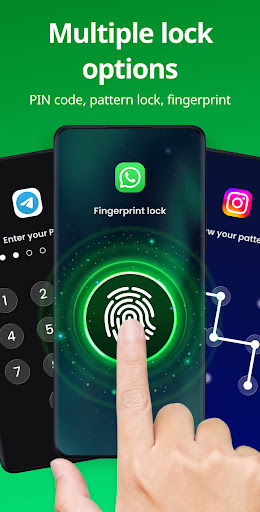
- Support multiple lock types-PIN codes, patterns and fingerprints, safe and diverse, choose at your heart!
- The interface is simple and easy to use, easy to operate, and all functions can be completed without cumbersome settings.
- The power-saving design ensures that your app functions do not consume a lot of your phone's power. It protects privacy and saves power. How considerate!
Who is suitable for?
This app is especially suitable for those who want to protect sensitive information on their phones, especially if it works well on Android devices. It is especially suitable for friends who value privacy and security. Whether it is daily use or processing some important data, it can help you keep secrets.
Whether you are a student, professional or parent, this app can easily protect your privacy. Like to log in quickly with your fingerprint, or need a reliable initiator to enhance device security? This app can help you get it done, simple and practical!
Why choose this?
This Android app provides a simple and powerful privacy protection solution and is definitely the best among security apps. Its various functions are carefully designed, easy to use, and reliable to protect, allowing you to use it with peace of mind and feel refreshed!
Its highlight is that the security measures are trustworthy and can be customized to address everyone's privacy concerns. With its convenient application solution and intimate user experience, it stands out among many initiators, truly achieving user-friendly and reliable security!
Top Recommended Alternative

Pros & Cons
Pros
-
supports fingerprint recognition
-
The interface is quite simple
-
Various locking methods
-
Can lock a single App
-
Power consumption is low
Cons
-
Free features are limited
-
Fingerprint recognition occasionally fails
-
No intrusion reminder function
-
Device compatibility issues
-
Occasionally break down
Advertisement
Download App Lock - Applock Fingerprint
FAQ
Is App Lock - Applock Fingerprint safe to use on my Android device? +
Of course, the App Lock - Applock Fingerprint thing is very thoughtful, mainly to ensure your privacy. It uses advanced encryption technology to protect your private data. It can be regarded as a very reliable application to protect sensitive information on your mobile phone. It is quite reassuring.
Moreover, it itself will not collect personal information without your permission, and it also respects your privacy. Overall, it can make your device safe and comfortable, and enjoy a smooth application experience.
How do I set up App Lock - Applock Fingerprint on my phone? +
Actually, it's quite easy to start using this app. You first go to the Google Play Store to download it, then open it, and follow the guidance steps. You can set the fingerprint or password protection and lock the application you want to protect.
Thisapp interface is very intuitive. Whether you use the own Android interface or a certain launcher, the setup process is quite fast and can be completed in a few steps, which is very convenient.
Can I customize which apps to lock with App Lock - Applock Fingerprint? +
Of course you can! One of the biggest highlights of this software is its degree of freedom, allowing you to lock in specific applications according to your needs. Whether it's your chat tool, photo album, or email address, you can choose it yourself and lock whichever you want to protect.
Thispersonalized setting makes App Lock - Applock Fingerprint particularly suitable for user needs. You can fully control your privacy and security and play with peace of mind on Android devices.
Will App Lock - Applock Fingerprint slow down my Android phone? +
Don't worry, this app generally won't slow down your phone. It runs quietly in the background, providing protection without affecting the performance of the phone, nor does it consume too much power as if it is doing nothing.
Afterall, it is specially optimized for a smooth experience to ensure that your phone remains as sensitive as ever and to make your application safe and reliable. It's a good choice.
Is App Lock - Applock Fingerprint compatible with all Android versions? +
Basically, new versions of Android can basically use this software, but if you use very old devices, you may have some compatibility problems. It is recommended to go to Google Play to check the specific requirements to see if it can be installed smoothly.
Itsdevelopment is also constantly updated, focusing on user safety and experience. Compatibility and security will be improved. It is a protection tool with a full sense of security.
Does the app support fingerprint unlocking? +
Yes, fingerprint unlocking is supported! You can use your own fingerprint to quickly and securely open protected apps. The experience is quite comfortable, convenient and secure.
Ifyour mobile phone has a fingerprint sensor, using this function is a great blessing. Biometric's security protection makes your applications smarter and more convenient.
Is App Lock - Applock Fingerprint safe to install and use? +
It's absolutely safe. This software was developed by a trustworthy team and has gone through multiple security checks to ensure that there are no viruses or rights abuse issues. It is a reliable application that pays special attention to user privacy and security protection.
Rememberto only download from official channels, such as Google Play, to ensure that the version you use is up to date and safe and avoid unnecessary trouble.
Can I use App Lock - Applock Fingerprint without an internet connection? +
Of course, once you install and set it up, this Android app can be used offline. You don't need to be connected to the Internet to use its functions, such as fingerprint unlocking, application locking, etc., no problem.
Evenin places where there is no Internet, it can protect your privacy, maintain security, and is very reliable. It is a good helper who can protect you without fear of being disconnected.
Customer Reviews
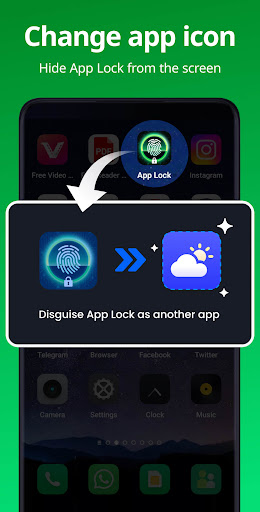
Users consistently praise App Lock - Applock Fingerprint for its ease of use, fast performance, and reliable security. The fingerprint lock is widely described as flawless, and many appreciate the ability to lock all apps, settings, and recent apps. The ads are reported as non-intrusive—only a small banner at the bottom. However, some users report issues: the fingerprint feature does not work on certain phone models, and a few have experienced the password disappearing, requiring re-setup. While most find the app lightweight and highly dependable, the lack of an option to hide the app itself is a minor drawback for some. Overall, the app is considered excellent for productivity and privacy protection.
Write a Review
Share your experience with App Lock - Applock Fingerprint. Submissions are reviewed before publishing.
You Might Also Like
More apps you may want to try next.




