

All Video Downloader: Play MP4
Advertisement
Screenshots
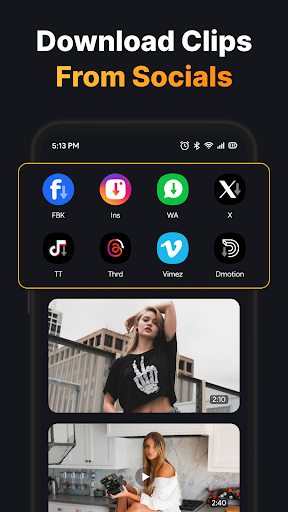
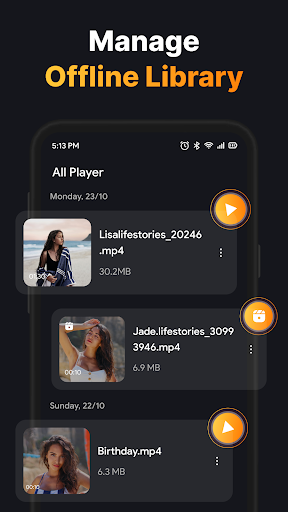
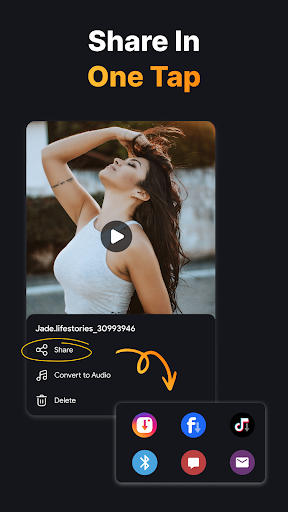
Advertisement
About All Video Downloader: Play MP4
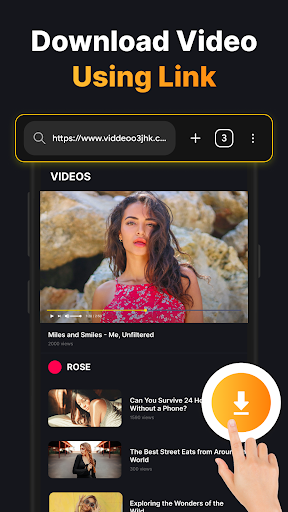
All Video Downloader: Play MP4, this is a very intimate Android application specially prepared for friends who like to download videos. It allows you to easily get videos from a variety of platforms and watch them offline anytime. The interface is very simple, easy to use, and the performance is stable. The overall feeling is not bad. This little software is really a good helper to solve video management and viewing difficulties, making you use it more smoothly and watch it more comfortably.
Overview
core functions
- It allows you to download videos with one click on some popular platforms. It is fast and stable, and it is reassuring without being stuck at all.
- Support offline viewing, watch anytime and anywhere you want, without relying on the Internet, super convenient!
- The interface is super friendly and intuitive to use, making it easy and fast to manage and find downloaded videos.
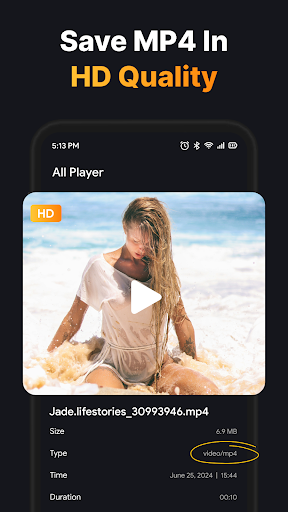
- It also comes with batch download and high-quality MP4 export functions, with clear picture quality and a better viewing experience!
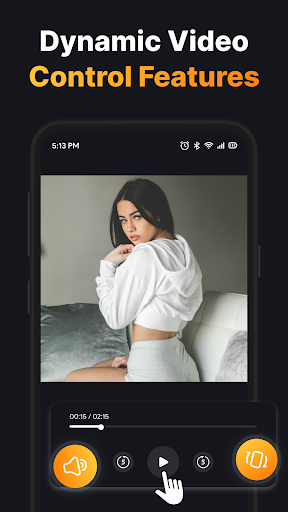
- The built-in player can adjust the playback speed and easily organize your files, making it easy to use.
- You can directly extract the sound from the video. What a versatile media steward!
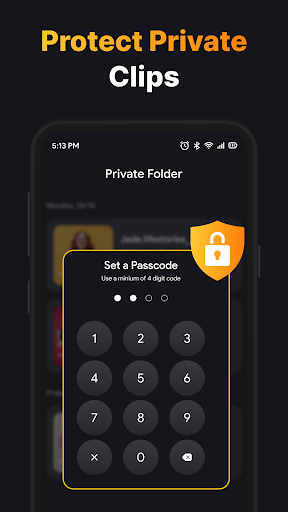
- Ensure privacy, no annoying advertisements and pop-ups, and the use process does not disturb your mood at all.
Who is suitable for?
This mobile app is especially suitable for friends, students who like videos, or people who need to quickly watch offline videos on their Android devices. If you often save videos for later use, the operation of this software is really intuitive. Whether you are a casual user or an expert, you can use it smoothly.
Its interface design is very user-friendly. Whether it is entertainment, learning or content creation, it is very convenient to manage and play downloaded videos and MP4 files. It is really helpful!
Why choose this APP
With its stable functions and smooth operating experience, this Android app makes downloading videos simple and smooth, and basically does not have to worry about stuck or confusing management. It is especially suitable for those who love videos.
Combined with easy operation and powerful functions, this main application is absolutely reliable in media management, ensuring high quality and convenience every time it is used, and it is handy no matter what you do.
Top Recommended Alternative

Pros & Cons
Pros
- friendly user interface
- Support MP4 format
- Fast download speed
- Support multi-platform video sources
- Built-in preview player
Cons
- Fewer options for video clarity
- There are many advertisements when used
- The initial setup is a bit complicated
- Occasionally downloads fail
- No batch download function
Advertisement
Download All Video Downloader: Play MP4

FAQ
Is All Video Downloader: Play MP4 safe to use on my Android device?+
Of course, All Video Downloader: Play MP4 is a very reliable Android application that is well designed and wants to give users a safe and reliable experience. When it was developed, it paid close attention to user security issues and followed various security regulations.
Rememberto download this app from regular channels, such as the Google Play Store, to feel more at ease. Frequent updates and user feedback can also help it stay safe and stable and run smoother.
How do I install All Video Downloader: Play MP4 on my Android device?+
Installing this Android application is actually quite simple. Just go to the Google Play Store, find All Video Downloader: Play MP4, and click the "Install" button. Remember to make sure your phone has enough storage space and network stability is also important.
Afterinstalling it, open the application and allow some permissions, such as storage permissions. This will make it work smoother and provide a smoother user experience.
What are the main features of All Video Downloader: Play MP4?+
This mobile app has many practical functions, such as the ability to quickly download videos from various sources, and also supports common format conversions like MP4. The interface is also quite intuitive. It is designed to make video storage simple and efficient.
Inaddition, it can also serve as your video portal, allowing you to manage and access downloaded content. Whether you are ordinary users or those who like to use the app to download videos, this app is quite considerate.
Is All Video Downloader: Play MP4 suitable for every user?+
This app is actually suitable for anyone who wants to improve their video management experience. The interface is simple and easy to operate, making it easy to get started whether you are a technical novice or an old driver.
Takinginto account the diverse needs of users, the design is quite considerate and can bring you a simple and direct experience. Looking for a reliable app to download videos? This is definitely a good choice!
Can I trust All Video Downloader: Play MP4 with my downloaded videos?+
Of course you can! This app was developed by a reputable team to give you peace of mind. It does a good job of protecting your privacy and data security.
Toavoid security risks, it is recommended that you download it from official channels, such as the Google Play Store. Frequently updated versions can also ensure its security and stability, allowing you to manage your video resources with confidence.
Customer Reviews
Users generally praise the app for good quality, smooth performance, and a clean, intuitive interface, with some calling it exceptional and highly recommended. However, critical feedback focuses on three key dimensions: functionality completeness, download speed, and reliability. Regarding functionality, some users find the app meets their needs and works well, while others report that URLs are incorrect, the content coverage is only a fraction of what it should be, and the service does not support video downloads (returning 404 errors). On download speed, a few users note the process takes excessively long, though others do not mention this issue. In terms of reliability, positive reviewers experience no glitches, yet negative users encounter site malfunctions and poor user experience, leading to dissatisfaction. Overall, the app has both satisfied and disappointed users, making it a mixed choice.
Write a Review
Share your experience with All Video Downloader: Play MP4. Submissions are reviewed before publishing.
You Might Also Like
More apps you may want to try next.


