
AI Photo Enhancer - PixLift
Advertisement
Screenshots



Advertisement
About AI Photo Enhancer - PixLift
Overview
core functions
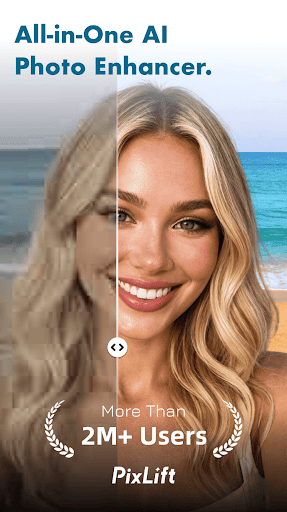
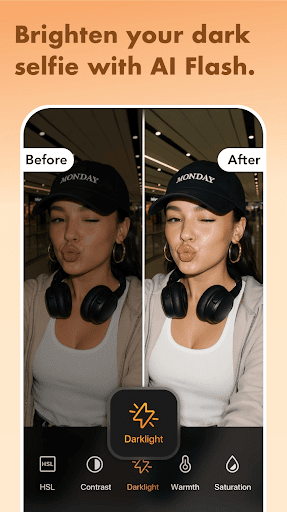
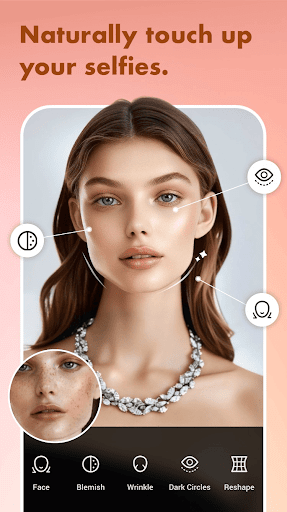
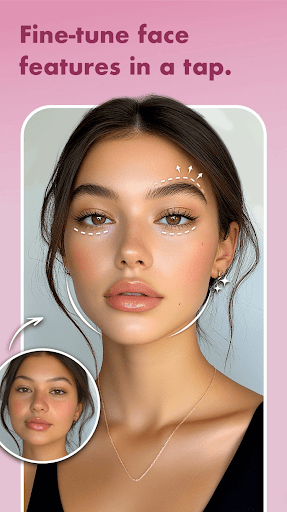
- Relying on AI technology to help you easily enhance your photos, you can make your pictures more beautiful with almost no operations.
- Supports real-time editing, and you can immediately see changes when adjusting photo settings, making you feel particularly fulfilling.
- It can also be operated offline. You can optimize photos on Android phones without having to connect to the Internet. How considerate.
- The batch processing function allows you to get multiple pictures at one time, which saves a lot of effort for both professional and leisure users.
- The interface is super friendly and easy to use. Even novices can easily get started, and the functions are clear at a glance.
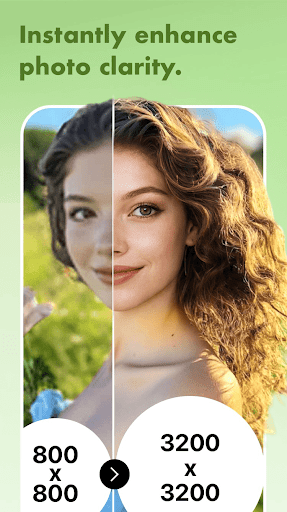
- Advanced AI algorithms automatically repair blur, noise and low definition, and the effect is great, like magic.
- The export effect is great. No matter which platform or device you are on, the clarity can be maintained and the image quality is not discounted.
- It can also be easily integrated and shared directly to social media with one click. It is a super reliable photo repair artifact.
Who is suitable for?
This mobile app is designed for those who like to take photos. Whether you are an amateur or a professional photographer, anyone over the age of 15 can use it to quickly beautify photos. It is especially suitable for those who want to make their pictures more beautiful without learning complex skills.
Whether you are a social networking user, content creation, or casual photo-taking user, this app can help you if you want to quickly improve the quality of your photos during travel, gatherings or ordinary days. It is designed to serve people who pursue texture but are too lazy to think about technology. The effect is guaranteed and it is simply too considerate.
Why choose this model
This Android app is centered on powerful AI technology, allowing you to easily enjoy professional-level photo optimization. It is reliable and fast to use, and anyone can become a "master photographer".
Unlike other similar software, it combines advanced technology and a simple operating interface to automatically solve those troublesome photo quality issues. Its stability and efficiency make users trust it, and it has become the first choice for small partners who pursue fast and high-quality retouching.
Pros & Cons
Pros
-
The effect is special and the details are improved
-
The interface is particularly easy to use
-
Processing speed is fast enough to fly
-
Natural skin tone is perfectly preserved
-
Supports multiple image formats
Cons
-
Batch processing is a bit limited
-
Occasionally, over-sharpened noise occurs
-
It depends on network stability
-
Enhanced parameter control is not particularly superfluous
-
The price may be a bit expensive for ordinary users
Advertisement
Download AI Photo Enhancer - PixLift
FAQ
Is the AI Photo Enhancer - PixLift app safe to use on my device? +
Of course, the AI Photo Enhancer - PixLift app is actually quite reassuring. It will be updated regularly to ensure that security and privacy standards are met. It can be regarded as a very trustworthy choice, and it is no problem to use it to enhance photos.
It's Android. If you download it from regular channels such as Google Play, you will follow strict protection measures to ensure the security of your data. Remember not to place it anywhere else. Official stores are more reliable.
How do I install the AI Photo Enhancer - PixLift Android app? +
It's actually quite simple to install this AI Photo Enhancer - PixLift on an Android phone. You just go to the official page of the Google Play Store, find it, and click the "Install" button. When it is installed, it will be easy to use.
Afterinstalling it, open the app and start trying out its various functions. You can easily improve your photos.
What are the main app features of AI Photo Enhancer - PixLift? +
The main function of this app is to use AI to enhance photos, such as noise reduction and detail sharpening. Your photos will soon look professional, and even if you are a novice, they can easily handle them.
Moreover, it also has the characteristics of batch processing, one-click filters, and intuitive interface. It is suitable for both enthusiasts who like photography and ordinary users, and the experience is quite good.
Does the AI Photo Enhancer - PixLift app work offline, or does it need an internet connection? +
Some of its functions can be operated offline, but many advanced AI enhancements still have to be used online to achieve the best results. This allows it to be connected to the cloud for processing, and the effect is better.
Ingeneral, PixLift finds a balance between offline operations and networking functions, and can switch freely according to your needs, which is quite flexible.
Can I use AI Photo Enhancer - PixLift as a launcher app or is it solely for photo editing? +
In fact, AI Photo Enhancer - PixLift is purely a picture editing tool, specially used to improve the quality of photos. It cannot be used as a launcher, nor is it the kind of App that integrates a desktop portal.
Itsmission is to help you quickly process image, allow you to enjoy a professional editing experience, and satisfy your pursuit of high-quality photos.
Is the AI Photo Enhancer - PixLift app compatible with different Android versions? +
Don't worry about this. It supports most new Android versions and has a wide range of use. Developers also push updates regularly to ensure that it supports different devices and systems.
Ifyou are using an older version of Android, it is recommended to go to Google Play to check the specific requirements first to ensure that it can be used smoothly and that it will not cause trouble when the time comes.
What should I do if I encounter issues while using the AI Photo Enhancer - PixLift app? +
If you encounter problems, first try restarting your phone, and then make sure your app is the latest version. Many small problems can be solved by this.
Ifit still doesn't work, you can check its frequently asked questions or contact support, which usually has contact information on Google Play. The development team is very responsible and ensures that you can use it with confidence and satisfaction.
How can I ensure the safety of my photos when using this app? +
When using it, you still have to operate in a private environment and don't share sensitive photos casually, especially on the public network. Remember to only download it through official channels, such as Google Play, which is safer.
Thisapp will protect your privacy and will not upload your photos without your permission. Overall, it is quite trustworthy, so use it with confidence.
Customer Reviews
Users generally praise AI Photo Enhancer - PixLift for its user-friendly interface and effective enhancement tools, often calling it 'fantastic', 'great', and 'the best app' for creating vintage looks and montages. Many appreciate the free features available with ads. However, significant controversy surrounds its pricing model and ads: while some find the free version sufficient, others severely criticize the sudden €3.99/day subscription after the trial, deceptive 'free' claims, and excessive advertising, with a few even labeling it a scam. Some users also report issues with watermarks and pop-up windows that disrupt editing. Overall, the app balances strong basic performance against frustrating monetization practices.
Write a Review
Share your experience with AI Photo Enhancer - PixLift. Submissions are reviewed before publishing.
You Might Also Like
More apps you may want to try next.




