AI Photo Editor: Photo Enhance

AI Photo Editor: Photo Enhance

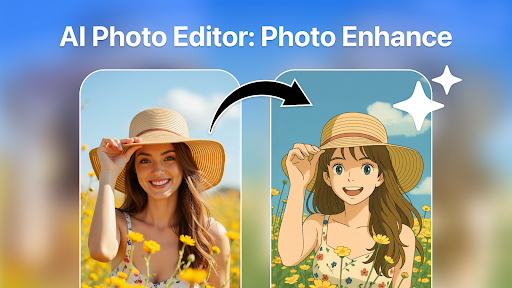
AI Photo Editor: Photo Enhance, a top-rated photo editing app for stunning enhancements and object removal. Get the latest version now for free!

Advertisement

Screenshots

5 images
AI Photo Editor: Photo Enhance screenshot 1AI Photo Editor: Photo Enhance screenshot 2AI Photo Editor: Photo Enhance screenshot 3AI Photo Editor: Photo Enhance screenshot 4AI Photo Editor: Photo Enhance screenshot 5

Advertisement

About AI Photo Editor: Photo Enhance

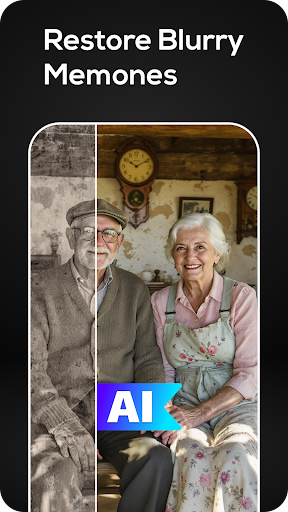
AI Photo Editor: Photo Enhance This app is really easy to use, especially for people who want to quickly get photos. It's quite considerate, and the interface is quite simple, so you can operate it at a glance. Supports Android phones and feels smooth to use. Various functions are quite intuitive, such as making photos more beautiful, removing some eyesore, and improving the quality of the entire picture a lot. In fact, whether you are a novice or an old driver, you can easily create professional-level effects with this software. It's really convenient!

Overview

core functions

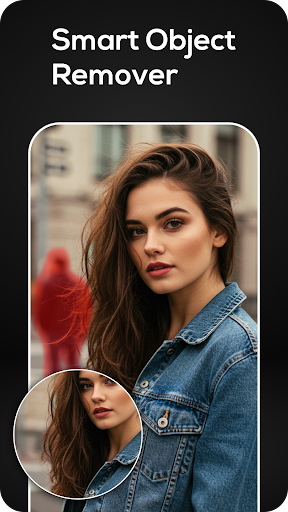
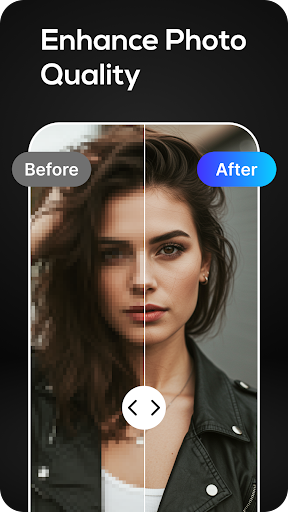
  • This application is equipped with advanced AI-driven photo enhancement tools, which can easily improve the quality of pictures, and the effect is particularly amazing.
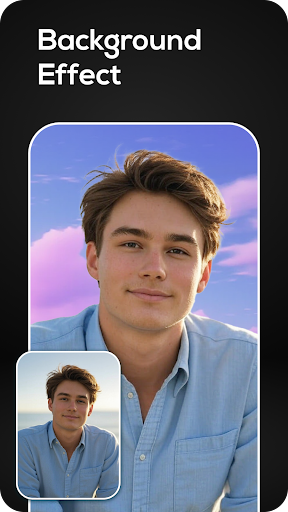
  • There is also a real-time processing background removal function, which can quickly help you peel off the main body bit by bit, which is super convenient.
  • Provide a variety of beauty filters and retouching options. Becoming beautiful in one second is not a dream, and the photography experience is instantly improved.
  • Support offline viewing and editing, don't worry about not having the Internet, and you can make photo modifications at any time.
  • It can also be deeply integrated with mobile photo albums, and the sharing function can be done with one click, making managing and sharing photos super simple.
  • The interface is super friendly, it is easy to use, there are no complicated operations, and the editing is fast and smooth.
  • The mass processing function allows you to edit multiple photos at a time, saving time and effort, and exploding efficiency.

Who is this app suitable for?

This mobile app is especially suitable for people who like to take photos, socialize, and beauty. It is very easy to use and can quickly make photos more beautiful and have a full experience.

Especially for those who want to use a simple and easy-to-use tool to enhance selfies or portrait photos on Android phones, whether it is daily entertainment or content creation, it is super practical.

Why choose this app

With its powerful AI technology, this Android app can quickly bring professional-level photo editing effects on mobile phones, making it easy to use and efficient.

Its stability and reliability are guaranteed and trustworthy. It is the first choice artifact for users who pursue high-quality editing and often need to improve photos, solving your various photo improvement problems.

Top Recommended Alternative

Pros & Cons

Pros

  • user-friendly interface
  • High-quality enhancement algorithms
  • Rich editing tools
  • fast
  • Automatic optimization options

Cons

  • Free features are limited
  • Occasionally over-processing
  • Professional users may feel that tools are too basic
  • Limited support for RAW files
  • Occasionally crashes on some devices

Advertisement

Download AI Photo Editor: Photo Enhance

You are going to be redirected to the official website to finish the download when you click these buttons above.

FAQ

Is AI Photo Editor: Photo Enhance safe to use on my device?+
Of course, AI Photo Editor: Photo Enhance is a very reliable mobile app that can be found on the Google Play Store and is optimized for Android devices. It was developed with security and user privacy in mind, and it is basically quite guaranteed to use. The software follows standard security protocols and regularly pushes updates to patch possible vulnerabilities. Remember to download it from official channels, such as the Google Play Store, so that you can ensure the security of your device and data and feel more at ease.
How do I install AI Photo Editor: Photo Enhance on my Android device?+
Installing this AI Photo Editor is actually very simple. You just search for its name in the Google Play Store, click the "Install" button, and it will download and install the rest itself. The interface of this launcher is quite intuitive and easy to get started. Whether you are a novice or not, you can quickly get photo enhancements. Remember to ensure that there is enough space on your phone and that the network connection is stable during installation so that it can be completed smoothly.
What features does AI Photo Editor: Photo Enhance offer?+
It is quite rich in functions, including advanced photo modification tools, background removal, and one click to improve photo quality. It can be done with a few operations. It is not only suitable for ordinary users, but also can help professionals achieve good results. There are also some additional functions, such as AI filters, color corrections, flaw removal, etc., that have become very diverse. The interface is also very friendly, and even people who are not very good at using editing software can use it smoothly.
Can I use AI Photo Editor: Photo Enhance offline?+
Yes, many basic editing functions can be used offline after installation, and you can adjust photos without having to connect to the Internet. The design of this app takes into account your need to use it anytime, anywhere. Whether it is at home or outside, just open the app and select a photo to edit with one click, which is super convenient.
Is AI Photo Editor: Photo Enhance compatible with all Android versions?+
This AI Photo Editor is adapted to recent Android versions and can be used on most Android devices. For a better experience, it is recommended to use the latest Android system version on your device. Developers will continue to push updates to ensure that it is compatible with new devices and enhance functionality and security. If you want to know which version is supported, you can go to the application page on Google Play.
Does AI Photo Editor: Photo Enhance have any in-app purchases or ads?+
It has a free version, and basic features can meet ordinary photo enhancement needs. You can also choose to pay for some advanced tools and filters, which will have more functions. The overall experience is quite smooth, and there are not many advertisements, which will not affect your mood when using it. Even casual players can use it comfortably without any worries.
Is AI Photo Editor: Photo Enhance suitable for professional photo editing?+
Although the AI Photo Editor is quite powerful and can meet many editing needs, it is mainly for casual and semi-professional use. If you want to do very professional post-processing, you may want to consider using professional desktop software as more appropriate. However, if you want to quickly tune, repair, and do something creative on an Android phone, it is flexible and convenient. This software is very reliable and suitable for users of all levels.
How often does AI Photo Editor update its app features?+
The development team is very attentive and regularly pushes updates, adds new functions, optimizes old ones, and enhances security. Keeping software updated allows you to use the latest features and is a good way to ensure software stability. The habit of swiping updates is important to ensure that your editing tools are always reliable and you can always enjoy the latest and best experience.

You Might Also Like

More apps you may want to try next.