FamiliarApps logo
AI Photo Editor - Lumii

AI Photo Editor - Lumii

Advertisement

Screenshots

16 images
AI Photo Editor - Lumii screenshot 1 AI Photo Editor - Lumii screenshot 2 AI Photo Editor - Lumii screenshot 3 AI Photo Editor - Lumii screenshot 4 AI Photo Editor - Lumii screenshot 5 AI Photo Editor - Lumii screenshot 6 AI Photo Editor - Lumii screenshot 7 AI Photo Editor - Lumii screenshot 8 AI Photo Editor - Lumii screenshot 9 AI Photo Editor - Lumii screenshot 10 AI Photo Editor - Lumii screenshot 11 AI Photo Editor - Lumii screenshot 12 AI Photo Editor - Lumii screenshot 13 AI Photo Editor - Lumii screenshot 14 AI Photo Editor - Lumii screenshot 15 AI Photo Editor - Lumii screenshot 16

Advertisement

About AI Photo Editor - Lumii

AI Photo Editor - Lumii is a popular mobile app, especially suitable for those who like to take photos and want to quickly get pictures. There are many powerful editing tools in this Android software, and you can get great results with just a few clicks. Whether you are a casual photographer or a photography enthusiast, Lumii can bring a very comfortable feeling of operation, making retouching simple and interesting, without making people feel annoyed or difficult.

Overview

core functions

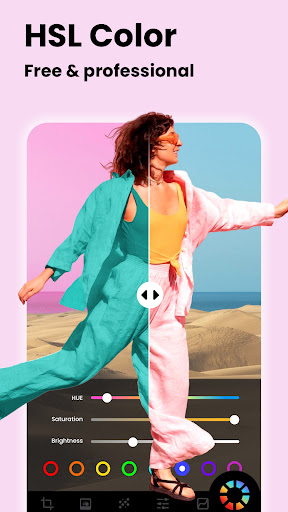
  • Intuitive photo editing tools, such as cropping, rotating, and adjusting brightness, feel particularly easy to operate and have precise control.
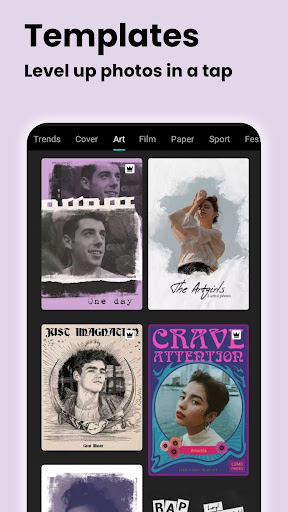
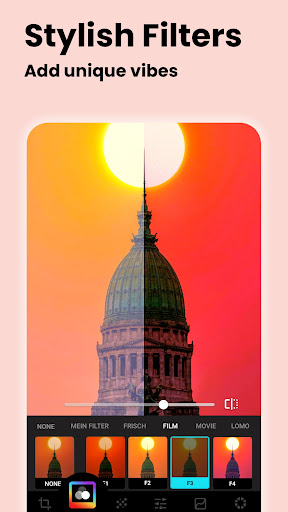
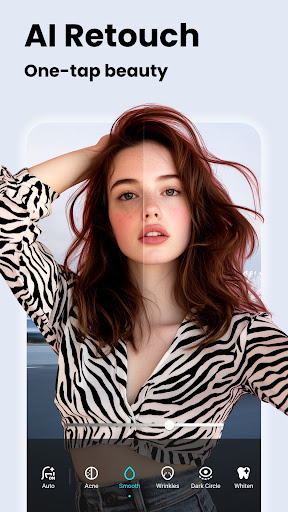
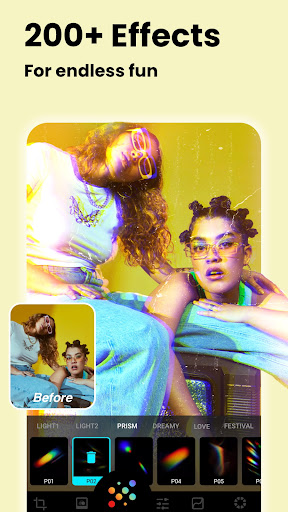
  • A variety of advanced filters and special effects help you beautify your photos naturally and add some depth and artistic flavor. Sometimes you can't help but marvel at how well you took them!
  • The real-time preview function allows you to see the effect before editing without worrying about making mistakes and making adjustments more satisfied.
  • Support offline operations, you don't have to worry about not having a network at all, and you can edit pictures anytime and anywhere. It's extremely considerate.
  • Batch processing function allows you to color and filter several photos together, eliminating the need to work hard one by one, saving time and effort.
  • Very convenient sharing option. The edited photos can be directly shared to social media or saved on your mobile phone. It is super convenient!
  • The interface is particularly friendly. Whether you are a novice or an old photographer, you can easily get started and know it at a glance.

Who is this app suitable for?

This mobile app is especially suitable for casual users, amateur photographers, and those who like to post beautiful pictures on social platforms. It is simple in design and simple to operate. Anyone who wants to repair beautiful photos quickly can give it a try.

Whether you want to beautify fake sunshine, make a little artistic, or simply change your selfies, this app can help you easily and make your editing experience smooth and efficient, especially on Android phones. It's so easy to use, with almost no threshold!

Why choose this app

What makes this Android app special is that its functions are intuitive and smooth, and it feels free to use. Although the tool provided is simple, it is very practical, just enough to meet the needs of most people, and will not make you feel cumbersome or complex. It is a trustworthy retouching artifact.

It emphasizes simplicity, excellent performance, and comprehensive functions. It can help you quickly get beautiful pictures. The results are really amazing, and it stands out in front of a bunch of "fancy" retouching software. I feel that I don't have to worry about efficiency and quality when I use it to edit pictures. It's great!

Top Recommended Alternative

Pros & Cons

Pros

  • The operating interface is very intuitive
  • Rich filters and special effects
  • HD output options
  • non-destructive editing
  • General updates and new features

Cons

  • Lack of advanced editing tools
  • Dealing with big pictures sometimes gets stuck
  • Free version with watermark
  • Limited export formats supported
  • Free user advertisements

Advertisement

Download AI Photo Editor - Lumii

You are going to be redirected to the official website to finish the download when you click these buttons above.

FAQ

Is AI Photo Editor - Lumii easy to install on my Android device? +
Of course, the AI Photo Editor - Lumii is very thoughtful and easy to install. It can be done on any Android phone. You can find it on the Google Play Store and get it done in just a few clicks. It is also compatible with most new versions of Android, and the entire installation process is smooth and there are no complicated steps. Once installed, it will give you a quick guide to understand various functions. This way, whether you are a novice or an old driver, you can edit photos directly. As a popular mobile phone app, Lumii's installation process is stable and effortless. Basically, anyone who wants to build a comprehensive photo editing tool can use it smoothly.
Are the features provided by AI Photo Editor - Lumii enough for casual users? +
It's definitely enough. Lumii's features are quite rich. It is suitable for casual try and more professional users. The interface is super intuitive, making it easy to find editing tools, filters and effects. Anyway, it's easy to use. If you want to use filters, adjust brightness, or add text, you can have no problem. And its functions will be constantly updated to keep up with the latest photography trends. As a photo enthusiast tool on Android, Lumii provides all the necessary functions for creative editing without making it difficult for novices. It is especially suitable for beautifying photos every day.
How about AI Photo Editor - Lumii in terms of security? Do you feel safe to use it? +
Don't worry, Lumii is a very safe mobile phone software, and the development team cares a lot about user privacy and security. It can be found on the Google Play Store, has gone through strict security testing, complies with various data protection regulations, and you can use it with confidence to retouch pictures. As a reliable software in the photography category, Lumii respects user privacy and will not request extra permissions at will. Its stable experience and strict security measures give you more peace of mind and edit photos without worrying about privacy leaks or security issues.
Can I use Lumii as a launcher to quickly open editing tools? +
In fact, Lumii is mainly a retouching software. It is not designed as a launcher. If you want to quickly find editing tools, you can add Lumii to your home screen and use it with a click, which is very convenient. Although it cannot replace the launcher of the mobile phone, it is easy to use. You can directly open the picture and start editing. The process is smooth. Its optimization is also quite good. It is specially designed for efficiency. It is also quite practical for friends who like to modify drawings anytime and anywhere.
Compared with other Android retouching software, what is so special about AI Photo Editor - Lumii? +
Its highlight is its comprehensive functions and simplicity. A variety of filters, creative tools and editing options are available so you can make professional photos without having to work hard. Due to the app's solution, editing is fast and easy, which is why many ordinary users and photography enthusiasts like to use it. Moreover, it can preview the effects in real time, and the adjustment options are quite rich. Overall, the experience is very good. As a reliable Android retouching software, Lumii combines simplicity and power well. It can be done directly on your mobile phone, making it satisfactory and reassuring.

Customer Reviews

AI
AI Generated Summary
Based on real user feedback
★ 4.6

Users widely praise AI Photo Editor - Lumii for its smooth performance, intuitive interface, and ease of use, making it a reliable tool for daily photo editing. Many highlight the wide variety of filters and adjustment tools that produce clear and beautiful results. However, opinions diverge on the AI features: while some appreciate the simplicity and efficiency, others criticize the AI as overhyped, noting it effectively works only as a color filter. Additionally, the cutting tool is described as very simple, which some find limiting, though the overall simplicity is seen as a strength for quick edits. Overall, the app is highly regarded for its user-friendly design and satisfactory performance.

Dennis micheni · 2026-06-22
★ 5
This product is considered the best in its category, offering exceptional performance and reliability. It has been highly rated by customers for its superior features and value.
Lucky Mutakela · 2026-06-19
★ 5
I adore this! It's absolutely fantastic. 👍👍👍😊
Rocky Wahid · 2026-06-19
★ 5
pleasant
Abdul Rehman · 2026-06-19
★ 5
This app provides a very easy edition for users.
Shahajahan Badsha · 2026-06-18
★ 5
The word 'like' is a versatile term in English. As a verb, it indicates preference or enjoyment, as in 'I like apples.' As a preposition, it denotes similarity, e.g., 'She runs like the wind.' In informal contexts, it is also used as a filler word. The term is widely used in social media to signify approval.

Write a Review

Share your experience with AI Photo Editor - Lumii. Submissions are reviewed before publishing.

Rating *
0 / 2000

You Might Also Like

More apps you may want to try next.

Advertisement
5
Please wait...